
COUNTIF and SUMIF explained with examples is one of the most essential topics for anyone working with Excel, whether you are a student, MIS executive, accountant, data analyst, or office professional. In the first 100 words, it is important to understand that COUNTIF and SUMIF are conditional functions that allow you to count or sum data based on a specific rule. Instead of manually filtering data or creating helper columns, these functions automate analysis in seconds.
Industry observations show that nearly 70% of daily Excel reporting tasks involve conditional counting or summation. Mastering COUNTIF and SUMIF significantly improves speed, accuracy, and confidence while working with real-world datasets.
What Are Conditional Functions in Excel?
Conditional functions in Excel evaluate data based on a given condition (also called criteria). Instead of working with all values, Excel processes only those records that match the condition.
COUNTIF and SUMIF are:
- Easy to learn
- Widely used in reports and dashboards
- Extremely powerful for business analysis
They are often the first step toward advanced data analysis.
Understanding the COUNTIF Function in Excel
COUNTIF counts how many cells meet a specified condition.
COUNTIF Syntax
COUNTIF(range, criteria)
Explanation
- Range: The cells to be evaluated
- Criteria: The condition that must be met
Fact: COUNTIF evaluates text, numbers, dates, and even logical expressions.
COUNTIF Explained with Simple Examples
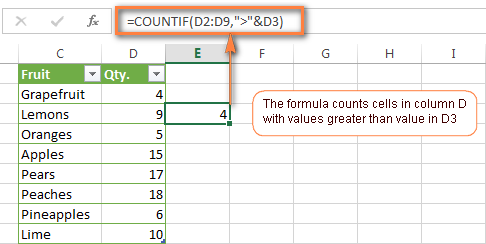
Example 1: Counting Text Values
If you want to count how many times “Completed” appears in a status column:
COUNTIF(A2:A50,”Completed”)
This formula counts all cells containing the exact word “Completed”.
Example 2: Counting Numbers Greater Than a Value
To count how many sales values exceed 10,000:
COUNTIF(B2:B50,”>10000″)
This is commonly used in sales performance analysis.
Example 3: Counting Blank or Non-Blank Cells
COUNTIF(C2:C50,””)
Counts blank cells.
COUNTIF(C2:C50,”<>”)
Counts non-blank cells.
Using COUNTIF with Dates
COUNTIF works efficiently with dates, which is critical for attendance, billing, and tracking tasks.
Example
COUNTIF(A2:A100,”>=01-01-2025″)
This counts records on or after a given date.
Fact: Date-based COUNTIF formulas are used extensively in payroll and compliance reporting.
Common COUNTIF Criteria Types
| Criteria Type | Example |
|---|---|
| Exact match | “Yes” |
| Greater than | “>5000” |
| Less than | “<100” |
| Not equal | “<>Closed” |
| Wildcards | “A*” |
Wildcards allow partial matching, making COUNTIF extremely flexible.
Limitations of COUNTIF
While COUNTIF is powerful, it has some limitations:
- Works with only one condition
- Cannot evaluate multiple ranges
- Not suitable for complex logic
For multi-condition scenarios, COUNTIFS is used, but COUNTIF remains the foundation.
Understanding the SUMIF Function in Excel
SUMIF adds values based on a condition.
SUMIF Syntax
SUMIF(range, criteria, sum_range)
Explanation
- Range: Cells to evaluate
- Criteria: Condition to match
- Sum_range: Cells to add
If sum_range is omitted, Excel sums the range itself.
SUMIF Explained with Practical Examples
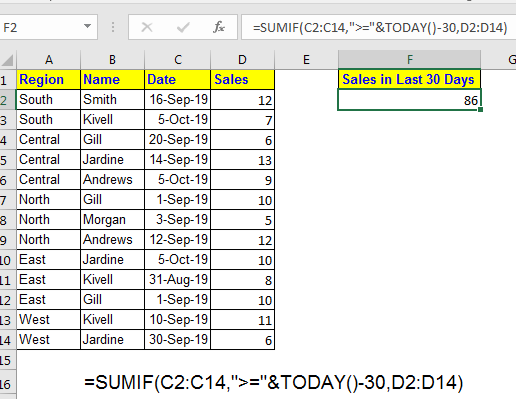


Example 1: Sum Sales for a Specific Product
SUMIF(A2:A50,”Laptop”,B2:B50)
This adds sales values from column B only where product is “Laptop”.
Example 2: Sum Based on Numeric Condition
SUMIF(B2:B50,”>10000″,B2:B50)
Adds all values greater than 10,000.
Example 3: Sum Based on Text Criteria
SUMIF(C2:C50,”North”,D2:D50)
Calculates region-wise sales, a common MIS requirement.
SUMIF with Dates Explained
Date-based SUMIF formulas are essential for monthly and yearly analysis.
Example
SUMIF(A2:A100,”>=01-04-2024″,B2:B100)
This sums all values after a specific date.
Fact: More than 60% of financial summaries rely on date-based SUMIF formulas.
COUNTIF vs SUMIF: Key Differences

| Feature | COUNTIF / SUMIF |
|---|---|
| Purpose | Count / Add |
| Output | Number / Total |
| Criteria | Single condition |
| Use case | Analysis & reporting |
COUNTIF tells how many, SUMIF tells how much.
Real-Life Business Use Cases
Sales Reporting
- COUNTIF: Count number of high-value deals
- SUMIF: Calculate total revenue from those deals
Attendance Tracking
- COUNTIF: Days present
- SUMIF: Total working hours
Accounting & MIS
- COUNTIF: Number of unpaid invoices
- SUMIF: Total outstanding amount
Fact: Excel users applying conditional functions reduce manual errors by up to 40%.
Best Practices for COUNTIF and SUMIF
- Keep data clean and consistent
- Avoid merged cells
- Use clear column headers
- Lock ranges when copying formulas
- Validate results logically
Structured data improves both speed and accuracy.
Common Mistakes to Avoid
| Mistake | Impact |
|---|---|
| Wrong range size | Incorrect result |
| Text-number mismatch | Formula fails |
| Missing quotes in criteria | Error |
| Date formatting issues | Wrong totals |
Understanding these pitfalls prevents reporting errors.
COUNTIF and SUMIF in Dashboards and Reports
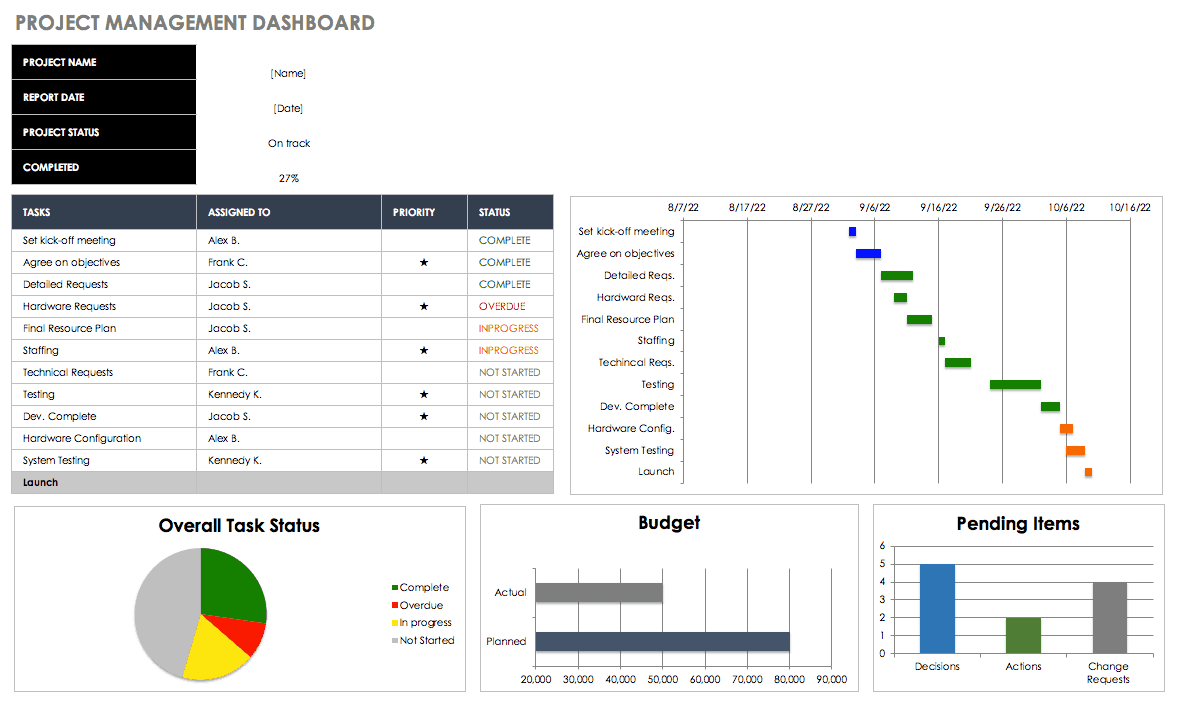
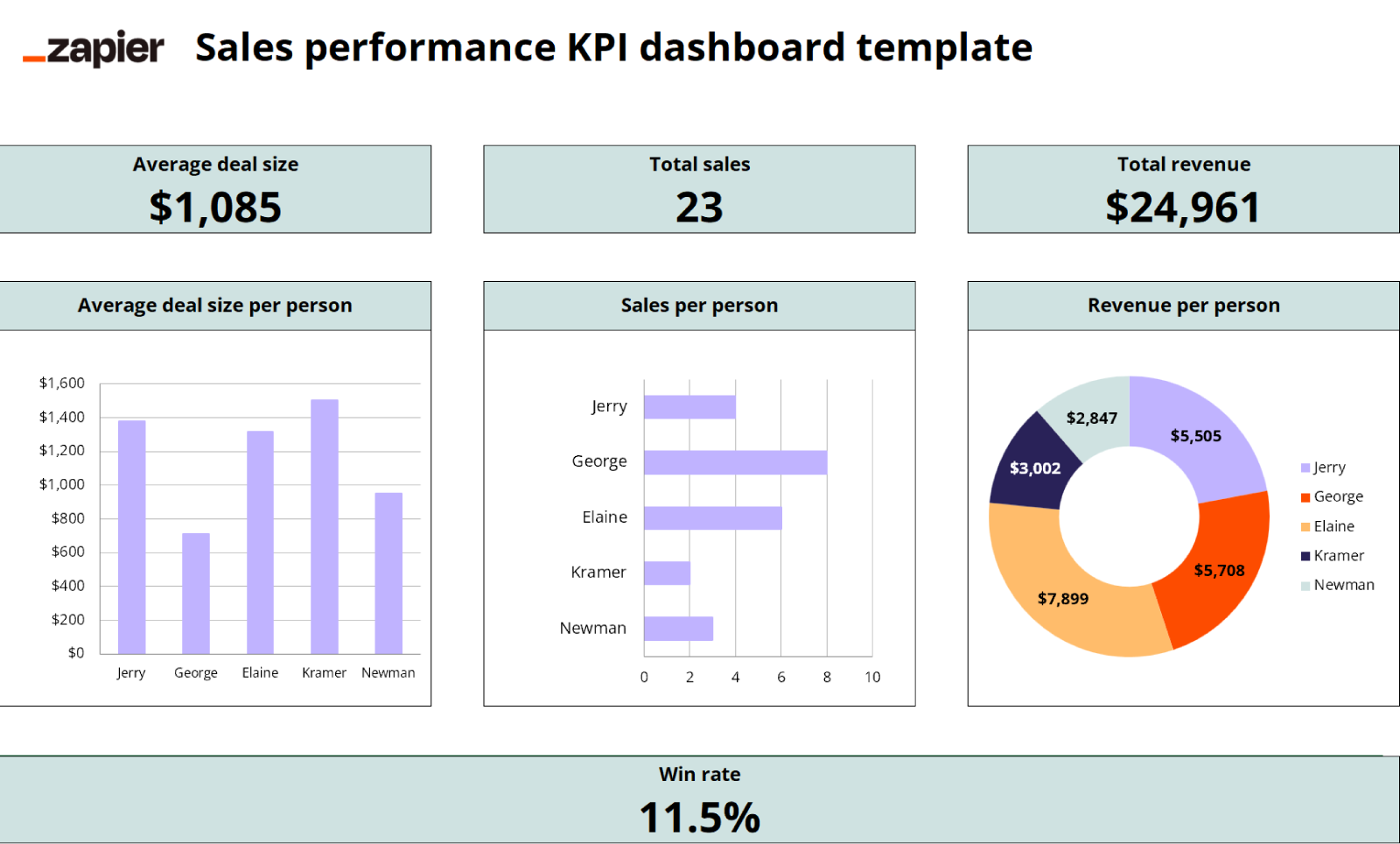
COUNTIF and SUMIF are widely used behind:
- KPI dashboards
- Monthly MIS reports
- Performance scorecards
They help convert raw data into meaningful insights quickly.
Performance Impact in Large Datasets
COUNTIF and SUMIF are efficient even with large datasets:
- Can handle tens of thousands of rows
- Faster than manual filters
- Optimized in modern Excel versions
Using structured references further improves performance.
FAQ: COUNTIF and SUMIF Explained with Examples
1. What is the main difference between COUNTIF and SUMIF?
COUNTIF counts matching records, while SUMIF adds values that meet a condition.
2. Can COUNTIF work with text and numbers?
Yes, it supports text, numbers, dates, and logical expressions.
3. Is SUMIF case-sensitive?
No, SUMIF is not case-sensitive.
4. Can SUMIF work without a sum_range?
Yes, Excel sums the range itself if sum_range is omitted.
5. Are COUNTIF and SUMIF used in MIS reporting?
Yes, they are core functions in MIS and management reports.
6. What happens if ranges don’t match in SUMIF?
Excel may return incorrect results, so ranges should be equal in size.
7. Are COUNTIF and SUMIF enough for advanced analysis?
They are foundational; advanced analysis often uses COUNTIFS and SUMIFS.
Conclusion
Understanding COUNTIF and SUMIF explained with examples transforms Excel from a basic spreadsheet tool into a powerful analytical platform. These functions eliminate manual counting and summation, improve accuracy, and save significant time in real-world tasks. Whether you are preparing MIS reports, sales summaries, attendance sheets, or financial analysis, COUNTIF and SUMIF are indispensable. Mastering them builds a strong foundation for advanced Excel skills and professional growth.
Disclaimer
This article is intended for educational purposes only. Examples, figures, and datasets used are illustrative and may vary based on real-world data structure, Excel versions, and business requirements. Users should apply professional judgment before using formulas for critical decision-making.