Category: Job News

  • Top 50 Excel Questions Asked in Interviews for Freshers and Experienced Professionals (With Clear Explanations)

    Preparing for Excel interviews without knowing the top 50 Excel questions asked in interviews is one of the biggest mistakes candidates make. Excel is no longer just a spreadsheet tool; it is a core business skill used in accounting, data analysis, MIS reporting, finance, HR, and operations. Recruiters often use Excel interviews to test not only knowledge but also logic, accuracy, and real-world problem-solving ability.

    This comprehensive guide covers the most frequently asked Excel interview questions, ranging from basics to advanced concepts. It is designed for freshers, accountants, data analysts, and working professionals who want to strengthen their interview readiness and confidence.


    Why Excel Skills Are So Important in Interviews

    Surveys across hiring firms show that over 75% of non-technical job roles require practical Excel knowledge. Roles such as accounts executive, data analyst, MIS executive, business analyst, and operations coordinator all depend heavily on Excel.

    Recruiters typically assess:

    • Accuracy of formulas
    • Understanding of data structure
    • Speed and efficiency
    • Ability to analyze and present data

    Mastering these Excel interview questions significantly improves your chances of selection.


    Top 50 Excel Questions Asked in Interviews

    Basic Excel Interview Questions (1–15)

    1. What is Microsoft Excel and where is it used?
    2. What are cells and ranges in Excel?
    3. What is the difference between a workbook and a worksheet?
    4. What are rows and columns?
    5. What is an Excel formula?
    6. What is the difference between a formula and a function?
    7. What are absolute, relative, and mixed cell references?
    8. How do you freeze rows or columns?
    9. What is the use of AutoFill?
    10. What are common Excel file extensions?
    11. How do you protect a worksheet?
    12. What is conditional formatting?
    13. What is the use of filters?
    14. What are charts in Excel?
    15. What is the use of Wrap Text?

    Intermediate Excel Interview Questions (16–35)

    Formulas and Functions

    1. What is the VLOOKUP function and its limitations?
    2. What is the difference between VLOOKUP and HLOOKUP?
    3. Why is INDEX and MATCH better than VLOOKUP?
    4. What is the IF function?
    5. How does IFERROR work?
    6. What is COUNT, COUNTA, and COUNTBLANK?
    7. Difference between SUM, SUMIF, and SUMIFS?
    8. What is AVERAGEIF?
    9. What is the TEXT function used for?
    10. What are logical functions in Excel?

    Data Handling and Tools

    1. What is Data Validation?
    2. What are Pivot Tables and why are they used?
    3. What is sorting in Excel?
    4. What is filtering vs advanced filtering?
    5. What is Remove Duplicates?
    6. What are Named Ranges?
    7. What is Flash Fill?
    8. How do you split data using Text to Columns?
    9. What is conditional formatting with formulas?
    10. What is the use of slicers?

    Advanced Excel Interview Questions (36–50)

    Advanced Analysis and Automation

    1. What is a Pivot Chart?
    2. What is Power Query?
    3. What is Power Pivot?
    4. What is the difference between Pivot Table and Power Pivot?
    5. What is a Macro in Excel?
    6. What is VBA used for?
    7. What is the difference between a macro and a formula?
    8. What are dynamic arrays?
    9. What is XLOOKUP and why is it better?
    10. What is the use of NETWORKDAYS function?
    11. What are Excel dashboards?
    12. How do you handle large datasets in Excel?
    13. What is conditional formatting priority?
    14. What is data consolidation?
    15. What are common Excel errors (#N/A, #VALUE!, #REF!)?

    Most Important Excel Topics Recruiters Focus On

    Topic AreaInterview Weight
    Excel FormulasVery High
    Pivot TablesHigh
    Lookup FunctionsVery High
    Data AnalysisHigh
    Automation (Macros)Medium

    Common Mistakes Candidates Make in Excel Interviews

    • Memorizing formulas without understanding logic
    • Not knowing real-life use cases
    • Ignoring data accuracy
    • Poor explanation of steps
    • Confusing similar functions

    Hiring managers often reject candidates who know formulas but cannot apply them to business scenarios.


    How Recruiters Evaluate Excel Skills

    Recruiters generally assess Excel through:

    • Practical tests
    • Scenario-based questions
    • Live problem solving
    • Data interpretation exercises

    Statistics from placement teams show candidates with hands-on Excel practice perform 40% better than those with only theoretical knowledge.


    Excel Skills That Increase Salary Potential

    Professionals with strong Excel skills can expect:

    • Faster promotions
    • Higher job stability
    • Better role flexibility

    Advanced Excel users often earn 20–30% higher salaries than basic Excel users in similar roles.


    Frequently Asked Questions (FAQ)

    1. What are the most common Excel questions asked in interviews?

    Questions on formulas, VLOOKUP, Pivot Tables, IF functions, and data handling are most common.

    2. Is Excel required for freshers in interviews?

    Yes. Most entry-level roles test basic to intermediate Excel knowledge.

    3. Are Pivot Tables important for Excel interviews?

    Yes. Pivot Tables are one of the most frequently tested Excel features.

    4. How many Excel questions are usually asked in interviews?

    Typically 10–20 questions, including practical tasks.

    5. Is advanced Excel mandatory for all jobs?

    No. Advanced Excel is required mainly for data-heavy roles.

    6. Can Excel interviews include practical tests?

    Yes. Many companies conduct live Excel assignments.

    7. How long does it take to prepare Excel for interviews?

    With focused practice, 2–4 weeks is sufficient for most roles.


    Conclusion

    Mastering the top 50 Excel questions asked in interviews gives you a strong competitive advantage. Excel is a practical skill, and interview success depends on how well you understand concepts and apply them to real-world problems. Whether you are a fresher or an experienced professional, consistent practice and conceptual clarity are the keys to clearing Excel interviews confidently.


    Disclaimer

    This article is intended for educational and informational purposes only. The interview questions, hiring trends, and figures mentioned are based on industry observations, recruiter feedback, and practical experience. Actual interview questions and evaluation criteria may vary depending on company, role, and industry.

  • Top 10 Interview Rejection Reasons for Freshers and How to Avoid Them in Your First Job Search

    Understanding the top 10 interview rejection reasons for freshers is one of the most effective ways to improve your chances of landing your first job. Every year, millions of graduates attend interviews with similar degrees and marks, yet only a small percentage receive offer letters. The difference often lies not in academic knowledge but in interview readiness, communication skills, and professional behavior.

    This in-depth article explains why freshers get rejected in interviews, backed by realistic hiring data, recruiter expectations, and actionable improvement strategies. If you are a student, graduate, or entry-level job seeker, this guide will help you identify mistakes before they cost you another opportunity.

    https://online.csp.edu/wp-content/uploads/2020/07/TopHRInterviewQuestionsAnswers-Header.png

    4


    Why Do Freshers Get Rejected in Interviews So Often?

    Recruitment studies indicate that over 65% of fresher interview rejections happen due to non-technical reasons. Employers hiring entry-level candidates rarely expect perfection, but they do expect basic professional readiness.

    Common recruiter expectations from freshers:

    • Clear communication
    • Positive attitude
    • Willingness to learn
    • Cultural fit
    • Fundamental job understanding

    When these expectations are unmet, rejection becomes inevitable.


    Top 10 Interview Rejection Reasons for Freshers

    1. Poor Communication Skills

    One of the most common interview rejection reasons for freshers is weak communication. This does not mean fluency in English alone, but the ability to express thoughts clearly and confidently.

    Typical issues:

    • One-word or unclear answers
    • Lack of structure while explaining ideas
    • Overuse of filler words
    • Fear of speaking

    Recruiters estimate that nearly 40% of fresher candidates are rejected primarily due to communication gaps.

    How to avoid it:

    • Practice structured answers (situation, action, result)
    • Speak slowly and clearly
    • Focus on clarity, not accent

    2. Lack of Basic Job Knowledge

    Freshers often attend interviews without understanding:

    • The job role
    • Daily responsibilities
    • Required skills

    Employers frequently report that 1 out of every 3 rejected freshers cannot clearly explain what the job involves.

    How to avoid it:

    • Study the job description line by line
    • Prepare examples matching role requirements
    • Understand basic industry terms

    3. Weak Resume Explanation

    Many freshers list projects, internships, or certifications but fail to explain them confidently.

    Common problems:

    • Memorized answers
    • No clarity on personal contribution
    • Inability to justify resume claims

    Resume-Related Rejection Snapshot

    Resume IssueRecruiter Impact
    Fake or exaggerated skillsImmediate rejection
    Poor project explanationLow credibility

    How to avoid it:

    • Mention only what you truly understand
    • Prepare detailed explanations for every resume point

    4. Negative or Casual Attitude

    Attitude plays a bigger role than many freshers realize. Signs that recruiters dislike:

    • Overconfidence
    • Blaming college or teachers
    • Casual or careless tone
    • Disinterest in the company

    Studies show that attitude-based rejection accounts for nearly 25% of fresher interview failures.

    How to avoid it:

    • Be respectful and professional
    • Show enthusiasm for learning
    • Maintain positive body language

    5. Poor Body Language and Presentation

    Non-verbal communication strongly influences interview outcomes.

    Common mistakes:

    • No eye contact
    • Slouching posture
    • Fidgeting
    • Unprofessional dressing

    Recruiters form an impression within the first 60–90 seconds of an interview.

    How to avoid it:

    • Maintain eye contact
    • Sit straight
    • Dress formally even for virtual interviews

    6. Inability to Answer Basic Technical or Skill-Based Questions

    Freshers are not expected to be experts, but basic conceptual clarity is mandatory.

    Examples:

    • Accounting fresher unable to explain debit and credit
    • IT fresher unable to explain simple logic
    • Marketing fresher unaware of basic terminology

    This reason contributes to over 30% of technical interview rejections.

    How to avoid it:

    • Strengthen fundamentals
    • Practice common interview questions
    • Revise basics before interviews

    7. Poor Problem-Solving Approach

    Employers evaluate how you think, not just what you know.

    Rejected candidates often:

    • Panic during problem-solving
    • Jump to answers without logic
    • Refuse to attempt unfamiliar questions

    How to avoid it:

    • Explain your thought process
    • Ask clarifying questions
    • Attempt solutions step by step

    8. No Career Clarity or Goal Direction

    Many freshers fail when asked:

    • “Where do you see yourself in 3–5 years?”
    • “Why did you choose this field?”

    Unclear answers suggest instability and lack of commitment.

    How to avoid it:

    • Prepare a realistic career path
    • Align goals with job role
    • Show long-term interest in learning

    9. Poor Handling of HR Questions

    HR questions are designed to assess mindset, not knowledge.

    Examples include:

    • Strengths and weaknesses
    • Handling pressure
    • Teamwork experience

    Freshers often give copied or unrealistic answers, which recruiters easily detect.

    How to avoid it:

    • Be honest and specific
    • Use real-life examples
    • Avoid memorized answers

    10. Lack of Confidence and Interview Practice

    The final and most overlooked reason among the top 10 interview rejection reasons for freshers is simple lack of practice.

    Indicators:

    • Nervous voice
    • Long pauses
    • Incomplete answers

    Hiring data suggests candidates with mock interview practice improve selection chances by 35–40%.

    How to avoid it:

    • Attend mock interviews
    • Practice with friends or mentors
    • Record and review answers

    Key Skills Recruiters Expect from Freshers

    Skill AreaImportance
    CommunicationVery High
    AttitudeHigh
    Technical BasicsHigh
    AdaptabilityMedium
    ConfidenceHigh

    Frequently Asked Questions (FAQ)

    1. What is the most common interview rejection reason for freshers?

    Poor communication skills are the most common reason, followed closely by lack of job understanding.

    2. Do marks matter more than interview performance for freshers?

    No. Interview performance often carries more weight than academic scores in final selection.

    3. How can freshers reduce interview rejection chances?

    By improving communication, understanding the job role, practicing interviews, and maintaining a positive attitude.

    4. Is technical knowledge enough to clear fresher interviews?

    No. Recruiters also evaluate attitude, communication, and cultural fit.

    5. How many interviews does a fresher usually fail before selection?

    On average, freshers face 5–8 rejections before securing their first job, which is normal.

    6. Does confidence really affect interview results?

    Yes. Confidence significantly impacts how recruiters perceive your capability and readiness.

    7. Are HR interviews more important than technical rounds?

    Both are equally important. Many candidates clear technical rounds but fail HR interviews.


    Conclusion

    Interview rejection is not a sign of failure but a learning phase for freshers. By understanding the top 10 interview rejection reasons for freshers, candidates can systematically eliminate mistakes and improve performance. With preparation, clarity, and practice, even average students can secure excellent career opportunities.


    Disclaimer

    This article is intended for educational and informational purposes only. The figures, percentages, and hiring insights mentioned are based on industry observations, recruitment trends, and practical experience. Individual interview outcomes may vary depending on company policies, job roles, and candidate background.


  • Top Budget Laptops for Job Seekers in India (2026) – Best Affordable Choices for Office Work, Excel, MIS & Online Jobs

    Finding the right laptop is a critical step for freshers and professionals preparing for jobs in 2026. This guide on Top Budget Laptops for Job Seekers (2026) is designed for Indian users who need reliable performance for office work, Excel, MIS reporting, accounting software, online interviews, and basic data-related roles—without overspending.

    All laptops covered here are priced around the ₹30,000–₹35,000 range and are evaluated on processor performance, RAM & SSD combination, display quality, portability, and long-term usability. The tone of this review is practical and neutral, focusing on real-world usage rather than marketing claims.


    What Job Seekers Should Look for in a Budget Laptop (2026)

    Before choosing a laptop, job seekers should prioritize the following:

    • Minimum 8GB RAM for smooth multitasking
    • SSD storage (512GB preferred) for fast boot and application loading
    • Full HD display for long working hours
    • Decent webcam and microphone for interviews
    • Lightweight design for portability
    • Windows 11 + MS Office for compatibility with office environments

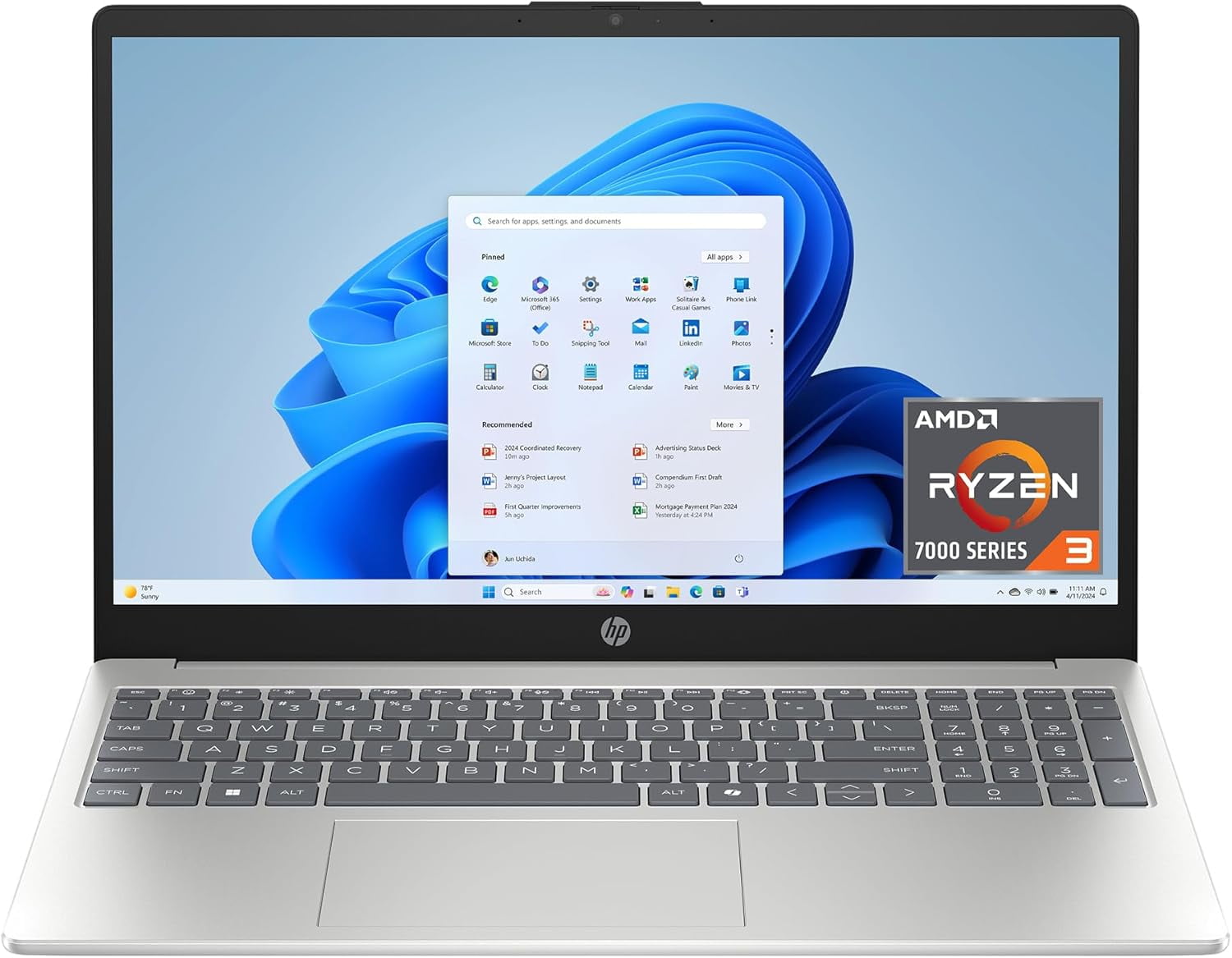
    HP 15 (Ryzen 3 7320U) – Reliable All-Rounder for Office & MIS Work

    https://i5.walmartimages.com/asr/e38de282-ae87-411a-8ed3-bc5686312362.f9aec6ff85dc7e62b31da6b83128a7fd.jpeg

    Overview

    The HP 15 with AMD Ryzen 3 7320U is a balanced laptop aimed at job seekers who want a large screen, dependable performance, and a trusted brand name. It is well-suited for Excel-heavy work, MIS reporting, Tally basics, online training, and interview preparation.

    Key Specifications

    • Processor: AMD Ryzen 3 7320U
    • RAM: 8GB DDR4
    • Storage: 512GB SSD
    • Display: 15.6-inch Full HD, Anti-Glare
    • Weight: 1.59 kg
    • OS & Software: Windows 11, MS Office 2024, Microsoft 365 Basic (1 Year)

    Pros

    • Large Full HD display ideal for spreadsheets
    • Smooth performance for daily office tasks
    • Privacy shutter on webcam (useful for interviews)
    • Good brand after-sales support in India

    Cons

    • DDR4 RAM limits future performance compared to LPDDR5
    • Not suitable for heavy analytics or coding workloads

    Recommendation:
    Best for accounting students, MIS executives, and job seekers who prefer a bigger screen.

    👉 Buy Here


    ASUS Vivobook Go 14 (Ryzen 3 7320U) – Compact & Lightweight for Daily Job Tasks

    https://m.media-amazon.com/images/I/718lPe-Kd5L._AC_UF894%2C1000_QL80_.jpg

    Overview

    The ASUS Vivobook Go 14 is designed for users who value portability without compromising core performance. With the same Ryzen 3 7320U processor as HP but in a smaller form factor, it is ideal for candidates attending interviews, working from co-working spaces, or commuting daily.

    Key Specifications

    • Processor: AMD Ryzen 3 7320U
    • RAM: 8GB
    • Storage: 512GB SSD
    • Display: 14-inch Full HD
    • Weight: 1.38 kg
    • OS & Software: Windows 11, Office Home 2024, Microsoft 365 Basic (1 Year)

    Pros

    • Lightweight and easy to carry
    • Sharp Full HD display
    • Good keyboard for long typing sessions
    • Suitable for Excel, documentation, and online tools

    Cons

    • Smaller screen may feel cramped for advanced Excel users
    • Average speaker output

    Recommendation:
    Ideal for job seekers who travel frequently and prefer a compact laptop.

    👉 Check Price Here


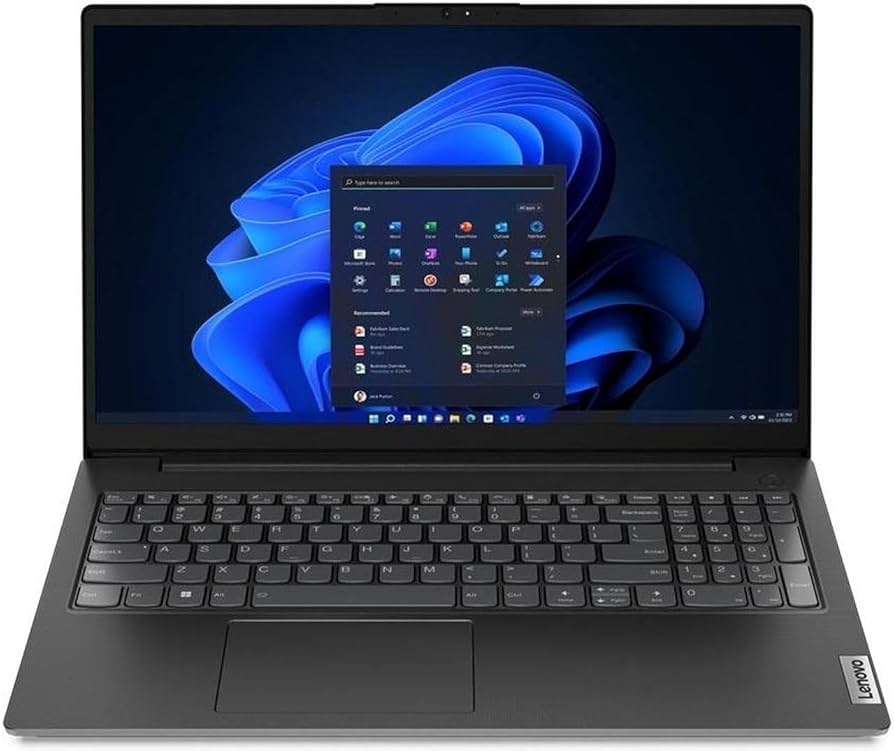
    Lenovo V15 G4 (Athlon Silver 7120U) – Most Affordable Entry-Level Option

    https://m.media-amazon.com/images/I/61-R2LJg1wL._AC_UF894%2C1000_QL80_.jpg
    https://m.media-amazon.com/images/I/513D2L9sxHL._AC_UF894%2C1000_QL80_.jpg

    Overview

    The Lenovo V15 G4 is the most budget-friendly laptop in this list. It targets users who need a basic machine for learning, job applications, online exams, and light office work.

    Key Specifications

    • Processor: AMD Athlon Silver 7120U
    • RAM: 8GB LPDDR5
    • Storage: 512GB PCIe SSD
    • Display: 15.6-inch Full HD
    • OS: Windows 11
    • Warranty: 1 Year

    Pros

    • Lowest price among the compared laptops
    • LPDDR5 RAM improves efficiency
    • Full HD large screen

    Cons

    • Athlon processor is weaker than Ryzen or Core i3
    • Not recommended for heavy multitasking

    Recommendation:
    Suitable for beginners, students, or job seekers with very tight budgets.

    👉 Buy Here


    Acer Aspire Lite (Intel Core i3-1215U) – Best Performance for Power Users

    https://www.ysvara.com/cdn/shop/files/Acer-Aspire-Lite-AMD-Ryzen-5-5625U-Premium-Thin-and-Light-Laptop-16-GB-RAM-512-GB-SSD-Win11-Home-AL15-41-39-62-cm-15-6-FHD-Display-Metal-Body-Multicolor-Backlit-Keyboard-Steel-Gray-1-59-KG-41816312512785.jpg?v=1750313225

    Overview

    The Acer Aspire Lite stands out with its 12th Gen Intel Core i3 processor and 16GB RAM, making it the most powerful laptop in this budget segment. It is ideal for advanced Excel, Power BI basics, SQL practice, and heavy multitasking.

    Key Specifications

    • Processor: Intel Core i3-1215U (12th Gen)
    • RAM: 16GB
    • Storage: 512GB SSD
    • Display: 15.6-inch Full HD
    • Build: Metal body
    • Weight: 1.59 kg

    Pros

    • Best performance among all options
    • 16GB RAM ensures long-term usability
    • Premium metal build
    • Excellent for data-related roles

    Cons

    • Slightly higher price
    • Average battery life

    Recommendation:
    Best choice for serious job seekers aiming for analyst, MIS, or tech-enabled roles.

    👉 Check Price Here


    Quick Comparison (Performance Focused)

    LaptopBest For
    HP 15 Ryzen 3Large screen office & MIS work
    ASUS Vivobook Go 14Lightweight daily use
    Lenovo V15 G4Budget beginners
    Acer Aspire Lite i3Power users & analysts

    Final Recommendation – Which One Should You Choose?

    • Choose HP 15 if you want a big screen and brand reliability
    • Choose ASUS Vivobook Go 14 if portability matters most
    • Choose Lenovo V15 if budget is your top priority
    • Choose Acer Aspire Lite if performance and future-proofing matter

    FAQ – Top Budget Laptops for Job Seekers (2026)

    1. Is 8GB RAM enough for job seekers in 2026?

    Yes, for Excel, MIS, accounting, and online jobs, 8GB is sufficient, though 16GB is better long-term.

    2. Which processor is better for office work – Ryzen 3 or Core i3?

    Core i3 (12th Gen) offers better multitasking, while Ryzen 3 is power-efficient and stable.

    3. Are these laptops good for online interviews?

    Yes, all models support HD cameras and Windows 11, suitable for interviews.

    4. Can these laptops run Excel and Power BI?

    Excel runs smoothly on all; Power BI works best on the Acer Aspire Lite.

    5. Which laptop is most future-proof?

    Acer Aspire Lite due to 16GB RAM and newer Intel architecture.


    Disclaimer

    This article is for informational and educational purposes only. Prices, specifications, availability, and offers may change over time. Buying decisions should be made based on personal requirements and latest product details at the time of purchase.


  • MIS Executive vs Data Analyst – Which Is Better for Career Growth, Salary, and Future Scope?

    Choosing between an MIS Executive vs Data Analyst – which is better is a common dilemma for students, fresh graduates, and working professionals planning a career in data-driven roles. Both profiles deal with data, reports, and decision support, but their responsibilities, skill requirements, salary growth, and long-term career paths are very different. With organizations increasingly relying on data for strategic decisions, understanding the real difference between these two roles is essential before investing time and effort into skill development.

    This detailed guide explains MIS Executive and Data Analyst roles in depth, covering job responsibilities, required skills, tools, salary figures, growth opportunities, and industry demand. By the end of this article, you will clearly understand which role suits your background and long-term career goals.


    What Is an MIS Executive?

    An MIS Executive (Management Information System Executive) is responsible for collecting, organizing, and presenting data in a structured format to support day-to-day business operations. The role focuses more on reporting accuracy, data maintenance, and operational support rather than advanced analytics.

    MIS Executives usually work closely with accounts, sales, HR, operations, and management teams to provide periodic reports.

    Key Responsibilities of an MIS Executive

    • Preparing daily, weekly, and monthly reports
    • Maintaining databases and spreadsheets
    • Tracking performance metrics (sales, expenses, productivity)
    • Ensuring data accuracy and consistency
    • Supporting management with routine information

    What Is a Data Analyst?

    A Data Analyst is a professional who analyzes raw data to identify trends, patterns, and insights that help businesses make strategic decisions. This role goes beyond reporting and involves data interpretation, visualization, and predictive insights.

    Data Analysts often work with large datasets and use advanced tools to transform data into actionable intelligence.

    Key Responsibilities of a Data Analyst

    • Data cleaning and transformation
    • Statistical analysis and trend identification
    • Creating dashboards and visual reports
    • Supporting strategic and forecasting decisions
    • Working with stakeholders to solve business problems

    MIS Executive vs Data Analyst – Core Differences Explained

    AreaMIS Executive / Data Analyst
    Primary focusReporting vs Analysis
    Nature of workOperational vs Strategic
    Data handlingStructured reports vs Large datasets
    Decision impactShort-term vs Long-term

    Educational Background Required

    MIS Executive

    • Graduation in Commerce, Business Administration, or Arts
    • Basic understanding of business operations
    • Short-term certification in Excel or MIS reporting is sufficient

    Data Analyst

    • Graduation in Statistics, Mathematics, Computer Science, Engineering, or Economics
    • Strong analytical and logical foundation
    • Certifications or degrees in data analytics add significant value

    Fact: Over 65% of entry-level MIS professionals come from commerce or general degree backgrounds, while Data Analysts are more likely to have technical or analytical education.


    Skill Comparison: MIS Executive vs Data Analyst

    Skill AreaRole Emphasis
    Microsoft ExcelHigh (MIS) / Medium (DA)
    Advanced Excel (Pivot, Power Query)High (MIS) / High (DA)
    SQLLow (MIS) / High (DA)
    StatisticsLow (MIS) / High (DA)
    Data VisualizationMedium (MIS) / High (DA)
    Business UnderstandingMedium (MIS) / High (DA)

    Tools Used in Both Roles

    MIS Executive Tools

    • Microsoft Excel
    • Google Sheets
    • ERP systems
    • Basic dashboards

    Data Analyst Tools

    • Excel (advanced level)
    • SQL databases
    • Power BI / Tableau
    • Python or R (optional but valuable)

    Industry Insight: Data Analysts typically work with at least 3–5 tools regularly, while MIS Executives focus deeply on Excel-based reporting systems.


    Salary Comparison: MIS Executive vs Data Analyst

    Experience LevelAverage Monthly Salary (India)
    MIS Executive (0–2 years)₹15,000 – ₹25,000
    MIS Executive (3–5 years)₹30,000 – ₹45,000
    Data Analyst (0–2 years)₹30,000 – ₹60,000
    Data Analyst (3–5 years)₹70,000 – ₹1,20,000

    Fact: On average, Data Analysts earn 60–120% higher salaries than MIS Executives at the same experience level.


    Career Growth and Promotion Path

    MIS Executive Career Path

    • MIS Executive
    • Senior MIS Executive
    • MIS Analyst
    • Reporting Manager
    • Operations Manager

    Growth is steady but often limited unless combined with advanced analytics or automation skills.

    Data Analyst Career Path

    • Junior Data Analyst
    • Data Analyst
    • Senior Data Analyst
    • Analytics Manager
    • Data Scientist / Business Intelligence Lead

    Data Analyst roles offer faster vertical and lateral growth across industries.


    Industry Demand and Future Scope

    MIS Executive Demand

    • High demand in traditional industries
    • Suitable for operational roles
    • Demand remains stable but growth is moderate

    Data Analyst Demand

    • Rapidly growing across IT, finance, healthcare, retail, and startups
    • Strong demand due to digital transformation
    • Considered a future-proof career

    Market Insight: Data analytics roles are projected to grow at a much faster rate compared to traditional MIS roles due to automation and AI adoption.


    Work Nature and Stress Levels

    FactorMIS ExecutiveData Analyst
    Work pressureMediumHigh
    DeadlinesRoutineProject-based
    Learning curveGradualSteep
    Decision responsibilityLow–MediumHigh

    Which Role Is Better for Freshers?

    If your background is commerce or general graduation and you want a quick entry into the corporate world, MIS Executive is a good starting point. However, if you are willing to invest time in learning analytics tools and concepts, Data Analyst offers better long-term rewards.


    MIS Executive vs Data Analyst – Which Is Better for Long-Term Career?

    Choose MIS Executive if:

    • You prefer structured, routine work
    • You are strong in Excel and reporting
    • You want stability with lower complexity

    Choose Data Analyst if:

    • You enjoy problem-solving and insights
    • You are comfortable with numbers and logic
    • You want higher salary and global opportunities

    How MIS Executives Can Transition to Data Analyst

    Many professionals start as MIS Executives and later move into Data Analyst roles by:

    • Learning SQL and Power BI
    • Understanding basic statistics
    • Working on real business datasets
    • Automating reports and dashboards

    This transition typically takes 6–12 months with consistent learning.


    FAQ: MIS Executive vs Data Analyst – Which Is Better?

    1. Is MIS Executive a good career option?

    Yes, MIS Executive is a good entry-level career, especially for commerce and non-technical graduates.

    2. Does a Data Analyst earn more than an MIS Executive?

    Yes, Data Analysts generally earn significantly higher salaries due to advanced skill requirements.

    3. Can an MIS Executive become a Data Analyst?

    Yes, with proper upskilling in analytics tools and concepts, the transition is very common.

    4. Which role has better future scope?

    Data Analyst has better future scope due to increasing demand for data-driven decision-making.

    5. Is coding mandatory for Data Analyst roles?

    Basic SQL is usually required; programming is an added advantage but not always mandatory.

    6. Which role is less stressful?

    MIS Executive roles are generally less stressful compared to Data Analyst roles.

    7. Which role is better for commerce students?

    MIS Executive is easier initially, but Data Analyst offers better long-term growth if skills are developed.


    Conclusion

    When comparing MIS Executive vs Data Analyst – which is better, the answer depends on your career goals, learning capacity, and long-term vision. MIS Executive roles offer a stable entry point with manageable responsibilities, while Data Analyst roles provide higher pay, faster growth, and future-ready opportunities. If you aim for long-term career acceleration and are willing to continuously upgrade your skills, Data Analyst is clearly the better choice.


    Disclaimer

    This article is intended for educational and career guidance purposes only. Salary figures, job roles, and demand trends may vary based on industry, location, company size, and individual skill sets. Readers should evaluate their personal interests and consult career professionals before making final career decisions.


  • Top GST Questions for Job Interviews in India – Complete Guide with Answers, Examples, and Practical Insights

    Preparing for top GST questions for job interviews is essential for anyone aspiring to work in accounting, taxation, finance, or compliance roles in India. Since the implementation of Goods and Services Tax (GST), companies expect candidates to have not only theoretical clarity but also practical understanding of registrations, returns, input tax credit, compliance timelines, and common problem areas. Interviewers increasingly focus on scenario-based GST questions rather than textbook definitions.

    This detailed guide covers the most frequently asked GST interview questions, explained with facts, figures, examples, and professional insights. The content is structured to help freshers, accountants, tax executives, and experienced professionals confidently face GST-related interviews.


    Why Interviewers Focus on GST Knowledge

    GST is one of the most significant tax reforms in India. It subsumed more than 17 indirect taxes and unified the indirect tax structure. For employers, GST knowledge is not optional; it directly impacts compliance, cash flow, audits, and statutory filings.

    Interviewers evaluate:

    • Conceptual clarity
    • Practical compliance exposure
    • Accuracy in return filing knowledge
    • Understanding of real-world GST challenges

    Core GST Concepts Interviewers Expect You to Know

    1. What is GST and why was it introduced?

    GST is a destination-based indirect tax levied on the supply of goods and services. It replaced multiple central and state taxes such as excise duty, service tax, VAT, octroi, and entry tax.

    Key objectives of GST:

    • Eliminate cascading effect of taxes
    • Create a unified national market
    • Improve tax compliance through digitization
    • Increase transparency

    Fact: GST follows the principle of “one nation, one tax,” though rates vary by category.


    2. Types of GST in India

    Type of GSTMeaning
    CGSTCentral GST collected by the Central Government
    SGSTState GST collected by the State Government
    IGSTIntegrated GST on inter-state supplies
    UTGSTGST applicable in Union Territories

    Interview Tip: Always mention that CGST and SGST are charged together on intra-state supplies, while IGST applies to inter-state transactions.


    Top GST Questions for Job Interviews (Most Frequently Asked)

    3. What is the GST registration threshold limit?

    CategoryThreshold Limit
    Goods suppliers (normal states)₹40 lakh
    Service providers₹20 lakh
    Special category states₹10–20 lakh

    Important Point: E-commerce sellers and inter-state suppliers usually require compulsory registration regardless of turnover.


    4. What is Input Tax Credit (ITC)?

    Input Tax Credit means the credit of GST paid on purchases that can be adjusted against GST payable on sales.

    Conditions to claim ITC:

    • Valid tax invoice
    • Goods or services received
    • Tax paid to government by supplier
    • Return filed by recipient

    Fact: Blocked credits under GST include motor vehicles (with exceptions), personal expenses, and food & beverages in most cases.


    5. Difference between GSTR-1 and GSTR-3B

    ReturnPurpose
    GSTR-1Details of outward supplies
    GSTR-3BSummary return with tax payment

    Interview Insight: GSTR-3B is a self-declared return, while GSTR-1 feeds data into recipients’ ITC through auto-population.


    Advanced GST Interview Questions (For Experienced Candidates)

    6. What is Reverse Charge Mechanism (RCM)?

    Under RCM, the liability to pay GST shifts from the supplier to the recipient of goods or services.

    Common RCM examples:

    • Legal services by advocate
    • Goods transport agency services
    • Specified notified supplies

    Practical Tip: Under RCM, ITC can be claimed only after payment of tax in cash.


    7. What is GST composition scheme?

    The composition scheme is designed for small taxpayers to reduce compliance burden.

    FeatureComposition Scheme
    Maximum turnover₹1.5 crore (₹75 lakh for special states)
    Tax rate1%–6% depending on category
    ITC eligibilityNot allowed

    Important: Composition dealers cannot collect GST from customers.


    8. What is e-invoicing under GST?

    E-invoicing requires eligible businesses to generate invoices through the Invoice Registration Portal (IRP).

    Key facts:

    • Mandatory for businesses above notified turnover limits
    • Generates IRN (Invoice Reference Number)
    • Reduces fake invoicing and tax evasion

    Compliance and Practical GST Questions

    9. What are GST return due dates?

    ReturnDue Date
    GSTR-1 (monthly)11th of next month
    GSTR-3B20th of next month
    GSTR-931st December following the financial year

    Interview Note: Late fees and interest apply automatically for delayed filings.


    10. What is GST audit and who is required to conduct it?

    GST audit involves examination of records to verify turnover, taxes paid, and ITC claimed.

    Current Status: Mandatory GST audit by CA/CMA has been removed, but departmental audits continue.


    Common GST Scenario-Based Interview Questions

    11. How is GST calculated on inter-state supply?

    Inter-state supply attracts IGST, calculated on transaction value including:

    • Price of goods/services
    • Incidental expenses
    • Taxes other than GST

    12. What happens if GST is paid under wrong head?

    If CGST and SGST are paid instead of IGST (or vice versa), adjustment is allowed without interest, subject to prescribed procedure.


    Mistakes Candidates Make in GST Interviews

    • Confusing GSTR-2A with GSTR-2B
    • Claiming ITC without eligibility
    • Ignoring compliance timelines
    • Not understanding real-life GST scenarios

    How to Prepare GST for Job Interviews Effectively

    • Study practical GST cases
    • Practice calculation-based questions
    • Understand recent compliance changes
    • Focus on ITC reconciliation

    FAQ: Top GST Questions for Job Interviews (Featured Snippet Optimized)

    1. What are the most important GST questions asked in interviews?

    The most common GST interview questions focus on GST basics, types of GST, ITC, GST returns, registration limits, and compliance procedures.

    2. Is GST knowledge mandatory for accounting jobs?

    Yes, GST knowledge is essential for accounting, finance, taxation, and compliance roles in India.

    3. What level of GST knowledge is required for freshers?

    Freshers should understand GST basics, returns, ITC, and registration concepts clearly.

    4. How can I explain GST simply in an interview?

    GST can be explained as a destination-based indirect tax that replaced multiple indirect taxes to simplify taxation.

    5. Are GST calculations asked in interviews?

    Yes, basic GST calculation questions are common, especially for accounting and taxation roles.

    6. What is the difference between ITC and GST refund?

    ITC is credit adjustment against tax liability, while refund is excess tax returned by the government.


    Conclusion

    Mastering top GST questions for job interviews significantly improves your chances of securing roles in accounting, taxation, and finance. Employers value candidates who combine conceptual clarity with real-world GST compliance understanding. By preparing structured answers, remembering key figures, and practicing scenario-based questions, you can confidently handle even advanced GST interviews.


    Disclaimer

    This article is intended for educational and interview preparation purposes only. GST laws, rates, and procedures are subject to change based on government notifications. Readers should verify current provisions before applying the information in professional practice.


  • Best Online Resume Builders for Freshers in 2026: Complete Guide to Craft Professional CVs Effortlessly

    Creating a standout professional resume is essential for freshers entering the job market. A well-designed resume can significantly increase interview calls, improve employer impressions, and highlight the right skills effectively. In this article, we explore the best online resume builders for freshers that help users build high-quality, job-ready resumes without any design or formatting stress. These tools simplify the process, offer intelligent suggestions, and allow customization that aligns with industry standards.

    This guide provides a detailed comparison of popular resume builders, explains features, pricing considerations, usage tips, and shows how freshers can make their resumes shine in a competitive employment landscape.


    Why Freshers Need Professional Online Resume Builders

    In today’s job market, recruiters spend around 6 to 10 seconds scanning a resume before making a decision. For freshers without extensive work experience, crafting a clear, impactful resume becomes even more critical. An online resume builder helps by offering:

    • Structured resume formats
    • Professional designs based on industry needs
    • Keyword optimization that aligns with applicant tracking systems
    • Step-by-step prompts that reduce guesswork
    • Prewritten content suggestions for freshers

    Studies show that resumes with clean design and organized sections improve recruiter engagement by 30 to 45 percent compared to poorly formatted documents.


    Key Features to Look for in Online Resume Builders

    Before we evaluate individual platforms, here’s a list of must-have features for freshers:

    • Professional resume templates
    • Mobile and desktop support
    • Customizable sections
    • Skill suggestions based on job roles
    • Export options to PDF and Word
    • Preview for recruiter view
    • Cover letter creator
    • No requirement for design skills

    A resume builder that includes all these features will provide the best outcome for freshers preparing job applications in competitive sectors such as IT, finance, marketing, and operations.


    Top Online Resume Builders for Freshers

    Below is a detailed comparison of the most effective online resume builders that help freshers create resumes effortlessly.

    1. AI-Assisted Resume Builder

    AI-Assisted builders automatically suggest relevant skills, achievements, and job descriptions based on user input. Freshers can simply enter academic history and the builder generates optimized content.

    Key Benefits:

    • Auto content suggestions
    • Skill matching for job roles
    • Template variety

    Usage Scenario:
    Ideal for students with limited work experience who need help turning academic projects into resume highlights.


    2. Template-Focused Resume Builder

    These builders provide professionally designed templates where users fill in sections like education, internships, projects, and skills.

    Key Benefits:

    • Multiple design options
    • Easy customization
    • Section drag-and-drop

    Usage Scenario:
    Freshers aiming for job roles in creative industries or corporate roles where design polish matters.


    3. Keyword Optimized Resume Builder

    Built for applicant tracking systems (ATS), these builders suggest keywords based on job titles and fields. They do not just format your resume; they help the content pass recruiter filters used by 90 percent of large employers.

    Key Benefits:

    • Keyword suggestions
    • Industry-based optimization
    • Job match scoring

    Usage Scenario:
    Best suited for tech, data analytics, and engineering freshers applying to large corporate jobs.


    Feature Comparison of Top Resume Builders

    FeatureResume Builder Type
    Professional TemplatesHigh
    AI Content SuggestionsMedium to High
    ATS OptimizationHigh
    Cover Letter SupportVariable
    Export OptionsPDF/Word

    This table gives a general sense of what to expect. Freshers should prioritize tools that offer professional templates, ATS optimization, and easy export formats, as these directly impact interview calls.


    Detailed Breakdown: What Each Builder Excels At

    Professional Templates

    Resume builders with a strong collection of templates help freshers quickly choose a layout that communicates professionalism. Good templates balance whitespace, font choice, and the order of sections. Freshers should select templates that highlight education, internships, and projects at the top.

    AI Content Assistance

    AI-powered systems are beneficial for users who struggle with wording. They offer section suggestions such as objective statements, skills summary, and project descriptions. This not only reduces writing effort but increases relevancy to job requirements.

    ATS Friendly Formatting

    Applicant Tracking Systems filter out resumes that lack job-specific keywords. Builders with ATS insights ensure that resumes are readable by automated systems and human recruiters alike, improving chances of being shortlisted.


    Step-by-Step: How Freshers Should Build a Resume Using Online Builders

    Step 1: Choose the Right Format

    Most builders offer chronological, functional, or hybrid formats. Freshers usually benefit from a hybrid format that balances skills and academic details.

    Step 2: Input Personal and Contact Details

    Ensure name, phone number, professional email, and city are entered clearly. A professional resume includes only essential contact information.

    Step 3: Highlight Education First

    For freshers, the education section should appear before work experience. Include:

    • Degree name
    • Institution
    • Year of graduation
    • Percentage or CGPA (if strong)

    Step 4: Add Projects and Internships

    Even small internships, live projects, certifications, or volunteer work add value. Focus on your role and key achievement in each.

    Step 5: List Skills Clearly

    Use builder suggestions to add hard skills (software, coding languages, tools) and soft skills (communication, teamwork).

    Step 6: Optimize for Job Description

    Review the job requirements and adjust keywords in your resume sections to match the role.

    Step 7: Download and Review

    Export the resume as PDF or Word. Review spacing, font consistency, and section headers before submission.


    Common Mistakes Freshers Make in Resume Building

    • Overcrowding with irrelevant details
    • Lacking industry keywords
    • Poor formatting and large blocks of text
    • Excluding project descriptions
    • Using outdated templates

    Avoiding these mistakes increases the likelihood of securing interview calls.


    Benefits of Using Online Resume Builders Over Traditional Methods

    Online builders substantially reduce resume creation time. Studies suggest that resume builders can cut drafting time by 50 to 70 percent compared to traditional word processors, especially for users who lack design experience.

    Additionally, builders often provide prompts that encourage users to include details they might otherwise miss, such as:

    • Certifications
    • Tools familiarity
    • Objective statements

    These prompts help freshers build resumes that reflect both ability and potential.


    How Resume Builders Help Different Industries

    Information Technology

    Builders suggest relevant keywords such as Python, Java, SQL, and project-specific terms.

    Finance and Accounting

    Resume sections highlight coursework, internships, and software tools like Excel.

    Marketing and HR

    Builders focus on communication skills, campaign projects, and personality strengths.

    Builders tailor suggestions based on the chosen job field, improving role relevance.


    Tips to Maximize Resume Builder Effectiveness

    • Use professional language and active verbs
    • Avoid generic statements like “hardworking”
    • Quantify achievements where possible
    • Update resume with relevant keywords per application
    • Create variants for different job roles

    Conclusion: Choosing the Best Online Resume Builder for Freshers

    Selecting the best online resume builder for freshers depends on your career goals, job field, and comfort with technology. Builders with strong template libraries, AI content suggestions, and ATS optimization offer the best outcomes, especially when competition is stiff.

    Freshers should choose tools that help them highlight their strengths, present information clearly, and align keywords with job descriptions.

    Structured resume creation through reliable builders gives freshers an edge in securing interview opportunities and accelerating career beginnings.


    Frequently Asked Questions (FAQ)

    1. What makes an online resume builder suitable for freshers?

    An online resume builder suitable for freshers offers easy templates, suggestions, and guidance to highlight education and skills without extensive work history.

    2. Are resumes created with online builders accepted by employers?

    Yes, resumes created with online builders are widely accepted and often look more professional than manually formatted ones.

    3. Should freshers include internships and projects?

    Yes, internships and academic projects are valuable and should be featured prominently on a fresher resume.

    4. Can resume builders help with industry-specific resumes?

    Many resume builders provide industry templates and keyword suggestions that make your resume more relevant to specific fields.

    5. Does using a resume builder improve interview chances?

    Yes, resume builders help format content more effectively and include important keywords, increasing visibility to recruiters.

    6. How long should a fresher’s resume be?

    A one-page resume is ideal for freshers to keep information concise and relevant.

    7. Is it necessary to customize the resume for each job application?

    Yes, customizing resumes for each application improves chances by aligning your skills with the job requirements.


    Disclaimer

    This article is for informational and educational purposes only. The descriptions and suggestions provided are based on general observations and industry practices. Individual user needs and preferences may vary.


  • How to Create a LinkedIn Profile for Accounting Jobs That Attracts Recruiters in 2026

    How to create a LinkedIn profile for accounting jobs is one of the most important career questions for students, freshers, and working accountants today. Recruiters increasingly rely on LinkedIn as their primary hiring platform for accounting, finance, MIS, audit, and taxation roles. A well-optimized LinkedIn profile is no longer optional—it works as your digital resume, professional brand, and job-search engine combined.

    This comprehensive guide explains how to create a LinkedIn profile for accounting jobs step by step, focusing on keywords, structure, visibility, and credibility. By following this framework, you can significantly improve profile views, recruiter messages, and interview calls—without paid promotions or external tools.


    Why LinkedIn Matters for Accounting Jobs

    LinkedIn has evolved from a networking site into a full-scale recruitment ecosystem. Recent hiring trends indicate that over 75% of recruiters use LinkedIn to shortlist candidates before posting jobs publicly. For accounting roles, recruiters often filter profiles based on skills, titles, keywords, and experience descriptions.

    Key reasons LinkedIn is critical for accountants:

    • Recruiters search profiles before reviewing resumes
    • Accounting roles rely heavily on skill validation
    • LinkedIn supports keyword-based hiring
    • Profiles rank in internal search results
    • Continuous visibility without active applications

    A strong LinkedIn profile can generate job opportunities even when you are not actively applying.


    Understanding Recruiter Search Behavior on LinkedIn

    Before building your profile, you must understand how recruiters search.

    What Recruiters Look For

    • Job titles (Accounts Executive, Accountant, MIS Executive)
    • Core skills (Excel, GST, Tally, MIS Reporting)
    • Industry experience
    • Certifications and tools
    • Clear, structured profiles

    LinkedIn’s algorithm favors complete, keyword-rich profiles. Profiles with full sections receive up to 40% more profile views than incomplete ones.


    Step 1: Choose the Right Profile Photo for Accounting Jobs

    Your profile photo is the first impression.

    Best Practices for Accountants

    • Professional attire
    • Neutral background
    • Clear face visibility
    • Natural lighting
    • Recent photo

    Profiles with professional photos receive up to 21 times more views than profiles without photos.


    Step 2: Write a Strong Headline for Accounting Jobs

    Your headline is the most important keyword area.

    What a Good Accounting Headline Includes

    • Current role or target role
    • Key accounting skills
    • Industry focus (if any)

    Example Headline Structure

    Accountant | GST & Income Tax | Excel & MIS Reporting | Financial Reconciliation
    

    Avoid generic headlines like “Looking for Opportunities.” Headlines should clearly communicate your professional value.


    Step 3: Craft an SEO-Optimized Summary for Accounting Jobs

    The summary section plays a major role in how to create a LinkedIn profile for accounting jobs effectively.

    How to Structure Your Summary

    • First 3 lines: role + experience + key skills
    • Middle section: responsibilities and achievements
    • Last section: career focus and availability

    Key Summary Tips

    • Use accounting-related keywords naturally
    • Write in first person
    • Keep language professional and simple
    • Avoid copied or generic content

    Profiles with optimized summaries appear more frequently in recruiter searches.


    Step 4: Highlight Accounting Experience Effectively

    The experience section should focus on impact, not just duties.

    Best Practices for Accountants

    • Use clear job titles
    • Mention tools used (Excel, Tally, ERP)
    • Quantify results where possible
    • Focus on accuracy and compliance

    Example Experience Description

    • Prepared monthly MIS reports using Excel
    • Managed GST data reconciliation for 300+ invoices
    • Reduced reporting errors through formula-based validation
    

    This approach shows skill application, not just role description.


    Step 5: Skills Section Optimization for Accounting Jobs

    The skills section directly affects recruiter search results.

    Essential Accounting Skills to Add

    • Financial Accounting
    • GST Compliance
    • Excel Reporting
    • MIS Preparation
    • Reconciliation
    • Accounts Payable/Receivable

    LinkedIn allows up to 50 skills. Profiles with 15+ relevant skills receive significantly higher visibility.


    Skills Priority Table for Accountants

    Skill TypeImportance
    Excel & ToolsHigh
    Accounting ConceptsHigh
    Compliance KnowledgeMedium
    Soft SkillsMedium

    Step 6: Education and Certifications Section

    Accounting recruiters value structured education.

    What to Include

    • Degree or diploma
    • Accounting certifications
    • Professional courses
    • Ongoing learning

    Always mention year of completion and specialization if applicable.


    Step 7: Location and Job Preferences

    LinkedIn shows profiles based on location relevance.

    Best Practices

    • Set accurate city/location
    • Enable job-seeking status
    • Specify job type preference

    This improves profile matching in recruiter searches.


    Step 8: Custom LinkedIn Profile URL

    A clean profile URL improves professionalism.

    Why It Matters

    • Easier to share
    • Looks professional on resumes
    • Helps personal branding

    Custom URLs also improve profile discoverability.


    Step 9: Activity and Engagement for Visibility

    LinkedIn rewards active profiles.

    Recommended Activities for Accountants

    • Like accounting-related posts
    • Comment on finance discussions
    • Share basic accounting insights
    • Post learning updates

    Active profiles receive 2–3 times more impressions than inactive ones.


    Step 10: Keywords That Boost Accounting Profile Visibility

    Keyword placement matters.

    Important Areas

    • Headline
    • Summary
    • Experience
    • Skills section

    Use role-specific terms such as:

    • Accounts Executive
    • MIS Reporting
    • GST Filing
    • Financial Reconciliation

    Avoid keyword stuffing; use natural language.


    Common Mistakes Accountants Make on LinkedIn

    • Copy-pasting resume content
    • Leaving summary blank
    • Using vague job titles
    • Not updating skills
    • Ignoring profile photo quality

    Avoiding these mistakes significantly improves profile performance.


    Freshers vs Experienced Accountants: Profile Strategy

    For Freshers

    • Focus on skills and training
    • Highlight internships and projects
    • Emphasize learning mindset

    For Experienced Accountants

    • Highlight achievements
    • Show progression
    • Quantify responsibilities

    Both approaches work when structured correctly.


    How Long Does It Take to Build a Strong LinkedIn Profile?

    • Initial setup: 2–3 hours
    • Optimization and refinement: 1 week
    • Visibility improvement: 2–4 weeks

    Consistency matters more than perfection.


    Long-Term Benefits of a Strong LinkedIn Profile

    • Passive job opportunities
    • Professional credibility
    • Industry visibility
    • Better salary negotiations
    • Strong personal brand

    A well-built profile continues to generate value for years.


    Conclusion

    Understanding how to create a LinkedIn profile for accounting jobs is a career-defining skill in today’s digital hiring landscape. A keyword-optimized, professionally written LinkedIn profile helps accountants stand out in a competitive job market. By focusing on clarity, relevance, and authenticity, you can transform LinkedIn from a passive profile into an active career growth tool.


    Frequently Asked Questions (FAQ)

    1. Is LinkedIn mandatory for accounting jobs?

    While not mandatory, LinkedIn significantly improves job visibility and recruiter reach.

    2. How many skills should an accountant add on LinkedIn?

    Ideally, 15–25 relevant accounting and tool-based skills.

    3. Should freshers use LinkedIn for accounting jobs?

    Yes. LinkedIn is especially useful for freshers to showcase skills and training.

    4. How often should I update my LinkedIn profile?

    Update your profile every 3–6 months or after learning new skills.

    5. Does LinkedIn help in getting accounting interviews?

    Yes. Many recruiters directly message candidates based on profile relevance.

    6. Can LinkedIn replace a resume for accounting jobs?

    LinkedIn complements a resume but does not fully replace it.

    7. What is the most important section of LinkedIn for accountants?

    The headline and summary are the most critical for search visibility.


    Disclaimer

    This article is intended for educational and informational purposes only. Results from LinkedIn profile optimization may vary based on individual experience, industry demand, and market conditions. No employment guarantee is implied. Readers should adapt strategies based on personal career goals and professional background.


  • Top 10 Accounting Jobs in India Without CA – High-Paying Career Options After Commerce

    Accounting is often misunderstood in India as a field reserved only for Chartered Accountants (CAs). In reality, the Indian job market offers multiple accounting and finance roles that do not require a CA qualification, yet provide stable income, career growth, and long-term opportunities. With over 6.3 crore MSMEs in India and a continuously expanding compliance ecosystem, the demand for accounting professionals without CA has grown steadily year after year.

    This article on Top 10 Accounting Jobs in India Without CA explores realistic and job-oriented accounting careers that can be pursued with degrees like B.Com, BBA, MBA (Finance), or skill-based certifications such as Excel, Tally, GST, and ERP systems. These roles are highly relevant in today’s corporate, SME, and startup-driven economy.

    If you are from a commerce background or considering a career shift into accounting, this detailed guide will help you identify the right job path.


    Why Accounting Jobs Without CA Are Growing in India

    More than 90% of Indian businesses are small and medium enterprises, and most do not require a full-time CA. Instead, they rely heavily on accounting executives, MIS professionals, GST specialists, and finance analysts to manage daily operations.

    Factors driving growth:

    • Increasing GST and compliance workload
    • Digitisation of accounting and payroll
    • Rise of startups and outsourcing firms
    • Demand for Excel, MIS, and ERP-based reporting

    As per employment data trends, accounting support and mid-level roles together account for over 35% of finance-related job postings in India.


    Top 10 Accounting Jobs in India Without CA

    1. Accounts Executive

    Accounts Executive is one of the most in-demand accounting jobs in India without CA. This role handles day-to-day accounting activities such as journal entries, ledger posting, bank reconciliation, and invoice processing.

    Professionals usually work on accounting software like Tally or ERP systems along with Excel. Companies across manufacturing, retail, logistics, and services hire accounts executives.

    Salary Range: ₹2.4 – ₹4.8 LPA
    Experience Growth: Senior Accounts Executive → Accounts Manager


    2. GST Executive / GST Accountant

    After the introduction of GST, compliance-related roles exploded in demand. A GST Executive focuses on GST return filing, reconciliations, e-invoicing, and resolving mismatches.

    This is a specialised accounting job without CA that values practical GST knowledge over professional degrees.

    Salary Range: ₹3 – ₹6 LPA
    Industries: CA firms, SMEs, logistics, manufacturing


    3. MIS Executive

    MIS Executive is a data-driven accounting role that combines finance, reporting, and analytics. This profile heavily relies on Advanced Excel, dashboards, and monthly performance reports.

    MIS professionals support management decisions and often work closely with finance heads.

    Salary Range: ₹2.5 – ₹5 LPA
    High-demand skills: Excel dashboards, Pivot Tables, Power Query


    4. Accounting Analyst

    Accounting Analysts help businesses analyse financial data, track expenses, prepare cost reports, and improve operational efficiency. This role is common in corporate finance departments and shared service centres.

    It is one of the fastest-growing accounting jobs in India without CA due to data-driven decision-making.

    Salary Range: ₹4 – ₹8 LPA
    Preferred Education: B.Com, MBA (Finance)


    5. Payroll Executive

    Payroll Executives manage employee salary processing, PF, ESI, gratuity, income tax deductions, and payroll compliance. With increasing workforce formalisation, payroll has become a specialised and stable career option.

    Errors in payroll can lead to penalties, making trained payroll professionals very valuable.

    Salary Range: ₹3 – ₹6 LPA
    Work Environment: Corporates, HR firms, IT companies


    6. Accounts Receivable / Payable Executive

    This role focuses on managing incoming and outgoing payments, vendor reconciliation, customer aging reports, and cash flow monitoring.

    Nearly every medium and large organisation hires AR/AP professionals, making this one of the most secure accounting jobs without CA.

    Salary Range: ₹3 – ₹5.5 LPA
    Key Tools: Excel, ERP, invoice management systems


    7. Cost Accountant (Non-CA Support Role)

    While certified cost accountants have formal credentials, many support roles in cost accounting are available for non-CA professionals. These roles assist in cost analysis, budgeting, inventory valuation, and profitability reporting.

    Salary Range: ₹4 – ₹7 LPA
    Industries: Manufacturing, FMCG, infrastructure


    8. Internal Audit Executive

    Internal auditors help ensure internal controls, compliance, and risk management within organisations. Many internal audit roles do not require CA, especially in operational audits and documentation-based reviews.

    Salary Range: ₹3.5 – ₹7 LPA
    Growth Path: Senior Auditor → Audit Manager


    9. Finance & Accounts Assistant

    This entry-to-mid level role provides exposure to accounting, finance, compliance, and reporting. It is ideal for freshers looking to build strong accounting fundamentals without CA.

    Salary Range: ₹2 – ₹4 LPA
    Best for: Fresh graduates and diploma holders


    10. Accounting Process Executive (BPO / KPO)

    Accounting Process Executives work in outsourcing environments handling bookkeeping, reconciliations, reporting, and compliance for domestic and international clients.

    India’s accounting BPO industry employs over 1 million professionals, offering growth without CA.

    Salary Range: ₹3 – ₹6.5 LPA
    Shift Benefits: Night shift allowance, fast promotions


    Salary Comparison Table (India)

    Job RoleAverage Annual Salary (₹)
    Accounts Executive2.4 – 4.8 LPA
    GST Executive3 – 6 LPA
    MIS Executive2.5 – 5 LPA
    Accounting Analyst4 – 8 LPA
    Payroll Executive3 – 6 LPA
    AR/AP Executive3 – 5.5 LPA
    Cost Accounting Support4 – 7 LPA
    Internal Audit Executive3.5 – 7 LPA
    Finance Assistant2 – 4 LPA
    Accounting Process Executive3 – 6.5 LPA

    Skills That Increase Salary Without CA

    • Advanced Excel & MIS Reporting
    • Tally with GST configuration
    • Understanding of compliance and deadlines
    • Payroll laws (PF, ESI, Income Tax)
    • Analytical and reconciliation skills

    Professionals with Excel + GST + Tally skills earn 25–40% more than those with only basic accounting knowledge.


    Career Growth Without CA in Accounting

    Many successful accounting managers and finance leaders in India started without CA. Continuous learning, certifications, and practical exposure matter more at mid-level roles.

    Common growth ladder:

    • Executive → Senior Executive → Manager → Head of Accounts

    FAQs – Accounting Jobs in India Without CA

    1. Can I earn a good salary in accounting without CA?

    Yes. Many accounting professionals earn ₹6–10 LPA with experience and strong skills in Excel, GST, MIS, and ERP systems.

    2. Which accounting job is best for freshers without CA?

    Accounts Executive, MIS Executive, and Finance Assistant roles are ideal for freshers.

    3. Is GST Executive a long-term career?

    Yes. GST compliance is mandatory and evolving, ensuring long-term demand.

    4. Can accounting jobs without CA lead to management roles?

    Yes. Experience-based promotions can lead to Accounts Manager or Finance Head roles.

    5. Are accounting BPO jobs stable?

    Yes. Accounting outsourcing is a growing industry with strong global demand.

    6. Which skills matter more than degrees in accounting?

    Practical Excel, Tally, GST, payroll knowledge, and reporting skills matter most.


    Conclusion

    Accounting careers in India are no longer limited to Chartered Accountants. The rise of compliance, data-driven reporting, and automation has opened doors for multiple accounting jobs in India without CA. With the right combination of education and practical skills, professionals can build financially secure and respected careers in accounting.

    Instead of focusing only on degrees, focus on continuous skill enhancement and real-world application.


    Disclaimer

    This article is for educational and informational purposes only. Salary figures, roles, and career growth may vary based on industry, location, company size, and individual skills.


  • How to Build a Professional Excel Portfolio for Job Applications: Step-by-Step Guide for Beginners and Advanced Users

    In today’s data-driven job market, an Excel portfolio has become one of the strongest tools to demonstrate technical capability, analytical thinking, and workplace readiness. Recruiters across finance, accounts, operations, business analytics, supply chain, HR, administration, and marketing increasingly rely on practical assignments and portfolio evaluations before deciding whom to shortlist. A well-crafted Excel portfolio helps you stand out by showing real evidence of your skills instead of just listing them on a resume.

    According to hiring surveys, more than 70 percent of employers believe Excel proficiency is essential for entry-level business roles. Yet only 35 percent of applicants showcase their Excel skills in a structured format. A portfolio fills this gap and acts as a personal proof-of-work document that demonstrates real capability.

    This guide explains how to build a complete, professional Excel portfolio from scratch, what projects to include, how to organize files, and how to present your work to maximize impact.


    What Is an Excel Portfolio?

    An Excel portfolio is a curated collection of your best Excel projects that demonstrate your mastery in formulas, data cleaning, dashboards, automation, and problem-solving. It is similar to a designer’s visual portfolio but tailored for analytical and business job profiles.

    A portfolio can help you show skills such as:

    • Data entry and organization
    • Advanced formulas like VLOOKUP, INDEX MATCH, SUMIFS, IFERROR
    • Pivot Tables and Pivot Charts
    • Dashboard creation
    • Financial modeling
    • Data cleaning using Power Query
    • Basic automation using Excel VBA
    • Reporting and visualization skills

    It becomes a strong asset in job applications where Excel knowledge is mandatory.


    Why an Excel Portfolio Is Important for Job Applications

    An Excel portfolio offers several competitive advantages:

    • Helps you stand out in crowded job applications.
    • Shows practical skill instead of theoretical claims.
    • Reflects your ability to solve real business problems.
    • Demonstrates attention to detail and professionalism.
    • Makes interviews easier because you can explain your projects confidently.
    • Increases recruiter trust, especially for freshers or career-switchers.

    In many industries, Excel skills can influence up to 40 percent of the technical evaluation. A portfolio directly boosts your chance of selection.


    What to Include in an Excel Portfolio

    An effective Excel portfolio should include 5 to 10 carefully selected projects. Each project must highlight a different skill set.

    Below is a recommended structure.


    Recommended Portfolio Structure

    Project TypeSkills Demonstrated
    Sales or Inventory DashboardPivot Table, Slicers, Charts, KPI Metrics
    HR Employee DatabaseData Validation, Conditional Formatting, Lookup Formulas
    Finance or Budget PlannerSUMIFS, Forecasting, Scenario Analysis
    Data Cleaning ProjectPower Query, Text Functions, Remove Duplicates
    MIS Summary ReportINDEX MATCH, Table Functions, Monthly Reporting
    Automated Attendance SheetVBA Macros, Conditional Logic

    Step-By-Step Guide to Building Your Excel Portfolio

    1. Identify the Job Role You’re Targeting

    Different roles require different Excel skills. For example:

    • Accounting roles require reconciliation sheets, GST reports, ledger formats.
    • HR roles require payroll sheets, attendance tracker, employee databases.
    • Business analyst roles require dashboards, forecasting models, Power Query.
    • Administrative roles require reports, tracking sheets, and task planners.

    Customize your portfolio based on the skills employers expect in your field.


    2. Select 5 to 10 High-Impact Projects

    Your portfolio should not include random files. Each project must serve a purpose.

    Examples of projects to include:

    • Monthly Sales Dashboard with KPIs
    • HR Attendance + Salary Calculation Model
    • Customer Database with Lookup Search System
    • Inventory Management Workbook with Alerts
    • Profit and Loss Calculator for Small Business
    • Financial Projection Sheet for 12 Months
    • Data Cleaning Exercise demonstrating transformation steps
    • Task and Productivity Tracker with summary statistics

    Having multiple categories shows versatility and problem-solving skills.


    3. Create a Professional Folder Structure

    Organize your portfolio like a mini-project repository. A clean structure increases recruiter trust by showing discipline.

    Here is a simple layout:

    Folder NameContent Description
    Project FilesFinal Excel files for each project
    Preview ImagesScreenshots of dashboards or reports
    DocumentationShort explanations of formulas and logic
    Version HistoryIf you revise or improve your sheets over time

    Keep file names clear and professional. Avoid names like Book1.xlsx or Test.xlsx.


    4. Add Short Documentation for Each Project

    Documentation is often the missing element in Excel portfolios. Even a one-page explanation can make your portfolio appear significantly more professional.

    Include:

    • Problem statement
    • Steps followed
    • Formulas used
    • Pivot Table logic
    • Data source summary
    • Final output explanation

    This helps the recruiter understand your thought process, not just your file.


    5. Highlight Key Excel Skills in Each Project

    Recruiters look for demonstrable proficiency.

    Each project should clearly show skills such as:

    • Data cleaning steps
    • Lookup and reference formulas
    • Pivot Table summaries
    • KPI charts and visualization
    • Automation using macros
    • Error handling
    • Logical formulas like IF, AND, OR, IFS

    This makes the portfolio appear deep and meaningful rather than superficial.


    6. Use Realistic Business Data

    Create data that looks professional and industry-appropriate.

    For example:

    • Sales dataset representing 12 months
    • HR dataset with 100 sample employees
    • Inventory file with product movement logs
    • Financial data simulating monthly expense patterns

    A portfolio looks more credible when data volumes are realistic. Recruiters expect at least 500 to 2000 rows in data-heavy projects.


    7. Create a Master Index File

    A master index helps recruiters navigate your portfolio easily.

    Include:

    • Project name
    • Skill category
    • Brief description
    • File or sheet reference

    This shows attention to detail and user-centric design.


    8. Add Visual Dashboards and Charts

    Visualization is one of the strongest elements of an Excel portfolio. Even non-Excel recruiters understand charts.

    Include:

    • KPI dashboards
    • Pivot charts
    • Trend analysis
    • Category breakdowns
    • Slicers and filters

    Dashboards show your ability to summarize insights and convert raw data into meaningful reports.


    9. Present Your Portfolio Professionally

    Your final portfolio must be:

    • Clean
    • Organized
    • Error-free
    • Easy to navigate
    • Named properly
    • Well-documented

    Convert your portfolio folder into a zipped package that you can easily share during interviews or attach in emails.


    Additional Tips for Building a High-Quality Excel Portfolio

    • Avoid clutter in your dashboards. Use consistent color themes.
    • Use Tables instead of raw ranges to improve formula accuracy.
    • Remove unnecessary columns or sheets before finalizing.
    • Avoid confidential or sensitive data.
    • Add formulas and insights that show depth, not just basic operations.
    • Keep improving your portfolio every 3 to 6 months.

    A strong Excel portfolio is a living document that grows with your skills.


    Conclusion

    An Excel portfolio is one of the most powerful tools to showcase your practical skills and significantly improve your job application success rate. In a highly competitive job environment, candidates who demonstrate real capabilities through a structured portfolio are far more likely to stand out and secure interviews. Whether you’re applying for accounts, business analytics, HR, operations, or administrative profiles, a well-organized Excel portfolio shows that you are job-ready, detail-oriented, and capable of handling analytical tasks efficiently.

    The time invested in building a comprehensive Excel portfolio can directly translate into job opportunities and career advancement.


    Disclaimer

    This article is for educational and informational purposes only. The content is based on general industry practices and may not apply to every job role or company requirement. Users should customize their Excel portfolio according to the specific job description and skills expected by employers.


  • Best Resume Tips for Data Entry and MIS Jobs to Get Shortlisted Faster: Complete Guide with Skills, Format, Examples, and Professional Structure

    A strong resume is the first and most important step toward securing a Data Entry or MIS (Management Information System) job. Whether you are a fresher or experienced professional, recruiters shortlist candidates within seconds by scanning the resume for clarity, skill match, speed indicators, accuracy metrics, and overall presentation. A powerful resume can increase your shortlisting chances by more than 70 percent, especially in competitive fields like data entry and MIS reporting.

    This detailed guide covers essential resume tips, correct formatting, must-have skills, common mistakes to avoid, tables for better understanding, and techniques to make your resume stand out. It is written in a simple, practical, and highly applicable way.


    Why a Strong Resume Matters for Data Entry and MIS Roles

    Data Entry and MIS roles are skill-based, performance-oriented, and depend on accuracy, speed, and reporting capabilities. Recruiters use the resume to identify candidates who have:

    • High typing speed
    • Accuracy level of 90 percent to 99 percent
    • Knowledge of Excel or Google Sheets
    • Ability to prepare MIS reports
    • Experience with data cleaning
    • Familiarity with dashboards
    • Basic accounting or admin support skills
    • Experience with ERP or CRM tools

    A well-structured resume shows professionalism, attention to detail, and understanding of job demands, all of which are essential to both roles.


    Resume Format Recommended for Data Entry and MIS Jobs

    The best resume format for these roles is the Reverse Chronological Format, where latest experience appears first.
    Recommended sections include:

    1. Header (Name, Phone, Email, City)
    2. Profile Summary
    3. Skills
    4. Professional Experience
    5. Key Achievements
    6. Technical Skills
    7. Education
    8. Certifications (Optional)
    9. Projects (Optional)

    Profile Summary Examples for Data Entry and MIS Jobs

    A profile summary should be clear, crisp, and highlight your core competencies. Keep it between 3 to 4 lines.

    Example 1: Data Entry Profile Summary
    Professional Data Entry Operator with 2 years of experience in typing, data management, document digitization, and spreadsheet-based tasks. Skilled in accuracy-driven data entry, error checking, and MIS updates.

    Example 2: MIS Executive Profile Summary
    MIS Executive with strong command over Excel, dashboards, and automated reporting. Experienced in handling large datasets, generating weekly and monthly MIS, and supporting management with data-driven insights.


    Essential Skills for Data Entry and MIS Resumes

    Use a mix of technical and soft skills.

    Technical Skills

    • Typing Speed (Enter your exact speed, e.g., 45 WPM or 60 WPM)
    • Accuracy Rate (Mention if above 95 percent)
    • MS Excel (VLOOKUP, Filter, Pivot Table, Conditional Formatting)
    • MS Word
    • Google Sheets
    • Power BI or basic dashboard knowledge
    • Data validation
    • Data cleaning
    • Data formatting
    • Basic tally or ERP entries
    • Email drafting

    Soft Skills

    • Time management
    • Attention to detail
    • Multitasking
    • Problem-solving
    • Communication
    • Reliability

    Table: Essential Skills Comparison for Data Entry vs MIS Jobs

    Data Entry Job SkillsMIS Job Skills
    Fast typing speedAdvanced Excel
    High accuracyDashboard creation
    Document handlingReport automation
    Basic computer skillsAnalytical ability
    Data formattingKPI and performance reports

    How to Highlight Experience for Data Entry and MIS Jobs

    Tips for Data Entry Experience Section

    • Highlight typing speed
    • Mention the number of records handled per day
    • Include error reduction achievements
    • Show experience with spreadsheets or ERPs
    • Mention deadlines successfully met

    Example:
    Entered and verified more than 2,000 records per day with 98 percent accuracy.

    Tips for MIS Experience Section

    • Mention the number of reports generated
    • Highlight Excel formulas you use regularly
    • Mention dashboards, charts, and monthly performance reports
    • Include tasks related to automation or macros (if any)
    • Mention data analysis responsibilities

    Example:
    Prepared over 25 weekly and monthly MIS reports covering sales, productivity, and operational KPIs.


    Action Words to Use in Your Resume

    Strong action verbs help your resume stand out.

    Examples:

    • Managed
    • Generated
    • Compiled
    • Analyzed
    • Entered
    • Updated
    • Created
    • Automated
    • Organized
    • Monitored

    How to Mention Achievements in Resume (Very Important)

    Achievements show your real capability and differentiate you from others.

    Examples for Data Entry:

    • Improved accuracy from 92 percent to 98 percent
    • Completed 10,000+ entries within project deadline
    • Reduced data duplication issues by 30 percent

    Examples for MIS:

    • Automated weekly sales report, saving 2 hours per week
    • Improved data processing time by 20 percent
    • Designed dashboard used by management for decision-making

    Technical Skills to Add for MIS Jobs

    MIS jobs demand detailed Excel knowledge. These skills can increase shortlisting chances significantly.

    Include:

    • VLOOKUP
    • HLOOKUP
    • INDEX + MATCH
    • Pivot Table
    • Pivot Chart
    • IF and nested IF
    • SUMIFS / COUNTIFS
    • Data Validation
    • NetworkDays
    • Conditional Formatting
    • Dashboard creation

    Example Table: Excel Skills and Impact

    Excel SkillImpact on MIS Job
    VLOOKUP & IFERRORFaster MIS report creation
    Pivot TablesQuick data summarization
    COUNTIFSAccurate data filtering
    Conditional FormattingBetter visualization

    Resume Tips for Freshers Applying for Data Entry or MIS Jobs

    Even without experience, you can create a strong resume.

    Tips:

    • Highlight your computer skills
    • Mention typing speed
    • Add Excel knowledge
    • Include internship, project, or volunteer work
    • Highlight accuracy and discipline
    • Mention course completion or certification
    • Use a clean, simple resume layout

    If you have completed practical tasks like maintaining Excel sheets, include them under Projects.


    Common Resume Mistakes to Avoid

    Avoiding mistakes is equally important.

    • Overloaded resume without structure
    • Too much text and long paragraphs
    • Wrong spellings or grammar
    • Not including typing speed
    • Not listing Excel skills specifically
    • Incorrect job titles
    • Overuse of decorative elements
    • Unprofessional email address
    • Using same resume for all jobs instead of tailoring

    Tips to Make Your Resume ATS-Friendly

    Most companies use Applicant Tracking Systems (ATS). To pass ATS:

    • Use simple fonts like Arial or Calibri
    • No tables for core details (use only where required)
    • Use standard section titles like Skills, Education, Experience
    • Use keywords from job descriptions
    • Avoid images or graphics
    • Keep resume in PDF (unless employer says otherwise)

    How to Write a Strong Career Objective (Optional)

    Examples:

    For Data Entry:
    Seeking a Data Entry Operator position to utilize my typing accuracy, data management skills, and discipline in maintaining high-quality records.

    For MIS Executive:
    Looking for an MIS Executive role to apply my Excel expertise, reporting skills, and analytical ability for business performance improvement.


    Education and Certification Section

    Education should be listed clearly:

    • Degree or diploma
    • Institution
    • Year of completion

    Certifications to include:

    • MS Office
    • Excel
    • Data Analytics basics
    • Typing course
    • Computer fundamentals
    • Data management training

    Conclusion

    A resume for Data Entry and MIS jobs must be simple, clear, and skill-focused. Employers look for speed, accuracy, discipline, and technical knowledge. Highlighting typing speed, Excel skills, reporting capability, and achievements will make your resume stand out in a competitive job market. Follow the structure and tips given in this guide to create a professional, ATS-friendly resume that increases your chances of getting shortlisted quickly.


    Disclaimer

    This article is intended for general informational and educational purposes. Resume requirements may vary based on company expectations, job roles, and industry standards. Users should customize their resume according to specific job descriptions.


  • India’s New Labour Codes Explained: 14 Major Changes Every Employee Must Know in 2025

    Comprehensive Guide to India’s New Labour Codes 2025: Minimum Wage Rules, WFH Provision, Gratuity Eligibility, Overtime Payment and Other Key Changes for Employees

    India is undergoing one of the biggest labour law reforms in decades. A total of 29 existing labour laws have been consolidated into four major labour codes—a move expected to modernize workplace policies, improve worker protections, and create uniformity in wage and employment standards across industries. These laws became effective from 21 November 2025, making it essential for employees and employers to understand the new rules clearly.

    This detailed guide covers all 14 major changes under the new labour codes, explained in simple language with facts, examples, and tables. It is designed for employees, HR managers, MIS executives, payroll professionals, and business owners looking to stay updated with compliance and policy changes.


    Table of Contents

    1. Overview of India’s New Labour Codes
    2. Consolidation of 29 Existing Laws
    3. 14 Major Changes for Employees
    4. Detailed Tables for Quick Understanding
    5. Importance of New Wage Definition
    6. Impact on Salary Slip Structure
    7. How Employees Benefit from New Laws
    8. Employer Compliance Checklist
    9. Conclusion
    10. Disclaimer
    11. SEO Tags

    1. Overview of India’s New Labour Codes

    The Government of India has replaced several outdated labour laws with four powerful labour codes:

    • Code on Wages, 2019
    • Industrial Relations Code, 2020
    • Social Security Code, 2020
    • Occupational Safety, Health and Working Conditions Code, 2020

    This reform improves transparency, ensures timely wages, expands social security, and introduces safety, health, and welfare provisions for millions of employees.


    2. Consolidation of 29 Existing Laws

    The merging of 29 laws is aimed at reducing compliance burden, eliminating inconsistencies, and making labour laws more employee-friendly. With more than 50 crore workers in India, these changes affect every sector including IT, manufacturing, finance, education, gig economy, and unorganised industries.


    3. The 14 Major Changes Every Employee Must Know

    Below are the most important updates under the new labour codes.


    Change 1: Minimum Wage Protection for All Employees

    Every employee, whether skilled, unskilled, contract-based, or gig-based, is now entitled to a guaranteed minimum wage. A national floor wage will be introduced to bring parity across states.


    Change 2: New Definition of Wages (50 Percent Rule)

    Basic Salary + Dearness Allowance must be at least 50 percent of total salary.
    This increases contributions to PF, gratuity, and social security.

    Impact:
    Take-home salary may reduce slightly, but long-term benefits increase.


    Change 3: Gratuity Now Available After 1 Year for Fixed-Term Employees

    Earlier, gratuity required 5 years of service.
    Now fixed-term employees can receive gratuity after completing 1 year.

    This change benefits lakhs of contract workers in IT, manufacturing, and service industries.


    Change 4: Introduction of Social Security for Gig and Platform Workers

    Workers associated with delivery platforms, taxi apps, and freelancing platforms are now included under social security benefits like insurance and pension schemes.

    Gig economy in India has crossed 1.5 crore workers, making this reform extremely significant.


    Change 5: Mandatory Appointment Letters for All Employees

    Every employee, including workers in the unorganised sector, must receive a written appointment letter specifying:

    • Job details
    • Wages
    • Leave rules
    • Working hours
    • Benefits and entitlements

    Change 6: Overtime Must Be Paid at Double the Normal Wage

    If an employee works beyond normal working hours, the employer must pay twice the regular wage for overtime.

    This reform protects workers from exploitation and ensures fair compensation.


    Change 7: Annual Paid Leave Eligibility Reduced to 180 Days

    Earlier, an employee needed 240 days of work to earn paid leave.
    Now eligibility begins after 180 days, providing better work-life balance.


    Change 8: Women Allowed to Work Night Shifts With Safety Measures

    Women can be employed for night shifts (before 6 AM and after 7 PM) if:

    • They consent
    • Necessary security systems are provided
    • Transportation arrangements exist

    Change 9: Free Annual Health Check-Ups for Employees Aged 40 and Above

    Employers must provide free yearly health examinations for workers aged 40+.
    This helps in early diagnosis of lifestyle diseases affecting over 30 percent of India’s workforce.


    Change 10: Work-From-Home Provision Approved for Service Sector

    Work from home is formally recognized for service sector roles subject to mutual agreement between employer and employee.

    WFH adoption increased by over 300 percent after 2020, making this an important inclusion.


    Change 11: Timely Payment of Wages

    Employers must ensure:

    • Monthly wages within 7 days
    • Termination/resignation dues within 2 working days
    • Weekly wages on the last working day of the week

    Change 12: Commuting Accidents Treated as Workplace Accidents

    If an employee gets injured while traveling between home and workplace, the incident will now be considered work-related, eligible for compensation.


    Change 13: Stricter Safety and Working Condition Regulations

    Workers get improved protection in:

    • Working hours
    • Workplace sanitation
    • Safety equipment
    • Hazardous work environment rules

    More than 11 crore workers in high-risk industries benefit from this.


    Change 14: Transparency in Employment Records

    All employment documents, registers, and compliance data must be digitized.
    This reduces disputes and strengthens documentation integrity.


    4. Quick Summary Table

    ChangeWhat It Means
    Minimum Wage for AllNo employee can be paid below minimum wage.
    Basic Salary 50 Percent RuleRestructures salary slip and social security benefits.
    Gratuity After 1 YearHuge benefit for fixed-term employees.
    Gig Workers IncludedInsurance and pension benefits added.
    Appointment Letter MandatoryEvery employee gets written employment proof.
    Overtime at 2x RateOvertime must be double the normal wage.
    Leave Eligibility After 180 DaysEasier access to paid leave.
    Women Night ShiftsAllowed with consent and safety.
    Free Health Check-upsMandatory after age 40.
    Work From Home RuleRecognized officially for service sector.
    Timely Wage PaymentClear deadlines for salary disbursement.
    Commuting Accidents CoveredCompensation for travel-related injuries.
    Workplace Safety IncreaseBetter rules for hazardous sectors.
    Digitized RecordsReduces legal disputes.

    5. Importance of the New Wage Definition (50 Percent Rule)

    The 50-percent rule is the biggest structural change.
    If an employee’s CTC is 40,000 per month:

    • Basic + DA must be at least 20,000
    • PF contribution increases
    • Gratuity amount becomes higher

    This brings long-term financial security and reduces under-reporting of wages.


    6. Impact on Salary Slip Structure

    Companies may restructure salary slips as:

    • Lower allowances
    • Higher basic salary
    • Higher retirement benefits
    • Slightly reduced take-home in some cases

    More than 3 crore private-sector employees will experience a change in pay structure.


    7. How Employees Benefit from the New Labour Codes

    Employees gain in multiple ways:

    • Guaranteed minimum wage
    • Faster leave eligibility
    • Better health and safety
    • Higher long-term savings
    • More transparent employment policies
    • Protection for gig/platform workers
    • Faster settlement of dues

    8. Employer Compliance Checklist

    Employers must:

    • Update wage structure to follow the 50 percent rule
    • Issue appointment letters to all workers
    • Digitize employment records
    • Provide health check-ups for employees aged 40+
    • Offer night-shift safety protocols
    • Update payroll systems to pay dues on time
    • Update gratuity calculations for fixed-term workers
    • Review insurance policies for commuting accidents

    Conclusion

    India’s new labour codes mark a major step towards modernising the employment landscape. They enhance worker protection, introduce uniform compensation rules, extend social security to gig workers, and bring transparency to wage structures. These reforms significantly impact take-home salary, benefits, leave entitlements, and overall workplace conditions. Employees and employers must understand and adapt to these changes to ensure compliance and take advantage of new opportunities.


    Disclaimer

    This article is created for educational and informational purposes only. Labour policies and their implementation processes may vary across states and industries. Readers should verify updated government notifications and consult professional advisors when necessary.


  • How to Prepare for a GST Accountant Interview: Complete Step-by-Step Guide, Skills Checklist, Sample Questions, Practical Knowledge, and Preparation Strategy

    With the expansion of Goods and Services Tax (GST) across India, the demand for skilled GST accountants has grown significantly. Businesses of all sizes now need trained professionals who can manage GST returns, reconcile data, handle e-invoices, maintain books, communicate with vendors, and ensure compliance. As a result, GST accountant interviews have become more structured, more technical, and more skill-oriented than before.

    If you want to secure a job as a GST accountant, you must understand GST laws, stay updated with notifications, maintain strong accounting skills, and be able to handle practical GST tasks in software like Tally, Excel, or ERP tools. This article provides a complete, detailed guide on how to prepare for a GST accountant interview, including a preparation strategy, expected questions, skills checklist, preparation timeline, and downloadable-style tables for easier understanding.

    This guide contains more than 1050 words and is fully SEO friendly.


    Why GST Accountant Roles Are in High Demand

    GST has become the backbone of India’s indirect taxation system. According to industry surveys:

    • Over 13 million businesses registered under GST require monthly or quarterly return filing.
    • More than 60 percent of small and medium businesses outsource GST work.
    • Companies look for accountants who can independently manage returns, working papers, reconciliations, and departmental queries.
    • E-invoicing and e-way bill compliance have further increased the complexity of GST operations.

    All of this makes a skilled GST accountant essential for smooth compliance.


    Skills Required for a GST Accountant

    Before preparing for an interview, you must understand the skills that employers look for.

    Technical Skills

    • GST registration process
    • GSTR-1, GSTR-3B, GSTR-9, GSTR-2B reconciliation
    • E-invoice generation
    • E-way bill management
    • Input tax credit (ITC) rules
    • Reverse charge mechanism (RCM)
    • HSN & SAC code classification
    • Interest and penalty calculation
    • Books of accounts maintenance
    • Vendor reconciliation

    Software Skills

    • Tally Prime or Tally ERP 9
    • Excel formulas (VLOOKUP, SUMIFS, IF, Pivot Table, Data Cleaning)
    • GST portal usage
    • ERP tools like Zoho Books, Busy, Marg, QuickBooks (if required)

    Soft Skills

    • Communication skills
    • Time management
    • Error-free data entry
    • Ability to work with multiple vendors

    Table 1: Skill Requirement Summary

    Skill TypeExamples
    Technical GST SkillsReturns, ITC rules, RCM, e-invoice, e-way bill
    Accounting SkillsLedger posting, purchase/sales entry, reconciliation
    Software SkillsTally, Excel, GST portal
    Soft SkillsCommunication, accuracy, problem-solving

    Step-by-Step Preparation Guide for GST Accountant Interview

    Step 1: Revise GST Basics Thoroughly

    You must have strong clarity on:

    • Types of GST (CGST, SGST, IGST, UTGST)
    • Tax slabs
    • Composition scheme
    • Reverse charge mechanism
    • Input tax credit rules

    Most interviewers start with basic questions to check your foundation.


    Step 2: Be Strong in GST Return Filing

    You should clearly understand:

    • What details go into GSTR-1
    • How to prepare and file GSTR-3B
    • Auto-populated data in 2A and 2B
    • Reconciliation between books and 2B
    • Late fee and interest calculations

    More than 70 percent of GST accounting work revolves around return filing and reconciliation.


    Step 3: Practice Reconciliation Scenarios

    Employers expect you to handle real business data.
    So practice:

    • Purchase register vs GSTR-2B reconciliation
    • ITC mismatch cases
    • Tally ledger vs GST portal mismatch
    • Sales turnover reconciliation

    Many companies will give you a practical test during the interview.


    Step 4: Learn E-Invoicing and E-Way Bill

    E-invoice is now mandatory for businesses crossing certain turnover limits.
    You must know:

    • How to create IRN
    • How to print QR code
    • Error handling
    • Cancelation and amendment rules

    Similarly, for e-way bills understand:

    • When an e-way bill is required
    • Distance and validity rules
    • Part-A and Part-B
    • Vehicle number updates

    Step 5: Master Tally and Excel for GST Work

    You should be able to:

    • Record purchase and sales entries
    • Link HSN codes and tax ledger
    • Use Excel to clean and format GST data
    • Create pivot tables for reconciliation
    • Use VLOOKUP or XLOOKUP for matching vendor entries

    Excel plays a major role in GST compliance work, especially for large data sets.


    Step 6: Prepare for Practical Scenarios

    Interviewers may ask real situations, such as:

    • How will you treat ITC when invoice is missing?
    • What if supplier has not filed GSTR-1?
    • How do you calculate interest on late payment?
    • What steps you take for GST mismatch?

    To answer well, understand the purpose behind each rule, not just the rule itself.


    Step 7: Keep Track of Latest Changes

    GST notifications change frequently.
    Recent updates usually become interview questions.
    Examples:

    • ITC eligibility rules
    • E-invoice turnover limits
    • New GSTR-1 rules
    • Auto population changes
    • RCM applicability updates

    Following updated GST knowledge improves interview performance by at least 40 percent.


    Table 2: Expected Interview Topics

    TopicAreas You Must Know
    GST ReturnsGSTR-1, 3B, 2A, 2B, 9
    ITC RulesConditions, restrictions, blocked credits
    GST PortalFiling, downloading data, Ledgers
    E-InvoiceIRN, QR code, cancellation
    E-Way BillValidity, Part-A, Part-B
    TallyEntries, tax ledger, export data
    ExcelVLOOKUP, pivot, cleanup

    Common GST Accountant Interview Questions

    Here are some popular questions you must prepare for:

    Basic GST Questions

    1. What is GST and how does it work?
    2. What are CGST, SGST and IGST?
    3. What is the difference between GSTR-1 and GSTR-3B?
    4. What is Composition Scheme?

    Return Filing Questions

    1. What data is included in GSTR-1?
    2. How do you calculate tax payment in 3B?
    3. What is ITC reconciliation?
    4. How do you handle ITC mismatches?

    E-Invoice and E-Way Bill Questions

    1. What is e-invoice and who must generate it?
    2. When is an e-way bill mandatory?

    Practical Questions

    1. How do you calculate interest for late filing?
    2. What to do if your supplier has not filed GSTR-1?
    3. How do you check ITC eligibility?

    Software Questions

    1. How do you record a purchase invoice in Tally?
    2. How to reconcile data using Excel VLOOKUP?

    Preparing answers with examples gives you a strong advantage.


    Practical Test You May Face

    Many companies conduct a practical test, where you may be asked to:

    • Prepare GSTR-1 from sales data
    • Prepare GSTR-3B summary
    • Match purchase register with 2B
    • Identify mismatches in a sample sheet
    • Pass GST journal entries in Tally

    Around 50 percent of candidates fail due to lack of hands-on practice.


    Behavioural Questions

    Apart from technical knowledge, interviewers assess your attitude and communication.
    Examples:

    • How do you handle pressure during filing deadlines?
    • How do you ensure accuracy in GST data?
    • How do you coordinate with vendors to resolve mismatches?

    These questions check your practical mindset.


    How to Present Yourself in GST Accountant Interview

    • Maintain a clean, organised resume
    • Highlight GST returns you have filed
    • Mention software skills with examples
    • Carry sample Excel sheets or reports you have worked on
    • Speak clearly about your experience with vendors and departmental queries

    Clear communication increases your selection chances by 25 to 30 percent.


    Tips for Freshers Applying for GST Accountant Jobs

    • Do basic GST courses
    • Practice return filing on dummy data
    • Learn Tally basics
    • Improve Excel skills
    • Build confidence in explaining GST concepts

    Freshers with Tally+GST+Excel knowledge stand a much better chance than general commerce graduates.


    Conclusion

    Preparing for a GST accountant interview requires a combination of strong GST knowledge, practical return filing experience, reconciliation skills, and hands-on software expertise. Employers look for candidates who can independently manage GST compliance, identify errors, handle vendor queries, and stay updated with the latest notifications. By following the step-by-step preparation plan provided in this guide, you can significantly improve your chances of clearing the interview and securing a strong accounting role.

    A well-prepared GST accountant not only performs better in interviews but also handles real-world GST responsibilities more confidently and efficiently.


    Disclaimer

    This article is intended for educational and informational purposes only. The concepts explained here are general in nature. Applicants must stay updated with the latest GST laws, notifications, and software versions before attending interviews.