Category: recommended items

  • Top 5 Barcode Printers for Billing in India (2026) – Best Thermal Label Printers for Small Businesses, Retail & E-commerce

    Choosing the right barcode printer for billing can directly impact your business efficiency, speed, and accuracy. Whether you run a retail store, manage an e-commerce business, or handle inventory, a reliable thermal printer helps eliminate manual errors and reduces long-term costs.

    In this detailed guide, we review the top 5 barcode printers available in India, focusing on performance, pricing, real-world usability, and honest pros and cons—so you can make an informed decision.


    1. SEZNIK Josh Bluetooth Thermal Label Printer

    https://m.media-amazon.com/images/I/61XY2lXWzQL._AC_UF1000%2C1000_QL80_.jpg

    Best for: Small shops, jewellery labels, portable billing

    The SEZNIK Josh is a compact and budget-friendly thermal label printer designed for small-scale businesses. Its Bluetooth capability makes it ideal for mobile-based billing setups.

    Key Features:

    • Inkless thermal printing (low maintenance)
    • Supports barcode, MRP, and Excel printing
    • Compatible with mobile, desktop, and cloud
    • Compact and rechargeable design
    • Prints up to 2-inch labels

    Pros:

    • Affordable entry-level option
    • Portable and easy to use
    • Good for small label formats (jewellery, pricing)

    Cons:

    • Not suitable for large shipping labels
    • Limited print width

    Recommendation:
    A great starting point for small retailers or those who want a low-cost billing solution with mobility.

    Buy Here


    2. TSC TE244 Desktop Thermal Transfer Barcode Printer

    https://packaging.shiprocket.in/cdn/shop/files/TE244.jpg?v=1682586996&width=1400

    Best for: Heavy-duty billing, warehouses, industrial usage

    The TSC TE244 is a professional-grade thermal transfer printer, widely used in warehouses and large retail operations.

    Key Features:

    • Thermal transfer + direct thermal support
    • 203 DPI high-resolution printing
    • Durable and long-lasting performance
    • USB connectivity for stable operation

    Pros:

    • Industrial-level reliability
    • Supports high-volume printing
    • Better print durability (thermal transfer)

    Cons:

    • Expensive for small businesses
    • Requires ribbon for thermal transfer mode

    Recommendation:
    Ideal for businesses with high printing volumes and long-term durability needs.

    Check Price Here


    3. Helett H30C Lite USB Direct Thermal Printer

    https://m.media-amazon.com/images/I/71-E84CzmOL._AC_UF1000%2C1000_QL80_.jpg

    Best for: E-commerce sellers (Amazon, Flipkart shipping)

    The Helett H30C Lite is a popular choice among online sellers who need to print 4×6 shipping labels quickly.

    Key Features:

    • 4×6 shipping label support
    • 152 mm/s fast printing speed
    • Works with Windows, Mac, Linux
    • Adjustable label size

    Pros:

    • Perfect for logistics and courier labels
    • High-speed printing saves time
    • Reliable and widely used

    Cons:

    • No Bluetooth support
    • Requires desktop/laptop connection

    Recommendation:
    A solid option for e-commerce businesses handling daily shipments.

    Buy Here


    4. HIROBOT Adjustable Thermal Label Printer

    https://m.media-amazon.com/images/I/81CmOvKDIeL._AC_UF1000%2C1000_QL80_.jpg

    Best for: Multi-purpose printing (billing + shipping)

    HIROBOT offers flexibility with multiple label sizes, making it suitable for both retail and logistics.

    Key Features:

    • Supports 4×6, 3×5, 2×1, and round labels
    • High-speed 152 mm/s printing
    • Compatible with major courier platforms
    • Clear and sharp barcode output

    Pros:

    • Versatile label support
    • Good print clarity
    • Strong value for money

    Cons:

    • Limited brand recognition
    • No wireless option

    Recommendation:
    Best suited for users needing one printer for multiple business purposes.

    Check Price Here


    5. Helett H30C Pro Wireless Thermal Printer
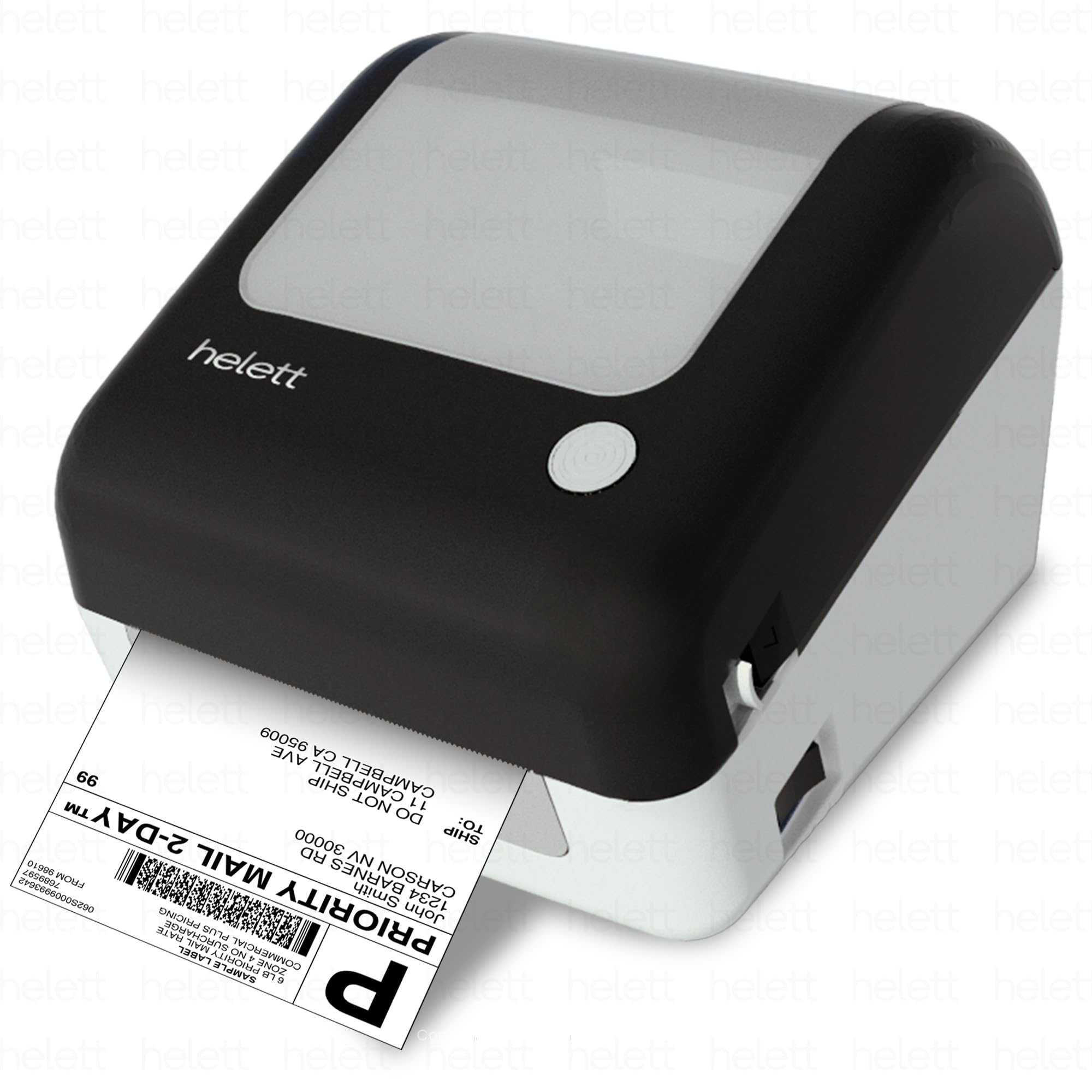
    https://m.media-amazon.com/images/I/71poBxjw88L.jpg

    Best for: Wireless billing and shipping operations

    The upgraded Pro version adds Bluetooth connectivity and a built-in paper holder, making it more convenient.

    Key Features:

    • Bluetooth + USB connectivity
    • Built-in paper holder compartment
    • 4×6 shipping label support
    • 203 DPI resolution

    Pros:

    • Wireless flexibility
    • Cleaner setup with paper holder
    • Suitable for both billing and shipping

    Cons:

    • Slightly higher price
    • Setup may require initial configuration

    Recommendation:
    A balanced choice for those who want wireless convenience without compromising performance.

    Buy Here


    Comparison Table (Quick Overview)

    Printer ModelBest Use Case
    SEZNIK JoshSmall retail, jewellery labels
    TSC TE244Industrial, bulk printing
    Helett H30C LiteE-commerce shipping
    HIROBOT PrinterMulti-purpose usage
    Helett H30C ProWireless business setup

    How to Choose the Right Barcode Printer

    Before buying, consider these practical factors:

    • Print Volume: High volume requires industrial models like TSC
    • Label Size: 2-inch for retail vs 4×6 for shipping
    • Connectivity: Bluetooth for mobility, USB for stability
    • Budget: Entry-level starts around ₹3,000; advanced models go above ₹10,000
    • Usage Type: Billing, inventory, or shipping

    Frequently Asked Questions (FAQ)

    Q1. Which barcode printer is best for small shops in India?
    SEZNIK Josh is ideal due to its affordability and compact design.

    Q2. Can I print Amazon shipping labels with these printers?
    Yes, printers like Helett H30C Lite and HIROBOT fully support 4×6 shipping labels.

    Q3. Do thermal printers require ink?
    No, they use heat-based printing, making them cost-effective long-term.

    Q4. Is Bluetooth necessary?
    Not mandatory, but useful for mobile billing setups.

    Q5. What is the difference between thermal and thermal transfer?
    Direct thermal doesn’t need ribbon, while thermal transfer provides more durable prints.


    Final Verdict

    • Best Budget Option: SEZNIK Josh
    • Best for Heavy Use: TSC TE244
    • Best for E-commerce: Helett H30C Lite
    • Best Value for Money: HIROBOT
    • Best Wireless Option: Helett H30C Pro

    Choosing the right printer depends on your business scale and usage. For most Indian users, a 4×6 thermal printer offers the best flexibility.


    Disclaimer

    This article is for informational purposes only. Product specifications, pricing, and availability may change over time. Always verify details on the official product page before making a purchase. Affiliate links may generate a small commission at no extra cost to you.
  • Best Wireless Keyboard-Mouse Combo for Office Work in India (2026) – Detailed Comparison, Real-World Use & Buying Advice

    Choosing the best wireless keyboard-mouse combo for office work is no longer just about price. For Indian professionals, it directly impacts typing comfort, daily productivity, desk ergonomics, and even long-term wrist health. With work-from-home, hybrid offices, online teaching, accounting, and data entry becoming the norm, a reliable wireless keyboard and mouse combo is now an essential productivity tool.

    In this detailed review, we analyze four popular and highly rated wireless keyboard-mouse combos available in India. This article is written in a professional, non-salesy tone with real-world use cases, honest pros and cons, and clear recommendations to help you choose the right combo based on your work style and budget.

    All opinions are independent and practical, suitable for Indian users working 6–10 hours daily on desktop or laptop systems.


    How We Evaluated These Wireless Keyboard-Mouse Combos

    Before diving into individual reviews, here are the criteria used for evaluation:

    • Typing comfort for long office hours
    • Mouse accuracy and DPI suitability
    • Wireless stability and range (2.4GHz)
    • Battery life and power efficiency
    • Compatibility with Windows, macOS, and laptops
    • Noise level for office or home environments
    • Value for money based on Indian pricing

    Each product below is reviewed from an office productivity perspective, not gaming or aesthetic usage.


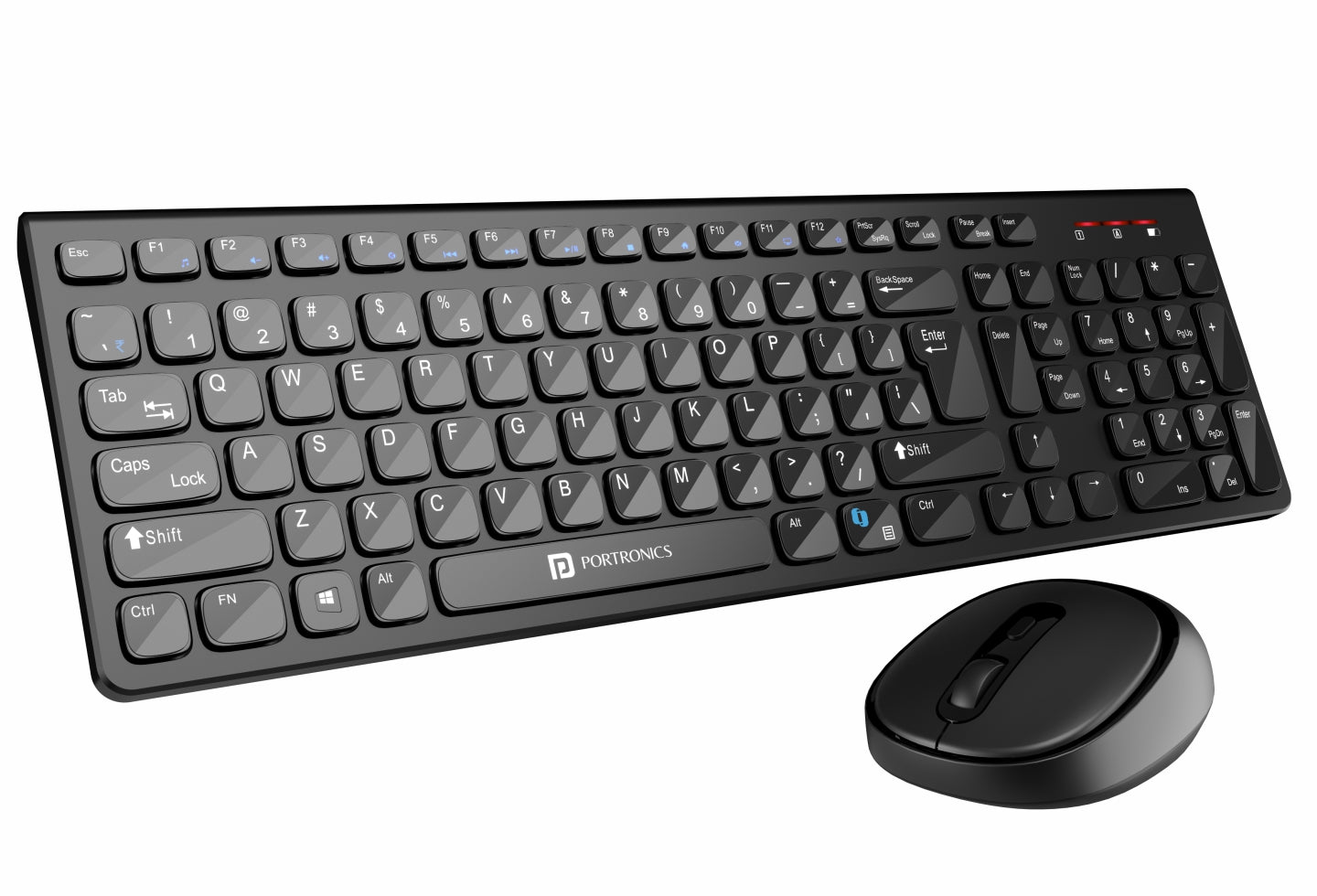
    Portronics Key7 Wireless Keyboard-Mouse Combo (Black)

    https://www.portronics.com/cdn/shop/files/Portronics_Key7_Combo_wireless_keyboard_and_mouse_combo_online.jpg?v=1753708052

    The Portronics Key7 combo is positioned as a budget-friendly wireless keyboard-mouse combo for everyday office tasks. It is widely used by students, accountants, data entry operators, and home office users.

    Real-World Office Experience

    The keyboard offers a standard full-size layout with comfortable key spacing, making it suitable for long typing sessions like Excel work, accounting entries, or document preparation. The 1200 DPI mouse is responsive enough for routine tasks such as browsing, file management, and basic design work.

    Wireless connectivity is stable within a typical office room, and the single USB receiver keeps setup simple.

    Pros

    • Affordable pricing for office users
    • Comfortable typing for long documents
    • Plug-and-play wireless setup
    • Decent mouse accuracy for daily work

    Cons

    • Build quality feels basic
    • No dedicated multimedia keys
    • Not ideal for heavy multitasking professionals

    Recommendation:
    Ideal for budget-conscious office users, students, and small businesses needing multiple systems.

    👉 Buy Here: Buy Here


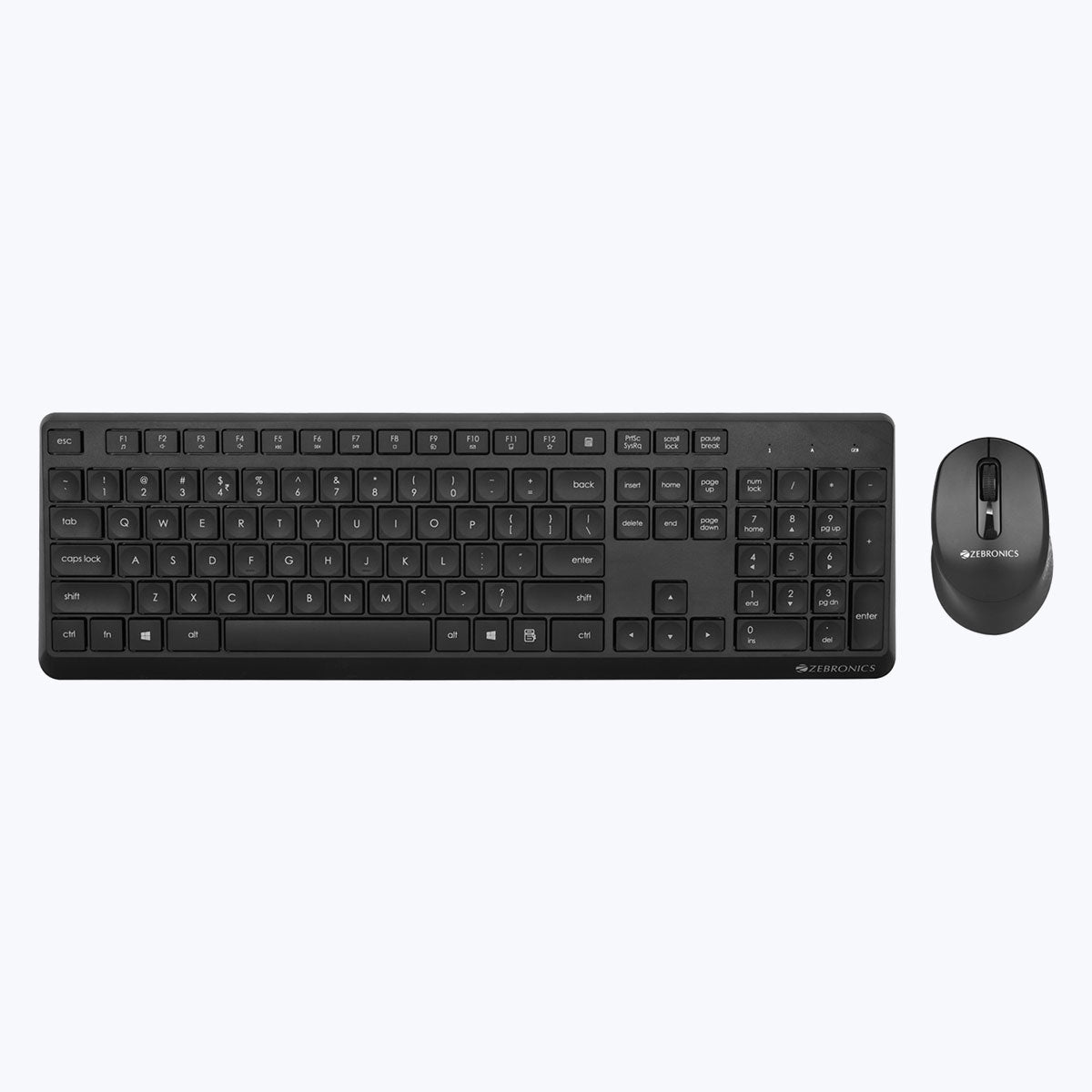
    ZEBRONICS ZEB-COMPANION 200 Wireless Keyboard-Mouse Combo (Purple)

    https://zebronics.com/cdn/shop/products/Zeb-Companion-200-pic1.jpg?v=1674110432&width=2048

    The ZEB-COMPANION 200 stands out with its silent operation and power-saving features, making it a good fit for shared workspaces and home offices.

    Real-World Office Experience

    Typing feels soft and quiet, which is particularly beneficial during meetings or shared environments. The mouse is also silent, reducing distractions. Power-saving mode helps extend battery life, reducing frequent battery replacements.

    The slightly compact layout may take a day or two to adjust for users switching from full-size keyboards.

    Pros

    • Silent keyboard and mouse operation
    • Good battery optimization
    • Stylish color option for modern desks
    • Reliable wireless performance

    Cons

    • Compact layout may not suit everyone
    • No backlit keys
    • Mouse grip may feel small for large hands

    Recommendation:
    Best for home offices, teachers, and professionals who prefer quiet peripherals.

    👉 Check Price Here: Check Price Here


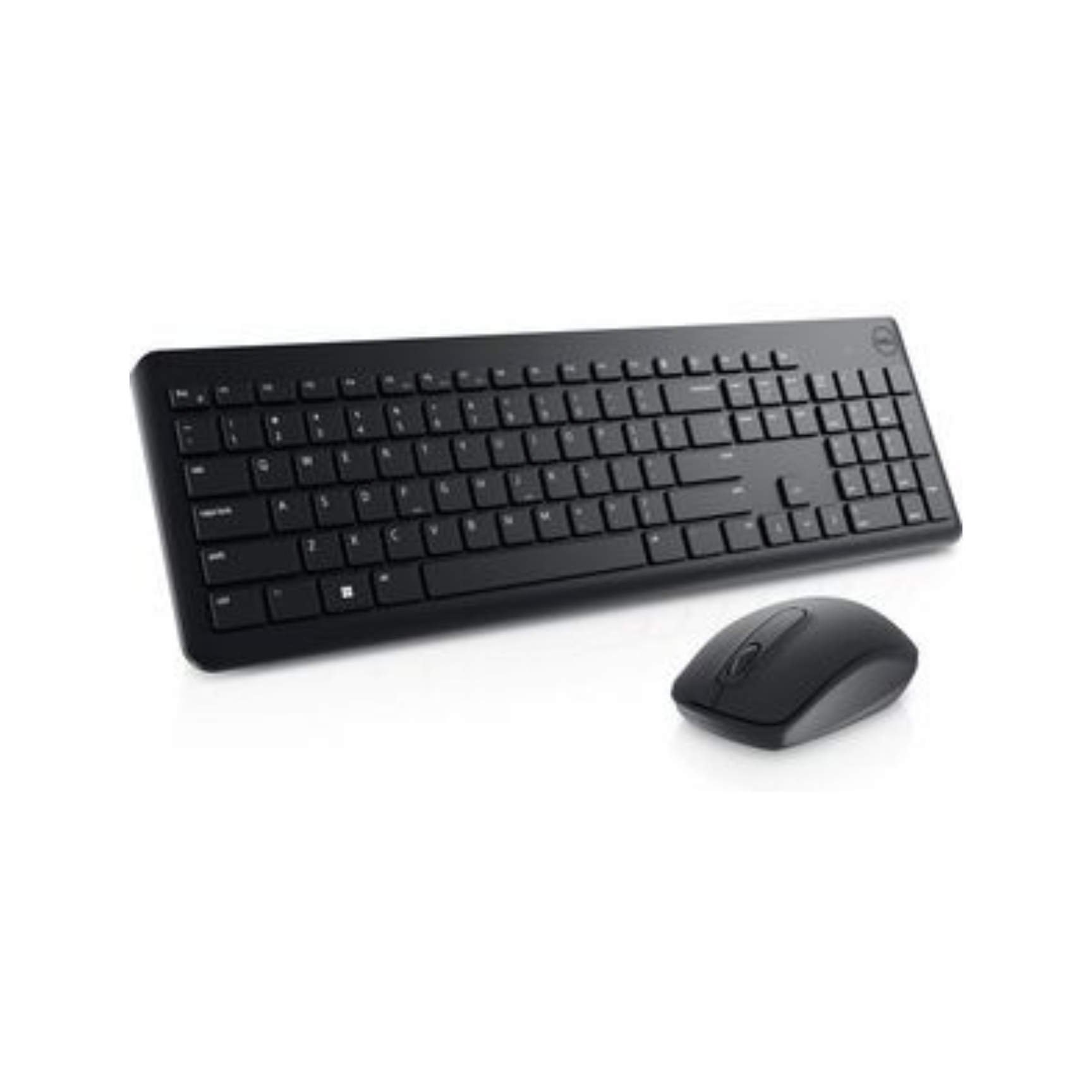
    Dell KM3322W Wireless Keyboard-Mouse Combo (Black)

    https://techtoschool.com/cdn/shop/files/Product_Listing_95_1728x.png?v=1728498093

    The Dell KM3322W is a premium office-grade combo designed for reliability, durability, and long-term usage. It is widely adopted in corporate offices and professional environments.

    Real-World Office Experience

    The keyboard offers excellent key stability, anti-fade lettering, and spill resistance, making it suitable for 8–10 hour workdays. The mouse tracks smoothly on most surfaces and feels ergonomically balanced.

    One of its biggest advantages is battery life, with the keyboard lasting up to 36 months under normal use, significantly reducing downtime.

    Pros

    • Exceptional battery life
    • Strong build quality
    • Spill-resistant keys
    • 3-year advance exchange warranty

    Cons

    • Higher price compared to budget options
    • Basic design aesthetics

    Recommendation:
    Highly recommended for corporate professionals, finance teams, and serious office users seeking long-term reliability.

    👉 Buy Here: Buy Here


    Logitech MK215 Wireless Keyboard-Mouse Combo (Black)

    https://m.media-amazon.com/images/I/71icSLlBIvL.jpg

    Logitech is a trusted name in office peripherals, and the MK215 offers a compact, reliable solution for everyday office work.

    Real-World Office Experience

    The keyboard is compact but comfortable, suitable for desks with limited space. Key response is consistent, and the mouse offers smooth navigation for office applications. Battery life is solid, and Logitech’s wireless technology ensures minimal signal drops.

    This combo is especially useful for users who prefer compact keyboards without a numeric keypad.

    Pros

    • Trusted Logitech build quality
    • Compact and space-saving design
    • Stable wireless connectivity
    • Good battery life for daily office use

    Cons

    • No numeric keypad
    • Mouse battery life shorter than keyboard
    • Not ideal for heavy numeric data entry

    Recommendation:
    Best for laptop users, small desks, and professionals who value compact setups.

    👉 Check Price Here: Check Price Here


    Quick Comparison for Office Buyers

    Combo NameBest For
    Portronics Key7Budget office setups, students
    Zebronics Companion 200Silent home or shared offices
    Dell KM3322WCorporate and heavy office use
    Logitech MK215Compact desks and laptop users

    Which Wireless Keyboard-Mouse Combo Should You Buy

    • Choose Portronics Key7 if budget is your top priority
    • Choose Zebronics Companion 200 if you need silent operation
    • Choose Dell KM3322W if durability and battery life matter most
    • Choose Logitech MK215 if desk space is limited

    There is no single “best” option for everyone. The right choice depends on work duration, typing intensity, and environment.


    Frequently Asked Questions

    Which wireless keyboard-mouse combo is best for office work

    Dell KM3322W is best for long office hours due to durability and battery life.

    Are wireless keyboard-mouse combos reliable for daily work

    Yes, modern 2.4GHz wireless combos are stable and reliable for office tasks.

    Is silent keyboard useful for office work

    Silent keyboards are ideal for shared offices and online meetings.

    Do these combos work with Mac and laptops

    Yes, all reviewed combos support desktops and laptops, including macOS compatibility.

    How long do batteries usually last

    Battery life ranges from 5 months to 36 months depending on model and usage.


    Final Verdict

    The best wireless keyboard-mouse combo for office work depends on how long you work daily, your typing style, and your workspace environment. Budget users can confidently choose Portronics, while professionals seeking long-term reliability should invest in Dell or Logitech.

    All four options reviewed here are well-rated, widely used in India, and suitable for office productivity without unnecessary gimmicks.


    Disclaimer & Affiliate Disclosure

    This article is written for informational and educational purposes only. Product specifications, prices, and availability may change over time. Some links in this article are affiliate links, which means the author may earn a small commission at no additional cost to the buyer. This does not influence product selection or opinions, which remain unbiased and independent.


  • Best Monitors for Excel Chart Visualization in India (2026) — Clear Charts, Accurate Colors, Less Eye Strain

    Working extensively with Excel charts, dashboards, PivotTables, and financial models requires more than just a large screen. The right monitor improves readability, reduces eye fatigue, and ensures accurate color differentiation in graphs and reports. For Indian users—accountants, Excel trainers, MIS professionals, students, and analysts—a 24-inch IPS Full HD monitor with a higher refresh rate and eye-care features offers the best balance of price and performance.

    In this detailed, neutral review, we evaluate three popular monitors available in India and explain which one is best for Excel chart visualization, based on real-world usage rather than marketing claims.


    What Makes a Monitor Ideal for Excel Charts?

    When working in Excel for long hours, the following display factors matter most:

    • IPS panel for consistent colors and wide viewing angles
    • Good brightness and contrast to read labels and gridlines easily
    • Higher refresh rate (100 Hz or more) for smooth scrolling in large sheets
    • Eye-care technologies to reduce strain during extended sessions

    All three monitors reviewed below meet these criteria and are well-suited for professional Excel use.


    Acer EK240Y P6 — Best Budget Choice for Smooth Excel Scrolling

    https://www.cmplstore.com/uploaded_files/more_image/26948364.jpg

    Key specifications

    FeatureDetails
    Screen size23.8 inches
    ResolutionFull HD (1920 × 1080)
    Panel typeIPS
    Refresh rate144 Hz
    Response time1 ms VRB
    PortsHDMI, VGA

    The Acer EK240Y P6 is one of the most affordable 144 Hz IPS monitors in India. Although Excel does not require a gaming-grade refresh rate, the 144 Hz panel makes scrolling through long worksheets, moving across columns, and resizing charts feel noticeably smoother compared to standard 60 Hz displays.

    Excel chart visualization experience

    • Smooth vertical and horizontal scrolling in large datasets
    • Better visual flow when switching between dashboards
    • Clear text and sharp chart labels

    Pros

    • Excellent price-to-performance ratio
    • Smoothest Excel experience in this price range
    • IPS panel with good brightness
    • Thin bezels suitable for dual-monitor setups

    Cons

    • No DisplayPort
    • Limited ergonomic adjustment
    • Color accuracy is good, but not professional-grade

    Best for:
    Students, Excel trainers, and budget-conscious professionals who want maximum smoothness at the lowest cost.

    Buy Here (Affiliate)


    Samsung 24-inch S3 Series — Reliable Office Monitor for Daily Excel Work

    https://m.media-amazon.com/images/I/71JwKnROg8L.jpg

    Key specifications

    FeatureDetails
    Screen size24 inches
    ResolutionFull HD (1920 × 1080)
    Panel typeIPS
    Refresh rate100 Hz
    Response time5 ms
    PortsHDMI, VGA

    Samsung’s S3 series focuses on consistency, eye comfort, and professional aesthetics. The 100 Hz refresh rate offers smoother scrolling than traditional office monitors, making it comfortable for long accounting or MIS workdays.

    Excel chart visualization experience

    • Clean and consistent color output
    • Comfortable brightness for extended use
    • Stable performance with large spreadsheets

    Pros

    • Trusted Samsung IPS panel quality
    • Slim, borderless design looks professional
    • Eye Saver Mode helps reduce eye strain
    • Good factory color tuning

    Cons

    • No built-in speakers
    • Limited stand adjustability
    • Not intended for color-critical design tasks

    Best for:
    Accountants, office users, and home-office professionals who want a reliable, eye-friendly Excel monitor.

    Check Price Here (Affiliate)


    BenQ GW2490 — Best for Excel Dashboards & Color Accuracy

    https://m.media-amazon.com/images/I/71R9wQ172qL.jpg

    Key specifications

    FeatureDetails
    Screen size24 inches
    ResolutionFull HD (1920 × 1080)
    Panel typeIPS
    Refresh rate100 Hz
    Color gamut99% sRGB
    PortsDual HDMI, DisplayPort
    ExtrasBuilt-in speakers, VESA mount

    The BenQ GW2490 is the most color-accurate and feature-rich monitor in this comparison. With 99% sRGB coverage, Excel charts, heat maps, and dashboards appear more precise—especially useful when reports are shared with management or clients.

    Excel chart visualization experience

    • Accurate color separation in multi-series charts
    • Excellent clarity for dashboards and KPIs
    • Reduced eye fatigue during long sessions

    Pros

    • Best color accuracy among the three
    • Built-in speakers for training and webinars
    • DisplayPort support
    • Industry-leading eye-care technology

    Cons

    • Slightly higher price
    • Speakers are functional but basic

    Best for:
    Data analysts, MIS professionals, and Excel trainers who prioritize visual accuracy and comfort.

    👉 Buy Here (Affiliate)


    Quick Excel-Focused Comparison

    RequirementRecommended Monitor
    Smoothest scrolling at lowest costAcer EK240Y P6
    Everyday office & accounting workSamsung S3 24″
    Dashboards, charts & presentationsBenQ GW2490

    Final Recommendation

    • Choose Acer EK240Y P6 if budget is your priority and you want the smoothest Excel navigation.
    • Choose Samsung S3 24″ for dependable, long-hour office and accounting work.
    • Choose BenQ GW2490 if you create Excel dashboards, reports, or visual presentations where color accuracy matters.

    All three are strong upgrades over basic 60 Hz monitors and will noticeably improve Excel productivity.


    Frequently Asked Questions (FAQ)

    1. Is a high refresh rate useful for Excel?
    Yes. While Excel does not require it, higher refresh rates make scrolling and navigation smoother and more comfortable.

    2. Is IPS the best panel type for Excel?
    Yes. IPS panels provide consistent colors and wide viewing angles, ideal for charts and long sessions.

    3. Is Full HD sufficient for a 24-inch Excel monitor?
    Yes. Full HD offers a good balance of clarity, performance, and affordability for most Excel users.

    4. Do I need high color accuracy for Excel?
    If you work with dashboards or client-facing reports, higher color accuracy improves visual clarity.

    5. Are built-in speakers necessary?
    Not required for Excel, but useful for online training and video tutorials.


    Disclaimer

    This article is for informational purposes only. Prices, specifications, and availability may change. Purchasing decisions should be based on personal requirements and the latest product details. Affiliate links may generate a small commission at no additional cost to the buyer.


  • Top Portable Projectors for Trainers & Tutors in India for Small Classrooms and Home Teaching

    Finding the right portable projector for trainers and tutors in India is no longer a luxury decision—it has become a practical teaching requirement. Whether you conduct classroom training, home tuition, professional workshops, or online-offline hybrid sessions, a compact projector helps you explain concepts visually, reduce dependency on small laptop screens, and improve student engagement.

    This article reviews top portable projectors suitable for Indian trainers and tutors, focusing on real teaching use cases such as PowerPoint presentations, Excel demonstrations, recorded lectures, and educational videos. The tone is professional and neutral, with clear pros, cons, and recommendations based on classroom practicality rather than marketing claims.


    Why Portable Projectors Make Sense for Trainers and Tutors

    Traditional TVs are fixed, expensive, and not always practical for small coaching rooms. Portable projectors, on the other hand, offer flexibility and cost efficiency.

    Practical Benefits for Teaching Professionals

    BenefitWhy It Matters
    Large screen sizeExplains charts, formulas, and diagrams clearly
    Easy portabilityCarry between classrooms or home tuition locations
    Wireless sharingQuick screen mirroring from laptop or mobile
    Cost efficiencyBigger display at lower cost than large TVs

    For most Indian teaching environments (100–300 sq ft), projectors with native 720p or 1080p resolution and 200–300 ISO brightness are sufficient.


    1) WZATCO Yuva Go Plus – Best Overall Choice for Trainers

    https://wzatco.com/wp-content/uploads/2025/08/4-7.webp

    The WZATCO Yuva Go Plus is one of the most balanced portable projectors for educators who want clarity, smart features, and minimal setup effort. With native Full HD 1080p resolution and Android 13, it performs well for both academic and professional training.

    Teaching Experience in Real Use

    • Text and Excel sheets remain readable even on 90–100 inch projection
    • Auto and 4D keystone saves setup time in tight classrooms
    • Rotatable design allows ceiling or side projection

    Key Strengths

    • Native 1080p clarity ideal for slides and documents
    • Android smart system reduces need for external devices
    • WiFi 6 ensures smoother screen mirroring

    Limitations

    • Built-in speaker is average for large rooms
    • Works best in semi-dark rooms, not bright daylight

    Recommendation:
    Highly recommended for trainers, Excel instructors, and online course creators who need clarity and flexibility.

    Buy Here


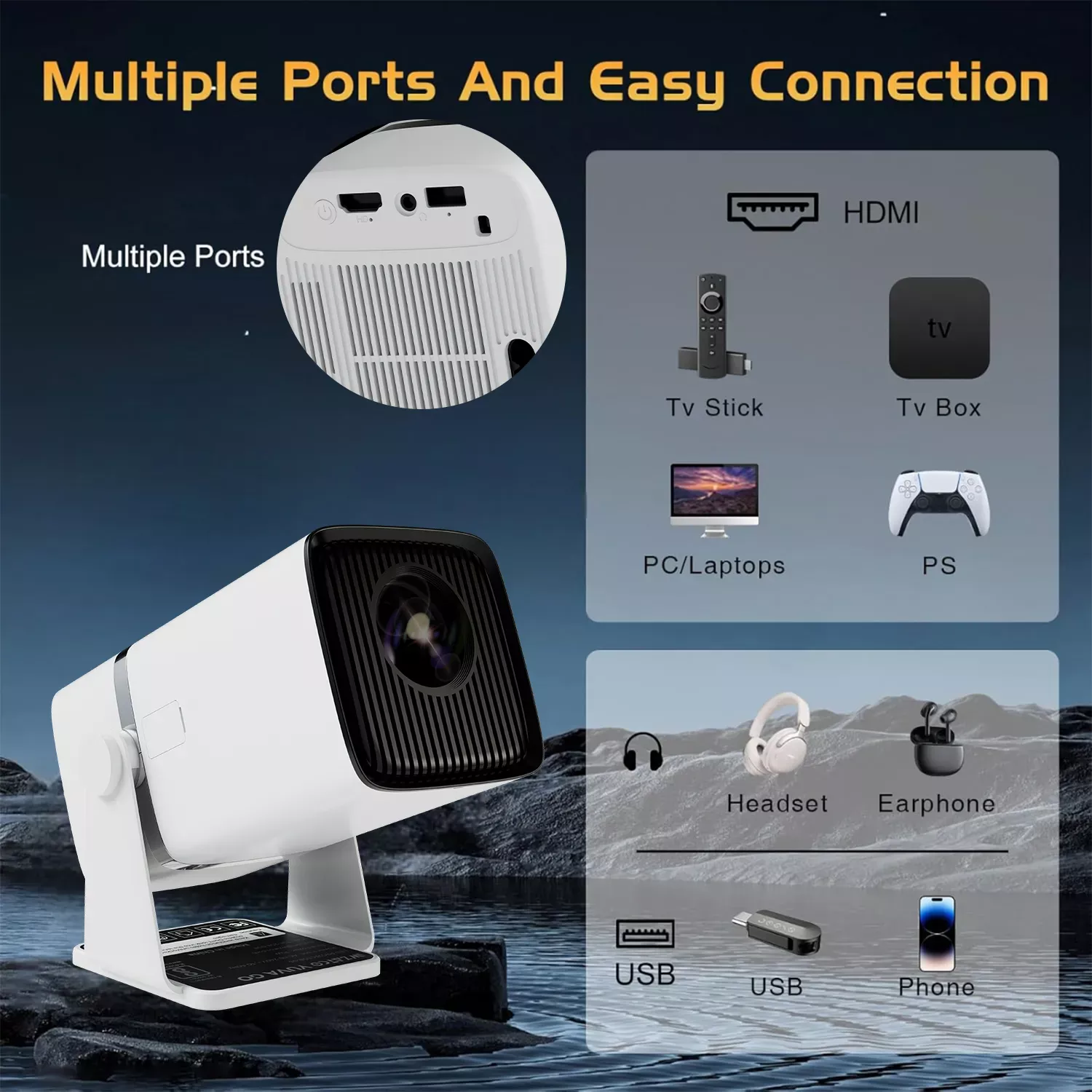
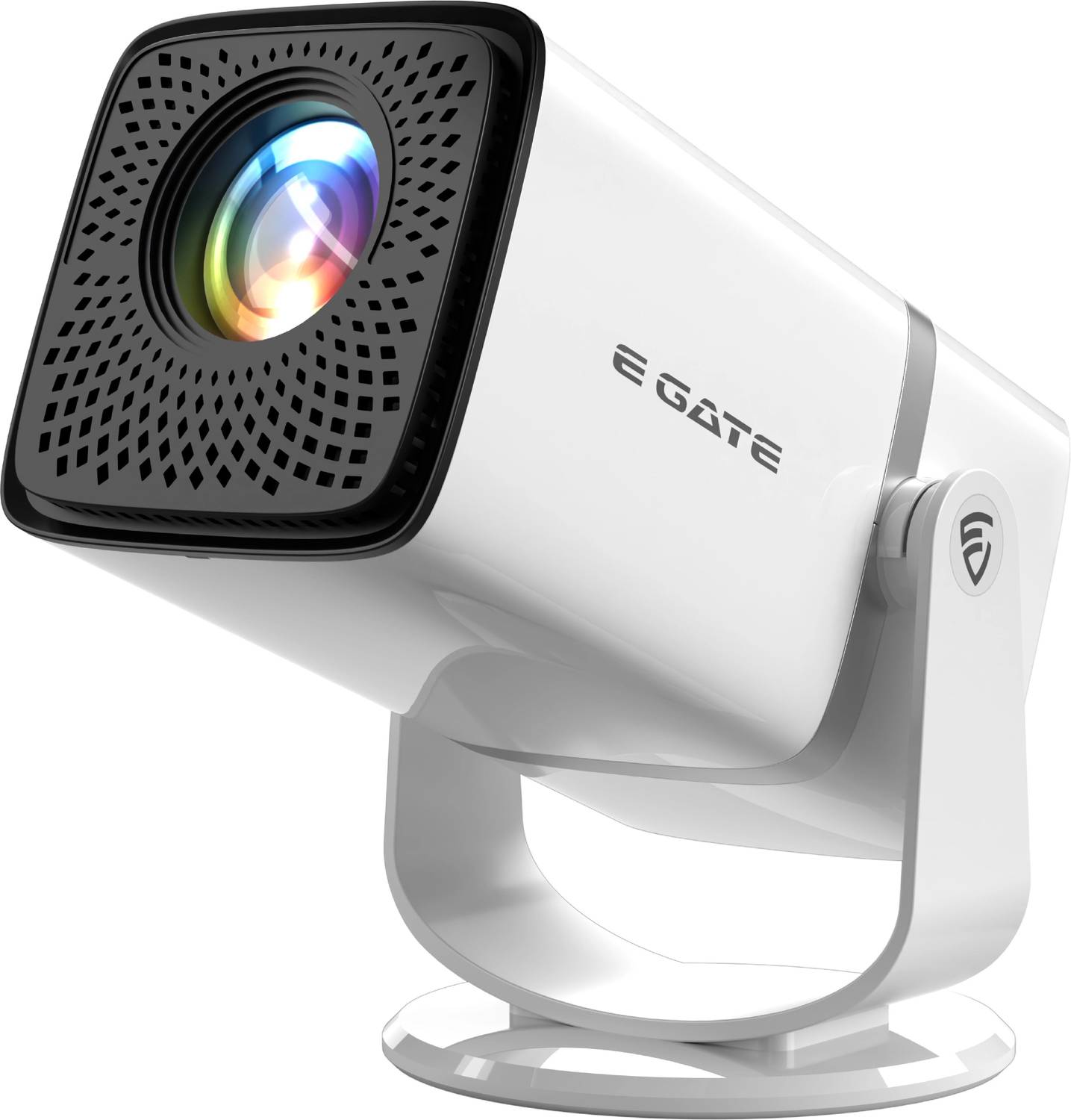
    2) E GATE Atom 3X – Strong Performer for Video-Based Teaching

    https://rukmini1.flixcart.com/image/1500/1500/xif0q/projector/9/u/x/atom-3x-native-fhd-1080p-4k-support-13-0-android-projector-300-original-imahgxv3fubwqk34.jpeg?q=70

    The E GATE Atom 3X focuses on brightness and multimedia performance, making it suitable for tutors who rely heavily on video lessons, recorded sessions, and streaming-based teaching.

    Classroom Suitability

    • 300 ISO brightness handles semi-lit rooms better
    • Android support with popular streaming apps
    • Rotatable design helps in small room placements

    Key Strengths

    • Good brightness for its price segment
    • Native 1080p resolution ensures sharp visuals
    • Multiple connectivity options including HDMI and USB

    Limitations

    • Slightly bulkier than ultra-compact models
    • Interface may feel slower compared to premium brands

    Recommendation:
    Best for tutors who use video-heavy content such as recorded lectures, demo videos, and visual explanations.

    Check Price Here


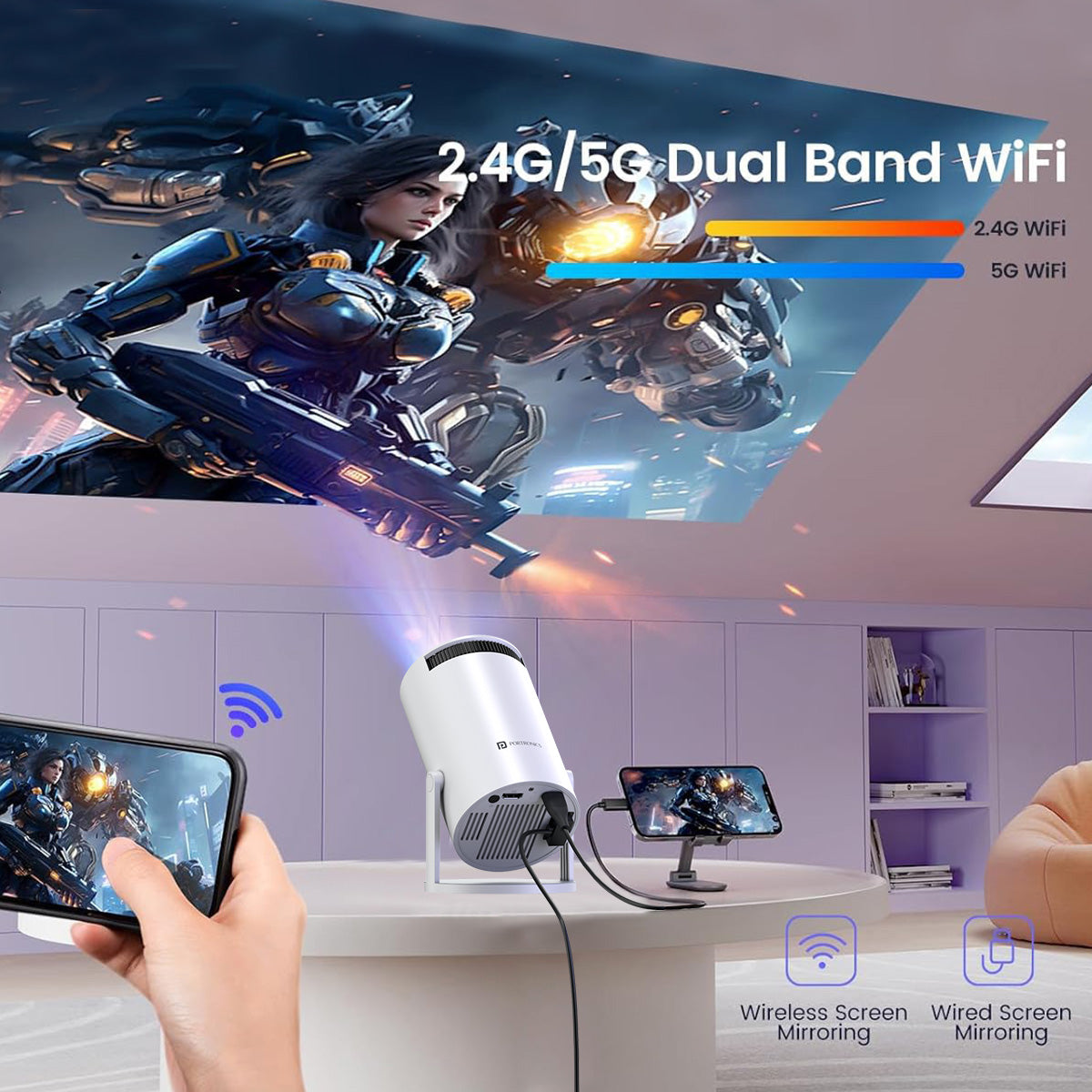
    3) Portronics Beem 440 – Budget-Friendly Option for Home Tutors

    https://www.portronics.com/cdn/shop/files/Portronics_Beem_440_Smart_LED_Projector.jpg?v=1768558763

    The Portronics Beem 440 is a budget-oriented smart projector suitable for home tutors, small batches, and entry-level teaching setups.

    Practical Teaching Use

    • Suitable for basic presentations and video playback
    • Compact and lightweight design
    • Built-in OTT apps reduce dependency on laptops

    Key Strengths

    • Affordable price point
    • Simple plug-and-play operation
    • Rotatable design helps flexible placement

    Limitations

    • Native 720p resolution, not ideal for dense text
    • Lower brightness compared to 1080p competitors

    Recommendation:
    Good choice for home tutors, early-stage coaching centers, and budget-conscious educators.

    Buy Here


    Quick Comparison for Trainers & Tutors

    ModelBest Use Case
    WZATCO Yuva Go PlusExcel, PowerPoint, professional training
    E GATE Atom 3XVideo-based and mixed content teaching
    Portronics Beem 440Home tuition and small batches

    Which Portable Projector Should You Choose?

    • Choose WZATCO Yuva Go Plus if clarity and smart features matter most
    • Choose E GATE Atom 3X if you teach using videos and multimedia
    • Choose Portronics Beem 440 if budget and simplicity are priorities

    For most trainers and tutors, investing slightly more in native 1080p pays off in long-term comfort and professionalism.


    Frequently Asked Questions (FAQ)

    Which projector is best for classroom teaching in India?

    A native 1080p projector with auto keystone and screen mirroring is ideal for classrooms and training rooms.

    Is a portable projector suitable for Excel and PowerPoint training?

    Yes. Native Full HD projectors display text, charts, and formulas clearly on large screens.

    Can these projectors work without a laptop?

    Yes. Android-based projectors can run apps and play content directly.

    Do portable projectors work in daylight?

    They perform best in semi-dark rooms. Curtains or controlled lighting improve visibility.

    Are portable projectors better than TVs for coaching centers?

    Projectors offer larger screen sizes at lower cost and are easier to relocate.


    Disclaimer

    This article is for informational and educational purposes only. Product specifications, pricing, and availability may change over time. Performance may vary based on room size, lighting conditions, and usage patterns. Readers are advised to evaluate their specific teaching requirements before making a purchase decision.


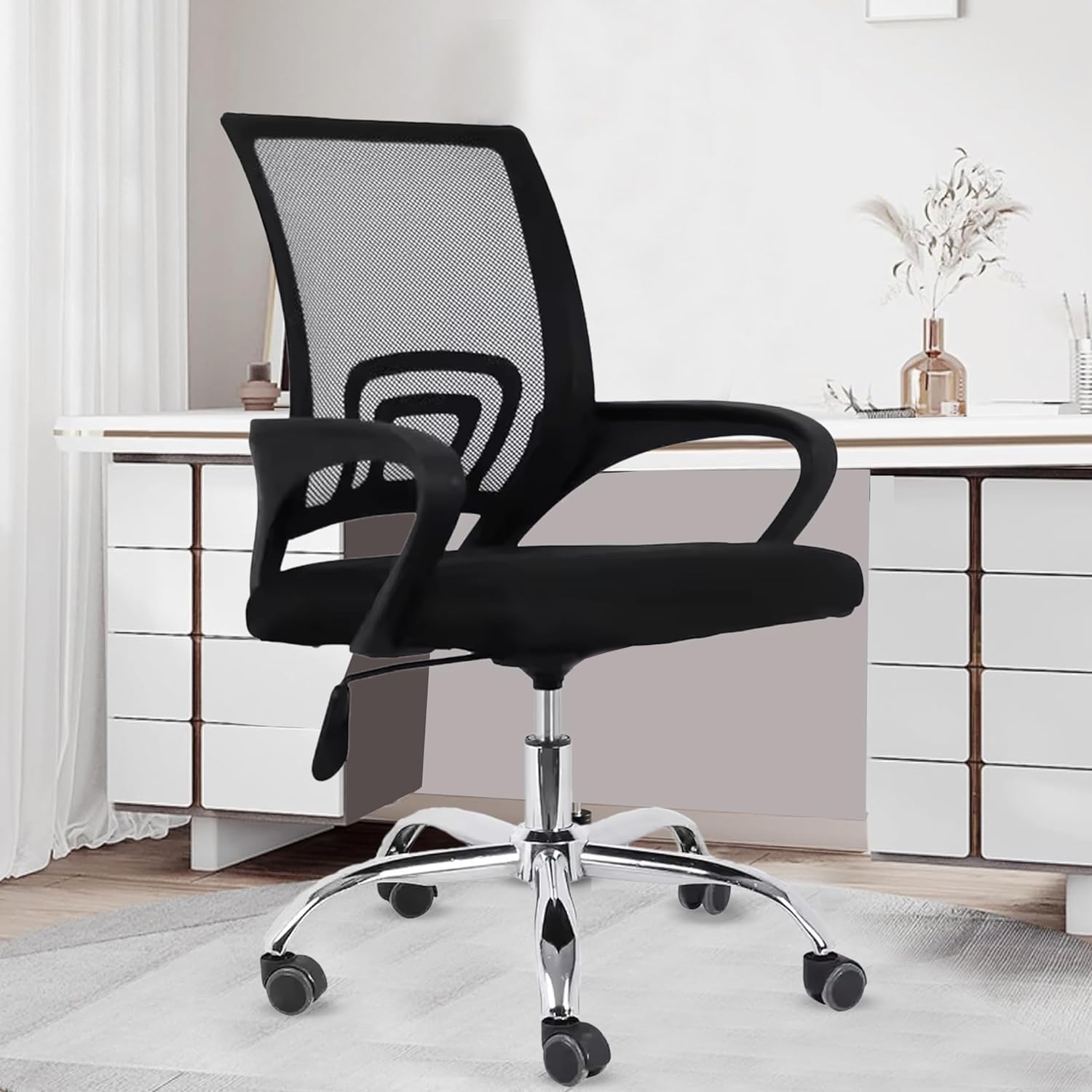
  • Best Chair for Work From Home or Office Work Under ₹3,000 in India (2026 Detailed Review)

    Finding the best chair for work from home or office work under ₹3,000 is a practical challenge for many Indian professionals, students, trainers, and freelancers. Long sitting hours demand proper posture support, breathable materials, and a stable base—without crossing a tight budget.

    In this article, we review three of the most popular and value-driven office chairs under ₹3,000 in India, focusing on real work-from-home usage, not marketing claims. All chairs discussed here are mid-back ergonomic models suitable for daily office tasks, online training, study, and computer work.

    Chairs Covered in This Review

    • Green Soul Seoul X Office Chair
    • INNOWIN Mini Jazz Mesh Office Chair
    • Casa Copenhagen Mesh Mid-Back Office Chair

    What to Look for in a Budget Office Chair Under ₹3,000

    Before choosing a chair in this price range, it is important to understand realistic expectations. You may not get premium lumbar systems or headrests, but you can get solid comfort and usability if you choose wisely.

    Key factors to consider:

    • Seat comfort for 6–8 hours daily use
    • Breathable mesh or fabric back
    • Height adjustment and tilt support
    • Metal base for stability
    • Warranty and after-sales trust

    All three chairs below meet these essential criteria in different ways.


    Green Soul Seoul X Mid Back Fabric Office Chair

    https://m.media-amazon.com/images/I/81BJhLA%2BM0L._AC_UF894%2C1000_QL80_.jpg

    The Green Soul Seoul X is one of the highest-selling budget office chairs in India, trusted by thousands of work-from-home users. Offered by Green Soul, this chair focuses on seat comfort and stability rather than flashy ergonomics.

    Practical Work-from-Home Experience

    The wide fabric seat is well-cushioned, making it suitable for long laptop work, online classes, and office calls. The mid-back design supports the lower and mid spine adequately for most average-height users.

    The rocking-tilt mechanism is useful during short breaks, helping reduce stiffness during long sitting sessions.

    Pros

    • Comfortable and spacious seat
    • Heavy-duty metal base (rare at this price)
    • Smooth height adjustment
    • Good stability for daily use

    Cons

    • Fabric seat may retain heat in summer
    • No dedicated lumbar adjustment
    • Armrests are fixed

    Who Should Buy This?
    Ideal for users who prioritize seat comfort and durability over advanced ergonomic features.

    Buy Here


    INNOWIN Mini Jazz Mesh Mid-Back Office Chair

    https://m.media-amazon.com/images/I/61gaItPO-LL._AC_UF894%2C1000_QL80_.jpg

    The INNOWIN Mini Jazz stands out due to its strong warranty offering and breathable mesh design. From INNOWIN, this chair is clearly positioned for students and professionals with long daily sitting hours.

    Practical Work-from-Home Experience

    The mesh back improves airflow, which is extremely useful in non-air-conditioned Indian homes. The tilt and height adjustment mechanisms are smooth and functional for regular office work and study sessions.

    This chair is especially suitable for students, trainers, and programmers who sit continuously for focused work.

    Pros

    • Breathable mesh back for ventilation
    • 3-year limited warranty (best in segment)
    • Stable metal base
    • Good posture support for the price

    Cons

    • Seat cushioning is firm (not plush)
    • Smaller seat size may not suit larger users
    • Design is minimal and basic

    Who Should Buy This?
    Best for users who want long-term reliability, airflow, and warranty support within a strict budget.

    Check Price Here


    Casa Copenhagen Mesh Mid-Back Office Chair

    https://m.media-amazon.com/images/I/71XGH0sdXVL.jpg

    The Casa Copenhagen Mesh Office Chair offers a surprisingly premium experience for its price. Though less known, Casa Copenhagen has earned strong user ratings for comfort and build quality.

    Practical Work-from-Home Experience

    This chair feels well-balanced for office tasks, online meetings, and study use. The mesh back provides ventilation, while the seat offers decent cushioning for moderate-to-long sitting sessions.

    Its smooth revolving movement and height adjustment make it suitable for compact home office setups.

    Pros

    • Excellent user ratings
    • Comfortable mesh back
    • Metal base adds durability
    • Smooth rotation and height control

    Cons

    • Limited brand presence and support information
    • No tilt-lock feature
    • Best suited for light to medium use

    Who Should Buy This?
    A good choice for buyers looking for maximum value and comfort at the lowest price.

    Buy Here


    Quick Comparison (Under ₹3,000 Segment)

    User PriorityBest Option
    Seat comfort & durabilityGreen Soul Seoul X
    Long hours & warrantyINNOWIN Mini Jazz
    Best value & ratingsCasa Copenhagen

    Final Recommendation: Which Chair Should You Choose?

    • Choose Green Soul Seoul X if you want better cushioning and a sturdy metal base for daily office work.
    • Choose INNOWIN Mini Jazz if breathability and long warranty matter most for extended sitting.
    • Choose Casa Copenhagen if you want maximum value under ₹2,600 with solid comfort.

    All three chairs are practical, budget-friendly, and well-suited for Indian work-from-home and office environments.


    Frequently Asked Questions (FAQ)

    Q1. Are office chairs under ₹3,000 good for long working hours?
    Yes, for 6–8 hours daily use, provided posture breaks are taken regularly.

    Q2. Is mesh back better than fabric for Indian weather?
    Mesh backs offer better airflow and are preferable in warm climates.

    Q3. Do these chairs require professional installation?
    No, all come with DIY installation kits and instructions.

    Q4. Are metal bases important in budget chairs?
    Yes, metal bases provide better stability and durability than plastic ones.

    Q5. Which chair is best for students and online classes?
    INNOWIN Mini Jazz and Casa Copenhagen are excellent for study-focused usage.


    Disclaimer

    This article is for informational purposes only. Prices, availability, and specifications may change over time. Always assess your personal comfort needs and workspace requirements before purchasing. Affiliate links may earn a small commission at no additional cost to you.


  • Best Laptop Bags for Working Professionals in India (Spacious, Secure & Budget-Friendly Options for Office, Travel, and College)

    Choosing the right laptop backpack is no longer just about carrying a device. For Indian working professionals, a good laptop bag must balance comfort, durability, safety, storage capacity, and value for money. Whether you commute daily, travel for work, or attend college or training sessions, the right backpack can significantly reduce strain and protect your essentials.

    In this detailed guide on the best laptop bags for working professionals, we review three of India’s most popular and best-selling laptop backpacks. The focus is on real-world usage, not hype—covering build quality, comfort, storage efficiency, security, and who each bag is best suited for.


    Safari Omega Spacious 30L Laptop Backpack – Review

    https://m.media-amazon.com/images/S/aplus-media-library-service-media/9bfb8421-d831-445b-baa6-3a7a64f395f8.__CR0%2C0%2C970%2C600_PT0_SX970_V1___.jpg

    Overview

    The Safari Omega is a large-capacity 30-litre backpack designed for professionals, students, and frequent travelers. Its standout feature is space management combined with a rain cover, making it practical for Indian weather conditions.

    Key Features

    • Capacity: 30 Litres (one of the largest in this segment)
    • Dedicated padded laptop compartment
    • Included rain cover for monsoons
    • Multiple internal and external compartments
    • Lightweight despite large size

    Practical Use Case

    This bag is ideal if you:

    • Carry a laptop plus files, lunch box, chargers, and accessories
    • Travel by bike, bus, or train daily
    • Need a single bag for office + short trips

    Pros

    • Excellent storage capacity
    • Good padding for laptop safety
    • Rain cover adds real value
    • Suitable for both men and women

    Cons

    • Bulky for minimal users
    • Design is functional, not premium

    Recommendation:
    Best for professionals or students who prioritize space and weather protection over compact design.

    👉 Buy Here


    American Tourister Valex 28L Laptop Backpack – Review

    https://m.media-amazon.com/images/S/aplus-media-library-service-media/77fdac20-2f4e-454d-bfd7-89ef0876d5e6.__CR0%2C0%2C1940%2C1200_PT0_SX970_V1___.jpg

    Overview

    American Tourister is known for reliability, and the Valex backpack follows that tradition. With a 28-litre capacity and support for up to 17-inch laptops, this bag targets office professionals who prefer a balanced, polished look.

    Key Features

    • Capacity: 28 Litres
    • Fits laptops up to 17 inches
    • Front organiser for accessories
    • Side bottle holder
    • Strong zippers and stitching

    Practical Use Case

    This backpack suits:

    • Corporate office professionals
    • Users carrying large laptops
    • Daily office commute with moderate load

    Pros

    • Premium brand trust
    • Comfortable shoulder straps
    • Professional and clean design
    • Good internal organisation

    Cons

    • No rain cover included
    • Slightly higher price than competitors

    Recommendation:
    Ideal for professionals who want a reliable, branded laptop backpack with a clean office-friendly appearance.

    👉 Check Price Here


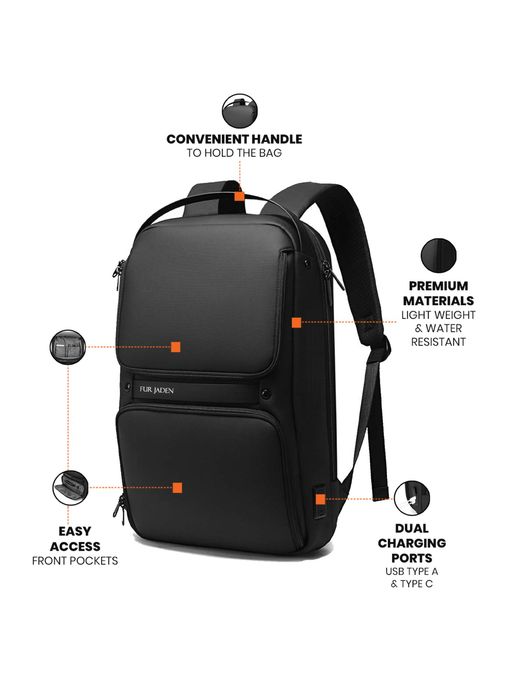
    FUR JADEN Anti-Theft Laptop Backpack – Review

    https://adn-static1.nykaa.com/nykdesignstudio-images/pub/media/catalog/product/f/1/f126be4BM92_Black_3.jpg?rnd=20200526195200&tr=w-512

    Overview

    The FUR JADEN backpack focuses on security and modern features. It includes a number-lock system and a USB charging port, making it popular among metro commuters and students.

    Key Features

    • Fits laptops up to 15.6 inches
    • Built-in number lock for theft protection
    • External USB charging port
    • Organized internal pockets
    • Sleek and modern design

    Practical Use Case

    Best suited for:

    • Metro and bus commuters
    • Users carrying power banks
    • Those concerned about pickpocketing

    Pros

    • Anti-theft lock adds peace of mind
    • USB port useful for travel
    • Lightweight and stylish
    • Affordable pricing

    Cons

    • No rain cover
    • Laptop compartment smaller than others

    Recommendation:
    Best for users who prioritize security and modern convenience features at a budget price.

    👉 Buy Here


    Quick Comparison (Capacity Focus)

    BackpackCapacity
    Safari Omega30 Litres
    American Tourister Valex28 Litres
    FUR JADEN Anti-TheftApprox. 20–22 Litres

    Which Laptop Bag Should You Choose?

    • Choose Safari Omega if you carry a lot of items and travel in all weather conditions.
    • Choose American Tourister Valex if you want brand reliability and a professional office look.
    • Choose FUR JADEN if security and modern features matter more than size.

    Each of these bags serves a different type of working professional, and none are “one-size-fits-all.”


    Frequently Asked Questions (FAQ)

    1. Which laptop bag is best for daily office use?

    American Tourister Valex is best for structured office environments.

    2. Are these backpacks suitable for college students?

    Yes, especially Safari Omega and FUR JADEN.

    3. Is a rain cover really necessary?

    In Indian monsoon conditions, a rain cover significantly improves laptop safety.

    4. Do anti-theft locks fully prevent theft?

    They reduce risk but do not replace careful handling.

    5. Can these bags be used for travel?

    Yes, all three are suitable for short trips and cabin travel.


    Disclaimer

    This article is for informational and educational purposes only. Prices, ratings, and availability may change over time. Product selection should be based on individual requirements and usage patterns. Affiliate links may generate a small commission at no additional cost to the buyer.


  • Best SSDs for Fast Accounting Workstations: Seagate Expansion HDD vs SanDisk Portable SSD vs Samsung T7 SSD

    For accountants, MIS executives, GST practitioners, and finance professionals, system speed is not a luxury—it is a necessity. Daily work involves large Excel files, Tally data, GST backups, PDFs, bank statements, and year-wise records that must open quickly and safely. Storage plays a major role in overall workstation performance, especially when handling frequent backups and heavy files.

    Choosing the best SSDs for fast accounting workstations depends on speed, reliability, data safety, portability, and long-term value. In this detailed comparison, we evaluate three highly popular storage options in India:

    • Seagate Expansion 1TB External HDD
    • SanDisk 1TB Portable SSD
    • Samsung T7 1TB Portable SSD

    This review focuses on real accounting and office usage, not just technical specifications.


    Why Storage Speed Matters in Accounting Workstations

    Accounting professionals deal with thousands of small files and large master data sets. A slow drive can cause:

    • Delays while opening Excel or Tally backup files
    • Sluggish system response during data copy or restore
    • Higher risk of data corruption during backups
    • Productivity loss during peak compliance periods

    Modern SSDs can reduce file access time by 5–10 times compared to traditional hard drives. However, HDDs still remain useful for cost-effective long-term storage.


    Seagate Expansion 1TB External HDD – Best Budget Backup Drive

    https://www.seagate.com/content/dam/seagate/migrated-assets/www-content/products/external-hard-drives/expansion-external-drives/_shared/images/seagate-expansion-5tb-lifestyle-desk-lo-res-640x640.jpg

    The Seagate Expansion 1TB External HDD is one of the most popular storage devices for professionals who need reliable and affordable backup storage.

    Performance and Use Case

    Being a traditional hard disk drive, it operates at lower speeds compared to SSDs. However, for daily backups, archived accounting data, year-wise GST records, and document storage, it performs reliably.

    This drive is ideal if your primary goal is data safety and storage capacity, not speed.

    Data Safety Advantage

    A major benefit of this model is 3-year data recovery services, which is extremely valuable for accounting professionals. In case of accidental data loss, recovery support provides peace of mind.

    Compatibility and Ease of Use

    It supports USB 3.0 and works seamlessly with Windows and Mac systems without any configuration.

    If you want a dependable backup drive at a lower cost, you can Check Here / Buy Here to view the latest price.

    Pros and Cons

    Pros

    • Affordable 1TB storage
    • Reliable for backups and archiving
    • 3-year data recovery support
    • Simple plug-and-play usage

    Cons

    • Slower file access compared to SSDs
    • Not ideal for running live accounting data

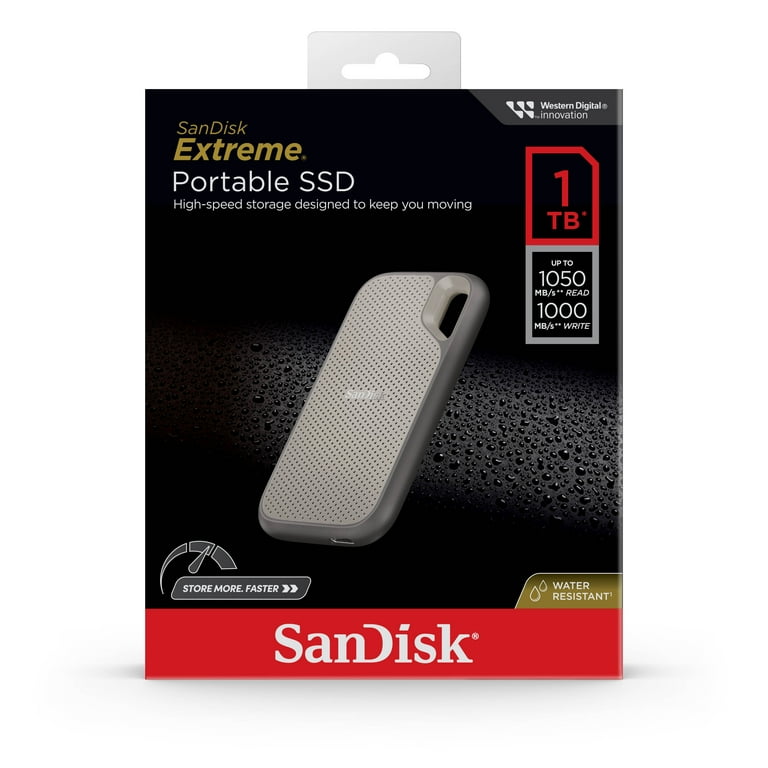
    SanDisk 1TB Portable SSD – Best Value SSD for Accountants

    https://i5.walmartimages.com/asr/9a474ee0-6d0b-4ad4-b3f7-1cfd07f491d5.ca15bfb90f0ea6a1e0a72bc4d571983d.jpeg?odnBg=FFFFFF&odnHeight=768&odnWidth=768

    The SanDisk 1TB Portable SSD offers a strong balance between speed, durability, and price, making it a popular choice for professionals upgrading from HDDs.

    Speed and Performance

    With read speeds of up to 800MB/s, this SSD significantly reduces file opening and backup times. Large Excel files, Tally backups, and PDFs load almost instantly compared to HDDs.

    For accountants handling multiple clients or frequent data transfers, this speed upgrade directly improves productivity.

    Durability and Portability

    The rugged design supports up to 2-meter drop protection, which is useful for professionals who travel with data or work from multiple locations.

    Compatibility

    It works with both Windows and Mac systems and includes a Type-C to Type-A cable, making it compatible with older desktops and modern laptops.

    If you want fast performance without paying a premium price, you can Check Here / Buy Here to explore current offers.

    Pros and Cons

    Pros

    • Very fast compared to HDDs
    • Rugged and portable design
    • Excellent value for money
    • Suitable for live accounting work

    Cons

    • Slower than premium SSDs
    • No hardware encryption

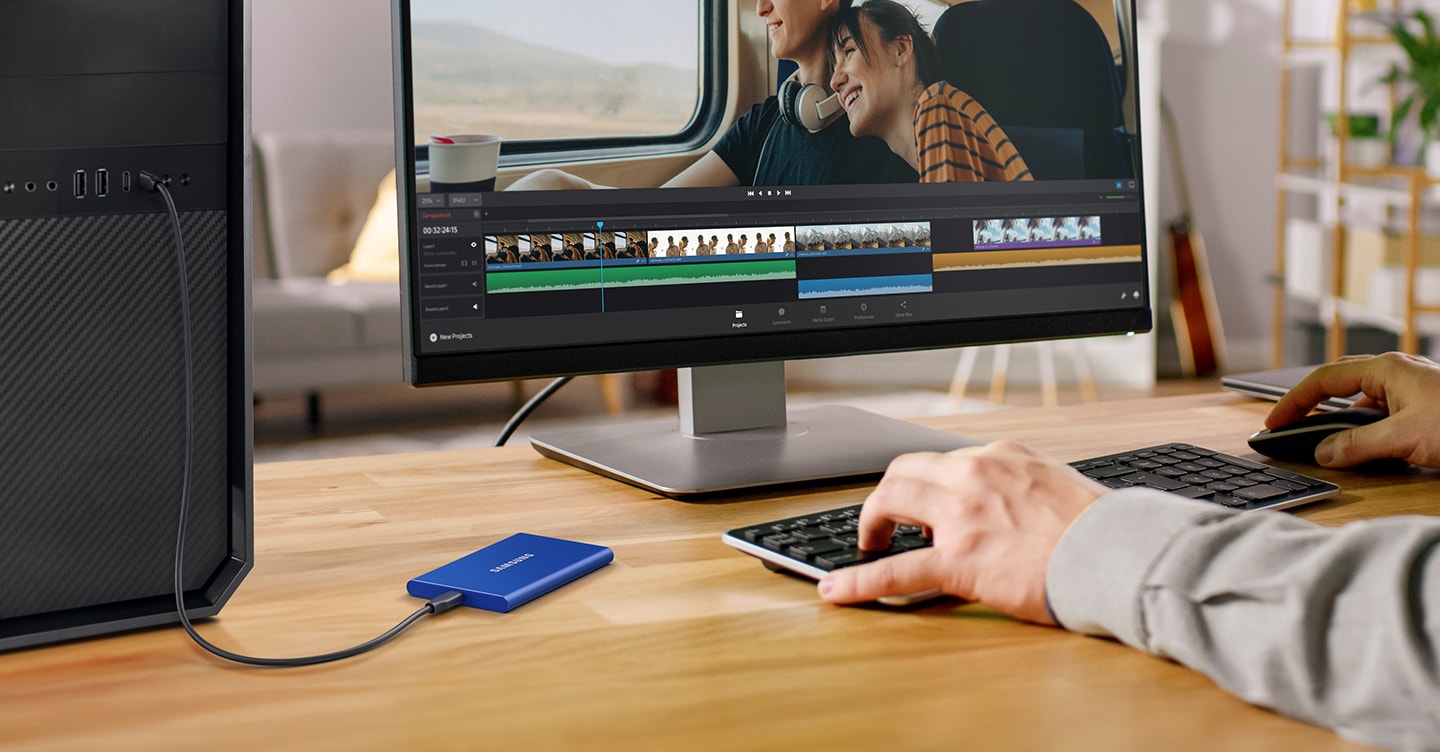
    Samsung T7 1TB Portable SSD – Best Premium SSD for Accounting Workstations

    https://image.semiconductor.samsung.com/image/samsung/p6/semiconductor/consumer-storage/portable-ssd/new-t7/memory-t7-feature4-c-pc.png?%24ORIGIN_PNG%24=

    The Samsung T7 is designed for professionals who demand maximum speed and reliability from their storage devices.

    High-Speed Performance

    With read speeds of up to 1,050MB/s, this SSD is ideal for real-time accounting data, large Excel models, and frequent file transfers. It dramatically reduces waiting time during backups and restores.

    Security and Reliability

    Samsung T7 includes hardware-based password protection, adding an extra security layer for sensitive financial and client data. This is a major advantage for CA firms and consultants.

    Build and Professional Use

    The metal body ensures durability, and thermal management prevents overheating during heavy use.

    For professionals building a high-performance accounting workstation, you can Check Here / Buy Here to see the latest pricing.

    Pros and Cons

    Pros

    • Extremely fast data transfer speeds
    • Strong build quality
    • Hardware-level data security
    • Ideal for professional workstations

    Cons

    • Higher price compared to other options
    • Overkill for simple backup-only usage

    Quick Comparison Table

    Storage DeviceBest Suited For
    Seagate Expansion HDDBudget backups and data archiving
    SanDisk Portable SSDFast daily accounting work at good value
    Samsung T7 SSDHigh-speed professional accounting workstations

    Final Recommendation: Which Storage Is Best for You?

    The right storage choice depends on how you use your accounting workstation:

    • Choose Seagate Expansion 1TB HDD if you want affordable and safe backups.
    • Choose SanDisk 1TB Portable SSD if you need speed for daily accounting tasks without spending too much.
    • Choose Samsung T7 1TB SSD if you want maximum speed, security, and long-term reliability.

    For most accountants and MIS professionals, upgrading from HDD to SSD can improve workflow speed by 30–50%, especially during peak filing seasons.


    Disclaimer

    This article is for informational purposes only. Prices, specifications, and availability may change over time. Always verify product details before purchasing.

    Some links in this article are affiliate links. If you purchase through these links, we may earn a small commission at no additional cost to you. This helps support our work while keeping the review honest and unbiased.


  • Best Keyboard for Data Entry Professionals in India (2026 Review): Dell KB216 vs Logitech K120 vs Portronics Bubble

    For anyone working in data entry, accounting, MIS reporting, billing, or GST-related roles, the keyboard is the most-used work tool. A data entry professional easily types 40,000–60,000 keystrokes per day, and even small design flaws in a keyboard can reduce speed, increase errors, and cause finger or wrist fatigue over time.

    Choosing the best keyboard for data entry professionals is therefore not about looks or brand hype. It is about typing comfort, layout efficiency, durability, and long-hour reliability. In this detailed and honest review, we compare three popular keyboards widely used in India:

    • Dell KB216 Wired Multimedia Keyboard
    • Logitech K120 Wired Keyboard
    • Portronics Bubble Wireless Keyboard

    This article is written purely for practical use cases, focusing on real-world data entry requirements rather than marketing claims.


    What Makes a Keyboard Ideal for Data Entry Work?

    Before reviewing the products, it is important to understand what actually matters for data entry professionals:

    • Full-size layout with numeric keypad for fast number input
    • Comfortable key travel to reduce finger fatigue
    • Low typing noise for long sessions
    • Spill resistance for office safety
    • Stable connectivity with zero input lag

    Keeping these factors in mind, let us evaluate each keyboard in detail.


    Dell KB216 Wired Multimedia Keyboard – Best Overall for Office Data Entry

    https://m.media-amazon.com/images/I/61mwM6q4smL._AC_UF1000%2C1000_QL80_.jpg

    The Dell KB216 is one of the most commonly used keyboards in corporate offices, banks, and training centers. It is built specifically for professional environments where reliability and consistency matter more than design.

    Typing Experience

    The keyboard uses chiclet-style keys with balanced key travel. This allows smooth typing without pressing too hard, which is extremely important for professionals typing continuously for 7–8 hours a day. The keys feel consistent, helping maintain typing rhythm and accuracy.

    The dedicated numeric keypad is well-spaced and highly responsive, making it ideal for accounting entries, invoice preparation, and Excel-based data entry.

    Build Quality and Practicality

    Dell KB216 comes with spill resistance, offering protection against accidental water or tea spills—a common risk in office environments. It also includes three indicator lights (Caps Lock, Num Lock, Scroll Lock), which help avoid numeric input errors.

    Multimedia Productivity

    Dedicated multimedia hotkeys for volume control and playback allow quick adjustments without interrupting work flow.

    If you are looking for a reliable office-grade keyboard, you can Check Here / Buy Here to see current pricing and availability.

    Pros and Cons

    Pros

    • Excellent for full-day data entry work
    • Full-size layout with numeric keypad
    • Spill-resistant design
    • Very affordable for a professional keyboard

    Cons

    • No wrist rest
    • Wired connection only

    Logitech K120 Wired Keyboard – Best for Long Typing Comfort

    https://m.media-amazon.com/images/I/61j3wQheLXL.jpg

    The Logitech K120 is known for its comfort-focused design and is widely preferred by users who spend long uninterrupted hours typing.

    Ergonomic Typing Feel

    The keys are soft yet responsive, requiring less force per keystroke. The curved space bar supports natural thumb placement, which reduces strain during long sessions. This makes a noticeable difference for professionals working extended shifts.

    For data entry professionals who value comfort over extra features, this keyboard performs exceptionally well.

    Layout and Ease of Use

    It features a traditional full-size layout with a numeric keypad, making it easy to switch from older keyboards without any learning curve. This is particularly useful in offices where multiple users may use the same workstation.

    Durability

    The keyboard is spill-resistant and built for daily wear and tear. Logitech’s reputation for long-lasting peripherals is clearly reflected in this model.

    If long-hour comfort is your top priority, you can Check Here / Buy Here to explore this keyboard further.

    Pros and Cons

    Pros

    • Very comfortable for long typing hours
    • Durable and reliable build quality
    • Spill-resistant design
    • Quiet and smooth keystrokes

    Cons

    • No multimedia shortcut keys
    • Simple, no-frills design

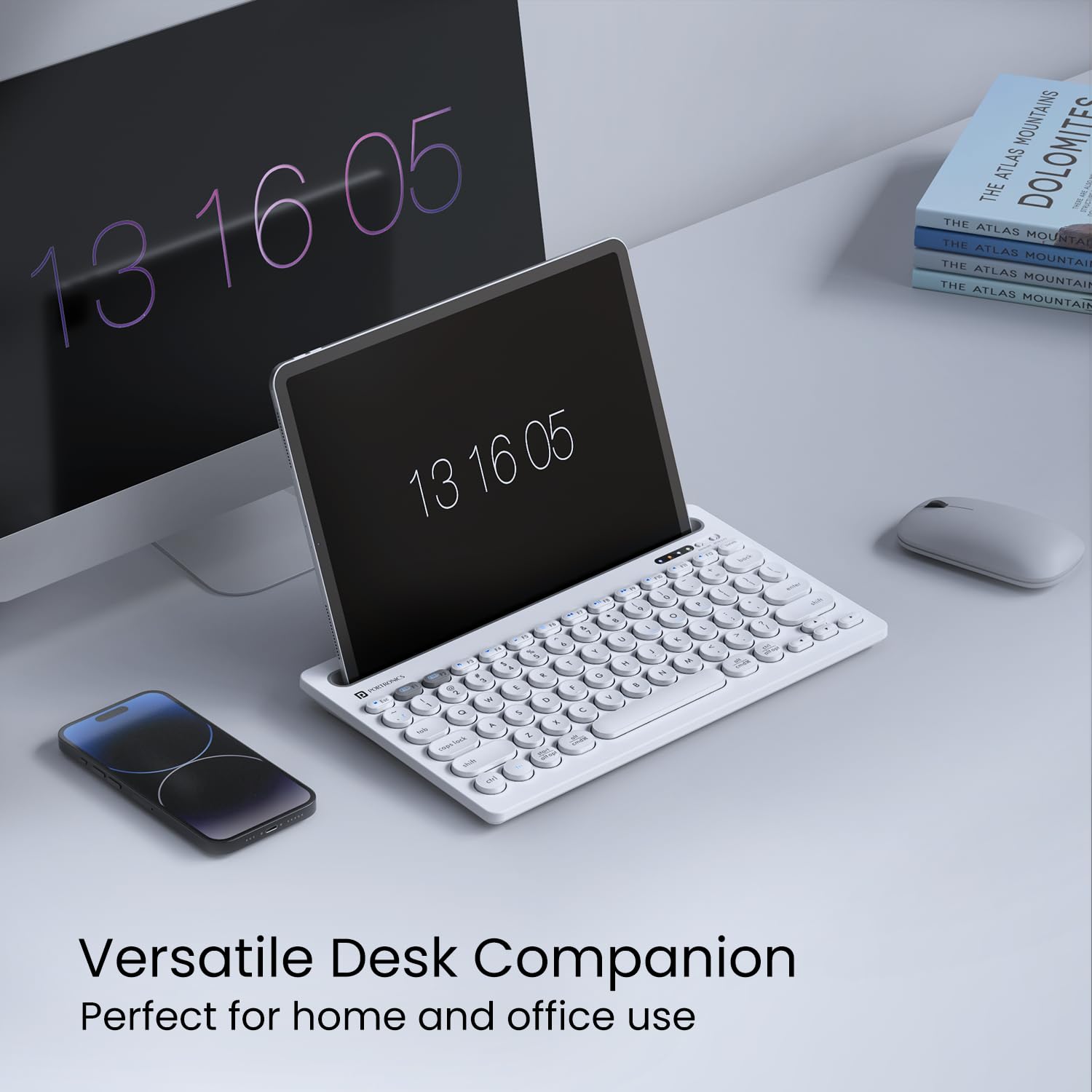
    Portronics Bubble Wireless Keyboard – Best for Flexible & Multi-Device Users

    https://m.media-amazon.com/images/I/61OvOg39n6L.jpg

    The Portronics Bubble targets users who prefer wireless convenience and work across multiple devices such as laptops, tablets, and smartphones.

    Connectivity and Flexibility

    This keyboard supports 2.4 GHz wireless and Bluetooth 5.0, allowing easy switching between devices. For freelancers, trainers, or professionals working in hybrid setups, this flexibility is a major advantage.

    Typing Experience

    The keys are soft and noiseless, making the keyboard suitable for quiet environments. However, it has a compact layout without a dedicated numeric keypad, which limits its efficiency for heavy numeric data entry.

    Best Use Case

    This keyboard is ideal for light data entry, content typing, and portable work setups. It is not designed for full-time accounting or billing work that involves extensive number input.

    If wireless portability is important to you, you can Check Here / Buy Here to view current offers.

    Pros and Cons

    Pros

    • Dual connectivity (Wireless + Bluetooth)
    • Compact and portable design
    • Silent typing experience
    • Works with multiple devices

    Cons

    • No numeric keypad
    • Not suitable for heavy data entry work

    Quick Comparison Table

    KeyboardBest Suited For
    Dell KB216Full-time office and accounting data entry
    Logitech K120Long-hour comfort-focused typing
    Portronics BubbleWireless and multi-device usage

    Final Verdict: Which Keyboard Should Data Entry Professionals Choose?

    For professionals involved in daily, high-volume data entry, a wired full-size keyboard remains the most efficient and error-free option.

    • Dell KB216 is the best overall choice for office-based data entry and accounting work.
    • Logitech K120 is ideal for users who type for long hours and prioritize comfort.
    • Portronics Bubble is suitable only for light data entry or flexible wireless setups.

    Choosing the right keyboard can improve typing speed by 15–20% and significantly reduce fatigue over time.


    Disclaimer

    This article is for informational purposes only. Product prices, features, and availability may change over time. Always verify details before making a purchase.

    Some links in this article are affiliate links. If you purchase through these links, we may earn a small commission at no additional cost to you. This helps support our work while keeping the review honest and unbiased.


  • Best Mouse for Excel and Office Work in India: Honest Review of Portronics Toad One, Zebronics Blanc, and Dell WM118

    Choosing the best mouse for Excel and office work is not just about price or brand; it directly impacts productivity, comfort, and long working hours efficiency. Excel users, MIS professionals, accountants, and corporate employees typically spend 6–10 hours a day using a mouse. Even a small improvement in ergonomics or button functionality can save thousands of repetitive movements every week.

    In this article, we review three highly popular and budget-friendly wireless mice in India:

    • Portronics Toad One Dual Wireless Mouse
    • Zebronics Blanc Slim Wireless Mouse
    • Dell WM118 Wireless Mouse

    All three are top-selling models with thousands of verified user reviews. This is a purely honest, practical, and experience-based review, focused specifically on Excel, MIS, accounting, and office work—not gaming.


    What Makes a Mouse Ideal for Excel and Office Work?

    Before reviewing the products, it’s important to define what actually matters for Excel users.

    Key Requirements for Excel & Office Professionals

    • Comfortable grip for long hours
    • Smooth scrolling (critical for large spreadsheets)
    • Reliable connectivity (no cursor lag)
    • Silent or soft clicks
    • Decent DPI (800–1600 is ideal for Excel)
    • Long battery or rechargeable convenience

    Fact: Poor mouse ergonomics contribute to nearly 30% of wrist and finger strain complaints among office professionals.


    Quick Comparison Overview

    Mouse ModelBest For
    Portronics Toad OnePower users, multi-device users
    Zebronics BlancBudget buyers, silent usage
    Dell WM118Reliability, corporate environments

    Now let’s deep dive into each mouse.


    Portronics Toad One Bluetooth Mouse – Feature-Rich & Productivity Focused

    https://www.portronics.com/cdn/shop/files/Image1_5067bdd1-4473-4933-a66d-edcb4d49409a.png?v=1720258592

    Key Highlights

    • Dual wireless: Bluetooth + 2.4 GHz
    • Connect up to 3 devices simultaneously
    • 6 programmable buttons
    • Rechargeable battery
    • RGB lighting
    • Ergonomic design

    This mouse is clearly designed for power users who multitask across laptops, tablets, and even smartphones.

    👉 Check Here / Buy Here

    Excel & Office Experience

    For Excel users, the additional buttons are extremely useful for:

    • Horizontal scrolling
    • Sheet navigation
    • Custom shortcuts

    Switching between devices is seamless, making it ideal for trainers, consultants, and professionals working with multiple systems.

    Pros

    • Excellent value for money
    • Multi-device connectivity
    • Rechargeable (no battery cost)
    • Comfortable grip for long hours

    Cons

    • RGB lights are unnecessary for office use
    • Slightly heavier than slim mice

    Verdict:
    If you want maximum features under ₹600, this is one of the best productivity mice available.


    Zebronics Blanc Slim Wireless Mouse – Minimal, Silent & Budget-Friendly

    https://m.media-amazon.com/images/I/51vMo-pHZ5L.jpg

    Key Highlights

    • Dual wireless: Bluetooth + 2.4 GHz
    • Silent click buttons
    • Slim and lightweight design
    • Adjustable DPI (800/1200/1600)
    • Rechargeable battery

    This mouse is targeted at users who prefer simplicity and silence.

    👉 Check Here / Buy Here

    Excel & Office Experience

    Silent clicks make it perfect for:

    • Office environments
    • Shared workspaces
    • Late-night work sessions

    The slim body is travel-friendly, though it may not suit users with larger hands for extended hours.

    Pros

    • Very affordable pricing
    • Silent operation
    • Lightweight and portable
    • Rechargeable

    Cons

    • No extra buttons
    • Flat design may cause fatigue for long sessions

    Verdict:
    A great choice for basic Excel work, students, and office users on a tight budget.


    Dell WM118 Wireless Mouse – Reliability Over Everything

    https://m.media-amazon.com/images/S/aplus-media-library-service-media/79817421-d478-4f26-97cc-87c6cd2ec70e.__CR0%2C0%2C970%2C600_PT0_SX970_V1___.jpg

    Key Highlights

    • 2.4 GHz wireless with USB nano receiver
    • 1000 DPI optical sensor
    • Up to 12 months battery life
    • Plug-and-play setup
    • Ambidextrous design

    Dell WM118 is a no-nonsense corporate mouse trusted in offices worldwide.

    👉 Check Here / Buy Here

    Excel & Office Experience

    This mouse shines in:

    • Accuracy
    • Cursor stability
    • Long-term reliability

    Scroll wheel performance is smooth, which is critical for large Excel sheets and MIS reports.

    Pros

    • Extremely reliable
    • Excellent battery life
    • Comfortable for long hours
    • Strong brand trust

    Cons

    • No Bluetooth support
    • Not rechargeable
    • Basic feature set

    Verdict:
    If you value stability and zero surprises, this mouse is a safe long-term choice.


    Which Mouse Is Best for Excel and Office Work?

    Choose Portronics Toad One if:

    • You use multiple devices
    • You want extra buttons for productivity
    • You prefer rechargeable convenience

    Choose Zebronics Blanc if:

    • You want silent clicks
    • You travel frequently
    • You want the lowest price

    Choose Dell WM118 if:

    • You work long hours daily
    • You want proven reliability
    • You prefer simplicity over features

    Fact: For Excel-heavy roles, a comfortable mouse can improve working speed by 10–15% over time.


    Final Recommendation

    For Excel trainers, MIS professionals, accountants, and power users, Portronics Toad One offers the best overall value and features.
    For students and budget-conscious users, Zebronics Blanc is excellent.
    For corporate and long-term office usage, Dell WM118 remains a dependable classic.


    Disclaimer

    This article is based on publicly available product specifications, user feedback, and practical office-use analysis. Prices, ratings, and availability may change over time. Readers should assess their personal usage requirements before purchasing.Some links in this article are affiliate links. If you purchase through these links, I may earn a small commission at no extra cost to you. This helps support content creation and allows me to provide honest, in-depth reviews.


  • Best Office Chair for Long Excel and Computer Work Hours – Detailed Comparison, Ergonomic Features, and Top Budget-Friendly Options

    Working long hours on Excel requires focus, precision, and comfort. Whether you are an analyst, accountant, MIS executive, data operator, CA, or business owner, the right office chair dramatically affects your productivity and spinal health. A poorly designed chair can cause back pain, neck stiffness, shoulder strain, and long-term posture issues.

    Modern ergonomic chairs offer lumbar support, mesh airflow, adjustable headrests, metal bases, and height controls that make them suitable for prolonged screen work. This article covers some of the best chairs currently available for long Excel sessions, complete with features, specifications, and comparison tables. All product links are given naturally within the article.


    Why You Need an Ergonomic Chair for Excel Work

    People who work 6 to 10 hours daily on Excel tend to develop:

    • Lower back pain
    • Forward neck posture
    • Shoulder stiffness
    • Wrist discomfort
    • Poor circulation due to long sitting

    Ergonomic chairs are designed to reduce pressure on the spine and maintain natural posture, improving focus and reducing fatigue. Research has shown that good seating posture can increase productivity by up to 17% and reduce musculoskeletal issues by over 30%.


    Key Features Needed in a Chair for Excel Work

    Before reviewing top models, here are the essential features you must look for:

    1. Mesh Back Support – prevents sweat and provides ventilation.
    2. Adjustable Lumbar Support – supports lower spine during long hours.
    3. Heavy Duty Metal Base – ensures durability and stability.
    4. Seat Height Adjustment – helps align eyes with screen level.
    5. Tilt Mechanism – allows reclining between work sessions.
    6. Armrest Adjustability – prevents wrist and shoulder strain.
    7. High Back vs Mid Back – depends on preference for neck support.

    Top Office Chairs for Long Excel Work

    Below are four top-performing office chairs ideal for long data handling, financial modeling, and MIS reporting sessions.


    1. CELLBELL Desire C104 Mesh Mid Back Chair (Grey)

    Link: https://amzn.to/49RWIcX

    Key Highlights

    • 4.0 rating from 9,900+ users
    • 700+ units bought in the past month
    • Heavy-duty metal base
    • Mesh mid-back for breathability
    • Adjustable seat height
    • Ideal for compact spaces and moderate-duration Excel work

    Detailed Description

    This mid-back ergonomic chair is a highly popular choice for home offices and study setups. It provides excellent airflow due to its mesh design, ensuring comfort during continuous sitting. The chair supports an upright working posture and reduces sweating, especially during summer months. Its strong metal base increases durability even with daily usage of 8 hours.

    Best For:

    Students, freelancers, professionals working 4–7 hours daily in Excel.


    2. CELLBELL Desire C104 Mesh High Back Chair (Black)

    Link: https://amzn.to/48u8lFx

    Key Highlights

    • 4.2 rating from 2,300+ users
    • 600+ recent purchases
    • High back for additional neck support
    • Adjustable height and revolving base
    • Sturdy metal frame design

    Detailed Description

    This upgraded high-back version is ideal if you experience neck strain during long working hours. The chair combines a tall mesh structure with ergonomic head and upper-back support. With improved contouring, it helps maintain firm posture and reduces fatigue while doing Excel analytics, MIS reporting, dashboard creation, or accounting entries for hours.

    Best For:

    Professionals working 8–10 hours daily, especially those needing neck support.


    3. ASTRIDE Ergofit Ergonomic Office Chair (Grey-White)

    Link: https://amzn.to/4iiqGZN

    Key Highlights

    • 4.0 rating from 3,900+ buyers
    • #1 Best Seller in Home Office Desk Chairs
    • 2D adjustable headrest
    • Adjustable arms and lumbar support
    • Heavy-duty chromium metal base
    • Tilt lock mechanism

    Detailed Description

    ASTRIDE Ergofit is a premium-level chair offering advanced ergonomics. The adjustable headrest, lumbar support, and armrests help users customize posture precisely. It is ideal for large work shifts, spreadsheet modeling, and scenarios requiring 100% focus. The chromium base adds stability and makes the chair suitable for long-term heavy use.

    Its ergonomics are designed using scientific posture alignment studies, making it highly recommended for IT professionals, financial analysts, and accountants who spend long hours analyzing data.

    Best For:

    Users who need maximum adjustability and rely heavily on Excel daily for 8–12 hours.


    4. Da URBAN Merlion High Back Mesh Ergonomic Chair (Black)

    Link: https://amzn.to/49tvOb0

    Key Highlights

    • 4.0 rating from over 5,100 users
    • More than 1,000 recent purchases
    • Comes with a 3-year warranty
    • Adjustable armrests
    • Adjustable lumbar support
    • Tilt lock for relaxation
    • Strong and reliable build quality

    Detailed Description

    Da Urban Merlion is built for prolonged desk activities. The lumbar support system is one of the strongest in its category. The breathable mesh design prevents overheating, and its ergonomic frame keeps your back aligned even during extended Excel work such as pivot table analysis, financial statements, GST compliance tasks, and business planning.

    The tilt lock mechanism also allows small breaks without standing up, making it ideal for professionals who multitask all day.

    Best For:

    Long-hour desk users who need a balanced combination of comfort, adjustability, and premium build quality.


    Comparison Table: Best Chairs for Excel Work

    Chair ModelKey Strength
    CELLBELL C104 Mid BackAffordable, breathable, ideal for moderate hours
    CELLBELL C104 High BackBetter neck support, strong ergonomics
    ASTRIDE ErgofitBest adjustability, premium build, heavy-duty usage
    Da Urban MerlionExcellent lumbar support, strong frame, long work hours

    How to Choose the Best Chair for Excel Work

    To select the right chair based on your working style, consider the following factors:

    1. Working Hours
      • Under 6 hours/day → Mid-back chair
      • Over 8 hours/day → High-back or ergonomic premium chair
    2. Posture Needs
      • Frequent neck pain → High-back with headrest
      • Lower back pain → Adjustable lumbar support
    3. Chair Durability
      • Choose metal or chromium base for long-term usage
    4. Body Weight & Height
      • Ensure chair supports proper seating height (knees at 90° angle)
    5. Armrests
      • Adjustable armrests reduce hand and shoulder strain while typing
    6. Breathability
      • Mesh is more comfortable than leatherette for long summer hours

    Why These Chairs Are Best for Excel Users

    Excel users typically sit in a fixed posture for long durations while focusing on formulas, reports, dashboards, and data entries. These chairs solve that problem by offering:

    • Continuous back support
    • Neck rest for long screen hours
    • Mesh breathability
    • Height flexibility for desk alignment
    • Pressure reduction on spine
    • Long-lasting comfort for 8+ hour sessions

    Conclusion

    An ergonomic chair is an investment in productivity and health, especially for professionals who spend long hours on Excel spreadsheets. The four chairs reviewed in this article—CELLBELL C104 Mid Back, CELLBELL C104 High Back, ASTRIDE Ergofit, and Da URBAN Merlion—are among the best options available today. They offer strong ergonomics, adjustable features, breathable mesh design, and durable bases. Choosing the right model based on your working hours and comfort needs will ensure long-term posture health and improved performance in your daily Excel tasks.


    Disclaimer

    This article is for educational and informational purposes only. Product details, pricing, ratings, and availability may change over time. Some product URLs included in this article may help the author earn a small commission if a purchase is made, at no additional cost to the buyer. Always verify product specifications and suitability before purchasing.


  • Top 3 Ergonomic Office Chairs Under ₹5000 in India — Best for Work from Home Comfort and Durability

    In today’s fast-paced work-from-home and hybrid work environment, having a comfortable and ergonomic office chair is no longer a luxury — it’s a necessity. Whether you’re spending long hours on video calls, doing coding marathons, or attending online classes, the right chair can make all the difference to your posture and productivity.

    Here, we bring you the Top 3 Ergonomic Office Chairs under ₹5000 in India (2025) — chosen for their comfort, durability, and features like adjustable height, mesh back, and tilt mechanism.

    We’ll review the CELLBELL Desire C104, beAAtho® Verona, and Da URBAN® Merlion — three of the most popular and highly rated chairs on Amazon India.


    Comparison Table: Best Ergonomic Office Chairs (2025)

    FeatureCELLBELL Desire C104beAAtho® VeronaDa URBAN® Merlion
    Rating⭐ 4.2/5 (2,136 reviews)⭐ 4.1/5 (6,863 reviews)⭐ 4.0/5 (4,541 reviews)
    MaterialMesh back, Metal baseMesh back, Metal baseMesh back, Heavy-duty metal frame
    AdjustabilitySeat height adjustableHeight & tilt adjustableArmrest, lumbar, tilt lock
    Weight Capacity105 kg (approx.)110 kg (approx.)120 kg (approx.)
    Warranty1 year3 years (limited)3 years
    Ideal UseHome/office/studyLong work hoursFull-time office setup
    Price (as of Oct 2025)₹3,599₹3,798₹4,499
    Affiliate LinkBuy NowBuy NowBuy Now

    1. CELLBELL Desire C104 Mesh High Back Ergonomic Office Chair

    Price: ₹3,599 (MRP ₹15,999)
    Rating: ⭐ 4.2/5 (2,136+ Reviews)
    Link: Buy CELLBELL Desire C104

    The CELLBELL Desire C104 is an excellent pick for anyone looking for an affordable ergonomic chair without compromising on build quality. Its high back mesh design promotes airflow, keeping you cool during long work hours.

    Key Features:

    • Adjustable seat height with a smooth hydraulic lift
    • Breathable mesh back for ventilation
    • Sturdy metal base with 360° swivel wheels
    • Reclining tilt mechanism for relaxation
    • Suitable for office work, studying, or gaming

    Pros:

    • Great comfort for long hours
    • Smooth and quiet wheel movement
    • Durable build for the price
    • Easy to assemble

    Cons:

    • Fixed armrests (not adjustable)
    • Cushion padding could be thicker

    Verdict:
    For ₹3,599, this chair offers everything a casual office or home user needs — ergonomics, quality, and sleek design. Perfect for students, freelancers, and professionals working from home.


    2. beAAtho® Verona Mesh High Back Ergonomic Home Office Chair

    Price: ₹3,798 (MRP ₹14,999)
    Rating: ⭐ 4.1/5 (6,863+ Reviews)
    Link: Buy beAAtho Verona Chair

    The beAAtho Verona stands out due to its 3-year limited warranty, solid design, and comfortable seat. It’s also Amazon’s Choice, showing its consistent customer satisfaction.

    Key Features:

    • Ergonomic design for back and neck support
    • Heavy-duty metal base for stability
    • Adjustable height and tilt mechanism
    • Breathable mesh back with thick seat cushion
    • Designed and manufactured in India

    Pros:

    • Comes with 3-year warranty
    • Sturdy and premium finish
    • Easy tilt and lift adjustment
    • Ideal for extended sitting hours

    Cons:

    • No adjustable lumbar support
    • Slightly firm cushion (breaks in over time)

    Verdict:
    If you want reliability with an extended warranty, beAAtho Verona is a smart investment. It’s one of the best chairs under ₹4000 for office professionals and long working sessions.


    3. Da URBAN® Merlion High Back Mesh Ergonomic Office Chair

    Price: ₹4,499 (MRP ₹26,999)
    Rating: ⭐ 4.0/5 (4,541+ Reviews)
    Link: Buy Da URBAN Merlion Chair

    The Da URBAN Merlion is a premium ergonomic chair designed for those who prioritize posture and lumbar support. It offers multiple adjustment features, making it a great choice for professionals and executives.

    Key Features:

    • Adjustable armrests and lumbar support
    • Tilt lock mechanism with smooth recline
    • Sturdy metal base with heavy-duty wheels
    • Ergonomic mesh back for breathability
    • Suitable for tall individuals as well

    Pros:

    • Full ergonomic adjustability
    • Supportive for spine and lower back
    • 3-year manufacturer warranty
    • Excellent value considering features

    Cons:

    • Slightly higher price range
    • Requires assembly (takes 20–30 minutes)

    Verdict:
    If your budget can stretch to ₹4,500, the Da URBAN Merlion is worth every rupee. It provides superior comfort and posture correction, ideal for those who work long hours at a desk or gaming setup.


    Feature Comparison Summary

    FeatureBest ForUnique Advantage
    CELLBELL Desire C104Budget buyersStrong build, low price
    beAAtho VeronaBalanced performance3-year warranty
    Da URBAN MerlionProfessionalsAdjustable lumbar & armrests

    Which Chair Should You Buy?

    • On a tight budget (Under ₹4,000): Go for CELLBELL Desire C104 — durable, reliable, and comfortable.
    • Need warranty and value: beAAtho Verona offers an unbeatable 3-year warranty with solid performance.
    • Maximum comfort and posture support: Da URBAN Merlion wins for long-term use and ergonomics.

    Final Thoughts

    Investing in a good ergonomic chair is one of the best things you can do for your health and productivity. The CELLBELL Desire C104, beAAtho Verona, and Da URBAN Merlion are top-rated in India for a reason — they deliver on quality, comfort, and long-term durability, all under ₹5000.

    Before buying, consider your daily usage, space, and posture needs. All three models are designed to support your back during extended work sessions — making them ideal for today’s remote professionals, students, and freelancers.


    Disclaimer:

    This article contains affiliate links. If you purchase through these links, I may earn a small commission at no additional cost to you. This helps support my content and allows me to continue creating valuable reviews and guides.Prices, features, and ratings are accurate as of the time of writing but may vary on Amazon. Always verify the latest product details before purchasing.


  • Top 3 Travel Backpacks with USB Charging Port for Smart Commuters

    The Rise of Smart Backpacks for Modern Travel

    In today’s fast-paced world, your backpack is no longer just a bag—it’s your mobile workstation, travel partner, and tech accessory all rolled into one. Whether you’re a student, office commuter, or frequent traveler, having a smart backpack with a USB charging port and anti-theft features is becoming essential.

    We reviewed some of the most popular and best-rated travel backpacks on Amazon India that offer great design, functionality, and comfort—all while being budget-friendly.

    Below are the Top 3 Travel Backpacks with USB Charging Ports in 2025, selected based on build quality, customer reviews, and overall value for money.


    1. FUR JADEN Anti Theft Number Lock Backpack with USB Charging Port

    Price: ₹539 (73% Off, M.R.P ₹2,000)
    Rating: ⭐ 4.0 / 5 (11,709 Reviews)
    Buy Here: FUR JADEN Anti Theft Backpack

    Overview

    The FUR JADEN Anti-Theft Backpack has become one of Amazon’s most popular laptop bags for a reason—it combines safety, style, and practicality at an unbelievably affordable price. Designed for students, office goers, and travelers alike, this bag features a built-in number lock, USB charging port, and dedicated 15.6-inch laptop compartment.

    It’s currently one of the most purchased backpacks on Amazon India, with over 10,000 units sold in the past month during the Great Indian Festival.

    FeatureDetails
    Laptop CompatibilityUp to 15.6 inches
    Safety FeatureBuilt-in number lock for anti-theft protection
    Charging FeatureExternal USB charging port
    CompartmentsMultiple organizer pockets for gadgets and stationery
    Ideal ForMen, women, students, and professionals
    Price Range₹539 (after discount)

    Pros

    • Excellent value for money (under ₹600)
    • Integrated USB port for on-the-go charging
    • Durable material and modern design
    • Lightweight yet spacious
    • Number lock for enhanced security

    Cons

    • Not completely waterproof
    • Padding quality is moderate, not premium
    • USB port requires your own power bank

    Verdict

    If you’re on a tight budget but want a bag that looks premium and has practical modern features, this backpack is a top pick. For everyday office or college use, the FUR JADEN Anti Theft Backpack delivers functionality far beyond its price tag.


    2. Red Lemon Swiss Cut Design 15.6″ Laptop Backpack

    Price: ₹1,569 (61% Off, M.R.P ₹3,999)
    Rating: ⭐ 4.3 / 5 (3,369 Reviews)
    Amazon’s Choice: Yes
    Buy Here: Red Lemon Laptop Backpack

    Overview

    Red Lemon’s Swiss Cut Design backpack combines aesthetics with advanced features for urban travelers. The design stands out with its sleek Swiss-inspired cuts, premium 26L capacity, and USB charging port.

    It’s labeled Amazon’s Choice, meaning it has consistently high customer satisfaction and reliability. This backpack targets professionals who value durability and style in equal measure.

    FeatureDetails
    Capacity26 Litres
    Laptop CompatibilityUp to 15.6 inches
    MaterialWater-resistant fabric
    DesignSwiss cut ergonomic design
    SecurityHidden anti-theft pocket
    Charging FeatureExternal USB charging port
    Best ForProfessionals, daily commuters, business travelers

    Pros

    • Premium feel and aesthetic Swiss design
    • Spacious 26L capacity with organized compartments
    • High-quality zippers and stitching
    • Water-resistant and durable outer shell
    • USB charging port conveniently placed

    Cons

    • Slightly more expensive than other options
    • The material may feel stiff initially
    • Limited color options

    Verdict

    The Red Lemon Swiss Cut Backpack is ideal for business travelers and professionals who prioritize organization, durability, and elegant design. Its ergonomic comfort and USB port placement make it one of the most functional mid-range backpacks in India right now.


    3. FUR JADEN Travel Laptop Backpack (Business Series)

    Price: ₹839 (66% Off, M.R.P ₹2,500)
    Rating: ⭐ 4.2 / 5 (1,760 Reviews)
    Buy Here: FUR JADEN Travel Laptop Backpack

    Overview

    Another smart design from FUR JADEN, this Business Series Travel Laptop Backpack focuses on comfort and capacity. It’s a great option for frequent travelers or college students who carry laptops, notebooks, and daily essentials.

    With its water-resistant coating, USB charging port, and multiple compartments, this backpack fits perfectly into a modern lifestyle.

    FeatureDetails
    Laptop CompatibilityUp to 15.6 inches
    MaterialWater-resistant polyester
    Charging FeatureExternal USB charging port
    CompartmentsMultiple organizer pockets
    WeightLightweight design for easy travel
    Ideal ForBusiness professionals, students, and travelers
    Price Range₹839 (after discount)

    Pros

    • Stylish business look with professional finish
    • Strong zippers and durable stitching
    • Lightweight and easy to carry
    • Ample compartments for gadgets, documents, and clothes
    • USB port and water-resistant fabric make it travel-friendly

    Cons

    • Limited color availability
    • No number lock included
    • Padding on straps could be improved for heavier loads

    Verdict

    This model from FUR JADEN is a perfect balance of price, features, and durability. If you frequently travel or commute long distances, it provides all essential functions without overcomplicating the design.


    Comparison Table: Best USB Charging Backpacks 2025

    BackpackPrice (Approx.)Laptop SizeKey FeatureIdeal UserRating
    FUR JADEN Anti Theft₹53915.6”Number Lock + USB PortStudents, daily commuters⭐ 4.0
    Red Lemon Swiss Cut₹1,56915.6”Swiss design, anti-theft pocketProfessionals, travelers⭐ 4.3
    FUR JADEN Travel Series₹83915.6”Water-resistant + USBBusiness travelers⭐ 4.2

    How to Choose the Right Backpack for You

    When selecting a USB charging backpack, consider the following points:

    1. Charging Port Quality – Ensure the USB interface is sturdy and well-positioned.
    2. Security Features – Anti-theft pockets or number locks are essential if you travel in public transport.
    3. Comfort & Padding – For laptops, always go for bags with padded shoulder straps and laptop sleeves.
    4. Material & Durability – Water-resistant polyester or nylon offers longevity.
    5. Organization – Multiple compartments make packing and access easier during travel.

    Final Verdict: Best Pick for 2025

    If you want maximum value for money, go for the FUR JADEN Anti Theft Number Lock Backpack — it’s a steal under ₹600.
    If you prefer style and durability, the Red Lemon Swiss Cut Backpack offers the most premium design and protection.
    For frequent travelers or professionals, the FUR JADEN Travel Laptop Backpack hits the sweet spot between features and affordability.

    No matter which you choose, these top 3 backpacks ensure you stay powered, organized, and protected on every trip.


    Disclaimer

    This article is based on publicly available product details and verified customer reviews. Prices and availability may vary depending on ongoing offers and sales. Always verify specifications and warranty details before purchase.This post contains Amazon affiliate links. As an Amazon Associate, I may earn a small commission from qualifying purchases, at no additional cost to you. This helps support the creation of free, high-quality content and product recommendations.