
For anyone working in data entry, accounting, MIS reporting, billing, or GST-related roles, the keyboard is the most-used work tool. A data entry professional easily types 40,000–60,000 keystrokes per day, and even small design flaws in a keyboard can reduce speed, increase errors, and cause finger or wrist fatigue over time.
Choosing the best keyboard for data entry professionals is therefore not about looks or brand hype. It is about typing comfort, layout efficiency, durability, and long-hour reliability. In this detailed and honest review, we compare three popular keyboards widely used in India:
- Dell KB216 Wired Multimedia Keyboard
- Logitech K120 Wired Keyboard
- Portronics Bubble Wireless Keyboard
This article is written purely for practical use cases, focusing on real-world data entry requirements rather than marketing claims.
What Makes a Keyboard Ideal for Data Entry Work?
Before reviewing the products, it is important to understand what actually matters for data entry professionals:
- Full-size layout with numeric keypad for fast number input
- Comfortable key travel to reduce finger fatigue
- Low typing noise for long sessions
- Spill resistance for office safety
- Stable connectivity with zero input lag
Keeping these factors in mind, let us evaluate each keyboard in detail.
Dell KB216 Wired Multimedia Keyboard – Best Overall for Office Data Entry

The Dell KB216 is one of the most commonly used keyboards in corporate offices, banks, and training centers. It is built specifically for professional environments where reliability and consistency matter more than design.
Typing Experience
The keyboard uses chiclet-style keys with balanced key travel. This allows smooth typing without pressing too hard, which is extremely important for professionals typing continuously for 7–8 hours a day. The keys feel consistent, helping maintain typing rhythm and accuracy.
The dedicated numeric keypad is well-spaced and highly responsive, making it ideal for accounting entries, invoice preparation, and Excel-based data entry.
Build Quality and Practicality
Dell KB216 comes with spill resistance, offering protection against accidental water or tea spills—a common risk in office environments. It also includes three indicator lights (Caps Lock, Num Lock, Scroll Lock), which help avoid numeric input errors.
Multimedia Productivity
Dedicated multimedia hotkeys for volume control and playback allow quick adjustments without interrupting work flow.
If you are looking for a reliable office-grade keyboard, you can Check Here / Buy Here to see current pricing and availability.
Pros and Cons
Pros
- Excellent for full-day data entry work
- Full-size layout with numeric keypad
- Spill-resistant design
- Very affordable for a professional keyboard
Cons
- No wrist rest
- Wired connection only
Logitech K120 Wired Keyboard – Best for Long Typing Comfort

The Logitech K120 is known for its comfort-focused design and is widely preferred by users who spend long uninterrupted hours typing.
Ergonomic Typing Feel
The keys are soft yet responsive, requiring less force per keystroke. The curved space bar supports natural thumb placement, which reduces strain during long sessions. This makes a noticeable difference for professionals working extended shifts.
For data entry professionals who value comfort over extra features, this keyboard performs exceptionally well.
Layout and Ease of Use
It features a traditional full-size layout with a numeric keypad, making it easy to switch from older keyboards without any learning curve. This is particularly useful in offices where multiple users may use the same workstation.
Durability
The keyboard is spill-resistant and built for daily wear and tear. Logitech’s reputation for long-lasting peripherals is clearly reflected in this model.
If long-hour comfort is your top priority, you can Check Here / Buy Here to explore this keyboard further.
Pros and Cons
Pros
- Very comfortable for long typing hours
- Durable and reliable build quality
- Spill-resistant design
- Quiet and smooth keystrokes
Cons
- No multimedia shortcut keys
- Simple, no-frills design
Portronics Bubble Wireless Keyboard – Best for Flexible & Multi-Device Users
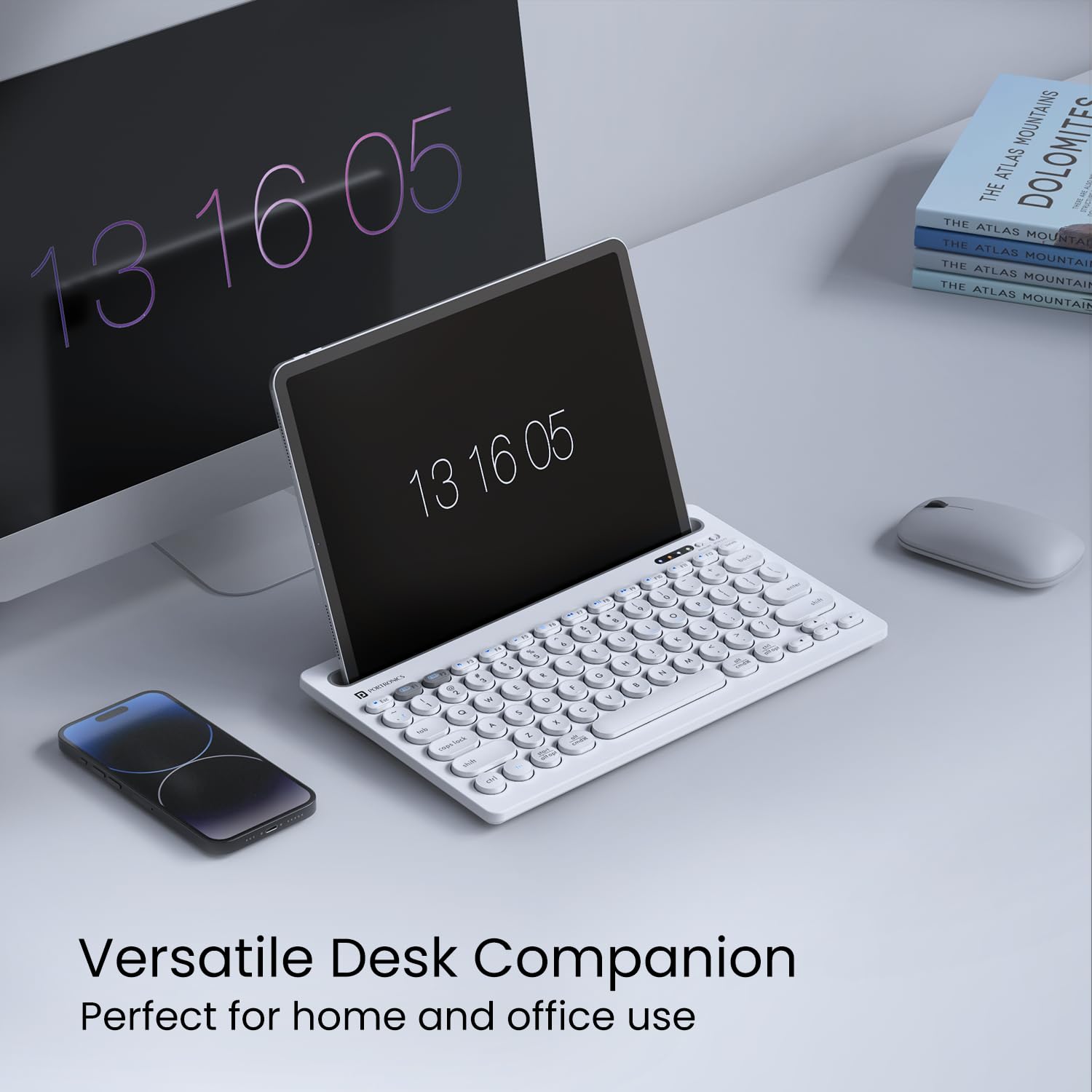
The Portronics Bubble targets users who prefer wireless convenience and work across multiple devices such as laptops, tablets, and smartphones.
Connectivity and Flexibility
This keyboard supports 2.4 GHz wireless and Bluetooth 5.0, allowing easy switching between devices. For freelancers, trainers, or professionals working in hybrid setups, this flexibility is a major advantage.
Typing Experience
The keys are soft and noiseless, making the keyboard suitable for quiet environments. However, it has a compact layout without a dedicated numeric keypad, which limits its efficiency for heavy numeric data entry.
Best Use Case
This keyboard is ideal for light data entry, content typing, and portable work setups. It is not designed for full-time accounting or billing work that involves extensive number input.
If wireless portability is important to you, you can Check Here / Buy Here to view current offers.
Pros and Cons
Pros
- Dual connectivity (Wireless + Bluetooth)
- Compact and portable design
- Silent typing experience
- Works with multiple devices
Cons
- No numeric keypad
- Not suitable for heavy data entry work
Quick Comparison Table
| Keyboard | Best Suited For |
|---|---|
| Dell KB216 | Full-time office and accounting data entry |
| Logitech K120 | Long-hour comfort-focused typing |
| Portronics Bubble | Wireless and multi-device usage |
Final Verdict: Which Keyboard Should Data Entry Professionals Choose?
For professionals involved in daily, high-volume data entry, a wired full-size keyboard remains the most efficient and error-free option.
- Dell KB216 is the best overall choice for office-based data entry and accounting work.
- Logitech K120 is ideal for users who type for long hours and prioritize comfort.
- Portronics Bubble is suitable only for light data entry or flexible wireless setups.
Choosing the right keyboard can improve typing speed by 15–20% and significantly reduce fatigue over time.
Disclaimer
This article is for informational purposes only. Product prices, features, and availability may change over time. Always verify details before making a purchase.
Some links in this article are affiliate links. If you purchase through these links, we may earn a small commission at no additional cost to you. This helps support our work while keeping the review honest and unbiased.