Tag: portronics bubble keyboard review

  • Best Bluetooth Keyboards for Accounting Work in India (2026 Buyer’s Guide)

    Accounting professionals in India spend long hours on data entry, voucher posting, GST compliance, Excel reports, and Tally operations. A reliable Bluetooth or wireless keyboard is not just a convenience—it directly impacts speed, accuracy, and comfort. Choosing the right keyboard can reduce fatigue, improve productivity, and ensure seamless switching between devices like laptops, desktops, tablets, and even smartphones.

    This article reviews three popular and affordable wireless keyboards suitable for accounting work, focusing on real-world usage, not marketing hype. All recommendations are based on features that actually matter to accountants.


    🔑 What Accountants Should Look for in a Wireless Keyboard

    Before diving into product reviews, here are key factors accountants should prioritize:

    • Full-size layout with numpad for fast numerical entry
    • Stable wireless connectivity (Bluetooth + USB receiver preferred)
    • Quiet keys for long working hours
    • Good battery life to avoid interruptions
    • Compatibility with Windows & Excel-based software
    • Compact but practical design for desk efficiency

    Portronics Bubble 3.0 Wireless Keyboard

    https://ea-unboxed-assets.croma.com/cromaunboxed-as/2025/07/Portronics-Bubble-3.0.png

    Overview

    The Portronics Bubble 3.0 is designed for users who want flexibility across multiple devices. With Bluetooth + 2.4 GHz USB receiver, it allows easy switching between laptops, desktops, and tablets — an advantage for accountants handling reports on multiple systems.

    Key Features

    • Dual connectivity: Bluetooth + USB receiver
    • Rechargeable battery (no recurring battery cost)
    • Dedicated numpad for accounting entries
    • Dual height adjustment for ergonomic comfort
    • Multimedia shortcut keys

    Practical Accounting Use

    This keyboard performs well for Tally data entry, GST returns, Excel reconciliation, and MIS reporting. The keys are soft, reducing finger strain during extended sessions.

    Pros

    • Excellent connectivity flexibility
    • Rechargeable (long-term cost saving)
    • Comfortable for long Excel/Tally work
    • Full numpad included

    Cons

    • Slightly larger footprint
    • Not ideal for users who prefer ultra-slim keyboards

    👉 Buy Here


    Logitech MK215 Wireless Keyboard and Mouse Combo

    https://m.media-amazon.com/images/I/71icSLlBIvL.jpg

    Overview

    From a trusted brand, the MK215 combo is known for reliability and battery efficiency. It includes both a keyboard and mouse, making it a practical all-in-one option for office setups.

    Key Features

    • 2.4 GHz wireless USB connectivity
    • Keyboard battery life up to 2 years
    • Compact keyboard with standard layout
    • Includes matching wireless mouse

    Practical Accounting Use

    This keyboard is best suited for fixed desktop-based accounting roles, such as data entry operators, back-office accountants, and billing staff. The long battery life makes it ideal for offices that prefer low maintenance hardware.

    Pros

    • Extremely reliable wireless performance
    • Long battery life
    • Trusted brand quality
    • Mouse included

    Cons

    • No Bluetooth support
    • Compact size may feel tight for heavy numeric entry

    👉 Check Price Here


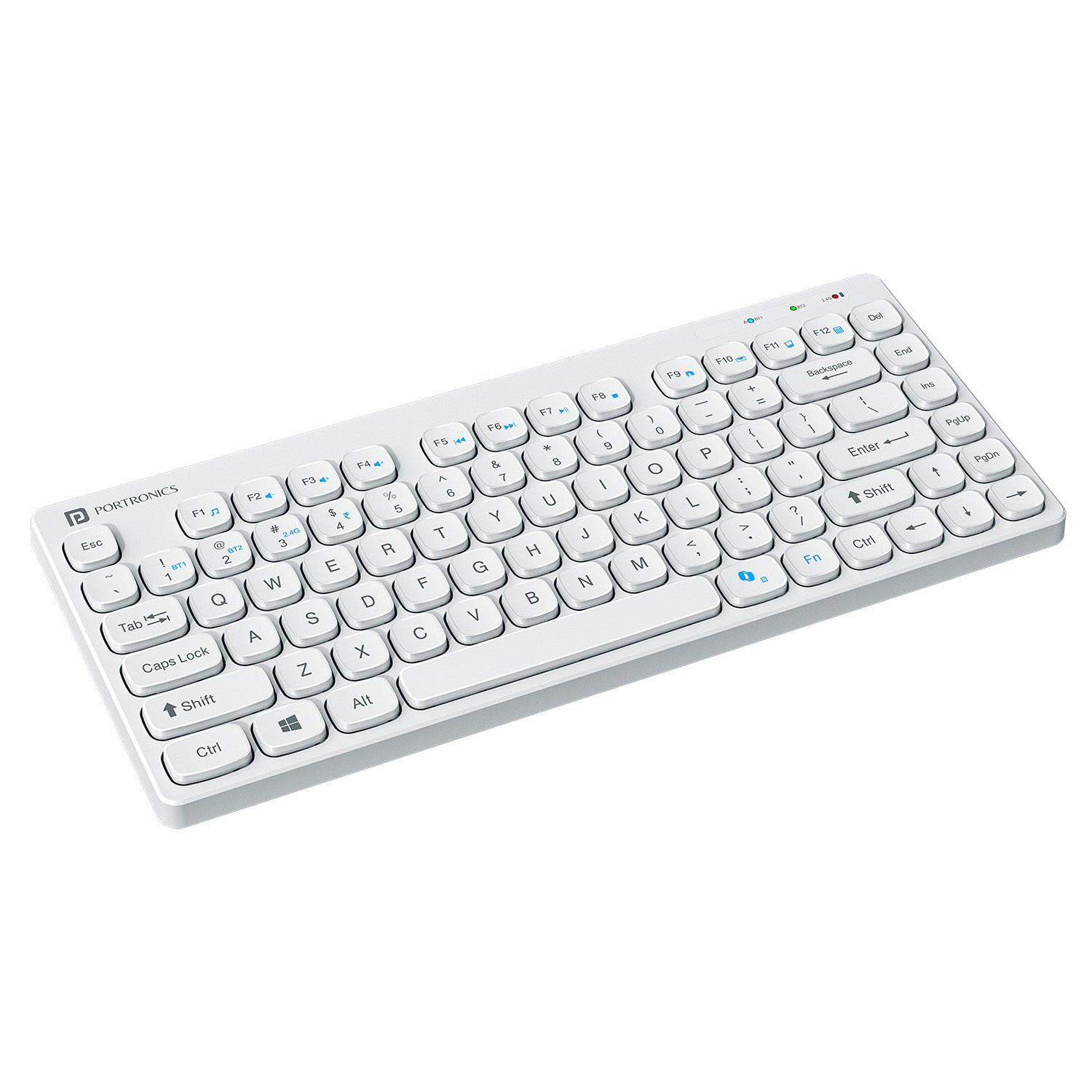
    Portronics Bubble Multimedia Wireless Keyboard (White)
    https://www.portronics.com/cdn/shop/files/Image_1_66acc9dd-b9bf-4cce-961f-a244f0844832.jpg?v=1752133581

    Overview

    This variant of the Bubble series focuses on portability and silent typing. It supports Bluetooth 5.0 and 2.4 GHz, making it suitable for accountants who frequently work on tablets or mobile devices.

    Key Features

    • Bluetooth 5.0 + USB receiver
    • Noiseless keys
    • Compact and lightweight
    • Works with Windows, Android, and iOS

    Practical Accounting Use

    Ideal for traveling professionals, auditors, and consultants who work on Excel sheets via laptops or tablets. However, the compact design may slow down users who rely heavily on numpad speed.

    Pros

    • Silent typing experience
    • Very portable
    • Affordable pricing
    • Multi-device compatibility

    Cons

    • Compact layout
    • Smaller numpad compared to full-size keyboards

    👉 Buy Here


    🔍 Quick Comparison (Key Accounting Perspective)

    FeatureBest Choice
    Heavy Excel & Tally WorkPortronics Bubble 3.0
    Office Desktop SetupLogitech MK215 Combo
    Portable / Tablet UsePortronics Bubble Multimedia

    🧾 Final Recommendation

    • Full-time accountants & data entry operators → Portronics Bubble 3.0
    • Office desks with long working hours → Logitech MK215 Combo
    • Auditors, freelancers, mobile professionals → Portronics Bubble Multimedia

    Each keyboard serves a different accounting workflow. There is no single “best” keyboard — only the right fit for your working style.


    ❓ Frequently Asked Questions (FAQ)

    Q1. Is Bluetooth better than USB receiver for accounting work?
    Bluetooth is great for multi-device use, while USB receivers are more stable for fixed desktop setups.

    Q2. Do accountants really need a numpad?
    Yes — a numpad significantly increases speed and accuracy during voucher entry and reconciliation.

    Q3. Are rechargeable keyboards better than battery-powered ones?
    Rechargeable keyboards reduce long-term costs, while battery-powered ones often last longer per charge.

    Q4. Can these keyboards be used with Tally and Excel?
    Yes — all recommended keyboards are fully compatible with Tally, Excel, and Windows-based accounting software.


    ⚠️ Disclaimer

    Prices, availability, and ratings may change over time. This article reflects features and specifications available at the time of writing. Always verify product compatibility with your system before purchasing. Affiliate links may generate a small commission at no extra cost to you.


  • Best Keyboard for Data Entry Professionals in India (2026 Review): Dell KB216 vs Logitech K120 vs Portronics Bubble

    For anyone working in data entry, accounting, MIS reporting, billing, or GST-related roles, the keyboard is the most-used work tool. A data entry professional easily types 40,000–60,000 keystrokes per day, and even small design flaws in a keyboard can reduce speed, increase errors, and cause finger or wrist fatigue over time.

    Choosing the best keyboard for data entry professionals is therefore not about looks or brand hype. It is about typing comfort, layout efficiency, durability, and long-hour reliability. In this detailed and honest review, we compare three popular keyboards widely used in India:

    • Dell KB216 Wired Multimedia Keyboard
    • Logitech K120 Wired Keyboard
    • Portronics Bubble Wireless Keyboard

    This article is written purely for practical use cases, focusing on real-world data entry requirements rather than marketing claims.


    What Makes a Keyboard Ideal for Data Entry Work?

    Before reviewing the products, it is important to understand what actually matters for data entry professionals:

    • Full-size layout with numeric keypad for fast number input
    • Comfortable key travel to reduce finger fatigue
    • Low typing noise for long sessions
    • Spill resistance for office safety
    • Stable connectivity with zero input lag

    Keeping these factors in mind, let us evaluate each keyboard in detail.


    Dell KB216 Wired Multimedia Keyboard – Best Overall for Office Data Entry

    https://m.media-amazon.com/images/I/61mwM6q4smL._AC_UF1000%2C1000_QL80_.jpg

    The Dell KB216 is one of the most commonly used keyboards in corporate offices, banks, and training centers. It is built specifically for professional environments where reliability and consistency matter more than design.

    Typing Experience

    The keyboard uses chiclet-style keys with balanced key travel. This allows smooth typing without pressing too hard, which is extremely important for professionals typing continuously for 7–8 hours a day. The keys feel consistent, helping maintain typing rhythm and accuracy.

    The dedicated numeric keypad is well-spaced and highly responsive, making it ideal for accounting entries, invoice preparation, and Excel-based data entry.

    Build Quality and Practicality

    Dell KB216 comes with spill resistance, offering protection against accidental water or tea spills—a common risk in office environments. It also includes three indicator lights (Caps Lock, Num Lock, Scroll Lock), which help avoid numeric input errors.

    Multimedia Productivity

    Dedicated multimedia hotkeys for volume control and playback allow quick adjustments without interrupting work flow.

    If you are looking for a reliable office-grade keyboard, you can Check Here / Buy Here to see current pricing and availability.

    Pros and Cons

    Pros

    • Excellent for full-day data entry work
    • Full-size layout with numeric keypad
    • Spill-resistant design
    • Very affordable for a professional keyboard

    Cons

    • No wrist rest
    • Wired connection only

    Logitech K120 Wired Keyboard – Best for Long Typing Comfort

    https://m.media-amazon.com/images/I/61j3wQheLXL.jpg

    The Logitech K120 is known for its comfort-focused design and is widely preferred by users who spend long uninterrupted hours typing.

    Ergonomic Typing Feel

    The keys are soft yet responsive, requiring less force per keystroke. The curved space bar supports natural thumb placement, which reduces strain during long sessions. This makes a noticeable difference for professionals working extended shifts.

    For data entry professionals who value comfort over extra features, this keyboard performs exceptionally well.

    Layout and Ease of Use

    It features a traditional full-size layout with a numeric keypad, making it easy to switch from older keyboards without any learning curve. This is particularly useful in offices where multiple users may use the same workstation.

    Durability

    The keyboard is spill-resistant and built for daily wear and tear. Logitech’s reputation for long-lasting peripherals is clearly reflected in this model.

    If long-hour comfort is your top priority, you can Check Here / Buy Here to explore this keyboard further.

    Pros and Cons

    Pros

    • Very comfortable for long typing hours
    • Durable and reliable build quality
    • Spill-resistant design
    • Quiet and smooth keystrokes

    Cons

    • No multimedia shortcut keys
    • Simple, no-frills design

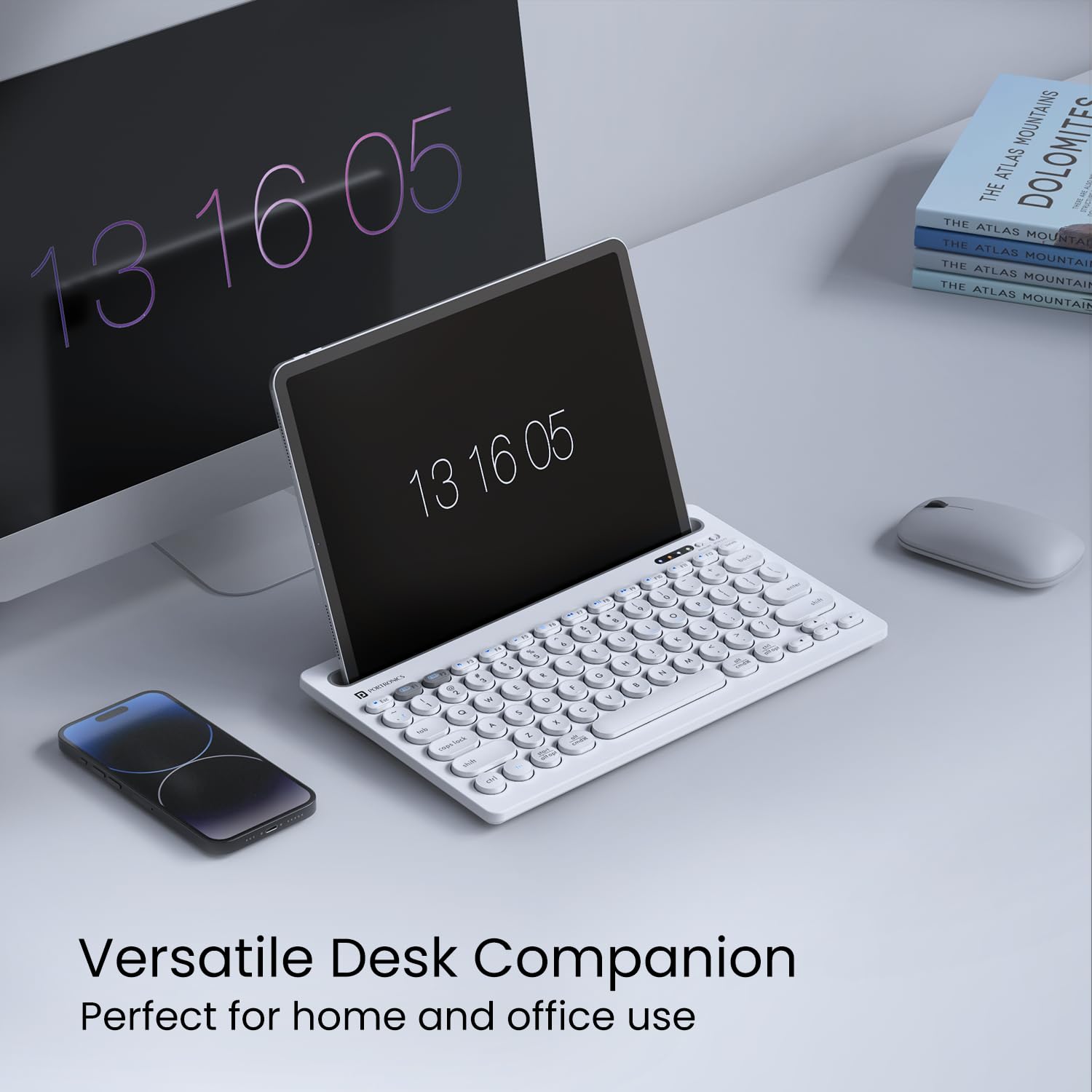
    Portronics Bubble Wireless Keyboard – Best for Flexible & Multi-Device Users

    https://m.media-amazon.com/images/I/61OvOg39n6L.jpg

    The Portronics Bubble targets users who prefer wireless convenience and work across multiple devices such as laptops, tablets, and smartphones.

    Connectivity and Flexibility

    This keyboard supports 2.4 GHz wireless and Bluetooth 5.0, allowing easy switching between devices. For freelancers, trainers, or professionals working in hybrid setups, this flexibility is a major advantage.

    Typing Experience

    The keys are soft and noiseless, making the keyboard suitable for quiet environments. However, it has a compact layout without a dedicated numeric keypad, which limits its efficiency for heavy numeric data entry.

    Best Use Case

    This keyboard is ideal for light data entry, content typing, and portable work setups. It is not designed for full-time accounting or billing work that involves extensive number input.

    If wireless portability is important to you, you can Check Here / Buy Here to view current offers.

    Pros and Cons

    Pros

    • Dual connectivity (Wireless + Bluetooth)
    • Compact and portable design
    • Silent typing experience
    • Works with multiple devices

    Cons

    • No numeric keypad
    • Not suitable for heavy data entry work

    Quick Comparison Table

    KeyboardBest Suited For
    Dell KB216Full-time office and accounting data entry
    Logitech K120Long-hour comfort-focused typing
    Portronics BubbleWireless and multi-device usage

    Final Verdict: Which Keyboard Should Data Entry Professionals Choose?

    For professionals involved in daily, high-volume data entry, a wired full-size keyboard remains the most efficient and error-free option.

    • Dell KB216 is the best overall choice for office-based data entry and accounting work.
    • Logitech K120 is ideal for users who type for long hours and prioritize comfort.
    • Portronics Bubble is suitable only for light data entry or flexible wireless setups.

    Choosing the right keyboard can improve typing speed by 15–20% and significantly reduce fatigue over time.


    Disclaimer

    This article is for informational purposes only. Product prices, features, and availability may change over time. Always verify details before making a purchase.

    Some links in this article are affiliate links. If you purchase through these links, we may earn a small commission at no additional cost to you. This helps support our work while keeping the review honest and unbiased.