
Choosing the right 2-in-1 laptop in 2026 is more important than ever, especially when students and professionals need flexibility for work, study, and entertainment. Whether you are attending online classes, working on Excel dashboards, or multitasking between meetings and presentations, a convertible laptop can significantly improve productivity.
In this article, we review three popular 2-in-1 laptops available in India, compare their real-world performance, and help you decide which one suits your needs best.
Lenovo Smartchoice Ideapad 5 2-in-1 (Core i5-13420H)
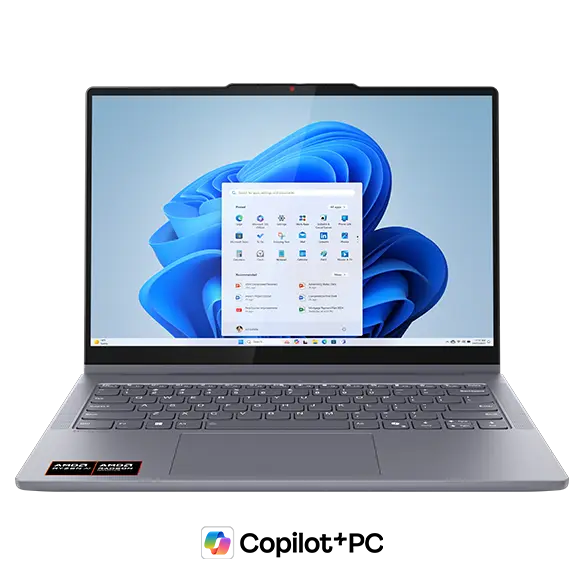
The Lenovo Ideapad 5 2-in-1 is a powerful and balanced machine designed for users who need performance along with flexibility.
Key Specifications
| Feature | Details |
|---|---|
| Processor | Intel Core i5-13420H |
| RAM & Storage | 16GB RAM, 512GB SSD |
| Display | 14-inch WUXGA IPS Touch |
| Weight | 1.6 kg |
Performance & Use Case
This laptop stands out because of the H-series processor, which is significantly more powerful than standard U-series chips. It is ideal for:
- Excel, Power BI, and data analysis
- Light video editing
- Multitasking with multiple apps
Pros
- Strong performance (best in this list)
- Smooth multitasking with 16GB RAM
- Premium display quality
- Comes with Office 2024
Cons
- Slightly heavier than competitors
- Battery life is decent but not exceptional
👉 Buy Here
HP Pavilion x360 (Core i5-1335U)

The HP Pavilion x360 is a stylish and versatile laptop aimed at students and office users who want reliability and features.
Key Specifications
| Feature | Details |
|---|---|
| Processor | Intel Core i5-1335U |
| RAM & Storage | 16GB RAM, 1TB SSD |
| Display | 14-inch FHD Touch |
| Weight | 1.51 kg |
Performance & Use Case
The U-series processor focuses on efficiency and battery life, making it suitable for:
- Online classes and office work
- Browsing and content consumption
- Light productivity tasks
Pros
- Large 1TB SSD storage
- Good battery efficiency
- Premium design and build
- Better webcam (5MP)
Cons
- Slightly weaker performance than Lenovo
- Average display brightness
HP Chromebook x360 (Celeron N4020)

The HP Chromebook x360 is a budget-friendly option designed for basic users and students.
Key Specifications
| Feature | Details |
|---|---|
| Processor | Intel Celeron N4020 |
| RAM & Storage | 4GB RAM, 64GB eMMC |
| OS | Chrome OS |
| Weight | 1.49 kg |
Performance & Use Case
This device is best suited for:
- Online classes
- Web browsing
- Google Docs and basic tasks
Pros
- Very affordable
- Lightweight and portable
- Fast boot with Chrome OS
Cons
- Limited performance
- Not suitable for heavy software (Excel advanced, coding, editing)
- Low storage
👉 Buy Here
Which Laptop Should You Choose?
| Use Case | Recommended Laptop |
|---|---|
| Heavy work, Excel, multitasking | Lenovo Ideapad 5 |
| Balanced use, office + students | HP Pavilion x360 |
| Budget, basic usage | HP Chromebook x360 |
Practical Buying Advice (Indian Users)
If you are:
- A student learning Excel, VBA, or Tally → Go for Lenovo Ideapad 5
- A working professional handling documents and meetings → Choose HP Pavilion x360
- On a tight budget and only need basic usage → Chromebook is sufficient
Key Factors to Consider Before Buying
1. Processor Type
- H-series = Performance
- U-series = Efficiency
- Celeron = Basic usage
2. RAM
- Minimum 8GB (16GB recommended for future-proofing)
3. Storage
- SSD is mandatory
- 512GB minimum recommended
4. Usage Type
Always match your laptop with your actual usage, not just specifications.
Frequently Asked Questions (FAQ)
1. Which is the best 2-in-1 laptop under ₹80,000 in India?
The Lenovo Ideapad 5 offers the best performance in this range.
2. Is HP Pavilion x360 good for students?
Yes, it is ideal for students who need balanced performance and portability.
3. Can Chromebook run MS Excel?
It can run web-based Excel but not full desktop Excel features.
4. Which laptop is best for Excel and data work?
Lenovo Ideapad 5 due to its powerful processor.
5. Are 2-in-1 laptops durable?
Yes, but hinge quality matters. Lenovo and HP both offer reliable builds.
6. Is 16GB RAM necessary?
For long-term usage and multitasking, 16GB is highly recommended.
Final Verdict
If performance is your priority, the Lenovo Ideapad 5 clearly leads. For a balanced and stylish device, HP Pavilion x360 is a solid choice. If budget is your main concern, the Chromebook offers value but with limitations.
Choosing the right laptop depends on your usage, not just price or brand.
Disclaimer
This article is for informational purposes only. Prices, specifications, and availability may change over time. Please verify details before making a purchase decision.