Category: Tools and Gadgets Recommendation

  • Top 5 Budget Laptops for Productivity & Training Under ₹50,000 – My Expert Picks

    🔝 Top 5 Laptops Under ₹50,000 for Professionals, Students & MIS Trainers – August 2025

    Looking for the best laptops under ₹50,000 that offer solid performance, fast multitasking, and are ideal for professionals, students, or MIS trainers like myself? Here’s a detailed review of 5 great options you can consider right now – handpicked based on performance, pricing, features, and practical use in real-world business scenarios like Excel reporting, data analysis, Tally, SQL tools, presentations, and web-based dashboards.


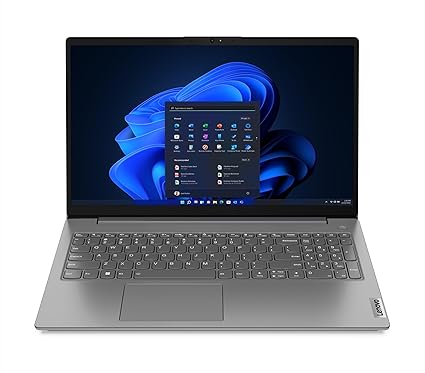
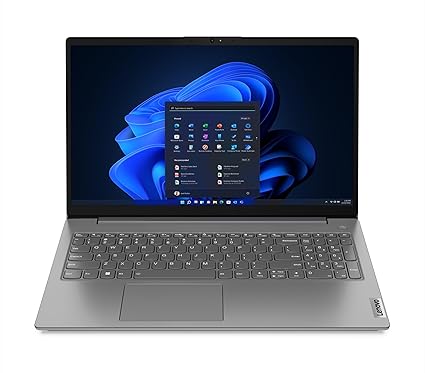
    1️⃣ Lenovo V15 – AMD Ryzen 7 7730U (16GB/512GB SSD)

    💰 Price: ₹44,490
    🔗 Check on Amazon

    Specs at a glance:

    • Processor: Ryzen 7 7730U, 8 cores, up to 4.5 GHz
    • RAM: 16 GB DDR4
    • Storage: 512 GB SSD
    • Display: 15.6” FHD, Anti-glare
    • Weight: 1.65 kg
    • Battery: Up to 8.7 hours

    Why buy?
    Powerful Ryzen 7 processor and 16GB RAM at this price point is a rare find. Ideal for multitasking, Excel macros, running Power BI dashboards, and even lightweight video editing.


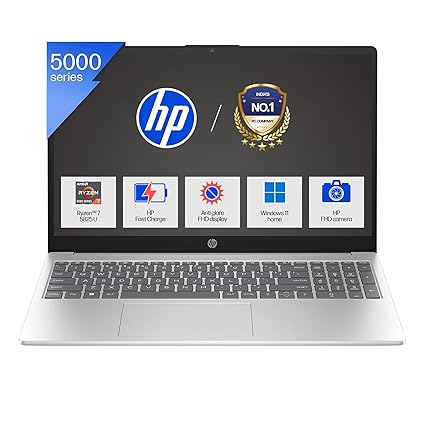
    2️⃣ HP 15 – Ryzen 7 5825U (16GB/512GB SSD, Backlit Keyboard)

    💰 Price: ₹46,990
    🔗 Check on Amazon

    Specs at a glance:

    • Processor: Ryzen 7 5825U, up to 4.5 GHz
    • RAM: 16 GB
    • Storage: 512 GB SSD
    • Display: 15.6” FHD Micro-edge
    • Special: Backlit keyboard, Full HD webcam
    • Weight: 1.59 kg

    Why buy?
    The backlit keyboard is perfect for late-night Excel modeling or scripting. Good for both work and meetings (thanks to its FHD camera). Best suited for office pros who attend virtual sessions.


    3️⃣ Dell Vostro 15 3530 – Intel Core i5 13th Gen (8GB/512GB SSD)

    💰 Price: ₹46,490
    🔗 Check on Amazon

    Specs at a glance:

    • Processor: Intel Core i5-1334U, 13th Gen
    • RAM: 8 GB (expandable)
    • Storage: 512 GB SSD
    • Display: 15.6” FHD, 120Hz Refresh Rate
    • Weight: 1.66 kg

    Why buy?
    Great for techies who want a smooth 120Hz display. Slightly less RAM than others, but 13th Gen i5 delivers excellent performance for web-based apps, code compiling, and Excel-heavy work.


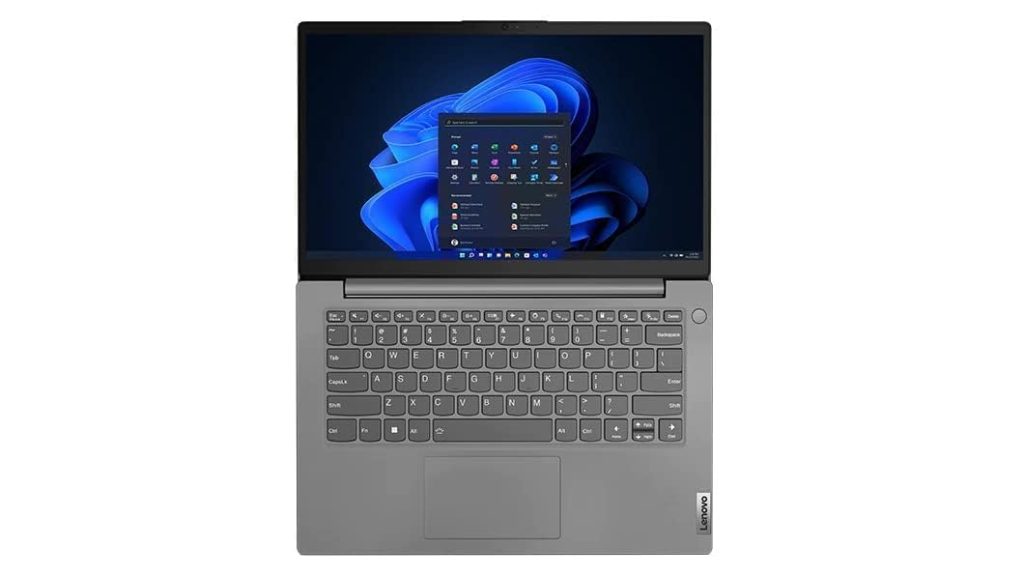
    4️⃣ Lenovo V14 G3 – Intel Core i7 12th Gen (16GB/512GB SSD)

    💰 Price: ₹49,900
    🔗 Check on Amazon

    Specs at a glance:

    • Processor: Intel Core i7-1255U (10 cores)
    • RAM: 16 GB
    • Storage: 512 GB SSD
    • Display: 14” FHD
    • Weight: 1.7 kg
    • Ports: USB-C, HDMI, LAN
    Version 1.0.0

    Why buy?
    Intel Core i7 under 50k is impressive. Compact 14” display makes it ultra-portable for traveling trainers, consultants, or working professionals who move a lot.


    5️⃣ Acer Aspire 3 – Intel Core i5 13th Gen (16GB/512GB SSD, IPS Display)

    💰 Price: ₹42,990
    🔗 Check on Amazon

    Specs at a glance:

    • Processor: Intel Core i5-1334U
    • RAM: 16 GB DDR4
    • Storage: 512 GB SSD
    • Display: 14” IPS Full HD
    • Weight: 1.45 kg
    • Battery: 2-cell, 45.6

    Why buy?
    Best for portability lovers. Its IPS panel is perfect for long hours on Excel or Google Sheets. Decent brightness and performance make it a great everyday performer.


    🏆 My Personal Favorite – Lenovo V15 Ryzen 7 (16GB/512GB SSD)

    As an MIS trainer, my work involves heavy Excel modeling, dashboard creation, teaching advanced formulas, and running lightweight databases and Power BI. The Lenovo V15 with Ryzen 7 and 16GB RAM gives the best price-to-performance ratio among all options listed.

    ✅ Here’s why:

    • 8-core Ryzen 7 handles multiple heavy Excel files with ease.
    • 16GB RAM ensures seamless multitasking – Excel, Tally, Chrome tabs, PowerPoint – all at once.
    • Big 15.6″ screen improves visibility during training or content creation.
    • Price under ₹45,000 is a great deal for a trainer or a working professional.
  • Best MacBook Under ₹95,000 in 2025 for Office Work & Video Editing

    If you’re on the hunt for the best MacBook under ₹95,000 that can effortlessly handle office tasks, multitasking, and even video editing, the 2025 Apple MacBook Air (13-inch, M4, 16GB, 256GB) is an unbeatable deal—especially during Amazon’s Freedom Sale.


    💡 Why This MacBook Air (M4) Stands Out

    🔥 Powered by Apple’s Latest M4 Chip

    At the heart of this MacBook Air is the blazing-fast Apple M4 chip with a 10-core CPU and 8-core GPU, offering superior performance and energy efficiency. It breezes through everyday productivity tasks and doesn’t flinch even when you throw light to moderate video editing or design work its way.

    🧠 Built for Apple Intelligence

    With Apple Intelligence built-in, you can streamline tasks, write faster, and get creative work done quicker—making it an ideal productivity companion for professionals and creators alike.


    💻 Perfect for Office & Creative Work

    • Office Tasks: Whether you’re using Microsoft 365, Google Workspace, or managing multiple tabs in Safari—this machine is a multitasking champion.
    • Video Editing: Apps like iMovie, Final Cut Pro, and Adobe Premiere run smoothly thanks to unified memory and the powerful GPU. The 16GB Unified RAM ensures minimal lag even during heavier workflows.
    • Multimedia: A gorgeous 13.6″ Liquid Retina display with support for 1 billion colors makes content pop. Combine that with Spatial Audio and a 12MP camera—and you’ve got a media creation and consumption powerhouse.

    🪄 Magic of Ecosystem + Portability

    • Seamless integration with iPhone via iPhone Mirroring, AirDrop, and Universal Clipboard.
    • Incredibly thin and light—take it anywhere with up to 18 hours of battery life on a single charge.

    🔌 Modern Connectivity

    • 2× Thunderbolt 4 ports
    • MagSafe Charging
    • Wi-Fi 6E
    • Bluetooth 5.3
    • Headphone Jack

    🎨 Available Colors

    • Starlight (highlighted)
    • Midnight
    • Silver
    • Sky Blue

    💰 Price & Offer Summary

    • Current Price: ₹91,990 (8% OFF from MRP ₹99,900)
    • Monthly EMI: ₹4,438 (SBI Credit Card – 24 Months)
    • Cashback Offers: Upto ₹4,599 (ICICI Amazon Pay Credit Card)
    • Extra Discount: Upto ₹5,000 with SBI Cards
    • ✅ No Cost EMI | Free Delivery | 10-day Replacement

    🏁 Conclusion: Why You Should Buy It

    The 2025 MacBook Air M4 (13-inch, 16GB, 256GB) is the best MacBook under ₹95,000 for those who need fast performance, long battery life, and portability for serious office work and creative tasks like video editing, design, or content creation.

    Whether you’re a working professional, student, freelancer, or small business owner, this model delivers maximum value for money in the current market.

    👉 Click here to grab this deal on Amazon before it’s gone


  • Top Wireless Mic Under ₹2000 for YouTube, Reels and Vlogging

    If you’re stepping into the world of content creation, one of the first tools you’ll need to invest in is a wireless mic—and not just any mic, but one that balances quality, portability, and affordability. Enter the LEKATO Wireless Mic (LWM04B) — a game-changer for budding vloggers, YouTubers, and digital storytellers on a budget.


    Why Audio Matters More Than You Think

    Ask any seasoned content creator, and they’ll tell you: people might forgive a shaky camera, but they’ll click away in seconds if the audio is poor. That’s why having a good wireless mic is not just an upgrade—it’s a necessity. And yet, many creators hesitate due to the steep prices of popular mics in the market.

    That’s where the LEKATO LWM04B shines.


    My Journey: From Frustrated Beginner to Confident Creator

    When I first started my YouTube journey, I used the default mic on my phone. It worked fine for indoor recordings, but outdoor content? A disaster. Wind noise, background chatter, echo—you name it. Then I stumbled upon the LEKATO Wireless Mic, priced at just ₹1994 (down from ₹6999).

    Skeptical but hopeful, I gave it a shot. Within minutes of unboxing and connecting it to my Android phone, the difference was crystal clear—literally. I recorded a street interview for my local vlog, and not only was the voice crisp and noise-free, but the wireless range also gave me freedom I never had before. Since then, I’ve used it for tutorials, interviews, and even on-the-go travel vlogs.

    It completely transformed how I create content—and boosted my confidence on camera.


    What Makes the LEKATO Wireless Mic Stand Out?

    Here’s a quick breakdown of why this mic is winning over 4,000+ users globally (Rated 4.3/5):

    🔊 Advanced Noise Reduction

    Thanks to its built-in DSP chip, the mic offers multiple levels of noise reduction. Whether you’re filming indoors or in a busy marketplace, your voice remains front and center.

    📱 Universal Compatibility

    It comes with both Type-C and Lightning connectors, making it compatible with a wide range of iOS and Android smartphones (with OTG support). No complex pairing or settings—just plug and record.

    📶 65ft Wireless Range

    You get freedom to move and speak naturally with a stable transmission range of up to 20 meters. Perfect for on-location shoots or multi-person content.

    🔋 8-Hour Battery with Fast Charging

    One full charge gives you up to 8 hours of recording time. And it charges fully in just 90 minutes—ideal for creators who are always on the move.

    🎙 Dual-Channel Recording

    Recording a guest interview or a two-person podcast? No problem. The dual-channel setup makes it incredibly easy without needing an external audio interface.

    👜 Compact with Charging Case

    The lightweight mics come with a portable charging case, so your gear is always ready to go wherever creativity strikes.


    Important Notes Before Buying

    • Not Compatible with DSLR or GoPro – This mic is built specifically for smartphone users (Type-C and Lightning), not traditional cameras.
    • Not for Online Meetings – It doesn’t support Zoom, Google Meet, or Skype. It’s optimized for offline video recording and content creation apps.
    • Android Users Tip – Ensure OTG is enabled and use “Open Camera” or similar apps that allow external mic input.

    Final Verdict: The Best Budget Wireless Mic for New Creators

    For under ₹2000, you won’t find a more reliable and versatile wireless mic than the LEKATO LWM04B. It’s the perfect starter mic for vloggers, short-form creators, travel YouTubers, educators, or anyone wanting to elevate their video content without breaking the bank.


    Where to Buy

    👉 Buy LEKATO Wireless Mic LWM04B on Amazon


  • Apple Computer Student Discount: A Complete Guide for Students in India and Abroad

    If you’re a student planning to buy a new MacBook or iPad, you shouldn’t miss out on the Apple Computer Student Discount program. Apple offers special education pricing to students, teachers, and educational staff—helping them save money on MacBooks, iPads, accessories, and even AppleCare+.

    In this article, we’ll cover everything you need to know about the Apple Computer Student Discount, including:

    • Who is eligible
    • How it works via UNiDAYS
    • Step-by-step application process in India
    • Global availability (US, UK, etc.)
    • Frequently asked questions

    💡 What is the Apple Computer Student Discount?

    Apple’s Education Pricing Program offers exclusive discounts to:

    • Current university and college students
    • Teachers, professors, and academic staff
    • Parents buying on behalf of a student

    The Apple computer student discount typically applies to:

    • MacBook Air
    • MacBook Pro
    • iPad (Air, Pro)
    • AppleCare+
    • Accessories like Apple Pencil, Magic Keyboard

    Depending on your location and current promotion, Apple may offer:

    • Up to ₹10,000 off MacBooks (India)
    • 10% off AppleCare+
    • Free AirPods or gift cards (US/UK promotions)
    • Free engraving + free delivery

    🔍 How Does the Apple Student Discount Work?

    Apple verifies your student status through its official education partner: UNiDAYS (www.myunidays.com).


    🌐 What is UNiDAYS?

    UNiDAYS is a free online platform that verifies student status and gives access to exclusive student deals and offers from top brands, including Apple, Dell, Microsoft, Amazon, Spotify, and more.

    ✔️ Key Features:

    • Free to sign up
    • Instant digital ID
    • Available globally (India, US, UK, Australia, etc.)
    • Used for Apple’s student discount verification

    🇮🇳 Apple Student Discount in India

    In India, Apple runs the Back to University program through its official Apple India Store, offering discounts on select products. To access the discounts, you must verify your status via UNiDAYS.

    🔗 Apple India Education Store:

    👉 https://www.apple.com/in/store

    💰 Typical Discounts in India:

    ProductDiscount
    MacBook AirUp to ₹10,000 off
    iPad AirUp to ₹5,000 off
    AppleCare+~10% off
    EngravingFree

    ✅ How to Apply: Step-by-Step for Indian Students

    Here’s how you can claim the Apple computer student discount in India:

    🧾 Step 1: Sign Up on UNiDAYS

    • Visit www.myunidays.com
    • Register with your official college/university email OR manually upload a student ID card

    🏫 Step 2: Verify Your Institution

    • If your college is listed, verification is automatic
    • If it isn’t listed, choose “Can’t find institution?” and upload your ID manually
    • Approval can take a few minutes to 48 hours

    💻 Step 3: Access the Apple Education Store

    • After verification, click the Apple store link inside UNiDAYS
    • You will be redirected to the Apple India Education Store with special prices visible

    🛍️ Step 4: Shop & Save

    • Choose your Mac, iPad, or accessory
    • Enjoy the discounted prices, and add AppleCare+ if needed
    • Complete your purchase with student benefits

    🌍 Apple Student Discount in Other Countries

    The process is similar in other countries. Here’s a snapshot:

    🇺🇸 United States

    • Discount: Up to $200 off MacBooks
    • Bonus: Free AirPods or gift card (during promotions)
    • Site: apple.com/us-edu/store

    🇬🇧 United Kingdom

    🇦🇺 Australia

    🌐 Other Supported Regions:

    • Canada, Germany, Singapore, UAE, and more
    • All follow a similar UNiDAYS-based verification system

    🔁 What If Your Institution Isn’t Listed?

    Don’t worry—if your college or university isn’t found in UNiDAYS:

    • Click “Can’t find your institution?” during sign-up
    • Upload a scan or photo of your student ID card, admission letter, or fee receipt
    • Wait 1–2 days for manual approval

    ❓ FAQs: Apple Computer Student Discount

    Q. Do I need to be a university student to apply?
    ✅ Yes, university or college students are eligible. High school students are not usually included unless specified.

    Q. Can parents buy on behalf of students?
    ✅ Yes, in most countries including India, parents can purchase using their child’s student credentials.

    Q. Can I use the discount more than once?
    ✅ Yes, but typically only once per product category per academic year.

    Q. Is UNiDAYS safe?
    ✅ Yes. UNiDAYS is a globally trusted platform and Apple’s official partner for education verification.


    📝 Final Thoughts

    The Apple Computer Student Discount is a golden opportunity to buy premium Apple products at lower prices. Whether you’re in India, the US, or the UK, the process is streamlined through UNiDAYS, giving you exclusive access to discounts, free add-ons, and personalized offers.

    So before you spend full price on a MacBook or iPad, make sure to claim your student benefits—it’s fast, easy, and can save you thousands of rupees or dollars.


    🔗 Quick Links:


    📣 Share this post with your classmates and help them save too!

    If you’d like a downloadable guide or a comparison chart of MacBook Air vs Pro for students, feel free to ask!


  • Top 4 All in One PCs in 2025 – Are They Better Than Laptops?

    If you’re planning to upgrade your work or entertainment setup, it’s time to consider an All in One PC. These sleek, clutter-free machines combine the CPU and monitor into a single unit, offering both power and aesthetics. In this article, we’ll explore the top 4 All in One PCs available in India right now, and compare them to traditional laptops in terms of usability, performance, and convenience.


    ✅ What is an All in One PC?

    An All in One PC (AIO) is a computer that integrates all components, including the processor, memory, storage, and monitor, into a single chassis. It eliminates the need for a separate CPU cabinet, offering a neat and modern solution ideal for homes, offices, and even classrooms.


    🆚 All in One PC vs Laptop: Key Differences

    FeatureAll in One PCLaptop
    Display SizeLarge screens (21″ to 27″)Smaller, portable (13″ to 17″)
    UpgradabilityLimited but possible in some modelsVery limited
    PortabilityStationary setupHighly portable
    PerformanceBetter thermals = consistent powerMay throttle under load
    AestheticsClean, cable-free lookCompact, but often cluttered with accessories
    Price vs SpecsMore value for moneyOften more expensive per spec

    Bottom Line: If you don’t need portability and prefer a larger screen with cleaner setup, an All in One PC is a better choice than a laptop for many use cases.


    🌟 Top 4 All in One PCs You Can Buy in India (2025)


    💻 1. HP All-in-One Intel N200 (21.45″) – Budget Winner

    🔗 Buy Now – ₹32,990 (25% Off)

    Key Specs:

    • Intel N200 (4-core, 6MB Cache)
    • 8GB DDR5 RAM, 512GB SSD
    • Intel UHD Graphics
    • 21.45” Full HD Micro-edge Display
    • Windows 11, Dual Speakers, 720p Camera

    Why it’s great:
    This model is a fantastic entry-level All in One PC for students, casual users, and work-from-home professionals. The DDR5 RAM and SSD combo ensures snappy performance.

    Pros:

    • Affordable pricing
    • Compact and lightweight (4.17 kg)
    • Fast memory and storage
    • Clean white design

    Cons:

    • Not for heavy multitasking or gaming
    • No touchscreen

    💻 2. HP All-in-One Core i5 (27″) – Premium Powerhouse

    🔗 Buy Now – ₹70,990 (15% Off)

    Key Specs:

    • 13th Gen Intel Core i5-1335U (10 cores, 12 threads)
    • 16GB RAM, 1TB SSD
    • 27” FHD Touch IPS Display
    • Intel UMA Graphics
    • Windows 11 + Office 2021

    Why it’s great:
    Ideal for professionals and creators who want large screen real estate with high-speed performance and ample storage.

    Pros:

    • Massive 27” touchscreen
    • Excellent specs for productivity
    • Sleek design with good connectivity

    Cons:

    • Pricey for casual users
    • Slightly heavier (6.72 kg)

    💻 3. Lenovo IdeaCentre AIO 3 Intel i3 (23.8″) – Balanced Performer

    🔗 Buy Now – ₹44,990 (19% Off)

    Key Specs:

    • 12th Gen Intel i3-1215U
    • 8GB RAM (Expandable), 512GB SSD
    • 23.8” FHD WVA Edgeless Display
    • Wi-Fi 6, HD Camera, MS Office 2021

    Why it’s great:
    A great mid-range All in One PC with an edge-to-edge display and solid processing power. Good for daily work, school, and light content creation.

    Pros:

    • Sleek, modern design
    • Reliable Intel Core i3 chip
    • Expandable RAM up to 16GB

    Cons:

    • No touchscreen
    • Audio is average

    💻 4. HP All-in-One 24 Core i5 (23.8″) – Feature Rich Choice

    🔗 Buy Now – ₹63,659 (18% Off)

    Key Specs:

    • 13th Gen Intel Core i5-1334U
    • 8GB RAM, 512GB SSD
    • 23.8” FHD IPS Display, 1080p IR Camera
    • Wi-Fi 6 + Bluetooth 5.3
    • MS Office 2024 + 1 Year M365

    Why it’s great:
    A future-proof device with premium camera, strong connectivity, and advanced input/output options. Great for remote meetings and business users.

    Pros:

    • Sharp FHD camera with privacy shutter
    • MS Office 2024 included
    • Excellent wireless connectivity

    Cons:

    • Only 8GB RAM (but fast and upgradable)

    📌 Who Should Buy an All in One PC?

    • 🏠 Home users looking for a clean, spacious desktop experience
    • 🎓 Students needing a study setup with a big screen
    • 👩‍💻 Professionals in data entry, content writing, or online teaching
    • 🧑‍💼 Small business owners running POS or CRM systems

    🔻 Drawbacks of All in One PCs

    While All in One PCs offer a lot, there are a few downsides:

    • ❌ Not portable – Unlike laptops, they stay on the desk.
    • ❌ Limited hardware upgrades – Though some allow RAM/SSD upgrades, CPU and GPU are usually fixed.
    • ❌ Repair cost – Repairs may be more expensive than standard desktops due to integrated design.

    🛒 Final Thoughts

    If your work is desk-based and you prefer larger screens and better ergonomics, an All in One PC is a smarter investment than a laptop. With no tangled wires, full-sized displays, and powerful internals, AIOs are an elegant solution for modern-day computing.

    👉 From budget models like the HP Intel N200, to powerhouses like the HP 27” Core i5, there’s an All in One PC for every need and budget.


  • Best Laptop for MS Office Under ₹25,000 – HP Professional 15 with Windows 11 Pro & Office 2021

    Best Laptop for MS Office Use Under ₹25,000 – HP Professional 15 with MS Office 2021 Pro

    If you’re looking for a dependable laptop that offers seamless Microsoft Office performance under a ₹25,000 budget, the HP Professional 15 stands out as an unbeatable choice. Priced at just ₹22,390, this business-ready machine is perfect for students, professionals, freelancers, and entrepreneurs who want smooth day-to-day computing without burning a hole in their pocket.

    👉 Buy Now on Amazon for ₹22,390


    🔹 Why the HP Professional 15 is the Best Laptop for MS Office Use?

    1. Pre-Installed Microsoft Office 2021 Professional (Lifetime License)
    Most budget laptops either offer no Office software or come with a trial version that expires quickly. But this HP laptop comes with a full version of MS Office 2021 Professional pre-installed, including essential tools like Word, Excel, PowerPoint, Outlook, Access, and Publisher. That’s a huge value-add, especially for office users, students, and small businesses.

    2. Powered by Intel’s 12th Gen Celeron N4500 with Turbo Boost
    The dual-core Intel Celeron N4500 is no ordinary entry-level chip. With Turbo Boost support, it gives you extra performance when you need it—whether you’re juggling Excel sheets, preparing PowerPoint presentations, or managing emails in Outlook. It’s built to handle office tasks and light multitasking with ease.

    3. Fast Bootups and Responsive Operation with 256GB SSD
    Unlike outdated HDD models, this laptop features a 256GB SSD. This means your system boots up in seconds, files open instantly, and applications launch without lag. It’s a major performance advantage over similarly priced models that still rely on slower hard drives.

    4. Smooth Multitasking with 8GB DDR4 RAM
    With 8GB of DDR4 RAM, switching between multiple MS Office applications and browser tabs is effortless. You’ll never feel bogged down while preparing reports, managing spreadsheets, or attending online meetings.

    5. 15.6-inch Full HD Display with Intel UHD Graphics
    A large 15.6-inch display with sharp visuals ensures a comfortable viewing experience whether you’re editing documents or watching training videos. The Intel UHD Graphics chipset further ensures smooth video playback and enhanced visual clarity for basic graphic tasks.

    6. Professional Design & Lightweight Build – Just 1.59 kg
    Whether you’re a remote worker, student, or on-site professional, portability matters. The sleek black-gray finish and 1.59kg lightweight design make this laptop ideal for users on the go. It fits perfectly in a backpack and looks sharp in any professional setting.

    7. Enhanced Security with Windows 11 Pro
    The inclusion of Windows 11 Pro instead of the standard Home edition brings enterprise-grade features like BitLocker encryption, Group Policy management, and Remote Desktop, making it suitable for secure environments like schools, offices, and startups.

    8. Seamless Connectivity – USB, HDMI, Wi-Fi, and Bluetooth
    The laptop includes all essential ports and connectivity options:

    • USB 3.0 Ports
    • HDMI Output for external display
    • Wi-Fi and Bluetooth for smooth internet access and wireless peripheral integration

    🔸 Who Should Buy This Laptop?

    ✅ Students who need a reliable device for assignments, presentations, and online classes
    ✅ Professionals using Excel, Word, and PowerPoint for daily business tasks
    ✅ Teachers & Educators creating lesson plans, documents, and conducting online lectures
    ✅ Entrepreneurs who need productivity tools without investing in expensive laptops
    ✅ Freelancers & Home Users who want speed, Office software, and mobility


    🏆 Why It Beats the Competition

    At under ₹25,000, most laptops either compromise on:

    • RAM (usually 4GB or lower)
    • Storage (slow HDD)
    • Screen size (many offer only 14-inch or less)
    • No full-version of MS Office
    • Lower Windows version (Home edition or no OS at all)

    But the HP Professional 15 checks all the boxes:
    ✔️ 8GB RAM
    ✔️ 256GB SSD
    ✔️ 15.6″ Display
    ✔️ Windows 11 Pro
    ✔️ MS Office 2021 Professional
    ✔️ Business-grade design
    ✔️ Priced at just ₹22,390


    💰 Final Verdict: The Smart Buy for MS Office Users

    If Microsoft Office is your main tool, and you’re working with a budget under ₹25,000, the HP Professional 15 delivers outstanding value for money. From student projects to office presentations and light multitasking, it’s more than capable—and built to keep up with your day.


    🔗 Buy Now from Amazon – HP Professional 15 – ₹22,390


  • HP Victus – A Power-Packed Gaming Laptop for the Next-Gen Gamer

    In the ever-evolving world of gaming laptops, one brand consistently rises above the noise—HP Victus. Tailored specifically for gamers and creative professionals, the HP Victus fa1279TX combines raw performance, intelligent design, and powerful graphics in a stylish, robust body. If you’re looking for a gaming laptop that delivers excellent value for money, this 13th Gen beast deserves your serious attention.


    🔥 Why HP Victus is Winning the Hearts of Gamers

    The HP Victus series is built with gaming DNA, borrowing technology and design language from HP’s flagship OMEN line. But what sets the fa1279TX model apart is its perfect balance between affordability and high-end features, making it one of the most popular gaming laptops in India today.

    Let’s dive deep into why this HP Victus model is a stellar choice for gamers, streamers, and power users.


    ⚙️ Performance-First: 13th Gen Intel Core i5-13420H

    At the heart of this gaming laptop is the 13th Gen Intel Core i5-13420H processor. With 8 cores and 12 threads, backed by a 12MB L3 cache, multitasking becomes seamless, whether you’re gaming, editing, streaming, or coding.

    The enhanced thermal design ensures the laptop remains cool under pressure, letting you game longer and harder without the worry of thermal throttling.


    🎮 6GB NVIDIA GeForce RTX 4050: Ready for Ray Tracing

    For a true gaming experience, the GPU matters as much as the CPU. The HP Victus fa1279TX features a 6GB NVIDIA GeForce RTX 4050 graphics card, one of the most talked-about mid-range GPUs of 2024.

    From ray-traced lighting in Cyberpunk 2077 to AI-enhanced graphics in God of War, this gaming laptop allows you to explore virtual worlds in stunning detail and realism. With support for DLSS and advanced cooling, your gameplay is not only beautiful but smooth and stable.


    🧠 Memory & Storage: Fast, Future-Ready, and Expandable

    With 16GB DDR4 RAM and a 512GB PCIe Gen4 NVMe SSD, this HP Victus model offers lightning-fast load times, smooth multitasking, and quick boot-ups. Whether you’re playing GTA V, working on Adobe Premiere Pro, or simply browsing with 30 tabs open—this machine handles it all effortlessly.


    🖥️ Immersive Display: 15.6” FHD, 144Hz IPS Panel

    Enjoy silky-smooth visuals on a 15.6-inch Full HD micro-edge display with a 144Hz refresh rate and 9ms response time. Anti-glare technology and flicker-free support reduce eye strain during long gaming marathons or editing sessions. Every frame is vivid and detailed, thanks to the IPS panel’s wide viewing angles and rich color reproduction.


    ❄️ Thermals & Design: Stay Cool, Game Harder

    Unlike many budget gaming laptops, the HP Victus fa1279TX doesn’t cut corners on cooling. With enhanced thermal design, improved airflow, and larger vents, this machine remains cool even during extended gaming sessions.

    Weighing just 2.29 kg, the Mica Silver chassis not only looks sleek but feels premium—perfect for students, creators, and young professionals who want power on the go.


    🎁 Software Suite: Windows 11 + Office 2021 Included

    The HP Victus comes pre-installed with Windows 11 Home and Microsoft Office Home & Student 2021, giving you productivity tools right out of the box. Plus, with OMEN Gaming Hub, you can optimize performance, monitor thermals, and personalize your gaming experience.


    🎮 What Can You Play on HP Victus RTX 4050 Gaming Laptop?

    Here’s a list of popular games that run flawlessly on the HP Victus:

    • Cyberpunk 2077 (High settings, DLSS enabled)
    • GTA V (Ultra settings)
    • Call of Duty: Warzone
    • Minecraft with RTX
    • FIFA 23
    • God of War 4
    • The Witcher 3 (Next-gen update)
    • Valorant, CS2, Apex Legends, Fortnite (Competitive gaming)

    Whether you’re into esports or AAA titles, this gaming laptop won’t disappoint.


    💬 What Users Are Saying

    Youngsters and college students are particularly drawn to the HP Victus for its solid build, reliable performance, and graphics capabilities. Reviewers love the balanced thermals, sharp display, and plug-and-play productivity thanks to the Office suite.

    “Finally a laptop that nails gaming without blowing the budget. HP Victus is easily the best RTX 4050 gaming laptop in this range!”


    ✅ Who Should Buy the HP Victus Gaming Laptop?

    • 🎓 Students needing both productivity and play
    • 🎮 Casual to serious gamers looking for RTX 4050 power
    • 🎥 Content creators working with video, design, or animation
    • 💼 Working professionals who want speed, power, and style

    📦 Quick Specs Overview – HP Victus fa1279TX

    FeatureSpecification
    ProcessorIntel Core i5-13420H (13th Gen, 8 cores)
    Graphics6GB NVIDIA GeForce RTX 4050
    RAM16GB DDR4
    Storage512GB PCIe Gen4 NVMe SSD
    Display15.6″ FHD, 144Hz, Anti-Glare, 9ms, IPS
    OS + SoftwareWindows 11 Home, MS Office Home & Student 2021
    Weight2.29 kg
    CoolingEnhanced Cooling, Dual Fan
    ColorMica Silver

    🛒 Where to Buy

    You can grab this powerful HP Victus model here:
    👉 Buy Now on Amazon


    📈 Conclusion: Is HP Victus Worth It?

    Absolutely. With the latest Intel 13th Gen processor, RTX 4050 GPU, high-refresh-rate display, and gamer-friendly design, the HP Victus fa1279TX is a top-tier gaming laptop under a reasonable budget. Whether you’re entering the world of PC gaming or upgrading from an older laptop, HP Victus offers a future-proof solution with cutting-edge tech and real-world performance.

    🕹️ HP Victus isn’t just a laptop. It’s your entry into serious gaming.


  • Why a Small Printer is a Smart Investment for Students: Meet the Canon PIXMA E470

    In today’s fast-paced academic world, students are constantly juggling assignments, reports, projects, and presentations. Whether you’re in school, college, or even pursuing online courses, having quick access to printed materials can save time and reduce stress. This is where a small printer becomes an essential tool — and not just any printer, but a compact, budget-friendly, and powerful one like the Canon PIXMA E470.

    Why Students Need a Small Printer

    Students often face space constraints, especially those living in hostels, PGs, or shared apartments. Traditional printers are bulky and not designed for compact setups. A small printer offers portability, convenience, and the versatility needed for academic work.

    Here’s why a small printer makes sense:

    • Compact and Space-saving: Fits neatly on a study table or a small corner of your room.
    • Cost-effective: Saves money on frequent print shop visits.
    • Time-saving: Get instant prints without queuing up or rushing to the market.
    • Wireless Functionality: Easily print from laptops, tablets, or phones without tangled cables.

    Canon PIXMA E470 – A Compact Powerhouse

    If you’re on the lookout for a reliable and affordable small printer, the Canon PIXMA E470 checks all the boxes. It’s an All-in-One Ink Efficient WiFi Printer that prints, scans, and copies — perfect for students’ daily needs.

    Key Features at a Glance:

    FeatureDescription
    TypeAll-in-One Inkjet Printer
    FunctionsPrint, Scan, Copy
    ConnectivityWiFi, USB
    Print Speed8 ipm (Black), 4 ipm (Colour)
    Print ResolutionUp to 4800×600 dpi
    Mobile PrintingYes (Canon Print Service, PIXMA Cloud Link)
    Compatible OSWindows & Mac
    Cartridge TypePG-47 (Black), CL-57s (Colour)
    WeightJust 3.5 kg
    Price₹4,699 Buy Now on Amazon

    Real Benefits for Students

    • ✅ Ink Efficient: Low-cost printing, ₹1.80 per B/W page and ₹4.50 per colour page. Ideal for assignments and study materials.
    • ✅ Wireless Printing: No need to connect cables every time — print from mobile phones using Canon PRINT Inkjet/SELPHY app.
    • ✅ All-in-One Convenience: No need to buy separate scanners or copiers.
    • ✅ Lightweight and Portable: Weighing only 3.5 kg, this small printer is easy to move and reposition.
    • ✅ User-Friendly: Easy setup and operation even for non-tech-savvy users.

    Ideal Use Cases for Students

    • ✍️ Print assignments, notes, and presentations at home
    • 📑 Scan important documents like ID cards, certificates, etc.
    • 🖨️ Make quick copies of study materials
    • 📲 Print directly from smartphones — great for last-minute submissions

    Why the Canon PIXMA E470 Stands Out

    Unlike many printers in this budget, the Canon PIXMA E470 comes with WiFi Direct, allowing you to print even without a router. The support for various page sizes like A4, A5, B5, Letter, Legal, and envelopes ensures that it adapts to all student needs. Additionally, Canon’s trusted brand value and 1-year onsite warranty provide peace of mind.

    Final Thoughts: A Small Printer with Big Benefits

    In conclusion, a small printer like the Canon PIXMA E470 isn’t just a luxury anymore — it’s a smart and practical investment for students. At just ₹4,699, it combines affordability, portability, and powerful features in one sleek package. Whether you’re printing notes, scanning documents, or copying assignments, it simplifies academic life.

    📌 Want to grab this deal? Check the latest price and buy it here:

    Canon PIXMA E470 on Amazon


  • Best Laptop Price Under 10000 for Students in 2025: Primebook WiFi Review

    If you’re a student on a tight budget looking for a laptop price under 10000, your search ends here. With online classes, assignments, and self-study resources becoming digital, having a reliable and affordable laptop is no longer optional—it’s essential. Fortunately, the Primebook WiFi (2025 Edition) brings powerful features at a surprisingly low cost, making it one of the best cheap laptops for students in India.

    💡 Why Primebook is the Best Student Laptop Under ₹10,000 (Effective Pricing)

    Although the listed price of the Primebook WiFi is ₹13,990, Amazon offers easy EMI plans starting at ₹4,663/month for 3 months with no-cost EMI options using Bajaj Finserv or Amazon ICICI credit cards. With exclusive discounts and cashback offers, your effective price can drop below ₹10,000, making it a perfect fit for the “laptop price under 10000” category.

    👉 Check it here on Amazon: Primebook Laptop


    🎓 Tailored for Students: Features That Matter

    ✅ Runs on Android + PrimeOS

    Designed with a student’s lifestyle in mind, the Primebook runs on Android-based PrimeOS, offering a familiar mobile-like interface on a laptop. Whether you’re browsing, taking notes, or watching educational videos, the UI is smooth and intuitive.

    ✅ Lightweight and Portable

    Weighing just 1.065 kg and featuring a compact 11.6-inch HD screen, this device is ideal for carrying to classes, libraries, or coffee shops. It’s your all-day, go-anywhere academic companion.

    ✅ High-Speed Connectivity

    With built-in WiFi, you can stay connected for online classes, Zoom meetings, research, or streaming educational content without interruption.

    ✅ Battery That Keeps Up

    No more mid-class charging struggles! Primebook is equipped with a long-lasting battery, ensuring uninterrupted learning and productivity.

    ✅ Type-C Port and Expandable Storage

    With modern Type-C connectivity and 64GB eMMC storage, you also get the flexibility of expanding via memory card or external drives—perfect for keeping your files, PDFs, and study material organized.


    🔎 Who Is It For?

    • Students in schools or colleges looking for an affordable yet functional laptop
    • Parents seeking a budget-friendly study laptop for their kids
    • Anyone needing a secondary device for browsing, watching lectures, or using educational apps

    ⭐ Real Student Benefits at Student-Friendly Prices

    With over 400 positive reviews and a 4.4-star rating, Primebook has proven its value among budget-conscious buyers. Add to that the 1-year warranty, free delivery, pay-on-delivery option, and a 10-day replacement policy, and it becomes a no-brainer choice for anyone searching for a laptop under ₹10,000.


    📦 Primebook Quick Specs

    FeatureDetails
    OSAndroid-based PrimeOS
    ProcessorMediaTek MT8183
    RAM4GB DDR4
    Storage64GB eMMC (Expandable)
    Display11.6-inch HD
    Weight1.065 Kg
    PortsType-C
    BatteryLong-lasting for all-day use

    📣 Final Verdict

    In 2025, finding a genuine, reliable laptop at a price under ₹10,000 seemed impossible—until now. The Primebook WiFi proves you don’t need to spend a fortune to get a functional, portable, and student-friendly laptop.

    If you’re aiming to get the best student laptop on a tight budget, the Primebook deserves to be at the top of your list.

    🎯 Click here to buy now at an effective price under ₹10,000:


  • ASUS Vivobook 16 (2023) Review – Is It the Right Laptop for Data Analysis Professionals?

    💡 Perfect for Excel, Power BI, Python & More — Without Burning Your Pocket

    Choosing the right laptop for data-heavy work like Excel, Power BI, or even Python can feel overwhelming — especially when you want performance, speed, and portability without paying over ₹1 lakh.

    That’s why the ASUS Vivobook 16 (2023) is gaining attention among students, professionals, and data analysts alike. And with 32% off on Amazon right now, it’s a serious value deal.

    👉 Buy Now on Amazon – ASUS Vivobook 16 (i9, 16GB, 512GB SSD)


    🔍 Why Data Analysts Should Consider the ASUS Vivobook 16

    ✅ Powerful 13th Gen Intel Core i9 Processor

    The Intel Core i9-13900H gives you 14 cores and 20 threads, ideal for multitasking, large Excel files, machine learning models, or multiple browser tabs during research. This kind of power is usually reserved for premium laptops.

    ✅ 16GB RAM & 512GB SSD – Multitask Without Freezing

    Working on Excel models while also running Power BI or R Studio? The 16GB RAM ensures things stay smooth. The 512GB SSD helps with faster boot times, file access, and quick data retrieval.

    ✅ Stunning 16″ FHD+ Display – Perfect for Data Views

    The 16:10 aspect ratio gives you more vertical space — exactly what data analysts need while working in Excel or code editors. Also, the anti-glare display protects your eyes during long working hours.

    ✅ Excel-Friendly Keyboard Design

    From a numeric keypad (must-have for Excel users) to a backlit keyboard for late-night crunching — everything is built with productivity in mind.

    ✅ Fingerprint Sensor + Office 2021 Included

    Fast, secure login with fingerprint authentication and pre-installed Microsoft Office Home & Student 2021 — no need to buy it separately!


    💸 Pricing & Offers (June 2025 Update)

    • ✅ Deal Price: ₹78,990 (M.R.P. ₹1,16,990)
    • ✅ No Cost EMI: ₹13,165/month (6 months, Bajaj Finserv)
    • ✅ Amazon Prime ICICI Card Offers: Up to ₹3,000 off + ₹500 cashback
    • ✅ Free Delivery & 10-Day Replacement

    🛒 Grab This Deal Before It’s Gone »


    📈 Final Verdict

    Whether you’re a student learning data skills, an MIS executive, or a freelancer juggling dashboards and Excel sheets, the ASUS Vivobook 16 delivers powerful specs in a clean, lightweight form. It doesn’t try to be flashy — it focuses on performance, reliability, and usability.

    You don’t always need to spend over ₹1 lakh for a data analysis-ready machine. Sometimes, the smart buy is hiding in plain sight.

    👉 Check Full Specs & Reviews on Amazon »