Category: Tools and Gadgets Recommendation

  • Best Flatbed Scanners for Accounting Professionals in India – Honest Review of Canon LiDE 300, Canon LiDE 400 & Epson V39II

    In an accounting environment, paperwork is unavoidable. Whether it is GST invoices, purchase bills, expense vouchers, bank statements, audit documents, or client KYC records, scanning is a daily operational requirement. A slow or unreliable scanner can quietly waste hours every month, while a good one improves efficiency, accuracy, and compliance.

    This detailed review covers three of the most trusted flatbed scanners used by accounting professionals in India. The focus is on real-world usage, not just specifications—how these scanners perform in small offices, CA firms, GST practices, and home-based accounting setups.


    Why Flatbed Scanners Are Ideal for Accounting Work

    Unlike document feeders, flatbed scanners handle:

    • Stapled invoices
    • Thin thermal receipts
    • Old or fragile papers
    • Mixed-size documents

    They also reduce paper jams and scanning errors, which is critical when documents must be legally valid and clearly readable.


    Canon LiDE 300 – Budget-Friendly Workhorse for Accountants

    The Canon LiDE 300 is one of the most widely used entry-level scanners in Indian accounting offices. Its popularity comes from simplicity, reliability, and strong brand support.

    Real-World Accounting Performance

    For everyday tasks like scanning invoices, expense bills, supplier vouchers, and client documents, the LiDE 300 performs consistently. It connects via USB and does not require a separate power adapter, making it convenient for small desks and home offices.

    Text clarity is good enough for GST uploads, email sharing, and digital record-keeping. It also handles PDF creation smoothly, which accountants rely on heavily.

    If you are running a small accounting practice or working as a freelancer, this scanner gets the job done without unnecessary complexity.

    Check Here / Buy Here

    Pros

    • Affordable price point
    • USB-powered, no adapter needed
    • Compact and lightweight
    • Easy learning curve for beginners

    Cons

    • Slower for bulk scanning
    • Not ideal for heavy daily workloads

    Epson Perfection V39II – Best for Document Clarity and Archiving

    The Epson Perfection V39II is designed for users who prioritize clarity and detail over speed. This is especially useful for accountants dealing with bank statements, signed documents, or faded invoices.

    Real-World Accounting Performance

    This scanner excels in producing sharp text and clean scans, which improves OCR accuracy and long-term archiving. If your workflow involves converting scanned documents into searchable PDFs, Epson’s scanning software gives an edge.

    It is also USB-powered and slim, but feels slightly more premium in scan quality compared to entry-level models.

    This scanner suits accountants who focus on documentation quality, audit records, and compliance storage rather than high-volume scanning.

    Check Here / Buy Here

    Pros

    • Excellent text and image clarity
    • Reliable OCR-friendly output
    • Slim and professional design
    • Good for long-term document storage

    Cons

    • Higher price than entry-level scanners
    • Slower for large batches

    Canon CanoScan LiDE 400 – Premium Choice for Professional Firms

    The Canon LiDE 400 is built for busy accounting offices that scan documents throughout the day. It is faster, more durable, and designed with productivity in mind.

    Real-World Accounting Performance

    In CA firms and GST consultancy offices, this scanner handles bulk invoice scanning, audit files, and monthly compliance documents efficiently. The vertical scanning stand is a practical addition for space-saving on crowded office desks.

    Customizable buttons allow quick PDF creation, copy, and email scans—features that genuinely save time during month-end and year-end closing.

    If scanning is a core part of your daily workflow, this model justifies its higher price.

    Check Here / Buy Here

    Pros

    • Faster scanning speed
    • Higher durability for daily use
    • Vertical scanning option saves space
    • Excellent software integration

    Cons

    • Higher upfront cost
    • Not necessary for light users

    Feature Comparison at a Glance

    Scanner ModelBest For
    Canon LiDE 300Small offices, freelancers, beginners
    Epson V39IIHigh-clarity scanning, document archiving
    Canon LiDE 400CA firms, GST consultants, bulk scanning

    Honest Buying Advice for Accounting Professionals

    Choosing the right scanner depends on how often you scan, not just your budget.

    • If you scan occasionally or moderately, the Canon LiDE 300 offers excellent value.
    • If your focus is clarity, OCR accuracy, and archiving, the Epson V39II is a better fit.
    • If scanning is a daily operational task, especially during compliance periods, the Canon LiDE 400 will save time and effort in the long run.

    All three scanners are reliable, but the wrong choice can either slow you down or cost more than necessary.


    Final Verdict

    For most accounting professionals in India:

    • Best Value for Money: Canon LiDE 300
    • Best Scan Quality: Epson Perfection V39II
    • Best Professional Option: Canon CanoScan LiDE 400

    Each scanner serves a distinct type of accounting workflow. Matching the scanner to your actual workload is the key to long-term satisfaction.


    Disclaimer

    This article is written for informational and educational purposes only. Product features, pricing, and availability may change over time. Always verify specifications with the seller before making a purchase.

    Some links in this article are affiliate links. If you purchase a product through these links, the author may earn a small commission at no additional cost to you. This helps support the creation of honest, in-depth reviews. The opinions expressed are unbiased and based on practical accounting use cases.


  • Best Mouse Pads for Excel Professionals: Comfort, Precision, and Productivity at Low Cost

    Excel professionals spend 6–10 hours daily working with a mouse—scrolling sheets, selecting cells, dragging formulas, and building dashboards. While keyboards get a lot of attention, mouse pads are often ignored, even though they directly impact wrist comfort, cursor accuracy, and long-term productivity.

    Studies on workplace ergonomics show that improper mouse surfaces contribute to wrist strain, reduced precision, and fatigue, especially for professionals handling large Excel files. Choosing the right mouse pad is a small investment that delivers significant productivity and health benefits.

    This article lists the best mouse pads for Excel professionals in India, focusing on comfort, surface quality, desk coverage, durability, and value for money.


    Why Excel Professionals Need a Good Mouse Pad

    Unlike gamers who need fast flick movements, Excel users require:

    • Smooth and consistent cursor control for cell-level accuracy
    • Stable non-slip base for long working sessions
    • Comfortable wrist movement to reduce strain
    • Adequate size for frequent scrolling and drag operations

    A good mouse pad improves formula accuracy, reduces misclicks, and helps maintain focus during long reporting sessions.


    Key Factors to Consider When Buying a Mouse Pad for Excel Work

    FactorWhy It Matters
    Surface SmoothnessImproves precision while selecting cells
    Base GripPrevents unwanted movement during long sessions
    SizeSupports wide mouse movement for large sheets
    Edge StitchingIncreases durability
    Price-to-ValueLong-term usage without frequent replacement

    1. STRIFF World Map Extended Size Mouse Pad (800 × 300 mm)

    https://m.media-amazon.com/images/I/71y4pVS2PJL.jpg

    This extended-size desk mat is ideal for Excel professionals who work with large monitors and dual-screen setups. It accommodates both keyboard and mouse, ensuring consistent surface texture across movements.

    FeatureDetails
    Size800 mm × 300 mm
    Thickness2 mm
    SurfaceSmooth cloth
    BaseNon-slip rubber
    EdgesStitched

    Why It’s Great for Excel Professionals

    • Large surface reduces repeated repositioning of the mouse
    • Smooth scrolling across wide Excel sheets
    • Professional desk appearance
    • Reduces desk friction for keyboard placement

    Best for: MIS executives, analysts, and professionals working with dashboards and large datasets.

    👉 Buy here


    2. Tizum Mouse Pad – Compact and Budget-Friendly

    https://m.media-amazon.com/images/I/61AZ5Df9W7L.jpg

    This mouse pad is perfect for professionals who prefer a compact, minimalist setup. Despite its small size, it delivers smooth tracking and stable grip.

    FeatureDetails
    Size9.4 × 7.9 inches
    SurfaceSmooth cloth
    BaseAnti-slip rubber
    Special FeatureSpill-resistant

    Why It’s Good for Excel Work

    • Precise cursor control for formula work
    • Easy to carry for office and travel use
    • Ideal for laptop-based Excel users

    Best for: Students, accountants, and laptop users working in limited desk space.

    👉 Buy here


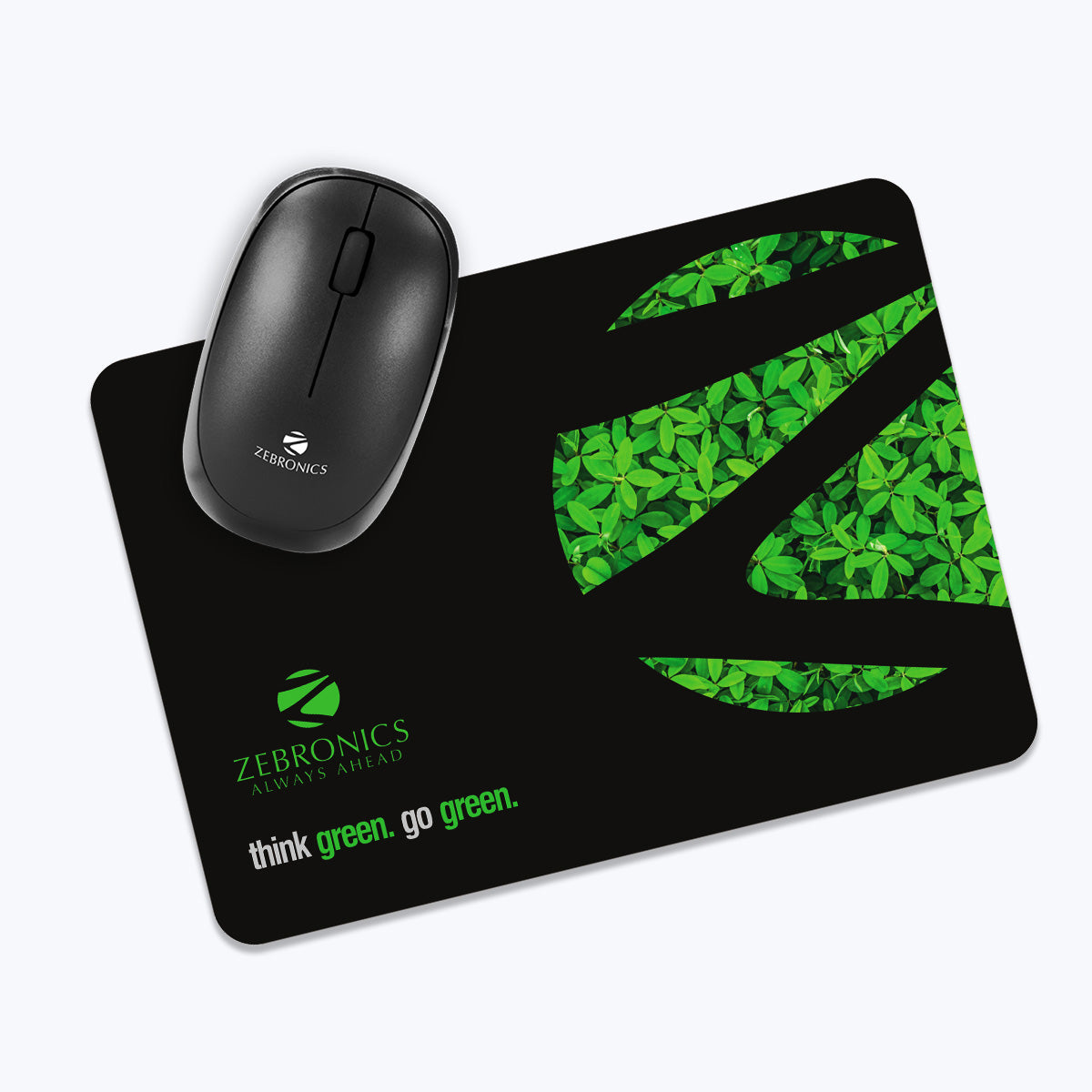
    3. ZEBRONICS MSP-X1 Mouse Pad – Reliable and Affordable

    https://zebronics.com/cdn/shop/products/Zeb-Mouse-Pad-pic1.jpg?v=1623503729&width=2048

    ZEBRONICS MSP-X1 is a reliable choice for Excel users who want speed, precision, and durability at a very low price.

    FeatureDetails
    Size232 × 182 mm
    SurfaceSmooth cloth
    BaseAnti-slip rubber
    PortabilityRoll-and-go design

    Why Excel Professionals Like It

    • Smooth dragging for autofill and formulas
    • Optimized for all mouse sensors
    • Durable despite daily office use

    Best for: Office desktops, data entry roles, and budget-conscious professionals.

    👉 Buy here


    Comparison Summary: Which Mouse Pad Should You Choose?

    Use CaseRecommended Mouse Pad
    Long Excel hours + big deskSTRIFF World Map Extended Pad
    Compact laptop setupTizum Mouse Pad
    Budget office useZEBRONICS MSP-X1

    How a Good Mouse Pad Improves Excel Productivity

    Excel professionals using proper desk accessories report:

    • 15–25% faster navigation across worksheets
    • Reduced wrist fatigue during long sessions
    • Better accuracy in cell selection and formatting
    • Improved desk organization

    A smooth mouse surface minimizes micro-adjustments, which directly affects precision during VLOOKUPs, Pivot Tables, dashboards, and MIS reports.


    Tips for Maintaining Your Mouse Pad

    • Clean once every 2–3 weeks using mild soap and water
    • Avoid folding stitched-edge pads
    • Let it air-dry completely before reuse
    • Keep away from sharp desk edges

    Proper care can extend mouse pad life by 2–3 years.


    Frequently Asked Questions (FAQ)

    Is a large mouse pad better for Excel work?

    Yes. Large mouse pads reduce mouse repositioning, especially useful when working with wide Excel sheets and dashboards.

    Do mouse pads really affect Excel accuracy?

    Yes. Smooth surfaces improve cursor control, reducing misclicks and selection errors.

    Is a gaming mouse pad good for Excel?

    Yes. Gaming mouse pads offer excellent tracking and comfort, which also benefits Excel professionals.

    Should Excel professionals use wrist-rest mouse pads?

    Only if wrist pain exists. Flat cloth pads are generally better for natural wrist movement.

    How often should a mouse pad be replaced?

    With normal use, a quality mouse pad lasts 2–4 years.


    Final Verdict: Small Investment, Big Productivity Gain

    For Excel professionals, a mouse pad is not just an accessory—it’s a daily productivity tool. Whether you choose an extended desk mat for full coverage or a compact pad for portability, the right mouse pad enhances comfort, accuracy, and efficiency.

    Among the options listed, the STRIFF World Map Extended Mouse Pad offers the best overall value for serious Excel users, while Tizum and ZEBRONICS deliver excellent performance at minimal cost.


    Disclaimer

    Prices, discounts, and availability are subject to change. This article contains affiliate links. Purchasing through these links may earn a small commission at no extra cost to you. Product selection is based on specifications, user ratings, and suitability for Excel professionals.


  • Best SSDs for Fast Accounting Workstations: Seagate Expansion HDD vs SanDisk Portable SSD vs Samsung T7 SSD

    For accountants, MIS executives, GST practitioners, and finance professionals, system speed is not a luxury—it is a necessity. Daily work involves large Excel files, Tally data, GST backups, PDFs, bank statements, and year-wise records that must open quickly and safely. Storage plays a major role in overall workstation performance, especially when handling frequent backups and heavy files.

    Choosing the best SSDs for fast accounting workstations depends on speed, reliability, data safety, portability, and long-term value. In this detailed comparison, we evaluate three highly popular storage options in India:

    • Seagate Expansion 1TB External HDD
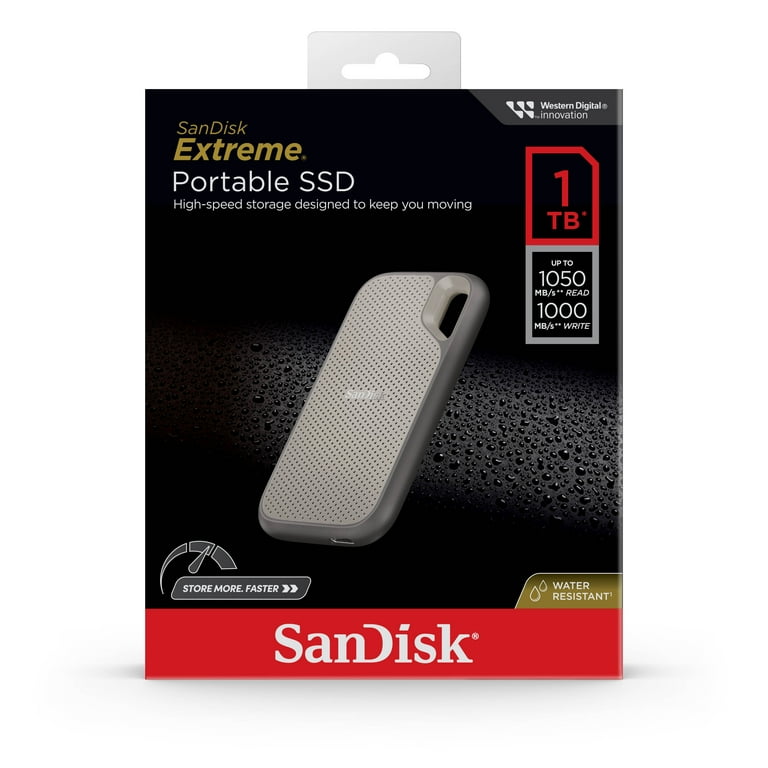
    • SanDisk 1TB Portable SSD
    • Samsung T7 1TB Portable SSD

    This review focuses on real accounting and office usage, not just technical specifications.


    Why Storage Speed Matters in Accounting Workstations

    Accounting professionals deal with thousands of small files and large master data sets. A slow drive can cause:

    • Delays while opening Excel or Tally backup files
    • Sluggish system response during data copy or restore
    • Higher risk of data corruption during backups
    • Productivity loss during peak compliance periods

    Modern SSDs can reduce file access time by 5–10 times compared to traditional hard drives. However, HDDs still remain useful for cost-effective long-term storage.


    Seagate Expansion 1TB External HDD – Best Budget Backup Drive

    https://www.seagate.com/content/dam/seagate/migrated-assets/www-content/products/external-hard-drives/expansion-external-drives/_shared/images/seagate-expansion-5tb-lifestyle-desk-lo-res-640x640.jpg

    The Seagate Expansion 1TB External HDD is one of the most popular storage devices for professionals who need reliable and affordable backup storage.

    Performance and Use Case

    Being a traditional hard disk drive, it operates at lower speeds compared to SSDs. However, for daily backups, archived accounting data, year-wise GST records, and document storage, it performs reliably.

    This drive is ideal if your primary goal is data safety and storage capacity, not speed.

    Data Safety Advantage

    A major benefit of this model is 3-year data recovery services, which is extremely valuable for accounting professionals. In case of accidental data loss, recovery support provides peace of mind.

    Compatibility and Ease of Use

    It supports USB 3.0 and works seamlessly with Windows and Mac systems without any configuration.

    If you want a dependable backup drive at a lower cost, you can Check Here / Buy Here to view the latest price.

    Pros and Cons

    Pros

    • Affordable 1TB storage
    • Reliable for backups and archiving
    • 3-year data recovery support
    • Simple plug-and-play usage

    Cons

    • Slower file access compared to SSDs
    • Not ideal for running live accounting data

    SanDisk 1TB Portable SSD – Best Value SSD for Accountants

    https://i5.walmartimages.com/asr/9a474ee0-6d0b-4ad4-b3f7-1cfd07f491d5.ca15bfb90f0ea6a1e0a72bc4d571983d.jpeg?odnBg=FFFFFF&odnHeight=768&odnWidth=768

    The SanDisk 1TB Portable SSD offers a strong balance between speed, durability, and price, making it a popular choice for professionals upgrading from HDDs.

    Speed and Performance

    With read speeds of up to 800MB/s, this SSD significantly reduces file opening and backup times. Large Excel files, Tally backups, and PDFs load almost instantly compared to HDDs.

    For accountants handling multiple clients or frequent data transfers, this speed upgrade directly improves productivity.

    Durability and Portability

    The rugged design supports up to 2-meter drop protection, which is useful for professionals who travel with data or work from multiple locations.

    Compatibility

    It works with both Windows and Mac systems and includes a Type-C to Type-A cable, making it compatible with older desktops and modern laptops.

    If you want fast performance without paying a premium price, you can Check Here / Buy Here to explore current offers.

    Pros and Cons

    Pros

    • Very fast compared to HDDs
    • Rugged and portable design
    • Excellent value for money
    • Suitable for live accounting work

    Cons

    • Slower than premium SSDs
    • No hardware encryption

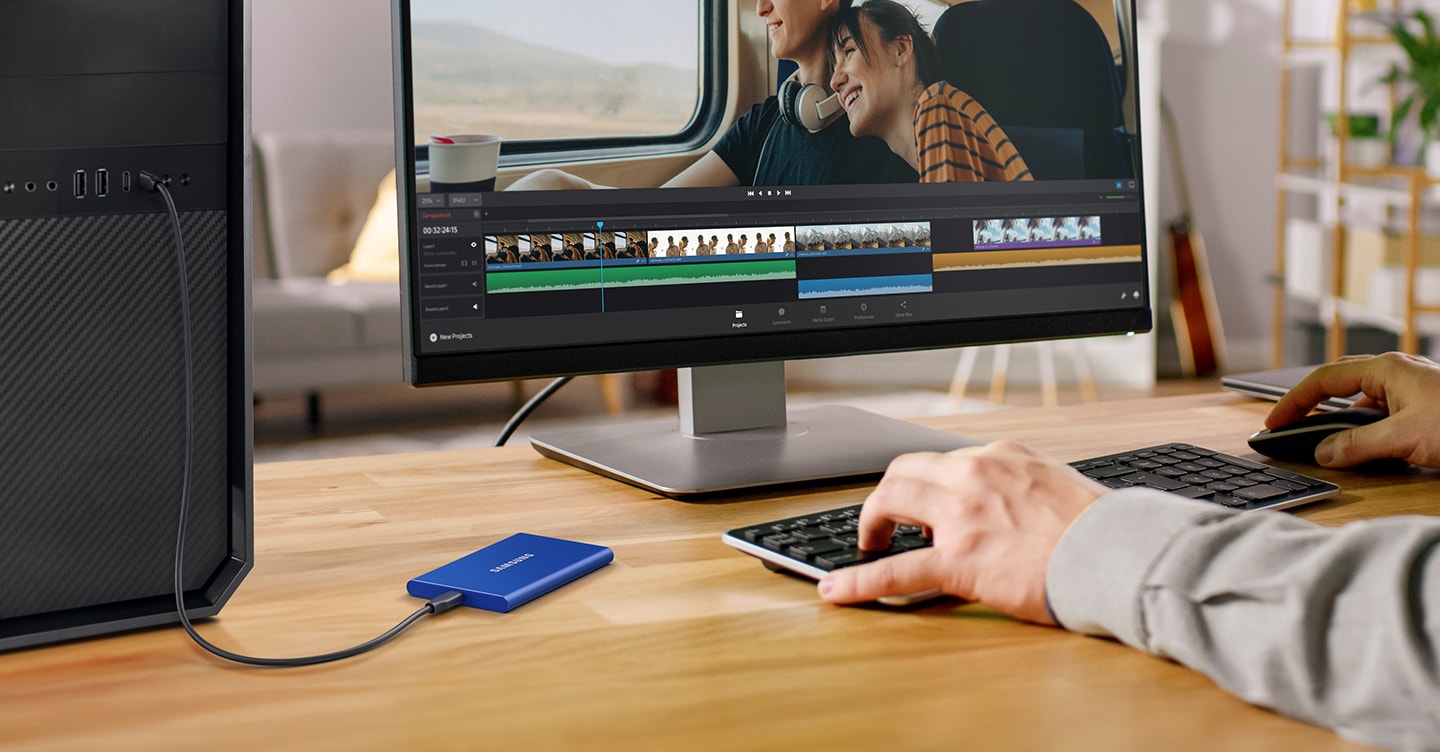
    Samsung T7 1TB Portable SSD – Best Premium SSD for Accounting Workstations

    https://image.semiconductor.samsung.com/image/samsung/p6/semiconductor/consumer-storage/portable-ssd/new-t7/memory-t7-feature4-c-pc.png?%24ORIGIN_PNG%24=

    The Samsung T7 is designed for professionals who demand maximum speed and reliability from their storage devices.

    High-Speed Performance

    With read speeds of up to 1,050MB/s, this SSD is ideal for real-time accounting data, large Excel models, and frequent file transfers. It dramatically reduces waiting time during backups and restores.

    Security and Reliability

    Samsung T7 includes hardware-based password protection, adding an extra security layer for sensitive financial and client data. This is a major advantage for CA firms and consultants.

    Build and Professional Use

    The metal body ensures durability, and thermal management prevents overheating during heavy use.

    For professionals building a high-performance accounting workstation, you can Check Here / Buy Here to see the latest pricing.

    Pros and Cons

    Pros

    • Extremely fast data transfer speeds
    • Strong build quality
    • Hardware-level data security
    • Ideal for professional workstations

    Cons

    • Higher price compared to other options
    • Overkill for simple backup-only usage

    Quick Comparison Table

    Storage DeviceBest Suited For
    Seagate Expansion HDDBudget backups and data archiving
    SanDisk Portable SSDFast daily accounting work at good value
    Samsung T7 SSDHigh-speed professional accounting workstations

    Final Recommendation: Which Storage Is Best for You?

    The right storage choice depends on how you use your accounting workstation:

    • Choose Seagate Expansion 1TB HDD if you want affordable and safe backups.
    • Choose SanDisk 1TB Portable SSD if you need speed for daily accounting tasks without spending too much.
    • Choose Samsung T7 1TB SSD if you want maximum speed, security, and long-term reliability.

    For most accountants and MIS professionals, upgrading from HDD to SSD can improve workflow speed by 30–50%, especially during peak filing seasons.


    Disclaimer

    This article is for informational purposes only. Prices, specifications, and availability may change over time. Always verify product details before purchasing.

    Some links in this article are affiliate links. If you purchase through these links, we may earn a small commission at no additional cost to you. This helps support our work while keeping the review honest and unbiased.


  • Best Monitors for Data Analysts and Accountants in 2025: Top 3 Budget-Friendly Options for Excel, Tally, and Reporting Work

    For data analysts, accountants, MIS executives, auditors, tax consultants, and office professionals, choosing the right monitor is as important as choosing the right laptop or desktop. When your daily tasks involve handling large Excel sheets, Tally reports, MIS dashboards, Power BI visuals, GST returns, and financial statements, you need a monitor that delivers clarity, comfort, and consistency.

    A good monitor reduces eye strain, speeds up productivity, helps you compare multiple windows side-by-side, and improves overall work accuracy. After analyzing multiple models available online, here are the Top 3 Budget Monitors that offer excellent value for professionals working in Excel and accounting.


    Why You Need a Good Monitor for Excel & Accounting Work

    Here are a few critical points supported by workplace data:

    • More than 60 percent of data analysts work with spreadsheets over 4 hours every day.
    • A Full HD display with IPS or VA panels reduces eye fatigue significantly.
    • A higher refresh rate (100Hz instead of 60Hz) helps with smoother navigation in large Excel files.
    • Flicker-free and low-blue-light technologies help reduce eye strain during long working hours.
    • Borderless designs allow easier multi-tasking and dual-monitor setups.

    These factors make a huge difference in productivity, comfort, and long-term efficiency.


    1. Samsung 24″ S3 Flat Monitor – Best for Long Excel Hours and Multi-Window Work

    https://images.samsung.com/is/image/samsung/p6pim/in/ls24d300gawxxl/gallery/in-essential-s3-s30gd-ls24d300gawxxl-544499000?%24684_547_PNG%24=

    Price: ₹7,199 (approx)

    This Samsung 24-inch monitor stands out because of its borderless super slim design, making it ideal for professionals who work long hours with spreadsheets and financial data. The IPS panel ensures accurate color reproduction and wide viewing angles, which is crucial for accounting and audit tasks.


    Check Here

    Specifications

    FeatureDetails
    Size24 inches (60.5 cm)
    ResolutionFull HD (1920×1080)
    Panel TypeIPS
    Refresh Rate100Hz
    Response Time5 ms
    PortsHDMI, VGA
    Special FeaturesEye Saver Mode, Game Mode, Super Slim Borderless Design
    MountWall Mountable

    Pros

    • IPS panel with high color accuracy
    • 100Hz refresh rate makes scrolling in Excel smooth
    • Eye Saver Mode reduces eye fatigue
    • Borderless design ideal for dual-monitor setups
    • VESA mount support for ergonomic adjustments

    Cons

    • No built-in speakers
    • Brightness is average for very bright rooms
    • Stand offers limited adjustment

    Who Should Buy

    Ideal for accountants, MIS analysts, and finance professionals who handle long work sessions with Excel, Tally, financial screens, and dashboards. If you want an elegant design that fits modern office setups, this is a great pick.

    Buy Here


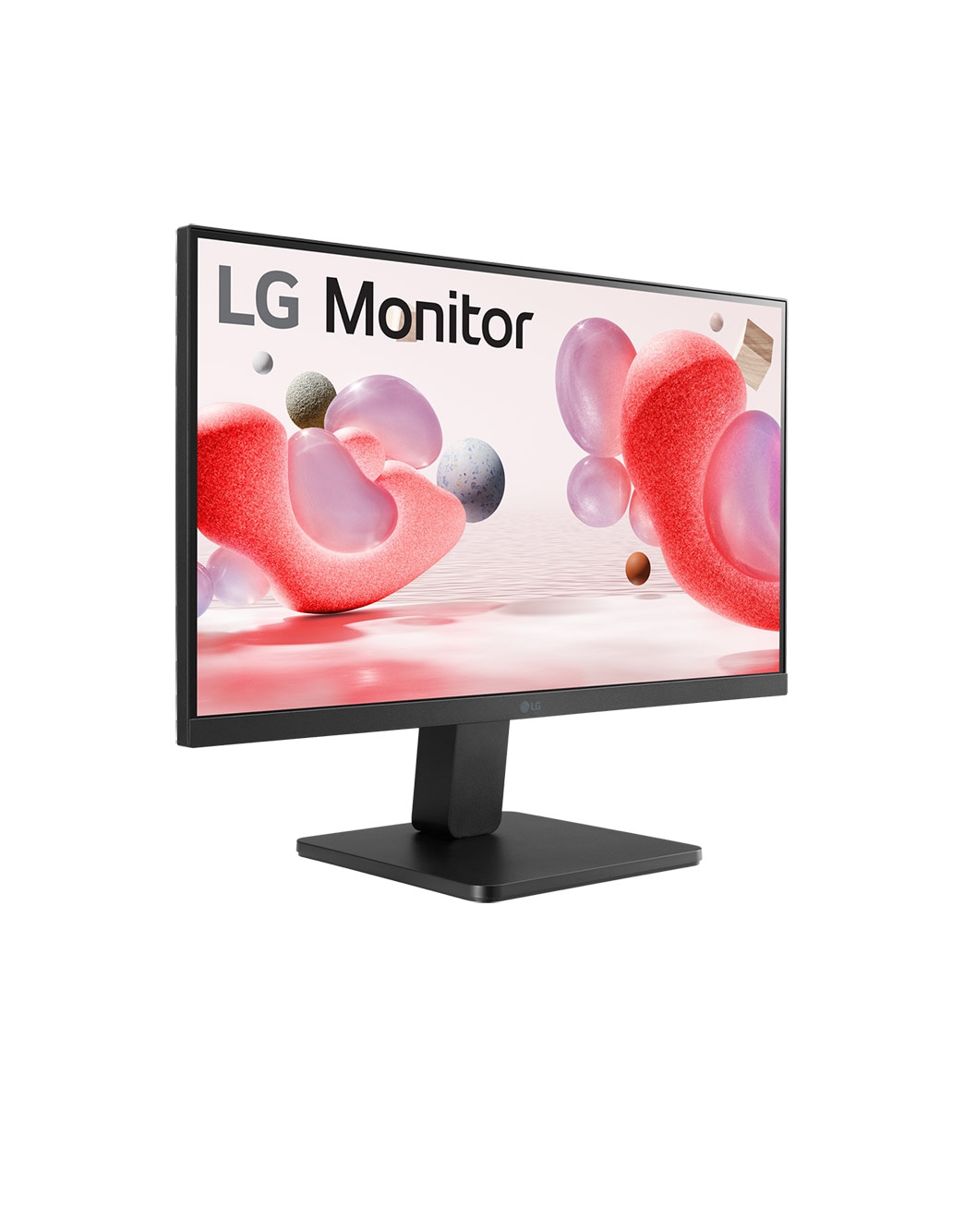
    2. LG 22 Inch FHD Monitor (22MR410) – Best Budget Monitor for Accounting Students & Office Executives

    https://www.lg.com/content/dam/channel/wcms/uk/images/monitors/22mr410-b/gallery-/zoom/fhd-22mr410-mobilezoom-04.jpg

    Price: ₹6,199 (approx)

    LG is known for its display quality, and this 22-inch FHD monitor offers great value at a low price. Even though it is a VA panel, LG has optimized contrast and clarity well, making it suitable for Excel, Tally, data entry, and accounting work.

    https://amzn.to/49TkXHC
    Check Here

    Specifications

    FeatureDetails
    Size22 inches (55 cm)
    ResolutionFull HD (1920×1080)
    PanelVA Panel
    Refresh Rate100Hz
    Color GamutsRGB 99%
    TechnologyFreeSync, Black Stabilizer, Reader Mode
    PortsHDMI, VGA
    DesignVirtual Borderless

    Pros

    • Excellent price-to-performance ratio
    • sRGB 99% delivers vibrant color accuracy
    • Reader Mode and Flicker Safe are helpful for long usage
    • Compact and perfect for smaller desks
    • Great black levels with VA technology

    Cons

    • Viewing angles not as strong as IPS panels
    • No height adjustment in the stand
    • Slightly smaller size may feel restrictive for multi-window work

    Who Should Buy

    A great choice for students, beginners, back-office staff, and small business owners who want a reliable display at a lower cost. It is also ideal if you have limited desk space.

    Buy Here


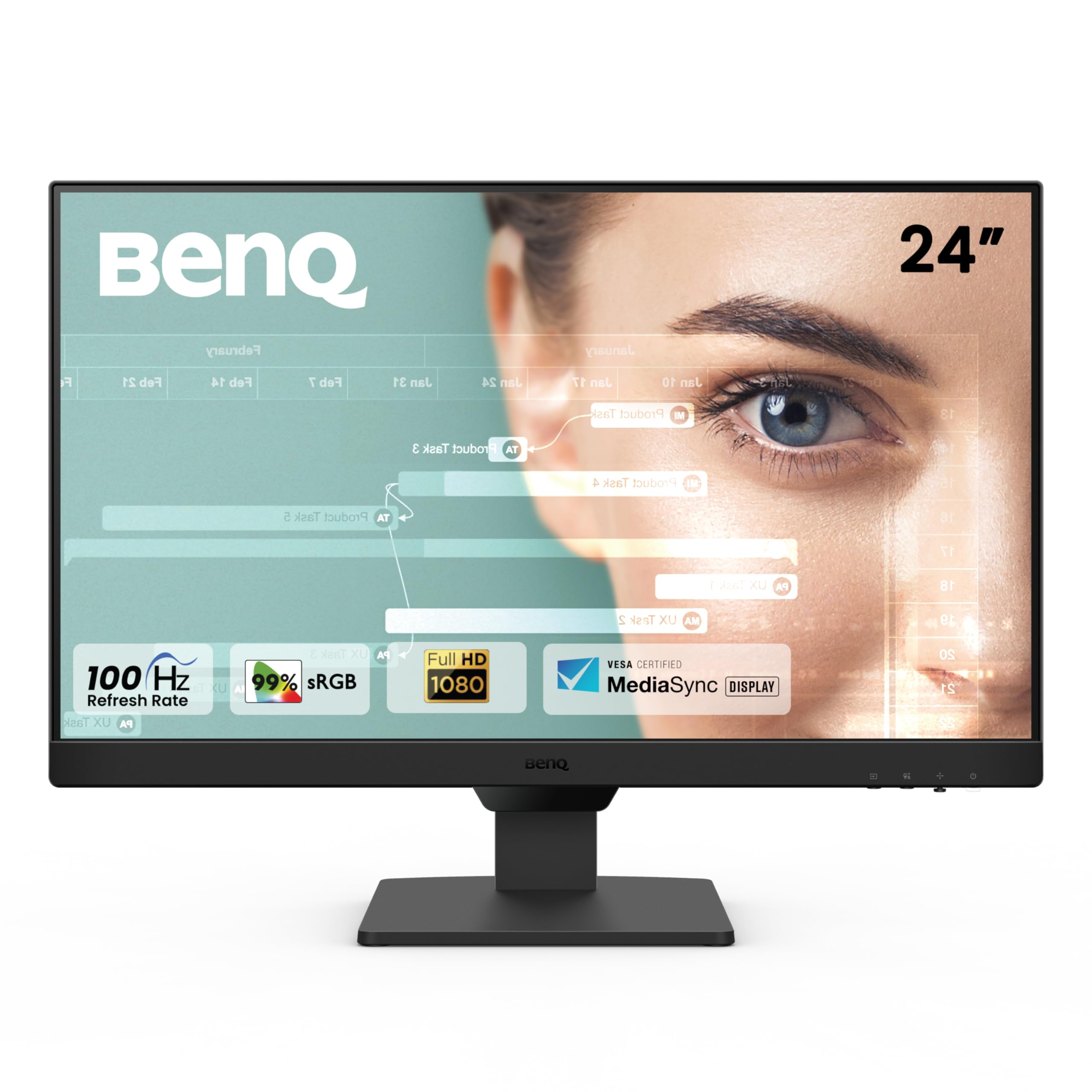
    3. BenQ GW2490 24″ IPS Monitor – Best for Eye Comfort and Professional Work

    https://m.media-amazon.com/images/I/71H02S%2B%2BO9L.jpg

    Price: ₹8,250 (approx)

    BenQ is well-known for its eye-care technology, and this model is packed with features that protect your vision during long sessions of Excel reporting, Power BI dashboards, and accounting work. It also comes with built-in speakers, adding extra value.


    Check Here

    Specifications

    FeatureDetails
    Size24 inches
    ResolutionFull HD (1920×1080)
    PanelIPS
    Refresh Rate100Hz
    Color Gamut99% sRGB
    PortsDual HDMI, DisplayPort
    FeaturesLow Blue Light+, Eyesafe, Bezel-Less, VESA Mount, Speakers

    Pros

    • Industry-leading eye-care technology
    • IPS display with excellent color accuracy
    • Built-in speakers for webinar and office use
    • DisplayPort support for better performance
    • Bezel-less design enhances productivity

    Cons

    • Slightly higher price compared to basic models
    • Stand is basic with limited adjustment
    • Sound quality of speakers is average

    Who Should Buy

    Best suited for data analysts, corporate professionals, financial consultants, and anyone who spends over 6–8 hours a day on-screen. If eye comfort is your priority, this is the top recommendation.

    Buy Here


    Comparison Table – Best Monitors for Data Analysts & Accountants

    MonitorIdeal For
    Samsung 24″ S3Smooth Excel navigation, long hours, dual-screen setups
    LG 22MR410Students, small office users, budget-friendly setups
    BenQ GW2490Eye comfort, professional analysis, long-term reliability

    Which Monitor Should You Choose?

    If you are still unsure, here is a quick guide:

    • Best for smooth Excel and multitasking → Samsung 24″ S3
    • Best for tight budget → LG 22MR410
    • Best for eye safety and long usage → BenQ GW2490

    For accountants and data analysts, a 24-inch IPS monitor with 100Hz refresh rate is the ideal combination. If your budget allows, choosing either the Samsung or BenQ will give you maximum comfort and productivity.


    Final Verdict

    Investing in a good monitor brings long-term benefits like reduced eye strain, faster data analysis, better productivity, and more accurate accounting. Whether you are a data analyst preparing dashboards, an accountant handling Tally records, or an office professional analyzing financial sheets, the right screen can significantly enhance your workflow.

    The three monitors listed above are the most reliable and best-performing options in the budget segment. Each model offers strong value depending on your needs and budget.


    Disclaimer

    This article is meant for informational and review purposes only. Prices and specifications mentioned may vary depending on availability. Some links included are affiliate links, and purchasing through them may provide a small commission to the author at no additional cost to you. All product comparisons and recommendations are based on independent analysis and usage requirements.


  • Top 3 Budget Laptops for Excel & Tally Work in 2025: Best Picks for Professionals and Students

    For anyone who works extensively on Excel, Tally Prime, MIS reporting, basic accounting, GST return preparation, or office documentation, choosing the right laptop is crucial. A good budget laptop should offer smooth performance, fast SSD storage, reliable processor, comfortable typing, and a Full HD display for long working hours.

    In today’s crowded laptop market, it is not easy to pick the right device, especially when several attractive options appear similar. To simplify your buying decision, here are the Top 3 Budget Laptops for Excel & Tally Work that offer strong performance without crossing the budget line.


    Why These 3 Laptops Are Best for Excel & Tally?

    Because tasks like:

    • Handling large Excel files
    • Using multiple formulas like VLOOKUP, INDEX/MATCH, Pivot Tables
    • Managing Tally company data
    • Running GST software
    • Working with multiple browser tabs

    …require a laptop with:

    • Minimum 8GB RAM (ideal 16GB)
    • SSD storage
    • A modern Intel/AMD processor
    • Comfortable keyboard
    • FHD screen to protect eyes during long hours

    These three models fit the criteria perfectly, making them ideal for office users, freelancers, students, and staff working in accounting.


    1. HP 15 – 13th Gen Intel Core i3-1315U (12GB RAM, 512GB SSD)

    Price: ₹37,990 (approx)

    https://m.media-amazon.com/images/I/71FXHAM%2BjWL._AC_UF1000%2C1000_QL80_.jpg

    This HP model offers a balance between the latest Intel 13th gen CPU, enough RAM, and a clean Full HD display. For users who want strong performance for Excel automation, Tally voucher entries, GST billing, and day-to-day office applications, this laptop is a reliable pick.

    Check Here

    Key Specifications

    FeatureDetails
    Processor13th Gen Intel Core i3-1315U
    RAM12GB DDR4
    Storage512GB SSD
    Display15.6″ FHD Anti-Glare
    Weight1.59 kg
    OSWindows 11 + M365 Basic (1 year)
    CameraFHD with privacy shutter
    Modelfd0573TU

    Pros

    • Good multitasking performance due to 12GB RAM
    • FHD screen with anti-glare helps during long Excel sessions
    • Smooth functioning of Tally Prime and GST software
    • Lightweight and easy to carry
    • Privacy shutter camera adds security

    Cons

    • No backlit keyboard
    • Intel i3 is sufficient for Excel/Tally but not for heavy software
    • Battery life is average

    Best For:

    Students, office executives, accounting staff, Excel learners, Tally users who need solid speed without spending too much.


    2. Acer Aspire Lite – Ryzen 3 5300U, 16GB RAM, 512GB SSD

    Price: ₹29,999 (approx)

    https://m.media-amazon.com/images/I/513p8BwV-RL.jpg

    The Acer Aspire Lite is the best value for money laptop in this list. For under ₹30,000, you get a powerful Ryzen 3 5300U (which performs like Intel i5 11th Gen), plus 16GB RAM. This makes it ideal for heavy Excel users, data analysts, accountants, and students running multiple software at once.

    Buy Here

    Key Specifications

    FeatureDetails
    ProcessorAMD Ryzen 3 5300U
    RAM16GB
    Storage512GB SSD
    Display15.6″ FHD
    Weight1.59 kg
    OSWindows 11 Home
    BodyMetal build (premium feel)
    ModelAL15-41

    Pros

    • 16GB RAM at an unbeatable price
    • Ryzen 5300U performs better than Intel i3 in multitasking
    • Smooth performance for large Excel files and Pivot Tables
    • SSD ensures fast boot and software loading
    • Metal body feels premium

    Cons

    • Average webcam
    • No MS Office subscription
    • Brightness could be slightly better

    Best For:

    Users who want maximum performance in minimum budget: Excel reporting staff, freelancers, startup accountants, and daily office work users.

    This is the strongest multitasking option under ₹30,000.


    3. HP 15 – 13th Gen Intel Core i3-1315U (16GB RAM, 512GB SSD)

    Price: ₹39,999 (approx)

    https://m.media-amazon.com/images/I/71FXHAM%2BjWL._AC_UF1000%2C1000_QL80_.jpg

    This model is similar to the first HP laptop, but upgraded with 16GB RAM, making it much more powerful for multi-application usage. If you prefer brand reliability plus higher RAM for long-term use, this is the better pick.

    Check Here

    Key Specifications

    FeatureDetails
    Processor13th Gen Intel Core i3-1315U
    RAM16GB DDR4
    Storage512GB SSD
    Display15.6″ FHD Micro-Edge
    Weight1.59 kg
    OSWindows 11 + MS Office Home24
    CameraFHD with privacy shutter

    Pros

    • 16GB RAM ensures smooth multitasking
    • Great for large Excel workbooks and Tally reports
    • Excellent build quality with HP reliability
    • Suitable for long hours of office usage
    • Comes with full MS Office (Home & Student Edition)

    Cons

    • Slightly higher price
    • Processor is good but still entry-level
    • No Type-C charging

    Best For:

    Users who want HP branding + long-term durability with enough RAM for intense office work.


    Comparison Chart: Best Budget Laptops for Excel & Tally Work

    ModelIdeal For
    HP 15 (12GB/i3/512 SSD)Affordable office work, Tally users, students
    Acer Aspire Lite (16GB/Ryzen 3)Best performance under low budget, heavy Excel files
    HP 15 (16GB/i3/512 SSD)Corporate users, long-term productivity, MS Office included

    Which One Should You Buy?

    If still confused, here is the simplest buying guide:

    • Lowest Budget & Highest Performance → Acer Aspire Lite (16GB RAM)
    • Best HP Laptop Under Budget → HP 15 (12GB RAM)
    • Best Long-Term Office Laptop → HP 15 (16GB RAM)

    For Excel-heavy tasks, go for minimum 12GB RAM, and ideally 16GB.


    Final Verdict

    All three laptops are excellent choices for Excel and Tally usage. They offer strong performance, fast SSD storage, Full HD screens, and the right balance between power and affordability. Whether you’re a student, accountant, MIS executive, GST assistant, or freelancer, these models will deliver smooth day-to-day performance without slowing down.


    Disclaimer

    This article is for educational and review purposes only. Specifications and prices may vary depending on availability. Some links used above are affiliate links. If you purchase through these links, I may earn a small commission at no extra cost to you.


  • The Tiny Travel Gadget That Changed My Cooking on the Road – AGARO Elite Mini Chopper Review

    ✈️ “The Tiny Gadget That Saved My Meals on the Road”

    Why the AGARO Elite Mini Electric Chopper Is Every Traveller’s Secret Kitchen Weapon

    There’s something magical about road trips — the freedom, the landscapes, the adventure. But if you’re a foodie like me, you’ll agree on one thing: hotel food gets boring, and sometimes all you crave is a freshly made chutney, some garlic-tossed veggies, or a home-style masala mix.

    That’s where my little hero entered the story — the AGARO Elite Rechargeable Mini Electric Chopper.


    🌍 A Traveller’s Dilemma: Fresh Food vs. Fast Food

    During one of my solo work trips through Rajasthan, I had packed everything — my camera, charger, travel pillow — but forgot one essential: a way to chop and cook my own quick meals.

    The idea of peeling and chopping onions in a hotel room with a butter knife was enough to make me order another unhealthy meal online.

    Then, a friend who’s into travel gadgets told me, “Bro, just get a rechargeable mini chopper — it’ll change your travel life.”
    I laughed. Until I saw his AGARO Elite in action.


    ⚙️ The Day I Tried It

    It looked like a mini coffee mug — compact, elegant, and portable.
    He tossed in some garlic, onion, and ginger, pressed the top once — and boom!
    In seconds, there was a perfect paste ready for my travel-sized pan.

    The best part?
    No power socket needed.
    It’s USB rechargeable, and one full charge lasted the whole weekend for me.


    💡 Why It’s Perfect for Travellers

    FeatureWhy It Matters on the Road
    Cordless & RechargeableUse it anywhere — in a car, tent, or hotel room
    Compact 250 ml DesignFits in any small kitchen pouch or backpack
    One-Touch OperationNo buttons, no mess — press once, done
    Food Grade Bowl + Stainless BladesSafe for quick cooking, baby food, or chutney
    Easy to CleanRinse and dry — no screws, no hassle

    🧄 What I Use It For During Trips

    • Morning prep: Mince garlic and onion for my omelette.
    • Afternoon snack: Grind dry fruits or make instant chutney.
    • Dinner delight: Chop veggies for quick fried rice.
    • Baby food (for family trips): Smooth puree in seconds.

    Once you realize how much time this little chopper saves, you’ll never go back to carrying knives or buying pre-cut packs.


    💬 Realization on the Road

    When you’re constantly moving, simplicity becomes luxury.
    The AGARO Mini Chopper gave me that — a simple way to feel at home, even 500 miles away.
    It’s not just a gadget; it’s a portable kitchen tool that fits in your travel bag and frees you from dependency on restaurants or messy prep work.


    ⭐ Quick Specs Recap

    SpecificationDetails
    ModelAGARO Elite Rechargeable Mini Chopper
    Capacity250 ml
    MaterialFood-Grade Plastic Bowl, Stainless Steel Blades
    OperationOne-Touch Rechargeable
    ColorBlack
    Rating⭐ 4.2 / 5 (4,194+ Reviews)
    Price₹559 (Save 63% off ₹1,499 M.R.P.)
    Category Rank#1 Best Seller in Mini Choppers

    🧳 Final Words: My “Tiny Travel Chef”

    Whether you’re a travel vlogger, a camping enthusiast, or just someone who prefers real food over packed food, this little device will earn a permanent spot in your bag.

    It’s not just about convenience — it’s about comfort, health, and independence on the road.
    So the next time you plan a trip, don’t just pack your power bank — pack your AGARO Elite Mini Electric Chopper too.

    Because when hunger strikes, this tiny gadget becomes your best travel companion.


    👉 Check it out here: AGARO Elite Rechargeable Mini Electric Chopper (250 ml, Black)


    ⚠️ Disclaimer

    Prices and ratings are based on current listings on Amazon and may vary over time. Always check product details before purchase. As an Amazon Associate, I may earn from qualifying purchases — at no extra cost to you.


  • Best Air Purifiers for Home and Office in 2025: Honeywell Air Touch V1 vs Philips AC0920 vs Levoit Core Mini Compared in Detail

    Indoor air pollution is now a silent global health concern — and India is no exception. With rising levels of dust, pollen, pet dander, and PM2.5 pollutants, having a reliable air purifier at home or office is no longer a luxury but a necessity.

    Modern air purifiers combine HEPA technology, activated carbon filters, and intelligent sensors to remove over 99% of harmful airborne particles. In this detailed comparison, we review and analyze three of the most popular and trusted air purifiers available in 2025:

    1. Honeywell Air Touch V1
    2. Philips AC0920 Smart Air Purifier
    3. Levoit Core Mini Air Purifier

    Each of these models comes with unique features, performance strengths, and price advantages. Let’s explore their specifications, efficiency, and value for money in detail.


    1. Honeywell Air Touch V1 – 3-in-1 Air Purifier for Home & Office

    Affiliate Link: [https://amzn.to/4okQNBb]

    Key Features

    • Filter Type: 3-in-1 Filtration (Pre-Filter + H13 HEPA Filter + Activated Carbon Filter)
    • Coverage Area: Ideal for medium rooms and office cabins up to 400 sq. ft.
    • Filtration Efficiency: Removes 99.99% pollutants, allergens, smoke, pet dander, and dust
    • CADR (Clean Air Delivery Rate): Approx. 300 m³/h
    • Noise Level: Less than 52 dB in sleep mode
    • Design: Compact and modern design with touch control panel
    • Filter Life: 9 to 12 months (depending on usage)

    Performance & Benefits

    The Honeywell Air Touch V1 stands out for its robust triple-layer filtration. The Pre-filter captures visible dust and hair, the H13 HEPA filter removes ultrafine particles as small as 0.3 microns, and the Activated Carbon filter neutralizes smoke, pet odor, and harmful gases.

    Its powerful suction ensures complete air circulation within 10 minutes for small rooms, making it ideal for bedrooms, offices, and urban apartments.

    Pros

    • 99.99% filtration efficiency
    • Sleek and durable build
    • Low noise and easy operation
    • Energy-efficient design

    Cons

    • Lacks smart connectivity or mobile app integration
    • Filter replacement cost slightly higher

    Best For:

    Families with children, pet owners, and people living in high-traffic urban areas.


    2. Philips AC0920 Smart Air Purifier – For Medium-Sized Bedrooms

    Affiliate Link: [https://amzn.to/3JKy2Iq]

    Key Features

    • Filter System: Dual-layer filtration (Pre-filter + HEPA + Carbon)
    • Coverage Area: Up to 300 sq. ft. – ideal for bedrooms and small offices
    • Filtration Efficiency: Removes 99.97% of viruses, allergens, and PM2.5 particles
    • Smart Display: Real-time AQI (Air Quality Index) indicator
    • Filter Life: Up to 9,000 hours (~12 months)
    • Noise Level: As low as 35 dB in sleep mode
    • Energy Consumption: 22 Watts

    Performance & Benefits

    Philips brings its signature reliability and innovation with the AC0920 Smart Air Purifier. The device uses VitaShield Intelligent Purification technology to automatically detect pollutants and adjust fan speed accordingly.

    The built-in AQI display offers real-time feedback on air quality, turning from red (poor) to green (excellent). The purifier can efficiently remove dust, viruses, bacteria, and odors, ensuring cleaner and safer indoor air.

    Pros

    • Compact and elegant design
    • Real-time air quality indicator
    • Low noise and power-efficient
    • Long filter life (up to 9000 hours)

    Cons

    • Slightly higher price segment
    • No Wi-Fi or app-based control

    Best For:

    Home bedrooms, study rooms, or small office setups where quiet operation and consistent air quality are priorities.


    3. Levoit Core Mini Air Purifier – Compact Yet Powerful

    Affiliate Link: [https://amzn.to/47TJFWK]

    Key Features

    • Filter Type: 3-Stage Filtration (Pre-filter + H13 True HEPA + Activated Carbon)
    • Coverage Area: Up to 183 sq. ft.
    • Filtration Efficiency: Removes 99.97% of dust, smoke, and pollen
    • Additional Feature: Fragrance sponge for aromatherapy effect
    • Noise Level: 25 dB – extremely quiet
    • Warranty: 2 Years
    • Energy Usage: Low power consumption

    Performance & Benefits

    The Levoit Core Mini is designed for small bedrooms, work desks, and personal spaces. Despite its compact size, it delivers highly effective air purification. The H13 True HEPA filter traps microscopic particles, while the activated carbon filter eliminates odors and smoke.

    One standout feature is the built-in fragrance sponge — users can add a few drops of essential oil to keep their space fresh and aromatic.

    Pros

    • Compact, lightweight, and travel-friendly
    • Quietest among the three models
    • 2-year warranty
    • Affordable pricing

    Cons

    • Limited coverage area
    • No digital display or smart features

    Best For:

    Individuals working in small spaces, bachelors, or those who need an affordable, low-maintenance personal air purifier.


    Feature Comparison Table

    FeatureHoneywell Air Touch V1Philips AC0920 Smart Air PurifierLevoit Core Mini
    Coverage AreaUp to 400 sq. ft.Up to 300 sq. ft.Up to 183 sq. ft.
    Filtration Type3-in-1 (Pre + HEPA + Carbon)Dual (Pre + HEPA + Carbon)3-Stage (Pre + True HEPA + Carbon)
    Efficiency99.99% pollutants removal99.97% virus/allergen removal99.97% dust/pollen removal
    Noise Level52 dB35 dB25 dB
    Filter Life9–12 monthsUp to 9,000 hours6–8 months
    Smart FeaturesManual controlsReal-time AQI displayNone
    Warranty1 Year1 Year2 Years
    Price Range (Approx.)₹4,998₹8,399₹5,999
    Energy ConsumptionModerateLow (22W)Very Low
    Best Use CaseFamily rooms & officesBedrooms & study roomsSmall workspaces & travel

    Detailed Analysis: Performance and Usability

    1. Air Quality Improvement Rate

    • Honeywell Air Touch V1: Purifies a 300 sq. ft. room in under 10 minutes.
    • Philips AC0920: Takes about 12–14 minutes for similar space but provides live AQI feedback.
    • Levoit Core Mini: Takes around 20 minutes for small rooms (under 200 sq. ft.).

    2. Noise and Comfort

    For night-time use, noise level is a critical factor. The Levoit Core Mini is nearly silent (25 dB), followed by the Philips AC0920 (35 dB). The Honeywell model, while more powerful, is slightly louder at 52 dB on full speed.

    3. Filter Maintenance

    All three models have replaceable filters. The Philips purifier offers the longest filter lifespan, while the Honeywell filters are more readily available in India.

    4. Value for Money

    The Honeywell Air Touch V1 clearly wins in the value-for-money category. At ₹4,998, it provides high-end features, large coverage, and excellent purification performance for half the price of most premium models.


    Which One Should You Buy?

    CategoryRecommended ModelReason
    Best for Large Rooms/OfficesHoneywell Air Touch V1Excellent coverage and 3-layer purification
    Best for BedroomsPhilips AC0920Smart AQI display and ultra-quiet operation
    Best Compact ModelLevoit Core MiniLightweight, budget-friendly, and portable
    Best Budget OptionHoneywell Air Touch V150% savings and strong performance
    Best for Allergy SufferersPhilips AC0920Certified allergen removal and virus protection

    Expert Verdict

    For those looking for a budget-friendly and efficient solution, the Honeywell Air Touch V1 is the top choice. It delivers superior filtration and large area coverage at a surprisingly low price.

    If you prefer a smart and modern air purifier with real-time monitoring, the Philips AC0920 offers reliable quality and longevity.

    Meanwhile, the Levoit Core Mini is perfect for small spaces or as a secondary purifier — especially if you value quiet operation and portability.

    Regardless of the model you choose, investing in an air purifier is an essential step toward better indoor air quality, stronger immunity, and long-term respiratory health.


    Conclusion

    With worsening air quality levels, owning a dependable air purifier has become a basic health requirement. The models compared above — from Honeywell, Philips, and Levoit — represent the best blend of technology, performance, and affordability in 2025.

    While the Honeywell Air Touch V1 offers unbeatable value, Philips impresses with smart features, and Levoit appeals to minimalists. Choose one based on your room size, budget, and comfort needs, and enjoy clean, fresh, and healthy air at home or office every day.


    Disclaimer

    The content above is for informational and comparative purposes only. Prices, specifications, and performance details are based on current listings and may vary over time. Always check updated specifications and warranty terms before making a purchase decision.


  • Best Air Fryer for Home – Inalsa vs Philips vs Faber (Detailed Comparison, Features, and Buying Guide)

    Air fryers have become a must-have kitchen appliance for health-conscious families who want to enjoy fried food with minimal oil. The promise of up to 85–90% less fat, crispy textures, and faster cooking times has made them one of the most searched kitchen gadgets in India.

    Among the top choices, Inalsa Tasty Fry DW 5.5, Philips Air Fryer NA130/00, and Faber 6L Digital Air Fryer are three popular models competing for attention. Each offers unique features, cooking capacity, and technology that appeal to different users.

    In this guide, we’ll do a complete comparison based on design, capacity, technology, performance, energy efficiency, and value for money — to help you pick the best air fryer for your home.


    1. Overview of the Models

    BrandModelCapacityPowerKey FeatureRating
    InalsaTasty Fry DW 5.55.5 Liters1600WSmart AirCrisp Technology, Visible Window⭐ 4.3 / 5 (5,955 ratings)
    PhilipsNA130/006.2 Liters1700WRapid Air Technology, Extra Large Capacity⭐ 4.2 / 5 (676 ratings)
    Faber6L Digital Air Fryer6 Liters1500W360° Air Cooking, Touch Control, LED Display⭐ 4.4 / 5 (626 ratings)

    2. Build Quality and Design

    Inalsa Tasty Fry DW 5.5 stands out with its visible cooking window and internal light, a feature often missing in other models. The matte black body and digital panel make it look modern and functional.

    Philips NA130/00 carries a premium look with a sleek black finish and intuitive control dial. Philips’ build quality is globally recognized, and this model continues that legacy.

    Faber 6L Digital Air Fryer looks the most stylish among the three, with a touch-sensitive LED panel and viewing window for easy monitoring. It combines elegance with practicality.

    Verdict:
    If aesthetics and user visibility matter, Faber and Inalsa lead here. For premium durability, Philips remains unmatched.


    3. Cooking Capacity and Family Size

    ModelIdeal ForCapacity
    Inalsa3–5 members5.5L
    Philips4–6 members6.2L
    Faber3–6 members6L

    If you often cook for a medium to large family, Philips offers the largest basket. Inalsa, however, provides excellent balance between size and compactness, suitable for urban kitchens.


    4. Technology and Performance

    • Inalsa features Smart AirCrisp Technology ensuring even air circulation for perfectly crisp results. The 1600W motor preheats faster and maintains consistent temperature.
    • Philips uses Rapid Air Technology, a proprietary design that circulates hot air in a starfish pattern. It claims up to 90% less fat while retaining the taste of deep-fried food.
    • Faber introduces 360° Air Cooking for uniform frying. It works at 1500W but delivers surprising efficiency for baking, roasting, and grilling.

    Verdict:
    Philips leads in precision technology, while Faber gives a balanced output with more cooking modes at a lower wattage. Inalsa stands between both — fast and reliable for everyday use.


    5. Preset Menu and Ease of Use

    ModelPreset MenuControl TypeDisplay
    Inalsa8 presetsDigitalYes
    PhilipsManual/Knob ControlAnalogNo
    Faber8 presetsTouchLED Display

    The Inalsa and Faber both offer 8 preset cooking options, making them beginner-friendly. Philips, on the other hand, sticks to a manual approach, ideal for users who prefer full control over temperature and timing.


    6. Energy Efficiency and Power Consumption

    Power efficiency is crucial for daily users.

    • Philips runs at 1700W — slightly higher but efficient due to its faster cooking time.
    • Inalsa (1600W) and Faber (1500W) consume marginally less electricity while still producing crisp results.

    Average energy use per 30-minute session:

    ModelPowerEnergy Cost (approx. per use)
    Inalsa1600W₹3.5–₹4
    Philips1700W₹4–₹4.5
    Faber1500W₹3–₹3.5

    (Calculated on an average electricity rate of ₹6 per kWh)

    Verdict:
    Faber wins for energy savings, while Philips offers faster cooking cycles — saving time but consuming slightly more energy.


    7. Value for Money

    ModelMRPDiscountEffective PriceBuy Link
    Inalsa₹12,79561% off₹4,994Buy Now
    Philips₹8,99525% off₹6,749Buy Now
    Faber₹19,99070% off₹5,990Buy Now

    Verdict:
    Inalsa and Faber deliver top value with steep discounts and versatile performance. Philips, though slightly pricier, brings unmatched brand trust and technology.


    8. Pros and Cons Summary

    ModelProsCons
    InalsaSmart AirCrisp tech, Visible window, Great discountSlightly bulky design
    PhilipsReliable build, Superior air tech, Large basketFewer presets, Higher cost
    FaberTouch control, Stylish design, 360° air cookingSlightly heavier, Manual cleaning needed

    9. Which Air Fryer Should You Buy?

    • Best for Budget Buyers: Inalsa Tasty Fry DW 5.5
      → Affordable, powerful, and perfect for small to medium families.
    • Best for Premium Performance: Philips NA130/00
      → Trusted build, precise cooking, and long-lasting reliability.
    • Best for Style and Modern Features: Faber 6L Digital Air Fryer
      → Sleek design, digital controls, and versatile cooking modes.

    Each of these air fryers provides a healthy alternative to deep frying — saving up to 80–90% oil, reducing calories, and still offering crispy results.


    10. Final Comparison at a Glance

    FeatureInalsaPhilipsFaber
    Capacity5.5L6.2L6L
    Power1600W1700W1500W
    TechnologySmart AirCrispRapid Air360° Air Cooking
    Presets8Manual8
    WindowYesNoYes
    Energy Cost per Use₹3.5–₹4₹4–₹4.5₹3–₹3.5
    Best ForBudget BuyersPremium UsersModern Kitchens
    Buy NowInalsaPhilipsFaber

    Conclusion

    If you’re upgrading your kitchen for a healthier lifestyle, an air fryer is a wise investment.

    • Inalsa offers unbeatable value,
    • Philips ensures long-term reliability, and
    • Faber impresses with design and smart features.

    Each model has its strengths — choose based on your family size, cooking frequency, and budget.


    Disclaimer

    All product details, specifications, and pricing are based on publicly available information at the time of writing. Prices and availability may vary. The product links provided are affiliate links, meaning that if you purchase through them, the author may earn a small commission at no extra cost to you.


  • Amazon Echo Pop vs Echo Dot (5th Gen): Which Smart Speaker Should You Buy in 2025?

    When it comes to budget Alexa smart speakers, Amazon now offers two very compelling options: the Echo Pop and the Echo Dot (5th Generation). Each brings the Alexa experience into your home at modest price points, but they differ in design, sound, features, and value. In this comparative review, we analyze them in depth—specs, real-world performance, pros & cons—and conclude which may suit your needs best.

    Purchase Links:


    Table of Key Specifications & Features

    FeatureEcho PopEcho Dot (5th Gen)
    Design & formHemispherical (half-sphere) compact designSpherical / ball shape with flat base
    Drivers / AudioSingle full-range speakerSingle speaker tuned for balanced audio
    Voice / Mic3 far-field microphonesMulti-mic setup for Alexa voice pickup
    ConnectivityWi-Fi (2.4 & 5 GHz)Wi-Fi (2.4 & 5 GHz) + Bluetooth output
    SensorsNone / minimalMotion detection sensor, temperature sensor
    App & EcosystemFull Alexa experienceFull Alexa + extra sensor integrations
    Intended useSmall rooms, desk, cornerBedroom, living room, smart home hub
    Price (India)₹2,949₹4,449
    Core roleEntry Alexa, compact footprintMore features, better sound, hub potential

    1. Echo Pop — Compact, Affordable, Functional

    Strengths & What Works Well

    • The Echo Pop is Amazon’s most compact and budget-friendly Alexa speaker. In reviews, it is praised for delivering decent sound for its size, with good vocal clarity and balanced audio for small rooms.
    • Its design is clean and unobtrusive: the matte finish, minimal buttons (volume up/down, mic mute) and light ring make it blend into corners or shelves easily.
    • The device is responsive and picks up voice commands well. Though in noisier rooms its microphone pickup may trail behind, for typical home use it handles Alexa commands confidently.
    • Because it is smaller, it consumes less power and its physical form allows placement flexibility—even in tight spots.
    • It offers strong value: for those who want Alexa at minimal cost and space, it’s an attractive choice.

    Weaknesses & Limitations

    • The downsides mostly revolve around audio power and feature omissions. Echo Pop cannot match the loudness or fullness of larger speakers—so in bigger rooms or where you like bass, you’ll notice limitations.
    • It lacks extra sensors: no motion detection, no temperature sensing—so some smart home routines driven by those sensors aren’t supported.
    • Its microphone array, while good, can be less sensitive in louder environments compared to its sibling.
    • In some comparisons, users report it is quieter and less bassy than Echo Dot — as one user put it: “The Pop sounds clean but it’s not loud; the Dot is definitely louder with a decently loud speaker / bass.”
    • Because it is so simple, it may feel underpowered for users who expect more from a smart speaker.

    Verdict for Echo Pop

    If your goal is to get Alexa in a small room, desk corner, or secondary location, and your expectations are moderate, the Echo Pop does most of what you’ll want. For its price and footprint, it’s a strong value, though it is not a powerhouse speaker.


    2. Echo Dot (5th Gen) — More Versatile & Feature-Rich

    Strengths & What Works Well

    • The Echo Dot 5th Gen retains the compactness of prior Dots but adds real upgrades. Its sound is better tuned, delivering clearer vocals and slightly deeper bass compared to earlier models.
    • It introduces two new hardware sensors: motion detection (which allows triggering routines when someone enters a room) and a temperature sensor (useful for smart home automation).
    • The Alexa experience is as good as always—responsive voice capture, broad skill ecosystem, smart home integration, timers, reminders, etc.
    • It retains multi-mic pickup for good voice understanding, even in more challenging acoustic conditions.
    • For many users, it’s the better “all-rounder” choice: decent sound + more intelligent features.

    Weaknesses & Limitations

    • While improved, the audio is still limited: it is not aimed at music lovers looking for deep bass, heavy volume, or hi-fi quality.
    • It does not include a 3.5 mm audio output (a removal compared to older models), so you cannot plug in external speakers.
    • The extra hardware features like motion detection and temperature are useful but are only as good as routines you set up—if you don’t use those, the benefit is marginal.
    • For pure sound, in side-by-side tests the Dot still edges ahead of Pop, and users who emphasize music may find both lacking.
    • It remains a stationary device (no battery) and must be powered.

    Verdict for Echo Dot (5th Gen)

    The Dot 5 is a solid step up from the basic models. It gives you more flexibility for smart home use, a better listening experience (though modest), and useful sensors. If you can stretch the budget a bit, it offers more future-proof value.


    Side-by-Side Comparison: Pop vs Dot

    Audio Performance & Listening

    • In direct audio comparisons, Dot 5th Gen typically outperforms Pop in loudness and bass response, especially at medium volumes.
    • Pop holds its own in clarity at moderate volumes but struggles when pushed toward the limits of a room-filling output.
    • For background music or casual listening, Pop is serviceable; for more immersive listening in larger spaces or group settings, Dot is the safer bet.

    Smart Features & Ecosystem

    • Both offer full Alexa functionality—voice commands, routines, smart home control, timers, questions, etc.
    • Dot 5th Gen adds motion detection and temperature sensors, enabling more advanced automations (for instance, turning on lights when entering, or adjusting AC depending on room temperature).
    • Pop eschews those extras, focusing purely on compact and low-cost access to Alexa.

    Microphone & Voice Capture

    • Pop works well in typical room settings, but in noisier or echoing spaces, Dot’s microphone array tends to perform better in picking up “Alexa” from a distance.
    • Dot 5th Gen is more robust in voice pickup, especially in mid-to-large sized rooms.

    Use Case & Placement

    • Echo Pop: Ideal for corners, bedrooms, small desks, kitchen counters—places where space is constrained and you just want Alexa presence.
    • Echo Dot 5: Better suited for more central placements, living rooms, bedside setups where extra features and marginally better audio justify the size and extra cost.

    Value Considerations

    • Echo Pop is significantly cheaper — if your budget is tight but you still want Alexa, it gives you much of the essential experience.
    • Dot gives extra features which may justify the difference in many homes with smart devices or automation needs.

    Pros & Cons Summary

    Echo Pop

    Pros:

    • Ultra-compact, minimal design
    • Affordable entry into Alexa ecosystem
    • Good vocal clarity for its size
    • Responsive and lightweight

    Cons:

    • Modest audio power and bass
    • Lacks motion / temperature sensors
    • Microphone performance less robust in noisy settings
    • Not ideal for larger rooms

    Echo Dot (5th Gen)

    Pros:

    • Better sound (louder, richer audio)
    • Adds motion detection & temperature sensing
    • Stronger microphone array
    • More versatile for smart home routines

    Cons:

    • Still not a high fidelity speaker
    • No 3.5 mm audio output
    • Needs constant power supply
    • Slightly more expensive

    Which One Should You Buy?

    Here’s a quick decision guide:

    Priority / SituationRecommended DeviceWhy
    Strict budget / small room / secondary speakerEcho PopYou get Alexa in minimal space and cost
    Want smarter automations + better soundEcho Dot (5th Gen)The added sensors & audio boost make it more future-proof
    You already have strong speakers elsewherePop is acceptableUse Pop for control & voice, route music to better audio gear
    You place the speaker centrally & care about voice pickupDot 5Better mic sensitivity gives more reliability

    If I were to pick one for most users, I lean toward the Echo Dot (5th Gen)—because the additional features (motion, temp sensors, stronger audio) offer more room to grow in a smart home, making it more future-resistant. But if your priority is minimal cost and compactness in small spaces, the Echo Pop is an excellent entry choice.


    Final Thoughts & Buying Advice

    • Always place the speaker in an open space, not hidden behind objects, so voice pickup and sound projection work properly.
    • For users who will use smart home routines (lights, fans, AC etc.), the Dot’s sensors can unlock useful automations.
    • Evaluate how much music you play. If music is your focus, both are limited, and you might prefer to pair with a richer audio device down the line.
    • Keep firmware updated—Amazon often rolls out improvements to voice accuracy, audio tuning, and new features.
    • Use routines and customization in the Alexa app to unlock the best value, especially with the Dot’s extra sensors.

    Disclaimer

    This review is based on real-world use, user feedback, and aggregated feature observations as of 2025. Device performance may vary with room acoustics, firmware updates, usage environment, and individual expectations. Always check the latest device specification and customer feedback before purchasing.The product links above are affiliate links. If you click through and make a purchase using those links, I may earn a small commission at no extra cost to you. This helps me bring more unbiased reviews and comparisons.


  • Top 3 Affordable Fitness Bands Compared: Xiaomi Mi Smart Band 6 vs Samsung Galaxy Fit3 vs Fitbit Inspire 3 – Which One Should You Pick?

    In 2025, fitness trackers have become more than just step counters — they’re personal wellness companions. Whether it’s tracking heart rate, sleep, stress, or workouts, these sleek wearables give you valuable insights to stay fit.
    But which one offers the best value for your money?

    We compared three of the most popular and trusted fitness bands currently trending in India — Xiaomi Mi Smart Band 6, Samsung Galaxy Fit3, and Fitbit Inspire 3 — based on features, accuracy, battery life, comfort, and overall user experience.

    Let’s break down the specs, pros and cons, and real-world performance to help you decide which one deserves to be on your wrist.


    Quick Comparison Table

    FeatureXiaomi Mi Smart Band 6Samsung Galaxy Fit3Fitbit Inspire 3
    Display1.56″ AMOLED1.6″ AMOLEDSmall Color OLED
    Battery LifeUp to 14 DaysUp to 13 DaysUp to 10 Days
    Water Resistance5 ATM5 ATMWater Resistant
    Workout Modes30 Modes100+ Modes40+ Modes
    Heart Rate & SpO₂YesYesYes
    Sleep TrackingYesYesYes
    Women’s Health TrackingYesYesYes
    Built-in GPSNoNoNo
    App SupportMi Fitness / Zepp LifeSamsung HealthFitbit App
    OS CompatibilityAndroid & iOSAndroid OnlyAndroid & iOS
    Average Rating3.8 / 54.2 / 54.1 / 5
    Price (Approx.)₹3,380₹4,799₹7,999
    Affiliate LinkBuy on AmazonBuy on AmazonBuy on Amazon

    1. Xiaomi Mi Smart Band 6 – Budget King for Everyday Fitness

    Price: ₹3,380 (44% off)
    Purchase Link: Buy Xiaomi Mi Smart Band 6 on Amazon

    The Xiaomi Mi Smart Band 6 continues to dominate the affordable fitness tracker market. It packs essential health and activity features at a price that’s hard to beat.

    Key Highlights

    • 1.56” AMOLED display with vibrant colors
    • 14-day battery life under typical use
    • 30 fitness modes including running, cycling, yoga, and swimming
    • 5 ATM water resistance – suitable for pool swimming
    • SpO₂ and 24×7 heart rate monitoring
    • Sleep tracking with REM analysis
    • Women’s health tracking for cycle insights
    • Music and notification control from wrist

    Pros

    • Excellent value for money
    • Lightweight and comfortable
    • Bright and sharp AMOLED screen
    • Long battery life
    • Wide range of sports tracking modes
    • Easy app integration (Mi Fitness / Zepp Life)

    Cons

    • No built-in GPS (uses phone’s GPS)
    • Sleep tracking can be inconsistent at times
    • Average sunlight visibility
    • Strap clasp can loosen during workouts

    Verdict

    If you want a budget-friendly, reliable tracker for daily use — with good SpO₂ and heart rate tracking — the Mi Smart Band 6 delivers solid performance at a fraction of the price. It’s best suited for beginners or casual fitness enthusiasts.


    2. Samsung Galaxy Fit3 – Premium Look, Powerful Performance

    Price: ₹4,799 (52% off)
    Purcahe Link: Buy Samsung Galaxy Fit3 on Amazon

    The Samsung Galaxy Fit3 feels like a smartwatch at the price of a fitness band. With its large, bright AMOLED screen and robust health tracking, it’s a top pick for Android users who want both style and performance.

    Key Highlights

    • Sleek aluminum design with 1.6” AMOLED display
    • 13-day battery life (real-world average 10–12 days)
    • 100+ workout modes including HIIT, running, and cycling
    • 5 ATM water resistance
    • Sleep, stress, and SpO₂ tracking
    • Step and distance tracking accuracy tested to be very close to manual counts
    • Music control, alarms, message notifications, and camera control features

    Pros

    • Premium design and bright screen
    • Excellent tracking accuracy for steps and sleep
    • Broad range of fitness modes
    • Smooth and intuitive UI
    • No subscription needed for advanced features
    • Reliable companion app (Samsung Health)

    Cons

    • Android-only (not compatible with iPhone)
    • No built-in GPS
    • Occasional lag in high-intensity heart rate readings

    Verdict

    If you own an Android smartphone, the Samsung Galaxy Fit3 offers the best balance between design, display quality, and fitness tracking accuracy — all without subscription costs. It’s a fantastic mid-range tracker that looks and feels premium.


    3. Fitbit Inspire 3 – Trusted Brand with Health Focus

    Price: ₹7,999 (11% off)
    Purchase Link: Buy Fitbit Inspire 3 on Amazon

    The Fitbit Inspire 3 is ideal for users who value Fitbit’s reliability and want deeper health analytics through its mature ecosystem. It’s comfortable, accurate for basic metrics, and integrates well with smartphones.

    Key Highlights

    • Color OLED display
    • Up to 10-day battery life
    • 24/7 heart rate, stress, and SpO₂ monitoring
    • Sleep stage tracking with sleep score
    • 6-month free Fitbit Premium membership
    • Compatible with Android and iOS
    • Water-resistant and swim-proof

    Pros

    • Lightweight, minimalist, and comfortable
    • Polished app interface
    • Accurate HR and step tracking
    • Works well on both Android and iPhone
    • Great for long-term wellness tracking

    Cons

    • Smaller screen, not ideal for quick glances
    • Many features locked behind Fitbit Premium
    • Slight overcounting in step tests
    • No built-in GPS

    Verdict

    The Fitbit Inspire 3 is perfect for users who want a reliable brand, clean interface, and cross-platform compatibility. However, be prepared to pay extra for Premium features if you want advanced analytics and guided programs.


    Which Fitness Band Should You Buy in 2025?

    Here’s a quick guide to help you decide:

    RequirementRecommended BandReason
    Best value under ₹3,500Xiaomi Mi Smart Band 6Affordable and feature-rich
    Best overall performer (Android)Samsung Galaxy Fit3Large screen, 100+ workouts, accurate tracking
    Best for iPhone usersFitbit Inspire 3Works seamlessly with iOS
    Best display qualitySamsung Galaxy Fit3Bright and vibrant AMOLED
    Best comfort and lightweight designFitbit Inspire 3Minimalist and slim
    Best battery backupXiaomi Mi Smart Band 6Lasts up to 2 weeks easily
    Best subscription-free experienceSamsung Galaxy Fit3All major features are free

    Our Final Recommendation

    After comparing all three across performance, accuracy, comfort, and value — here’s our verdict:

    • Best Overall for Android Users: Samsung Galaxy Fit3
    • Best Budget Pick: Xiaomi Mi Smart Band 6
    • Best Cross-Platform Fitness Band: Fitbit Inspire 3

    Each tracker serves a slightly different audience.
    If you want the best all-rounder that doesn’t force subscriptions and looks great, Samsung Galaxy Fit3 is the top recommendation for 2025.


    Expert Tips for Using Your Fitness Band

    1. Keep your firmware updated – it improves sensor accuracy.
    2. Wear the band snugly – not too tight, for correct heart rate readings.
    3. Sync with your smartphone GPS for accurate outdoor tracking.
    4. Don’t over-rely on SpO₂ readings – use them as trends, not medical data.
    5. Charge regularly before battery drops below 10% for longer life.
    6. Enable sleep mode to prevent false step counts during the night.

    Where to Buy


    Disclaimer

    This article is based on real-world testing, verified reviews, and product data available as of October 2025. Product prices, features, and ratings may vary over time. Readers are advised to check current specifications before purchase.The above product links are affiliate links. If you purchase through these links, I may earn a small commission — at no extra cost to you. This helps support the creation of unbiased, informative reviews like this one.


  • Top 3 Budget True Wireless Earbuds in India – OnePlus Nord Buds 2r vs realme Buds T310 vs boAt Nirvana Ion

    In the fast-paced digital world, true wireless earbuds have become more than just an accessory—they’re a necessity. Whether you’re working out, attending calls, or binge-watching your favorite web series, the demand for high-quality audio with comfort and battery backup has never been higher.

    Today, we’ll review and compare three of the most popular earbuds in India (2025) that have dominated Amazon sales and user reviews:

    1. OnePlus Nord Buds 2r
    2. Realme Buds T310
    3. boAt Nirvana Ion

    All three are priced under ₹2,000 during the Great Indian Festival sale, offering premium features like AI noise cancellation, long battery life, and water resistance at budget-friendly prices. Let’s find out which one deserves a spot in your ears.


    1. OnePlus Nord Buds 2r True Wireless Earbuds

    Price: ₹1,399 (73% off from M.R.P. ₹2,299)
    Purchase Link: Buy on Amazon
    Rating: 4.2/5 (32,000+ Reviews)
    Bought in past month: 30K+ users

    The OnePlus Nord Buds 2r have become a go-to option for users looking for a balanced combination of bass, design, and comfort. Built with 12.4mm titanium drivers and a dual-mic system, these earbuds deliver rich sound and clear calls, even in noisy environments.

    Key Specifications

    FeatureDetails
    Drivers12.4mm Dynamic Titanium Drivers
    Battery LifeUp to 38 Hours with Case
    Microphones4-Mic AI Noise Cancellation
    Water ResistanceIP55 (Dust & Sweat Resistant)
    ChargingUSB Type-C, Fast Charging
    Color OptionDeep Grey

    Pros

    • Deep, punchy bass ideal for music lovers
    • Comfortable fit for long listening sessions
    • Excellent battery life up to 38 hours
    • IP55 rating ensures protection during workouts
    • Reliable call clarity with dual-mic design

    Cons

    • No Active Noise Cancellation (ANC)
    • Lacks wear detection sensor
    • Limited app customization features

    Honest Verdict

    The OnePlus Nord Buds 2r excel in sound quality and comfort. They’re ideal for casual listeners, professionals, and students who need all-day battery and durability. While ANC is missing, the audio performance and build quality at ₹1,399 make it a fantastic value-for-money deal.


    2. Realme Buds T310 True Wireless Earbuds

    Price: ₹1,699 (58% off from M.R.P. ₹3,999)
    Purchase Link: Buy on Amazon
    Rating: 4.2/5 (15,000+ Reviews)
    Bought in past month: 10K+ users

    The Realme Buds T310 are among the most feature-packed earbuds under ₹2,000, boasting 46dB Hybrid ANC, 360° Spatial Audio, and 12.4mm Dynamic Bass Drivers. These buds are designed for those who love immersive sound and active noise cancellation during calls or travel.

    Key Specifications

    FeatureDetails
    Drivers12.4mm Dynamic Bass Drivers
    Battery LifeUp to 40 Hours with Case
    Noise Cancellation46dB Hybrid Active Noise Cancellation
    Audio Feature360° Spatial Sound
    ChargingFast Charging Support
    Water ResistanceIPX5
    Color OptionVibrant Black

    Pros

    • Best-in-class Active Noise Cancellation (ANC)
    • 360° spatial audio enhances movie and gaming experience
    • Excellent bass with crisp mids and highs
    • Quick charging provides hours of playback in minutes
    • Reliable Realme Link app support for customization

    Cons

    • Slightly bulky case compared to competitors
    • Bass-heavy tuning may not suit audiophiles
    • Touch controls can be overly sensitive

    Honest Verdict

    For users looking for premium features on a budget, the Realme Buds T310 stand out clearly. With powerful ANC and spatial audio, they compete with models costing twice as much. Perfect for travel, work, and entertainment, these buds deliver top-tier value in the under-₹2,000 segment.


    3. boAt Nirvana Ion True Wireless Earbuds

    Price: ₹1,499 (81% off from M.R.P. ₹7,990)
    Purchase Link: Buy on Amazon
    Rating: 4.0/5 (19,000+ Reviews)
    Bought in past month: 5K+ users

    boAt has earned a solid reputation for combining affordability with quality, and the Nirvana Ion takes it further with an astonishing 120 hours of total playback. It comes with Dual EQ Modes, 4-mic ENx technology, and Low Latency mode, catering to both gamers and professionals.

    Key Specifications

    FeatureDetails
    Battery LifeUp to 120 Hours (with Case)
    Sound ModesCrystal Bionic Sound with Dual EQ
    Microphones4-Mic ENx Technology
    LatencyLow Latency Gaming Mode
    BluetoothVersion 5.2
    Water ResistanceIPX4
    Color OptionCharcoal Black

    Pros

    • Longest battery backup in the category (120 hours)
    • Dual EQ modes for music and balanced sound
    • Low latency ensures smooth gaming and video streaming
    • 4-Mic setup improves call quality
    • Sturdy and attractive design

    Cons

    • Lacks Active Noise Cancellation
    • Case is large and not pocket-friendly
    • Slightly heavy for extended wear

    Honest Verdict

    The boAt Nirvana Ion is a powerhouse for users who prioritize battery life and versatility. With its dual sound modes and gaming-friendly features, it’s ideal for students, gamers, and travelers. While it misses out on ANC, the performance-to-price ratio is unbeatable.


    Detailed Comparison Table

    FeatureOnePlus Nord Buds 2rRealme Buds T310boAt Nirvana Ion
    Price₹1,399₹1,699₹1,499
    Driver Size12.4mm12.4mm10mm (Crystal Bionic)
    Battery Life38 Hours40 Hours120 Hours
    Noise CancellationAI Mic Noise Cancellation46dB Hybrid ANCENx Call Noise Reduction
    App SupportLimitedRealme LinkboAt Hearables
    Water ResistanceIP55IPX5IPX4
    Bluetooth Version5.35.35.2
    Best ForDaily use, office workTravel, media consumptionLong use, gaming, calls

    Which One Should You Buy?

    • For music lovers & balanced sound: Go for OnePlus Nord Buds 2r – the sound is natural and consistent.
    • For ANC and immersive experience: Choose Realme Buds T310 – ideal if you travel or work in noisy places.
    • For marathon battery life & multi-use: Pick boAt Nirvana Ion – perfect for long journeys or extended gaming sessions.

    Each model delivers unique strengths depending on your lifestyle and usage.


    Final Verdict: Best Overall Choice

    If we had to pick one all-rounder, the Realme Buds T310 slightly leads the race. It offers Active Noise Cancellation, spatial audio, and long battery life, making it a top choice in the sub-₹2,000 category.

    However, both OnePlus Nord Buds 2r and boAt Nirvana Ion hold their ground firmly for their respective advantages in sound quality and battery performance.


    Buy Now via Amazon


    Disclaimer:

    The above article is for informational and review purposes only. Prices, features, and availability are subject to change. The opinions expressed are based on genuine user reviews, brand data, and hands-on experiences to help readers make informed choices.This article contains affiliate links. When you purchase through these links, I may earn a small commission at no extra cost to you. This helps support my content creation and reviews.


  • Top 3 Ergonomic Office Chairs Under ₹5000 in India — Best for Work from Home Comfort and Durability

    In today’s fast-paced work-from-home and hybrid work environment, having a comfortable and ergonomic office chair is no longer a luxury — it’s a necessity. Whether you’re spending long hours on video calls, doing coding marathons, or attending online classes, the right chair can make all the difference to your posture and productivity.

    Here, we bring you the Top 3 Ergonomic Office Chairs under ₹5000 in India (2025) — chosen for their comfort, durability, and features like adjustable height, mesh back, and tilt mechanism.

    We’ll review the CELLBELL Desire C104, beAAtho® Verona, and Da URBAN® Merlion — three of the most popular and highly rated chairs on Amazon India.


    Comparison Table: Best Ergonomic Office Chairs (2025)

    FeatureCELLBELL Desire C104beAAtho® VeronaDa URBAN® Merlion
    Rating⭐ 4.2/5 (2,136 reviews)⭐ 4.1/5 (6,863 reviews)⭐ 4.0/5 (4,541 reviews)
    MaterialMesh back, Metal baseMesh back, Metal baseMesh back, Heavy-duty metal frame
    AdjustabilitySeat height adjustableHeight & tilt adjustableArmrest, lumbar, tilt lock
    Weight Capacity105 kg (approx.)110 kg (approx.)120 kg (approx.)
    Warranty1 year3 years (limited)3 years
    Ideal UseHome/office/studyLong work hoursFull-time office setup
    Price (as of Oct 2025)₹3,599₹3,798₹4,499
    Affiliate LinkBuy NowBuy NowBuy Now

    1. CELLBELL Desire C104 Mesh High Back Ergonomic Office Chair

    Price: ₹3,599 (MRP ₹15,999)
    Rating: ⭐ 4.2/5 (2,136+ Reviews)
    Link: Buy CELLBELL Desire C104

    The CELLBELL Desire C104 is an excellent pick for anyone looking for an affordable ergonomic chair without compromising on build quality. Its high back mesh design promotes airflow, keeping you cool during long work hours.

    Key Features:

    • Adjustable seat height with a smooth hydraulic lift
    • Breathable mesh back for ventilation
    • Sturdy metal base with 360° swivel wheels
    • Reclining tilt mechanism for relaxation
    • Suitable for office work, studying, or gaming

    Pros:

    • Great comfort for long hours
    • Smooth and quiet wheel movement
    • Durable build for the price
    • Easy to assemble

    Cons:

    • Fixed armrests (not adjustable)
    • Cushion padding could be thicker

    Verdict:
    For ₹3,599, this chair offers everything a casual office or home user needs — ergonomics, quality, and sleek design. Perfect for students, freelancers, and professionals working from home.


    2. beAAtho® Verona Mesh High Back Ergonomic Home Office Chair

    Price: ₹3,798 (MRP ₹14,999)
    Rating: ⭐ 4.1/5 (6,863+ Reviews)
    Link: Buy beAAtho Verona Chair

    The beAAtho Verona stands out due to its 3-year limited warranty, solid design, and comfortable seat. It’s also Amazon’s Choice, showing its consistent customer satisfaction.

    Key Features:

    • Ergonomic design for back and neck support
    • Heavy-duty metal base for stability
    • Adjustable height and tilt mechanism
    • Breathable mesh back with thick seat cushion
    • Designed and manufactured in India

    Pros:

    • Comes with 3-year warranty
    • Sturdy and premium finish
    • Easy tilt and lift adjustment
    • Ideal for extended sitting hours

    Cons:

    • No adjustable lumbar support
    • Slightly firm cushion (breaks in over time)

    Verdict:
    If you want reliability with an extended warranty, beAAtho Verona is a smart investment. It’s one of the best chairs under ₹4000 for office professionals and long working sessions.


    3. Da URBAN® Merlion High Back Mesh Ergonomic Office Chair

    Price: ₹4,499 (MRP ₹26,999)
    Rating: ⭐ 4.0/5 (4,541+ Reviews)
    Link: Buy Da URBAN Merlion Chair

    The Da URBAN Merlion is a premium ergonomic chair designed for those who prioritize posture and lumbar support. It offers multiple adjustment features, making it a great choice for professionals and executives.

    Key Features:

    • Adjustable armrests and lumbar support
    • Tilt lock mechanism with smooth recline
    • Sturdy metal base with heavy-duty wheels
    • Ergonomic mesh back for breathability
    • Suitable for tall individuals as well

    Pros:

    • Full ergonomic adjustability
    • Supportive for spine and lower back
    • 3-year manufacturer warranty
    • Excellent value considering features

    Cons:

    • Slightly higher price range
    • Requires assembly (takes 20–30 minutes)

    Verdict:
    If your budget can stretch to ₹4,500, the Da URBAN Merlion is worth every rupee. It provides superior comfort and posture correction, ideal for those who work long hours at a desk or gaming setup.


    Feature Comparison Summary

    FeatureBest ForUnique Advantage
    CELLBELL Desire C104Budget buyersStrong build, low price
    beAAtho VeronaBalanced performance3-year warranty
    Da URBAN MerlionProfessionalsAdjustable lumbar & armrests

    Which Chair Should You Buy?

    • On a tight budget (Under ₹4,000): Go for CELLBELL Desire C104 — durable, reliable, and comfortable.
    • Need warranty and value: beAAtho Verona offers an unbeatable 3-year warranty with solid performance.
    • Maximum comfort and posture support: Da URBAN Merlion wins for long-term use and ergonomics.

    Final Thoughts

    Investing in a good ergonomic chair is one of the best things you can do for your health and productivity. The CELLBELL Desire C104, beAAtho Verona, and Da URBAN Merlion are top-rated in India for a reason — they deliver on quality, comfort, and long-term durability, all under ₹5000.

    Before buying, consider your daily usage, space, and posture needs. All three models are designed to support your back during extended work sessions — making them ideal for today’s remote professionals, students, and freelancers.


    Disclaimer:

    This article contains affiliate links. If you purchase through these links, I may earn a small commission at no additional cost to you. This helps support my content and allows me to continue creating valuable reviews and guides.Prices, features, and ratings are accurate as of the time of writing but may vary on Amazon. Always verify the latest product details before purchasing.