Category: Tools and Gadgets Recommendation

  • Best 2-in-1 Laptops for Students and Professionals in India (2026): Detailed Comparison, Pros & Buying Guide

    Choosing the right 2-in-1 laptop in 2026 is more important than ever, especially when students and professionals need flexibility for work, study, and entertainment. Whether you are attending online classes, working on Excel dashboards, or multitasking between meetings and presentations, a convertible laptop can significantly improve productivity.

    In this article, we review three popular 2-in-1 laptops available in India, compare their real-world performance, and help you decide which one suits your needs best.


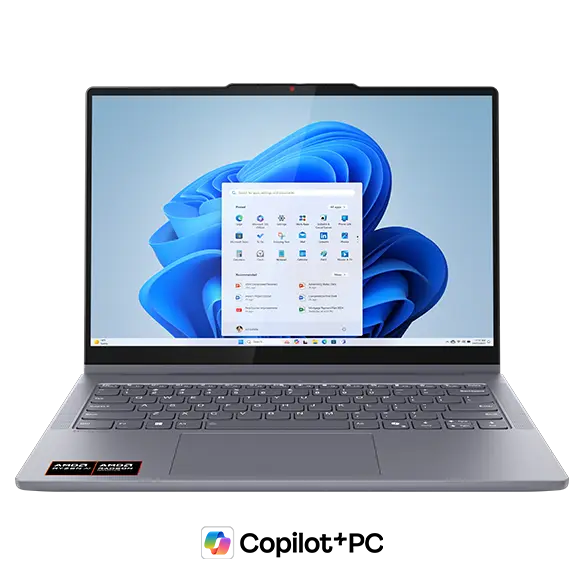
    Lenovo Smartchoice Ideapad 5 2-in-1 (Core i5-13420H)
    https://p2-ofp.static.pub//fes/cms/2025/09/24/6l3zuh832ykkh2o00usibteakd7i4v813090.png

    The Lenovo Ideapad 5 2-in-1 is a powerful and balanced machine designed for users who need performance along with flexibility.

    Key Specifications

    FeatureDetails
    ProcessorIntel Core i5-13420H
    RAM & Storage16GB RAM, 512GB SSD
    Display14-inch WUXGA IPS Touch
    Weight1.6 kg

    Performance & Use Case

    This laptop stands out because of the H-series processor, which is significantly more powerful than standard U-series chips. It is ideal for:

    • Excel, Power BI, and data analysis
    • Light video editing
    • Multitasking with multiple apps

    Pros

    • Strong performance (best in this list)
    • Smooth multitasking with 16GB RAM
    • Premium display quality
    • Comes with Office 2024

    Cons

    • Slightly heavier than competitors
    • Battery life is decent but not exceptional

    👉 Buy Here


    HP Pavilion x360 (Core i5-1335U)

    https://m.media-amazon.com/images/I/81LaRDm7leL.jpg

    The HP Pavilion x360 is a stylish and versatile laptop aimed at students and office users who want reliability and features.

    Key Specifications

    FeatureDetails
    ProcessorIntel Core i5-1335U
    RAM & Storage16GB RAM, 1TB SSD
    Display14-inch FHD Touch
    Weight1.51 kg

    Performance & Use Case

    The U-series processor focuses on efficiency and battery life, making it suitable for:

    • Online classes and office work
    • Browsing and content consumption
    • Light productivity tasks

    Pros

    • Large 1TB SSD storage
    • Good battery efficiency
    • Premium design and build
    • Better webcam (5MP)

    Cons

    • Slightly weaker performance than Lenovo
    • Average display brightness

    👉 Check Price Here


    HP Chromebook x360 (Celeron N4020)

    https://m.media-amazon.com/images/I/71NTBf1B56L.jpg

    The HP Chromebook x360 is a budget-friendly option designed for basic users and students.

    Key Specifications

    FeatureDetails
    ProcessorIntel Celeron N4020
    RAM & Storage4GB RAM, 64GB eMMC
    OSChrome OS
    Weight1.49 kg

    Performance & Use Case

    This device is best suited for:

    • Online classes
    • Web browsing
    • Google Docs and basic tasks

    Pros

    • Very affordable
    • Lightweight and portable
    • Fast boot with Chrome OS

    Cons

    • Limited performance
    • Not suitable for heavy software (Excel advanced, coding, editing)
    • Low storage

    👉 Buy Here


    Which Laptop Should You Choose?

    Use CaseRecommended Laptop
    Heavy work, Excel, multitaskingLenovo Ideapad 5
    Balanced use, office + studentsHP Pavilion x360
    Budget, basic usageHP Chromebook x360

    Practical Buying Advice (Indian Users)

    If you are:

    • A student learning Excel, VBA, or Tally → Go for Lenovo Ideapad 5
    • A working professional handling documents and meetings → Choose HP Pavilion x360
    • On a tight budget and only need basic usage → Chromebook is sufficient

    Key Factors to Consider Before Buying

    1. Processor Type

    • H-series = Performance
    • U-series = Efficiency
    • Celeron = Basic usage

    2. RAM

    • Minimum 8GB (16GB recommended for future-proofing)

    3. Storage

    • SSD is mandatory
    • 512GB minimum recommended

    4. Usage Type

    Always match your laptop with your actual usage, not just specifications.


    Frequently Asked Questions (FAQ)

    1. Which is the best 2-in-1 laptop under ₹80,000 in India?

    The Lenovo Ideapad 5 offers the best performance in this range.

    2. Is HP Pavilion x360 good for students?

    Yes, it is ideal for students who need balanced performance and portability.

    3. Can Chromebook run MS Excel?

    It can run web-based Excel but not full desktop Excel features.

    4. Which laptop is best for Excel and data work?

    Lenovo Ideapad 5 due to its powerful processor.

    5. Are 2-in-1 laptops durable?

    Yes, but hinge quality matters. Lenovo and HP both offer reliable builds.

    6. Is 16GB RAM necessary?

    For long-term usage and multitasking, 16GB is highly recommended.


    Final Verdict

    If performance is your priority, the Lenovo Ideapad 5 clearly leads. For a balanced and stylish device, HP Pavilion x360 is a solid choice. If budget is your main concern, the Chromebook offers value but with limitations.

    Choosing the right laptop depends on your usage, not just price or brand.


    Disclaimer

    This article is for informational purposes only. Prices, specifications, and availability may change over time. Please verify details before making a purchase decision.


  • Top 3 Label Printers for Billing and Inventory in India (2026 Buyer’s Guide)

    Choosing the right label printer for billing and inventory management can significantly improve operational speed, accuracy, and compliance for Indian businesses. From retail stores and warehouses to eCommerce sellers and logistics partners, label printers have become a practical necessity rather than an optional accessory.

    This detailed review covers the top 3 label printers for billing and inventory in India, focusing on real-world usage, performance, cost-efficiency, and long-term reliability. The goal is to help you make an informed decision based on business needs, not sales hype.


    1. Helett® H30C Lite USB Direct Thermal 4×6 Shipping Label Printer

    https://m.media-amazon.com/images/I/71-E84CzmOL._AC_UF1000%2C1000_QL80_.jpg

    The Helett® H30C Lite is designed primarily for shipping labels, barcodes, and high-volume billing environments. Its 4×6-inch label support makes it especially suitable for eCommerce sellers using courier platforms.

    Key Highlights

    • Printing technology: Direct thermal (no ink or ribbon)
    • Resolution: 203 DPI
    • Printing speed: Up to 152 mm/s
    • Label size: Adjustable, supports 4×6 shipping labels
    • OS compatibility: Windows, macOS, Linux, Chrome OS
    • Warranty: 1 year
    • Popularity: 400+ units bought in the last month

    Practical Use Cases

    • eCommerce shipping labels
    • Courier barcode printing
    • Warehouse carton labeling
    • GST invoice barcode labels

    Pros

    • Fast printing speed suitable for bulk operations
    • Wide OS compatibility, including Chrome OS
    • No recurring ink cost due to direct thermal technology
    • Compact design fits small workspaces

    Cons

    • Not suitable for receipt printing
    • Requires proper label quality for best results
    • USB-only connectivity (no Bluetooth or Wi-Fi)

    Best for: Medium to high-volume shipping and inventory labeling
    Price segment: Mid-range
    👉 Buy Here


    2. TSC TE244 Desktop Thermal Transfer Barcode Printer

    https://m.media-amazon.com/images/I/51J91DrIVKL._AC_UF1000%2C1000_QL80_.jpg

    The TSC TE244 is a professional-grade thermal transfer printer, widely used in factories, warehouses, and organized retail chains. Unlike direct thermal printers, it supports ribbon-based printing, making labels more durable.

    Key Highlights

    • Printing technology: Thermal transfer & direct thermal
    • Resolution: 203 DPI
    • Connectivity: USB
    • Build quality: Industrial-grade desktop design
    • Warranty: Standard manufacturer warranty
    • Popularity: 300+ units bought in the last month

    Practical Use Cases

    • Inventory barcode labels
    • Asset tagging
    • Shelf and product labels
    • Long-lasting labels for warehouses

    Pros

    • Supports thermal transfer for long-lasting labels
    • Highly reliable for continuous daily use
    • Excellent print consistency for barcodes
    • Trusted brand in enterprise environments

    Cons

    • Higher upfront cost
    • Ribbon adds recurring expense
    • Slightly bulkier than entry-level printers

    Best for: Businesses needing durable inventory and barcode labels
    Price segment: Premium
    👉 Check Price Here


    3. SEZNIK DEV Bluetooth Thermal Label + Receipt Printer

    https://m.media-amazon.com/images/I/81wRudCW%2BdL._AC_UF1000%2C1000_QL80_.jpg

    The SEZNIK DEV printer stands out as a budget-friendly, multipurpose option that supports both labels and receipts. Its Bluetooth capability makes it ideal for mobile and small-counter billing setups.

    Key Highlights

    • Printing technology: Direct thermal
    • Resolution: 203 DPI
    • Print width: Up to 2 inches
    • Connectivity: Bluetooth and USB
    • Compatibility: Mobile and desktop devices
    • Warranty: 1 year
    • Popularity: 500+ units bought in the last month
    • Bestseller status in desktop thermal label printers

    Practical Use Cases

    • Retail billing receipts
    • Small barcode labels
    • Mobile billing setups
    • Small shops and kiosks

    Pros

    • Very affordable price point
    • Bluetooth support for mobile billing
    • Compact and lightweight
    • No ink or ribbon required

    Cons

    • Limited to smaller label sizes
    • Not suitable for large shipping labels
    • Slower for bulk printing tasks

    Best for: Small businesses, retailers, and startups
    Price segment: Budget
    👉 Buy Here


    Quick Comparison: Which One Should You Choose?

    Business NeedRecommended Printer
    High-volume shipping labelsHelett® H30C Lite
    Durable inventory barcodesTSC TE244
    Small shop billing & mobile useSEZNIK DEV

    Buying Considerations Before Choosing a Label Printer

    Printing Technology

    Direct thermal printers are cost-effective but labels may fade over time. Thermal transfer printers cost more but produce long-lasting labels.

    Label Size Requirement

    Shipping-focused businesses should prefer 4×6 support, while billing counters can manage with 2-inch printers.

    Connectivity

    USB is stable for desktops, while Bluetooth is useful for mobile or space-constrained setups.

    Monthly Print Volume

    Higher volume requires better cooling, speed, and mechanical durability.


    Frequently Asked Questions (FAQ)

    1. Which label printer is best for billing and inventory together?

    For small businesses, SEZNIK DEV works well. For separate billing and inventory needs, pairing SEZNIK DEV with Helett® H30C Lite is practical.

    2. Are thermal printers expensive to maintain?

    No. Direct thermal printers have minimal maintenance as they do not use ink or toner.

    3. Can these printers print GST barcodes?

    Yes, all three printers support barcode printing suitable for GST-compliant invoices.

    4. Is thermal transfer better than direct thermal?

    Thermal transfer is better for long-lasting labels, while direct thermal is more economical for short-term use.

    5. Do these printers work with accounting software?

    Yes, they are compatible with most billing and inventory software that supports standard printer drivers.


    Final Recommendation

    If your business focuses on shipping and logistics, the Helett® H30C Lite offers excellent speed and label size support. For industrial inventory management, the TSC TE244 justifies its higher cost with durability and reliability. For small retailers and billing counters, SEZNIK DEV delivers outstanding value at a very affordable price.

    Each of these printers serves a distinct business need, and choosing the right one depends on volume, label size, and durability requirements.


    Disclaimer

    This article is for informational and educational purposes only. Product prices, availability, and features may change over time. Readers are advised to verify specifications and compatibility with their specific business requirements before purchasing. The article may include affiliate links, which do not affect the objectivity of the review.


  • Best Wireless Keyboard-Mouse Combo for Office Work in India (2026) – Detailed Comparison, Real-World Use & Buying Advice

    Choosing the best wireless keyboard-mouse combo for office work is no longer just about price. For Indian professionals, it directly impacts typing comfort, daily productivity, desk ergonomics, and even long-term wrist health. With work-from-home, hybrid offices, online teaching, accounting, and data entry becoming the norm, a reliable wireless keyboard and mouse combo is now an essential productivity tool.

    In this detailed review, we analyze four popular and highly rated wireless keyboard-mouse combos available in India. This article is written in a professional, non-salesy tone with real-world use cases, honest pros and cons, and clear recommendations to help you choose the right combo based on your work style and budget.

    All opinions are independent and practical, suitable for Indian users working 6–10 hours daily on desktop or laptop systems.


    How We Evaluated These Wireless Keyboard-Mouse Combos

    Before diving into individual reviews, here are the criteria used for evaluation:

    • Typing comfort for long office hours
    • Mouse accuracy and DPI suitability
    • Wireless stability and range (2.4GHz)
    • Battery life and power efficiency
    • Compatibility with Windows, macOS, and laptops
    • Noise level for office or home environments
    • Value for money based on Indian pricing

    Each product below is reviewed from an office productivity perspective, not gaming or aesthetic usage.


    Portronics Key7 Wireless Keyboard-Mouse Combo (Black)

    https://www.portronics.com/cdn/shop/files/Portronics_Key7_Combo_wireless_keyboard_and_mouse_combo_online.jpg?v=1753708052

    The Portronics Key7 combo is positioned as a budget-friendly wireless keyboard-mouse combo for everyday office tasks. It is widely used by students, accountants, data entry operators, and home office users.

    Real-World Office Experience

    The keyboard offers a standard full-size layout with comfortable key spacing, making it suitable for long typing sessions like Excel work, accounting entries, or document preparation. The 1200 DPI mouse is responsive enough for routine tasks such as browsing, file management, and basic design work.

    Wireless connectivity is stable within a typical office room, and the single USB receiver keeps setup simple.

    Pros

    • Affordable pricing for office users
    • Comfortable typing for long documents
    • Plug-and-play wireless setup
    • Decent mouse accuracy for daily work

    Cons

    • Build quality feels basic
    • No dedicated multimedia keys
    • Not ideal for heavy multitasking professionals

    Recommendation:
    Ideal for budget-conscious office users, students, and small businesses needing multiple systems.

    👉 Buy Here: Buy Here


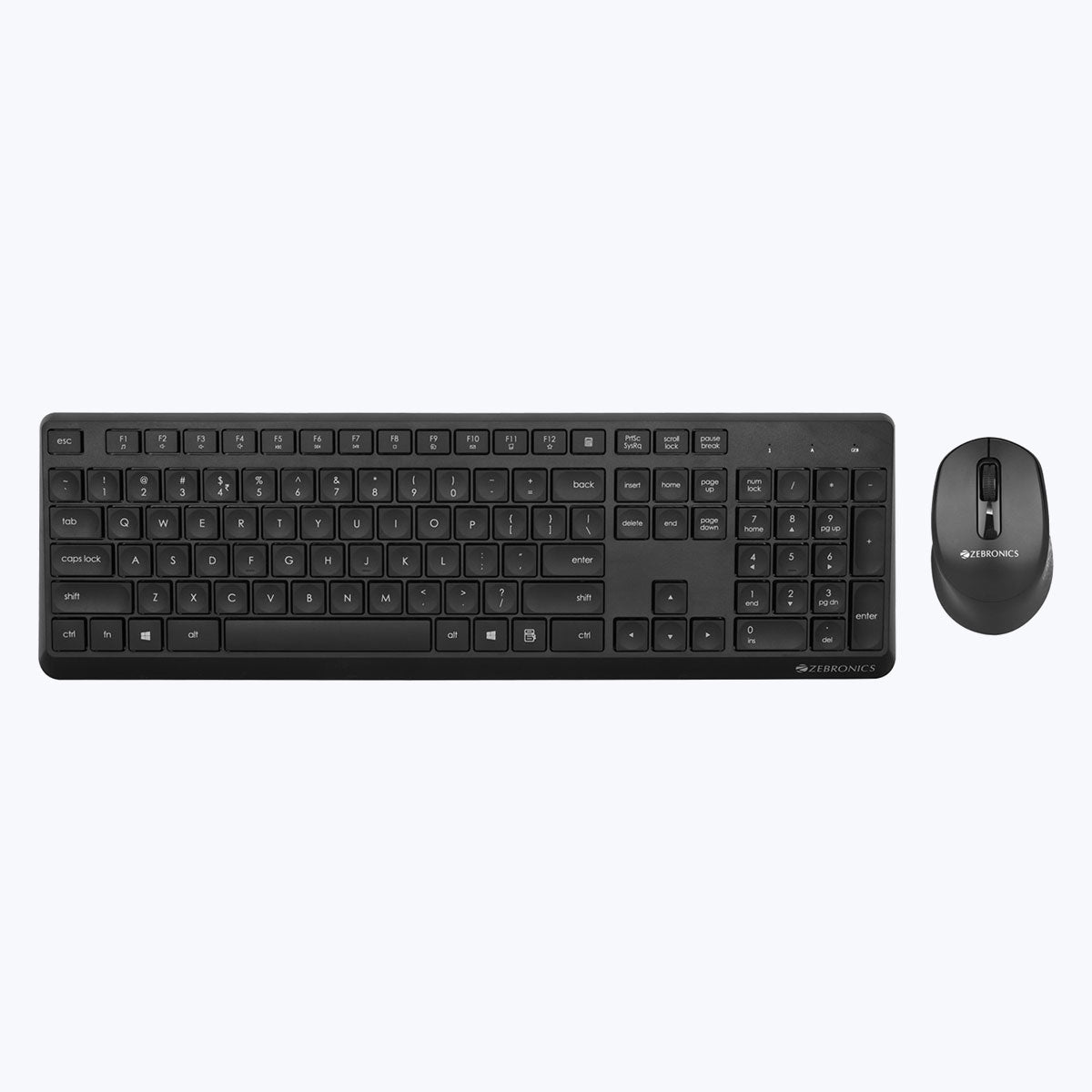
    ZEBRONICS ZEB-COMPANION 200 Wireless Keyboard-Mouse Combo (Purple)

    https://zebronics.com/cdn/shop/products/Zeb-Companion-200-pic1.jpg?v=1674110432&width=2048

    The ZEB-COMPANION 200 stands out with its silent operation and power-saving features, making it a good fit for shared workspaces and home offices.

    Real-World Office Experience

    Typing feels soft and quiet, which is particularly beneficial during meetings or shared environments. The mouse is also silent, reducing distractions. Power-saving mode helps extend battery life, reducing frequent battery replacements.

    The slightly compact layout may take a day or two to adjust for users switching from full-size keyboards.

    Pros

    • Silent keyboard and mouse operation
    • Good battery optimization
    • Stylish color option for modern desks
    • Reliable wireless performance

    Cons

    • Compact layout may not suit everyone
    • No backlit keys
    • Mouse grip may feel small for large hands

    Recommendation:
    Best for home offices, teachers, and professionals who prefer quiet peripherals.

    👉 Check Price Here: Check Price Here


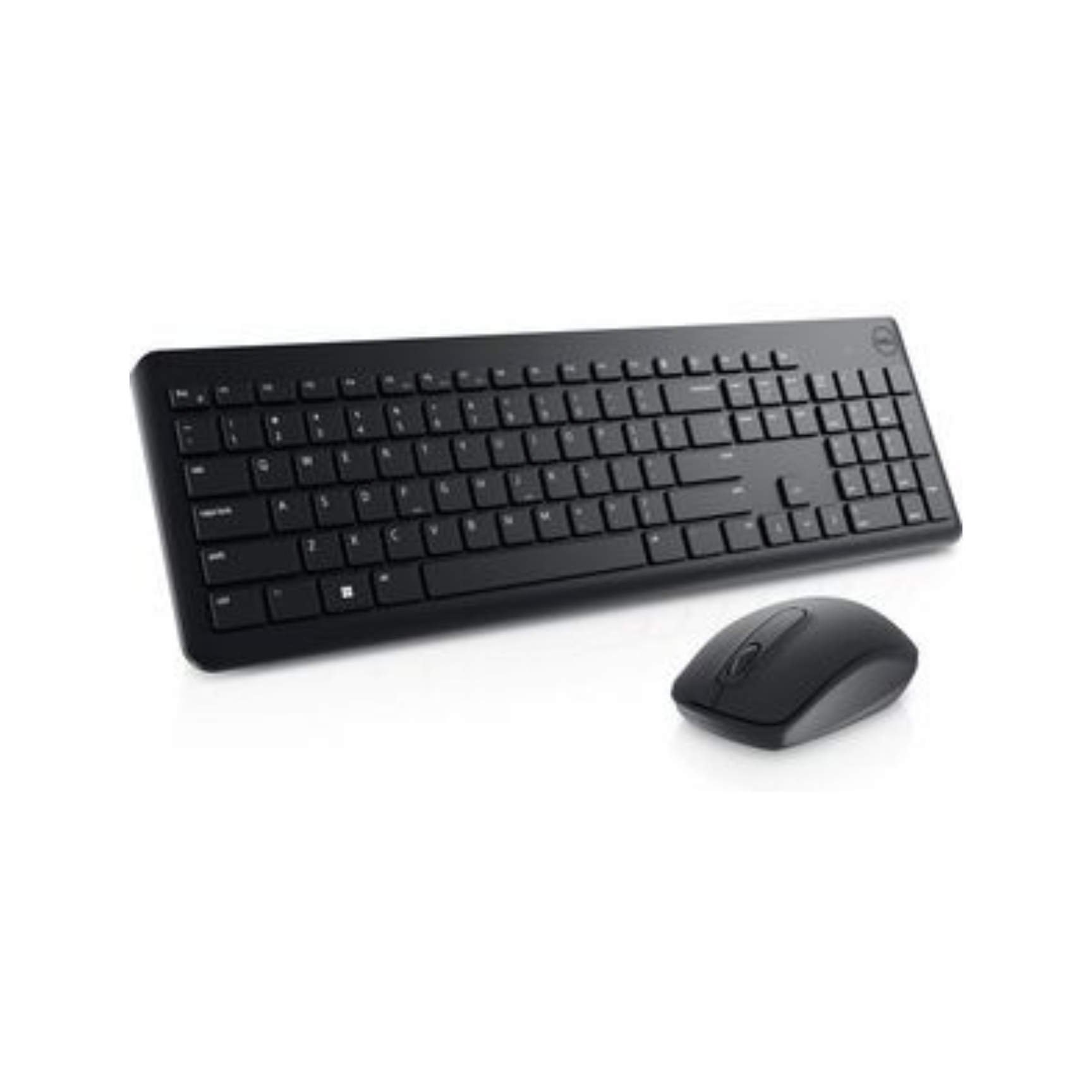
    Dell KM3322W Wireless Keyboard-Mouse Combo (Black)

    https://techtoschool.com/cdn/shop/files/Product_Listing_95_1728x.png?v=1728498093

    The Dell KM3322W is a premium office-grade combo designed for reliability, durability, and long-term usage. It is widely adopted in corporate offices and professional environments.

    Real-World Office Experience

    The keyboard offers excellent key stability, anti-fade lettering, and spill resistance, making it suitable for 8–10 hour workdays. The mouse tracks smoothly on most surfaces and feels ergonomically balanced.

    One of its biggest advantages is battery life, with the keyboard lasting up to 36 months under normal use, significantly reducing downtime.

    Pros

    • Exceptional battery life
    • Strong build quality
    • Spill-resistant keys
    • 3-year advance exchange warranty

    Cons

    • Higher price compared to budget options
    • Basic design aesthetics

    Recommendation:
    Highly recommended for corporate professionals, finance teams, and serious office users seeking long-term reliability.

    👉 Buy Here: Buy Here


    Logitech MK215 Wireless Keyboard-Mouse Combo (Black)

    https://m.media-amazon.com/images/I/71icSLlBIvL.jpg

    Logitech is a trusted name in office peripherals, and the MK215 offers a compact, reliable solution for everyday office work.

    Real-World Office Experience

    The keyboard is compact but comfortable, suitable for desks with limited space. Key response is consistent, and the mouse offers smooth navigation for office applications. Battery life is solid, and Logitech’s wireless technology ensures minimal signal drops.

    This combo is especially useful for users who prefer compact keyboards without a numeric keypad.

    Pros

    • Trusted Logitech build quality
    • Compact and space-saving design
    • Stable wireless connectivity
    • Good battery life for daily office use

    Cons

    • No numeric keypad
    • Mouse battery life shorter than keyboard
    • Not ideal for heavy numeric data entry

    Recommendation:
    Best for laptop users, small desks, and professionals who value compact setups.

    👉 Check Price Here: Check Price Here


    Quick Comparison for Office Buyers

    Combo NameBest For
    Portronics Key7Budget office setups, students
    Zebronics Companion 200Silent home or shared offices
    Dell KM3322WCorporate and heavy office use
    Logitech MK215Compact desks and laptop users

    Which Wireless Keyboard-Mouse Combo Should You Buy

    • Choose Portronics Key7 if budget is your top priority
    • Choose Zebronics Companion 200 if you need silent operation
    • Choose Dell KM3322W if durability and battery life matter most
    • Choose Logitech MK215 if desk space is limited

    There is no single “best” option for everyone. The right choice depends on work duration, typing intensity, and environment.


    Frequently Asked Questions

    Which wireless keyboard-mouse combo is best for office work

    Dell KM3322W is best for long office hours due to durability and battery life.

    Are wireless keyboard-mouse combos reliable for daily work

    Yes, modern 2.4GHz wireless combos are stable and reliable for office tasks.

    Is silent keyboard useful for office work

    Silent keyboards are ideal for shared offices and online meetings.

    Do these combos work with Mac and laptops

    Yes, all reviewed combos support desktops and laptops, including macOS compatibility.

    How long do batteries usually last

    Battery life ranges from 5 months to 36 months depending on model and usage.


    Final Verdict

    The best wireless keyboard-mouse combo for office work depends on how long you work daily, your typing style, and your workspace environment. Budget users can confidently choose Portronics, while professionals seeking long-term reliability should invest in Dell or Logitech.

    All four options reviewed here are well-rated, widely used in India, and suitable for office productivity without unnecessary gimmicks.


    Disclaimer & Affiliate Disclosure

    This article is written for informational and educational purposes only. Product specifications, prices, and availability may change over time. Some links in this article are affiliate links, which means the author may earn a small commission at no additional cost to the buyer. This does not influence product selection or opinions, which remain unbiased and independent.


  • Top Portable Projectors for Trainers & Tutors in India for Small Classrooms and Home Teaching

    Finding the right portable projector for trainers and tutors in India is no longer a luxury decision—it has become a practical teaching requirement. Whether you conduct classroom training, home tuition, professional workshops, or online-offline hybrid sessions, a compact projector helps you explain concepts visually, reduce dependency on small laptop screens, and improve student engagement.

    This article reviews top portable projectors suitable for Indian trainers and tutors, focusing on real teaching use cases such as PowerPoint presentations, Excel demonstrations, recorded lectures, and educational videos. The tone is professional and neutral, with clear pros, cons, and recommendations based on classroom practicality rather than marketing claims.


    Why Portable Projectors Make Sense for Trainers and Tutors

    Traditional TVs are fixed, expensive, and not always practical for small coaching rooms. Portable projectors, on the other hand, offer flexibility and cost efficiency.

    Practical Benefits for Teaching Professionals

    BenefitWhy It Matters
    Large screen sizeExplains charts, formulas, and diagrams clearly
    Easy portabilityCarry between classrooms or home tuition locations
    Wireless sharingQuick screen mirroring from laptop or mobile
    Cost efficiencyBigger display at lower cost than large TVs

    For most Indian teaching environments (100–300 sq ft), projectors with native 720p or 1080p resolution and 200–300 ISO brightness are sufficient.


    1) WZATCO Yuva Go Plus – Best Overall Choice for Trainers

    https://wzatco.com/wp-content/uploads/2025/08/4-7.webp

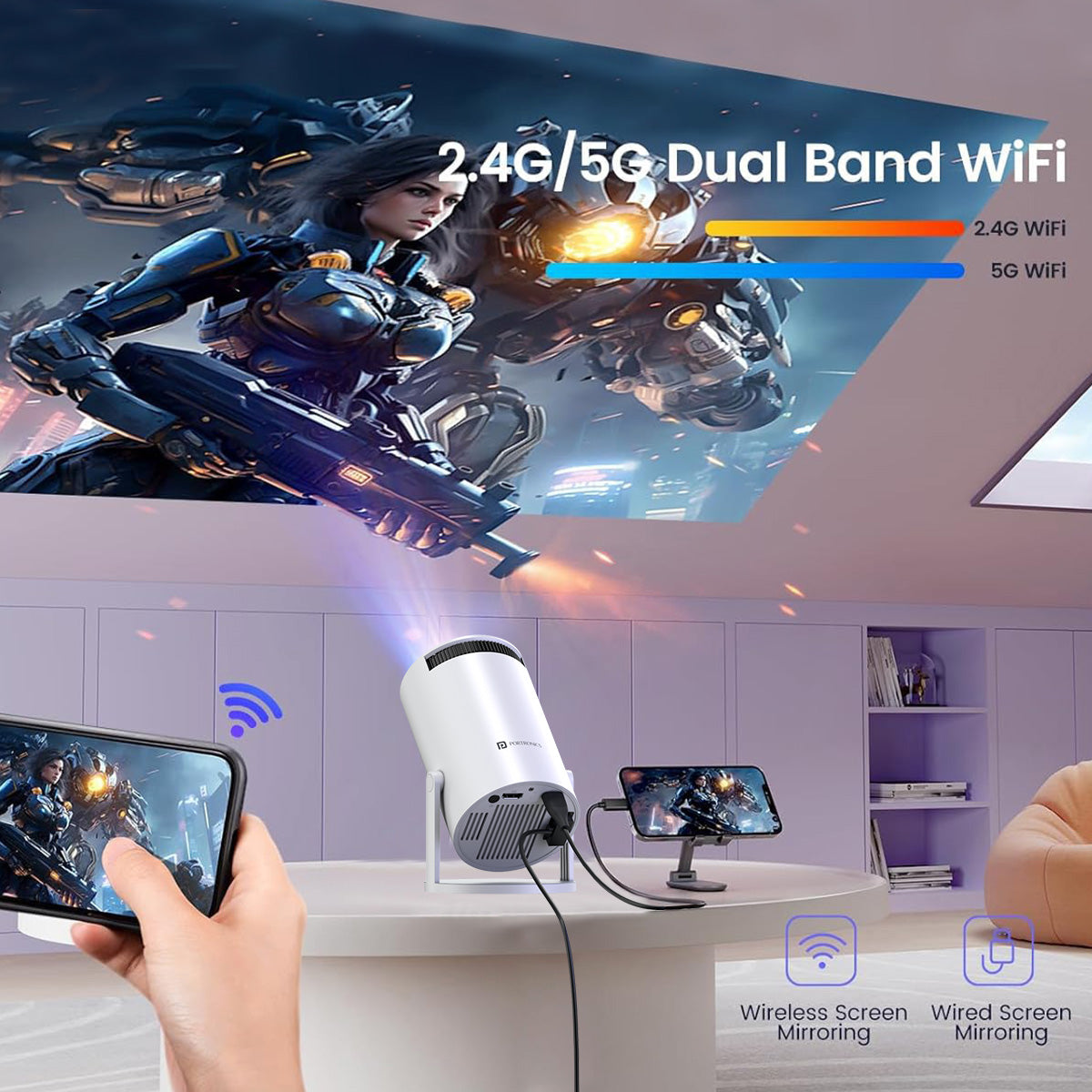
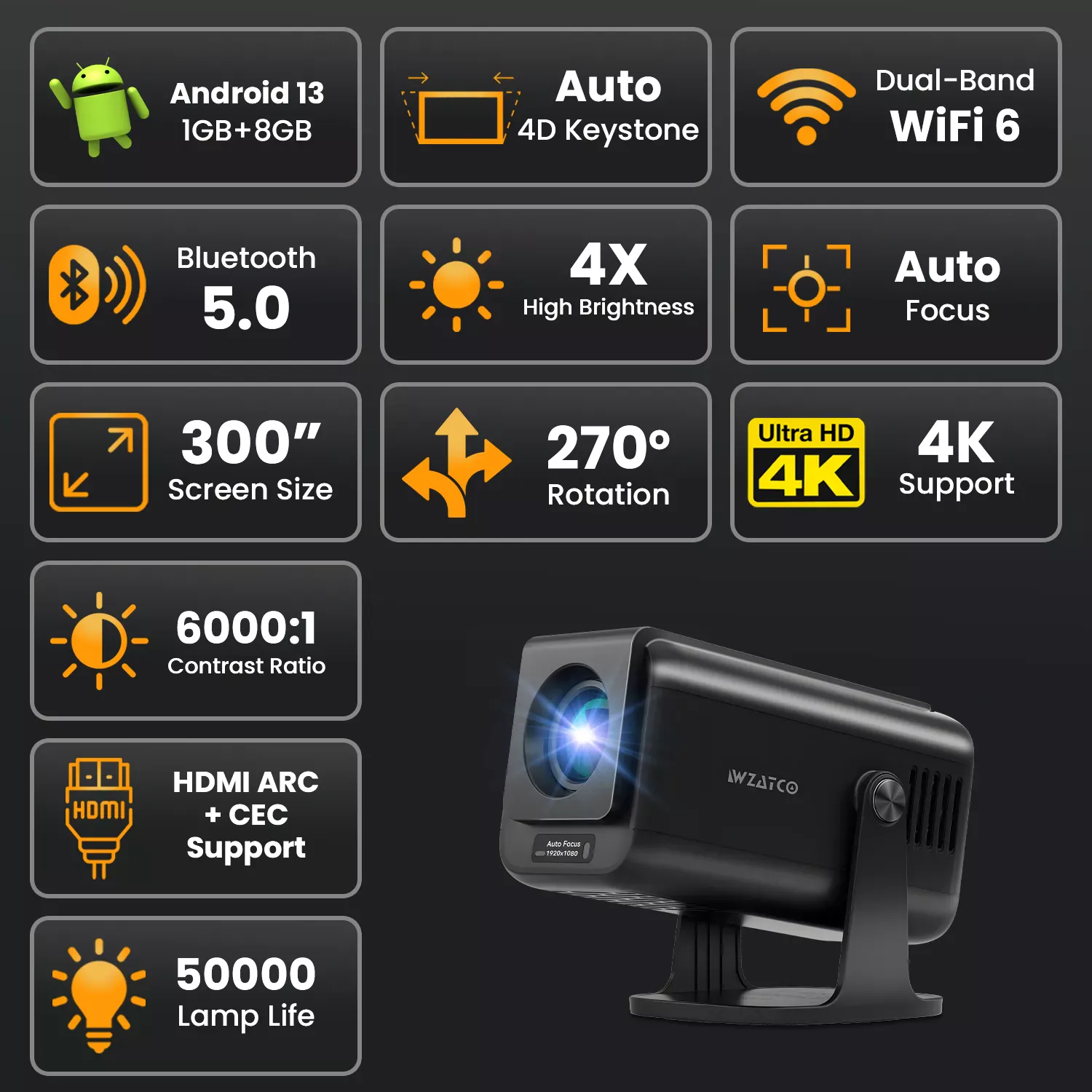
    The WZATCO Yuva Go Plus is one of the most balanced portable projectors for educators who want clarity, smart features, and minimal setup effort. With native Full HD 1080p resolution and Android 13, it performs well for both academic and professional training.

    Teaching Experience in Real Use

    • Text and Excel sheets remain readable even on 90–100 inch projection
    • Auto and 4D keystone saves setup time in tight classrooms
    • Rotatable design allows ceiling or side projection

    Key Strengths

    • Native 1080p clarity ideal for slides and documents
    • Android smart system reduces need for external devices
    • WiFi 6 ensures smoother screen mirroring

    Limitations

    • Built-in speaker is average for large rooms
    • Works best in semi-dark rooms, not bright daylight

    Recommendation:
    Highly recommended for trainers, Excel instructors, and online course creators who need clarity and flexibility.

    Buy Here


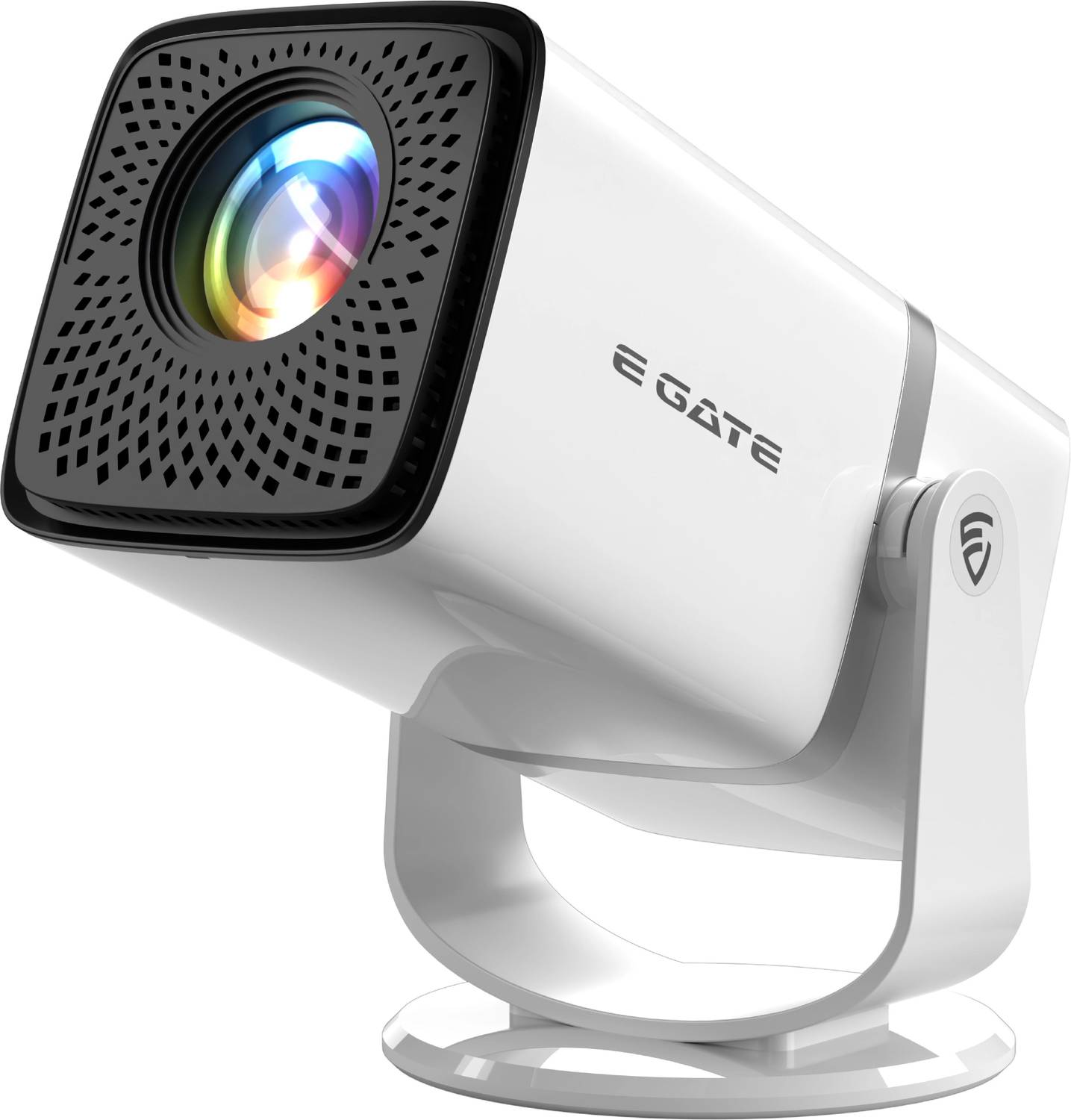
    2) E GATE Atom 3X – Strong Performer for Video-Based Teaching

    https://rukmini1.flixcart.com/image/1500/1500/xif0q/projector/9/u/x/atom-3x-native-fhd-1080p-4k-support-13-0-android-projector-300-original-imahgxv3fubwqk34.jpeg?q=70

    The E GATE Atom 3X focuses on brightness and multimedia performance, making it suitable for tutors who rely heavily on video lessons, recorded sessions, and streaming-based teaching.

    Classroom Suitability

    • 300 ISO brightness handles semi-lit rooms better
    • Android support with popular streaming apps
    • Rotatable design helps in small room placements

    Key Strengths

    • Good brightness for its price segment
    • Native 1080p resolution ensures sharp visuals
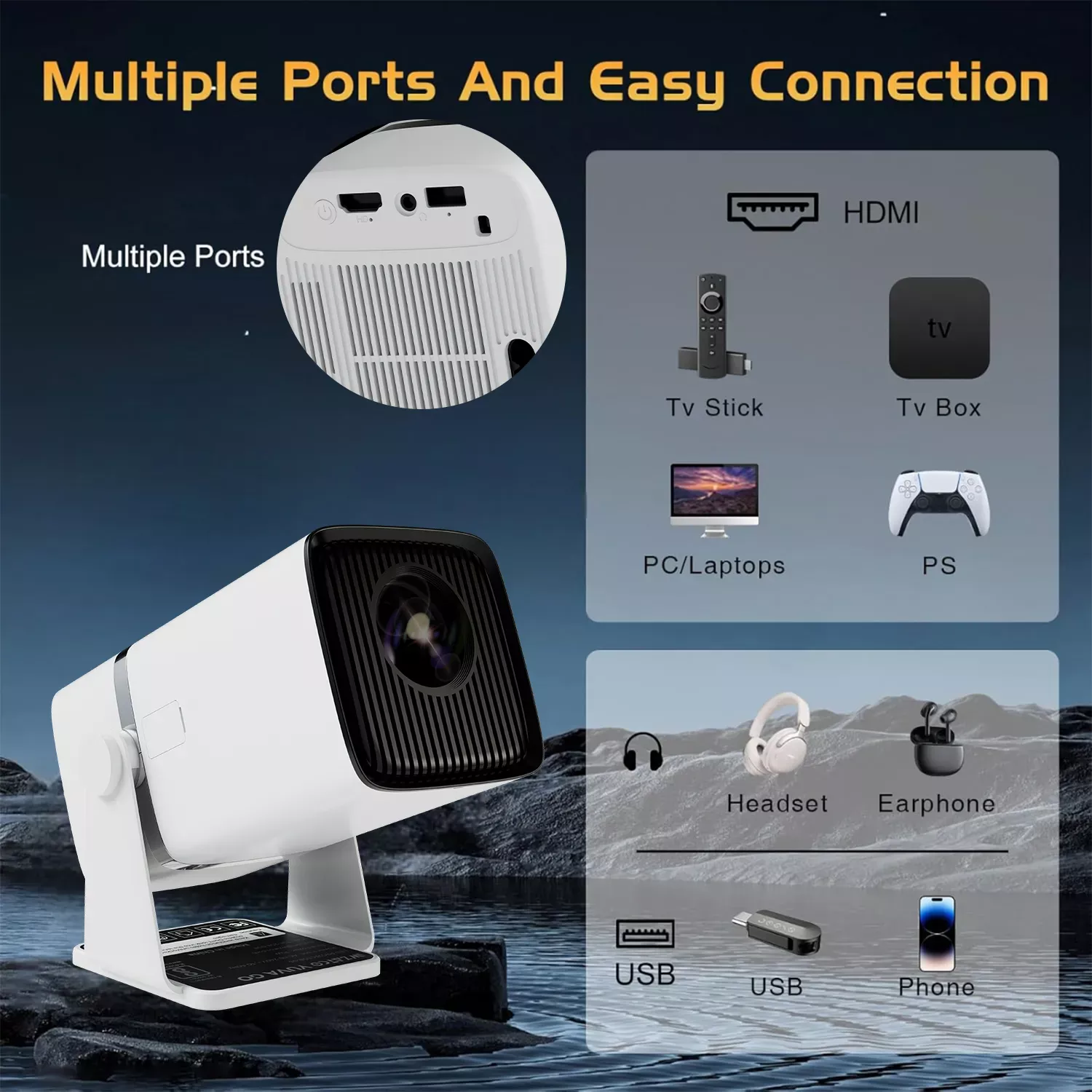
    • Multiple connectivity options including HDMI and USB

    Limitations

    • Slightly bulkier than ultra-compact models
    • Interface may feel slower compared to premium brands

    Recommendation:
    Best for tutors who use video-heavy content such as recorded lectures, demo videos, and visual explanations.

    Check Price Here


    3) Portronics Beem 440 – Budget-Friendly Option for Home Tutors

    https://www.portronics.com/cdn/shop/files/Portronics_Beem_440_Smart_LED_Projector.jpg?v=1768558763

    The Portronics Beem 440 is a budget-oriented smart projector suitable for home tutors, small batches, and entry-level teaching setups.

    Practical Teaching Use

    • Suitable for basic presentations and video playback
    • Compact and lightweight design
    • Built-in OTT apps reduce dependency on laptops

    Key Strengths

    • Affordable price point
    • Simple plug-and-play operation
    • Rotatable design helps flexible placement

    Limitations

    • Native 720p resolution, not ideal for dense text
    • Lower brightness compared to 1080p competitors

    Recommendation:
    Good choice for home tutors, early-stage coaching centers, and budget-conscious educators.

    Buy Here


    Quick Comparison for Trainers & Tutors

    ModelBest Use Case
    WZATCO Yuva Go PlusExcel, PowerPoint, professional training
    E GATE Atom 3XVideo-based and mixed content teaching
    Portronics Beem 440Home tuition and small batches

    Which Portable Projector Should You Choose?

    • Choose WZATCO Yuva Go Plus if clarity and smart features matter most
    • Choose E GATE Atom 3X if you teach using videos and multimedia
    • Choose Portronics Beem 440 if budget and simplicity are priorities

    For most trainers and tutors, investing slightly more in native 1080p pays off in long-term comfort and professionalism.


    Frequently Asked Questions (FAQ)

    Which projector is best for classroom teaching in India?

    A native 1080p projector with auto keystone and screen mirroring is ideal for classrooms and training rooms.

    Is a portable projector suitable for Excel and PowerPoint training?

    Yes. Native Full HD projectors display text, charts, and formulas clearly on large screens.

    Can these projectors work without a laptop?

    Yes. Android-based projectors can run apps and play content directly.

    Do portable projectors work in daylight?

    They perform best in semi-dark rooms. Curtains or controlled lighting improve visibility.

    Are portable projectors better than TVs for coaching centers?

    Projectors offer larger screen sizes at lower cost and are easier to relocate.


    Disclaimer

    This article is for informational and educational purposes only. Product specifications, pricing, and availability may change over time. Performance may vary based on room size, lighting conditions, and usage patterns. Readers are advised to evaluate their specific teaching requirements before making a purchase decision.
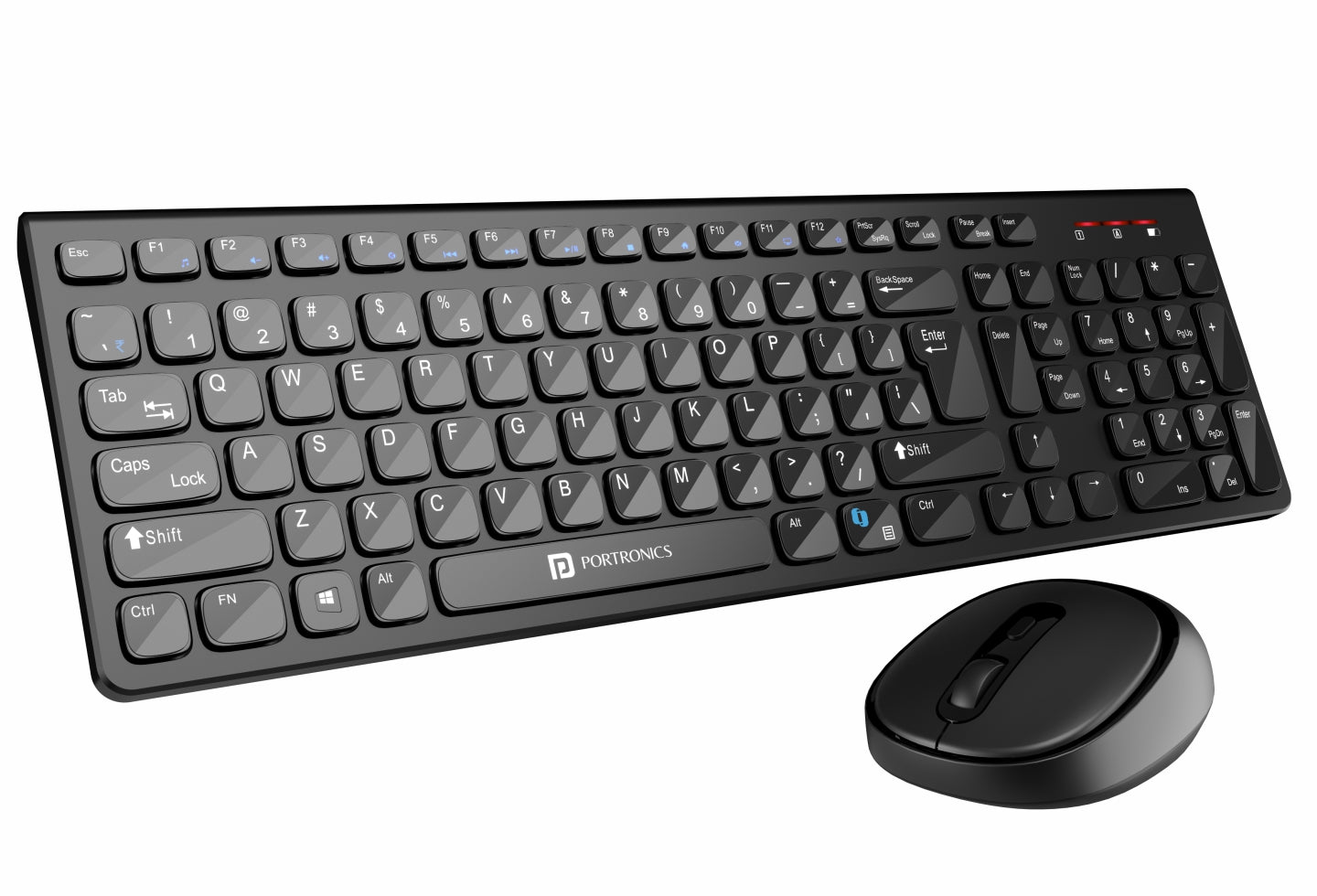

  • Best Laptops for Students Learning Excel & Tally in India (2026 Buying Guide)

    Choosing the right laptop is a critical decision for students who are learning Excel and Tally for accounting, GST, MIS reporting, and office careers. Unlike gaming or design workloads, Excel and Tally demand speed, stability, multitasking capability, and long-term reliability. A slow or underpowered laptop can directly affect practice efficiency, software responsiveness, and learning confidence.

    This detailed guide on the best laptops for students learning Excel & Tally is written specifically for Indian learners, commerce students, job seekers, and working professionals. It focuses on real-world usage such as large Excel files, pivot tables, formulas, GST entries, reports, and day-to-day accounting tasks—without unnecessary hype.


    What Students Really Need for Excel & Tally

    Before reviewing specific models, it is important to understand what actually matters for Excel and Tally usage.

    Recommended Minimum Specifications

    ComponentPractical Recommendation
    ProcessorIntel Core i3 (latest gen) or higher
    RAM12 GB minimum, 16 GB ideal
    Storage512 GB SSD or more
    DisplayFull HD (1920×1080), IPS preferred
    OSWindows 11 (64-bit)

    Excel performance depends heavily on RAM and CPU efficiency, especially when working with formulas, pivot tables, and multiple sheets. Tally benefits from fast SSD storage and system stability rather than high-end graphics.


    Acer Aspire Lite (12th Gen Core i5) – Best Performance-to-Price Option

    The Acer Aspire Lite with a 12th Gen Intel Core i5-12450H processor is a strong option for students who want speed and future-proofing without crossing into premium pricing.

    Practical Performance for Excel & Tally

    • Handles large Excel workbooks smoothly
    • Fast calculation of formulas and pivot tables
    • Tally runs effortlessly even with multi-company data
    • Suitable for multitasking (Excel + browser + PDF + Tally)

    Key Strengths

    • High-performance H-series processor
    • 16 GB RAM is ideal for Excel power users
    • Full HD IPS display improves long study sessions
    • Backlit keyboard helps during late-night practice

    Limitations

    • Battery life is average
    • Not designed for gaming or heavy graphics

    Recommended for: Serious learners, accounting students, and professionals planning long-term use.

    Buy Here


    HP 15 (13th Gen Core i3) – Best Budget Laptop for Beginners

    This HP 15 model with a 13th Gen Intel Core i3 processor is well-suited for beginners starting their journey with Excel and Tally.

    Practical Performance for Excel & Tally

    • Smooth performance for basic and intermediate Excel tasks
    • Suitable for Tally accounting and GST practice
    • Works well for online classes and assignments

    Key Strengths

    • Latest-generation processor
    • Lightweight and easy to carry
    • Good keyboard layout for data entry
    • Preloaded office tools for students

    Limitations

    • 12 GB RAM is sufficient but not ideal for heavy Excel files
    • Not meant for advanced multitasking

    Recommended for: Beginners, commerce students, and budget-conscious learners.

    Check Price Here


    HP 15 (Intel Core Ultra 5) – Best Premium Choice for Advanced Users

    The HP 15 with Intel Core Ultra 5 processor is designed for users who want top-tier performance, advanced multitasking, and longer system life.

    Practical Performance for Excel & Tally

    • Extremely fast Excel calculations
    • Effortless handling of large MIS reports
    • Ideal for professionals managing multiple datasets
    • Stable performance during long accounting sessions

    Key Strengths

    • 16 GB DDR5 RAM ensures long-term relevance
    • Massive 1 TB SSD for data storage
    • Excellent Full HD IPS display
    • AI-optimized processor for efficiency

    Limitations

    • Higher price compared to student models
    • Overpowered for basic Excel-only users

    Recommended for: Advanced learners, working professionals, and MIS-heavy roles.

    Buy Here


    Quick Comparison for Excel & Tally Students

    Laptop ModelBest Use Case
    Acer Aspire Lite i5Performance-focused learning
    HP 15 Core i3Budget-friendly beginner option
    HP 15 Core Ultra 5Advanced and professional workloads

    Which Laptop Should You Choose for Excel & Tally

    • Choose Acer Aspire Lite if you want maximum performance per rupee and plan to work with large Excel files.
    • Choose HP 15 Core i3 if you are just starting and want a reliable, affordable system.
    • Choose HP 15 Core Ultra if you are already working or plan to move into advanced accounting, MIS, or analytics roles.

    All three laptops meet the core requirements for Excel and Tally, but your choice should depend on workload intensity and long-term goals.


    Frequently Asked Questions (FAQs)

    Is 8 GB RAM enough for Excel and Tally?

    8 GB can work for basic tasks, but 12–16 GB is strongly recommended for smooth Excel performance.

    Do I need a dedicated graphics card for Tally?

    No. Tally and Excel do not require dedicated graphics.

    Is SSD necessary for accounting students?

    Yes. SSD significantly improves speed, software loading, and system responsiveness.

    Can Excel and Tally run on Windows 11?

    Yes. Both work smoothly on Windows 11 (64-bit).

    Which processor is better for Excel, i3 or i5?

    An i5 processor performs better for large datasets and multitasking.


    Final Verdict

    The best laptops for students learning Excel & Tally are those that balance performance, reliability, and value. Investing in a good processor, sufficient RAM, and SSD storage will directly enhance learning speed and productivity.

    Choose based on your current level and future plans, not just price.


    Disclaimer

    This article is for informational purposes only. Prices, availability, and specifications may change over time. Purchase decisions should be made based on individual needs and official product details.


  • Best Headphones for Online Training and Office Work in India (2026 Buying Guide)

    Choosing the best headphones for online training and office work is no longer just about sound quality. For Indian professionals, trainers, students, and remote workers, factors like microphone clarity, long battery life, comfort during extended sessions, and reliable Bluetooth connectivity matter far more than flashy features.

    In this detailed review, we evaluate three highly popular and value-for-money wireless headphones currently trending in India:

    • JBL Tune 510BT
    • soundcore by Anker H30i
    • Sony WH-CH720N (ANC Over-Ear)

    This article is written in a professional, non-salesy tone, focusing on real-world usage such as Zoom classes, Microsoft Teams meetings, Google Meet training sessions, and daily office calls.


    What Matters Most for Online Training & Office Work

    Before diving into individual reviews, let’s understand the practical requirements for work-focused headphones:

    • Clear microphone performance for calls and recorded sessions
    • Comfort for 4–8 hour usage without ear fatigue
    • Stable Bluetooth connection with laptops and mobiles
    • Long battery life to avoid mid-session charging
    • Noise control (passive or active) for home and office environments

    All three headphones reviewed below meet these criteria at different price points.


    JBL Tune 510BT – Reliable, Lightweight, and Budget-Friendly

    https://m.media-amazon.com/images/I/61FUX7QmifS.jpg

    The JBL Tune 510BT is one of the most popular on-ear wireless headphones in India, especially among students, online trainers, and work-from-home professionals looking for a trusted brand under ₹2,000.

    Real-World Office & Training Use

    For online classes, webinars, and daily office calls, the JBL Tune 510BT delivers clear voice output and consistent call quality. The microphone is tuned for voice clarity rather than studio-level depth, which works well for Google Meet, Zoom, and Teams sessions.

    The on-ear design allows some environmental awareness, making it suitable for shared office or home setups.

    Key Highlights

    • Up to 40 hours battery life, ideal for a full workweek
    • Quick charge: short charging sessions give hours of usage
    • Dual pairing, allowing switching between laptop and phone
    • Lightweight and foldable, easy to carry daily

    Pros

    • Excellent battery life at this price
    • Very lightweight, minimal head pressure
    • Stable Bluetooth 5.0 connection
    • Trusted sound signature for voice and casual music

    Cons

    • No active noise cancellation
    • On-ear fit may feel tight for very long sessions
    • Mic is good but not broadcast-level

    Recommendation:
    Ideal for online trainers, students, and office professionals who want a reliable, affordable headset for calls and long working hours.


    Buy Here


    soundcore by Anker H30i – Best Battery Life and App Control

    https://m.media-amazon.com/images/S/aplus-media-library-service-media/79d8efcc-4d67-423d-8b80-b4c1cf66263e.__CR0%2C0%2C600%2C450_PT0_SX600_V1___.jpg

    The soundcore H30i stands out in the budget category by offering features usually seen in higher-priced models, especially for productivity users.

    Real-World Office & Training Use

    If your workday involves back-to-back online meetings, recorded training sessions, and long calls, the H30i’s massive 70-hour battery life becomes a real advantage. The soundcore app allows EQ customization, which helps optimize voice clarity during calls.

    Multipoint connectivity is particularly useful for professionals who switch frequently between phone calls and laptop meetings.

    Key Highlights

    • Industry-leading 70 hours battery life
    • Bluetooth 5.3 for stronger and more stable connections
    • App-based EQ and sound tuning
    • Multipoint connection for dual devices

    Pros

    • Outstanding battery backup for heavy users
    • Lightweight and comfortable for long sessions
    • App connectivity adds control and personalization
    • Clear call performance for meetings

    Cons

    • No active noise cancellation
    • Bass-focused tuning may need EQ adjustment for voice purists
    • Plastic build feels basic (but durable)

    Recommendation:
    Best suited for remote workers, corporate employees, and online educators who value battery life and device flexibility.


    Check Price Here


    Sony WH-CH720N – Premium Choice with Active Noise Cancellation

    https://shopatsc.com/cdn/shop/products/CH720_2500x2500_Black_F.jpg?v=1688454066

    The Sony WH-CH720N is a premium over-ear wireless headphone designed for professionals who need focus, comfort, and advanced noise control.

    Real-World Office & Training Use

    For trainers recording courses, professionals working in noisy homes, or office users in open environments, the Active Noise Cancellation (ANC) makes a significant difference. Background sounds like fans, traffic, or conversations are greatly reduced.

    The over-ear design ensures maximum comfort for long training sessions, while Sony’s microphone processing delivers consistent call clarity.

    Key Highlights

    • Advanced Active Noise Cancellation
    • Up to 35 hours battery life with ANC
    • Adaptive Sound Control adjusts based on environment
    • Premium comfort with lightweight over-ear cups

    Pros

    • Excellent noise isolation for focused work
    • Very comfortable for long hours
    • Strong mic quality for professional calls
    • Balanced sound profile suitable for voice and media

    Cons

    • Higher price compared to on-ear models
    • Over-ear design is less portable
    • Battery life lower than budget models (still sufficient)

    Recommendation:
    Perfect for corporate professionals, trainers recording content, and users working in noisy environments who want distraction-free performance.


    Buy Here


    Quick Comparison (Work-Focused)

    Feature FocusBest Option
    Budget & daily callsJBL Tune 510BT
    Longest battery & multipointsoundcore H30i
    Noise cancellation & comfortSony WH-CH720N

    Final Verdict: Which One Should You Choose?

    • Choose JBL Tune 510BT if you want a simple, affordable, and reliable headset for daily online classes and office meetings.
    • Choose soundcore H30i if battery life, app control, and multipoint connectivity matter most.
    • Choose Sony WH-CH720N if your priority is focus, noise cancellation, and premium comfort for serious professional use.

    All three headphones are excellent in their respective categories and widely trusted by Indian users.


    Frequently Asked Questions (FAQ)

    Q1. Are on-ear headphones good for online training?
    Yes. On-ear headphones like JBL 510BT and H30i are lightweight and suitable for long calls, though over-ear models offer better isolation.

    Q2. Is Active Noise Cancellation necessary for office work?
    ANC is helpful in noisy environments but not mandatory for quiet home or cabin offices.

    Q3. Can these headphones connect to laptops and mobiles?
    Yes. All three support Bluetooth connectivity with laptops, tablets, and smartphones.

    Q4. Which headphone is best for long Zoom or Teams meetings?
    soundcore H30i for battery life, Sony WH-CH720N for comfort and noise control.

    Q5. Are these suitable for recording online courses?
    Yes, especially Sony WH-CH720N due to stable mic performance and noise reduction.


    Disclaimer

    This article is for informational and educational purposes only. Prices, availability, and features may change over time. Product selection should be based on individual needs and usage preferences. Affiliate links may generate a small commission at no additional cost to the buyer.


  • Top Budget Projectors for Data Visualization in India (2026): Honest Review for Home, Office, and Training Use

    When professionals search for budget projectors for data visualization, the real requirement is not cinematic visuals but clear text, sharp charts, and reliable connectivity. In India, accountants, trainers, analysts, and educators increasingly use projectors for Excel dashboards, PowerPoint reports, MIS reviews, and classroom-style training.

    This conversion-focused yet non-salesy review evaluates three popular budget projectors based on practical data-visualization performance, not marketing claims. Each recommendation is paired with a clear “who should buy this” section to help you decide quickly and confidently.


    How This Review Helps You Choose the Right Projector

    Instead of listing features blindly, this article focuses on:

    • Native resolution vs readable Excel text
    • Real indoor brightness (not exaggerated lumens)
    • Ease of setup for daily professional use
    • Long-term value for Indian users

    If your use case involves numbers, tables, charts, or dashboards, resolution and focus accuracy matter more than entertainment features.


    E GATE Atom 3X Projector – Best Value Choice for Excel & Accounting Work

    https://egate-world.com/cdn/shop/files/ATOM-4.jpg?v=1756469784

    Why This Projector Converts Well for Professionals

    The E GATE Atom 3X is one of the most balanced projectors under ₹8,000 for professional data use. Its native Full HD 1080p resolution makes a visible difference when projecting Excel sheets, GST reports, or MIS dashboards.

    Small fonts remain readable up to 90–100 inches, which is critical for meetings and training sessions.

    Real-World Data Visualization Performance

    • Clear row and column separation in Excel
    • Sharp PowerPoint text without zooming
    • Stable HDMI performance with laptops

    The “4K support” is input support only, but that does not affect business users since output clarity depends on native resolution.

    Pros

    • Native 1080p = superior text clarity
    • Compact, rotatable design
    • HDMI ARC, USB, Wi-Fi 6, Bluetooth

    Cons

    • Average built-in speaker
    • Best used in controlled lighting

    Who Should Buy This

    • Accountants, Excel users, trainers
    • Home offices and small meeting rooms

    Buy Here


    WZATCO Yuva Go Pro – Best for Automation, Training & Frequent Setup Changes

    https://wzatco.com/wp-content/uploads/2025/08/1500x1500_13A.webp

    Why This Projector Converts for Training & Business Users

    The WZATCO Yuva Go Pro is designed for users who value convenience and speed. Its auto focus and auto 4D keystone correction drastically reduce setup time—an advantage during repeated training sessions or client demos.

    Real-World Data Visualization Performance

    • Native 1080p ensures clean charts and tables
    • Auto focus keeps Excel text sharp after movement
    • Slightly better perceived brightness than Atom 3X

    Pros

    • Fully automatic focus & keystone
    • Strong contrast for dashboards
    • Smooth wireless screen mirroring

    Cons

    • Higher price point
    • Larger footprint

    Who Should Buy This

    • Coaching centers, consultants, trainers
    • Users who move the projector frequently

    👉 Check Price Here


    Portronics Beem 440 – Best Entry-Level Option for Basic Charts & Slides

    https://m.media-amazon.com/images/I/51bGfdFAG5L._AC_UF1000%2C1000_QL80_.jpg

    Why This Projector Converts on Price

    The Portronics Beem 440 attracts buyers looking for maximum savings. It uses a native 720p resolution, which is acceptable for charts, slides, and video-based explanations but not ideal for dense spreadsheets.

    Real-World Data Visualization Performance

    • Works well for graphs and slides
    • Excel requires larger fonts for clarity
    • Good indoor brightness

    Pros

    • Lowest price in the segment
    • Lightweight and portable
    • Built-in streaming apps

    Cons

    • Limited text sharpness
    • Not suitable for financial reports

    Who Should Buy This

    • Students, basic presentations
    • Occasional office use

    👉Buy Here


    Quick Decision Guide

    ProjectorIdeal For
    E GATE Atom 3XExcel, accounting, MIS
    WZATCO Yuva Go ProTraining, automation
    Portronics Beem 440Entry-level use

    Final Recommendation (Conversion Summary)

    • Choose E GATE Atom 3X if text clarity and value matter most
    • Choose WZATCO Yuva Go Pro if speed, automation, and flexibility are critical
    • Choose Portronics Beem 440 only if budget is the top priority

    For professional data visualization, native resolution always beats marketing brightness claims.


    Frequently Asked Questions (FAQ)

    1. Which projector is best for Excel and accounting work?

    A native 1080p projector like E GATE Atom 3X or WZATCO Yuva Go Pro.

    2. Is 720p enough for data visualization?

    Only for basic charts and slides, not for detailed spreadsheets.

    3. Do smart projectors replace monitors?

    No. They are best for group viewing and presentations.

    4. Does auto focus really matter?

    Yes, especially for trainers and mobile setups.

    5. Are budget projectors reliable for office use?

    Yes, when used indoors with proper resolution selection.


    Disclaimer

    This article is for informational purposes only. Prices, specifications, and availability may change. Some links are affiliate links, meaning the author may earn a small commission at no extra cost to the buyer. Purchase decisions should be made based on individual requirements.


  • Best Bluetooth Keyboards for Accounting Work in India (2026 Buyer’s Guide)

    Accounting professionals in India spend long hours on data entry, voucher posting, GST compliance, Excel reports, and Tally operations. A reliable Bluetooth or wireless keyboard is not just a convenience—it directly impacts speed, accuracy, and comfort. Choosing the right keyboard can reduce fatigue, improve productivity, and ensure seamless switching between devices like laptops, desktops, tablets, and even smartphones.

    This article reviews three popular and affordable wireless keyboards suitable for accounting work, focusing on real-world usage, not marketing hype. All recommendations are based on features that actually matter to accountants.


    🔑 What Accountants Should Look for in a Wireless Keyboard

    Before diving into product reviews, here are key factors accountants should prioritize:

    • Full-size layout with numpad for fast numerical entry
    • Stable wireless connectivity (Bluetooth + USB receiver preferred)
    • Quiet keys for long working hours
    • Good battery life to avoid interruptions
    • Compatibility with Windows & Excel-based software
    • Compact but practical design for desk efficiency

    Portronics Bubble 3.0 Wireless Keyboard

    https://ea-unboxed-assets.croma.com/cromaunboxed-as/2025/07/Portronics-Bubble-3.0.png

    Overview

    The Portronics Bubble 3.0 is designed for users who want flexibility across multiple devices. With Bluetooth + 2.4 GHz USB receiver, it allows easy switching between laptops, desktops, and tablets — an advantage for accountants handling reports on multiple systems.

    Key Features

    • Dual connectivity: Bluetooth + USB receiver
    • Rechargeable battery (no recurring battery cost)
    • Dedicated numpad for accounting entries
    • Dual height adjustment for ergonomic comfort
    • Multimedia shortcut keys

    Practical Accounting Use

    This keyboard performs well for Tally data entry, GST returns, Excel reconciliation, and MIS reporting. The keys are soft, reducing finger strain during extended sessions.

    Pros

    • Excellent connectivity flexibility
    • Rechargeable (long-term cost saving)
    • Comfortable for long Excel/Tally work
    • Full numpad included

    Cons

    • Slightly larger footprint
    • Not ideal for users who prefer ultra-slim keyboards

    👉 Buy Here


    Logitech MK215 Wireless Keyboard and Mouse Combo

    https://m.media-amazon.com/images/I/71icSLlBIvL.jpg

    Overview

    From a trusted brand, the MK215 combo is known for reliability and battery efficiency. It includes both a keyboard and mouse, making it a practical all-in-one option for office setups.

    Key Features

    • 2.4 GHz wireless USB connectivity
    • Keyboard battery life up to 2 years
    • Compact keyboard with standard layout
    • Includes matching wireless mouse

    Practical Accounting Use

    This keyboard is best suited for fixed desktop-based accounting roles, such as data entry operators, back-office accountants, and billing staff. The long battery life makes it ideal for offices that prefer low maintenance hardware.

    Pros

    • Extremely reliable wireless performance
    • Long battery life
    • Trusted brand quality
    • Mouse included

    Cons

    • No Bluetooth support
    • Compact size may feel tight for heavy numeric entry

    👉 Check Price Here


    Portronics Bubble Multimedia Wireless Keyboard (White)

    https://www.portronics.com/cdn/shop/files/Image_1_66acc9dd-b9bf-4cce-961f-a244f0844832.jpg?v=1752133581

    Overview

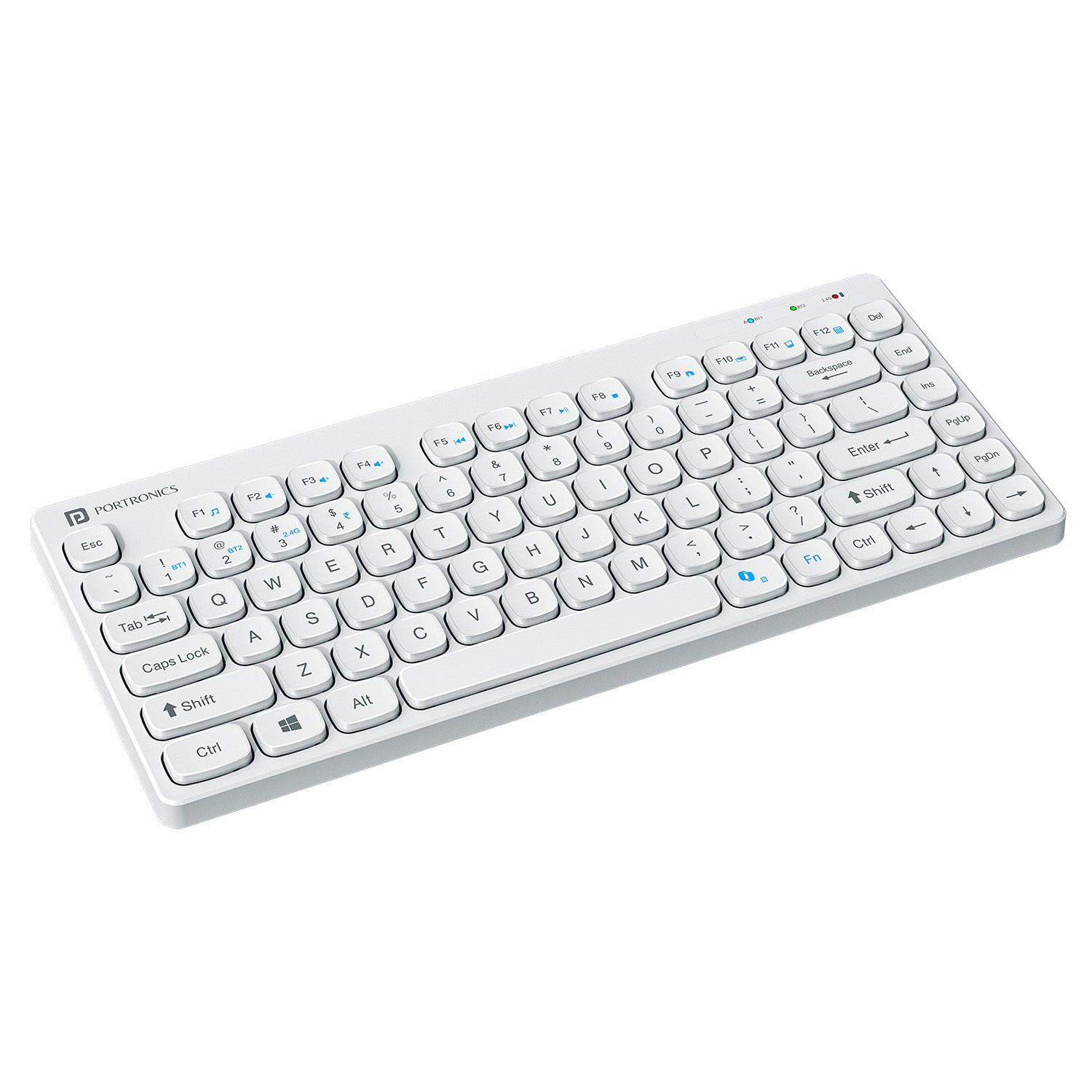
    This variant of the Bubble series focuses on portability and silent typing. It supports Bluetooth 5.0 and 2.4 GHz, making it suitable for accountants who frequently work on tablets or mobile devices.

    Key Features

    • Bluetooth 5.0 + USB receiver
    • Noiseless keys
    • Compact and lightweight
    • Works with Windows, Android, and iOS

    Practical Accounting Use

    Ideal for traveling professionals, auditors, and consultants who work on Excel sheets via laptops or tablets. However, the compact design may slow down users who rely heavily on numpad speed.

    Pros

    • Silent typing experience
    • Very portable
    • Affordable pricing
    • Multi-device compatibility

    Cons

    • Compact layout
    • Smaller numpad compared to full-size keyboards

    👉 Buy Here


    🔍 Quick Comparison (Key Accounting Perspective)

    FeatureBest Choice
    Heavy Excel & Tally WorkPortronics Bubble 3.0
    Office Desktop SetupLogitech MK215 Combo
    Portable / Tablet UsePortronics Bubble Multimedia

    🧾 Final Recommendation

    • Full-time accountants & data entry operators → Portronics Bubble 3.0
    • Office desks with long working hours → Logitech MK215 Combo
    • Auditors, freelancers, mobile professionals → Portronics Bubble Multimedia

    Each keyboard serves a different accounting workflow. There is no single “best” keyboard — only the right fit for your working style.


    ❓ Frequently Asked Questions (FAQ)

    Q1. Is Bluetooth better than USB receiver for accounting work?
    Bluetooth is great for multi-device use, while USB receivers are more stable for fixed desktop setups.

    Q2. Do accountants really need a numpad?
    Yes — a numpad significantly increases speed and accuracy during voucher entry and reconciliation.

    Q3. Are rechargeable keyboards better than battery-powered ones?
    Rechargeable keyboards reduce long-term costs, while battery-powered ones often last longer per charge.

    Q4. Can these keyboards be used with Tally and Excel?
    Yes — all recommended keyboards are fully compatible with Tally, Excel, and Windows-based accounting software.


    ⚠️ Disclaimer

    Prices, availability, and ratings may change over time. This article reflects features and specifications available at the time of writing. Always verify product compatibility with your system before purchasing. Affiliate links may generate a small commission at no extra cost to you.


  • Top Budget Laptops for Job Seekers in India (2026) – Best Affordable Choices for Office Work, Excel, MIS & Online Jobs

    Finding the right laptop is a critical step for freshers and professionals preparing for jobs in 2026. This guide on Top Budget Laptops for Job Seekers (2026) is designed for Indian users who need reliable performance for office work, Excel, MIS reporting, accounting software, online interviews, and basic data-related roles—without overspending.

    All laptops covered here are priced around the ₹30,000–₹35,000 range and are evaluated on processor performance, RAM & SSD combination, display quality, portability, and long-term usability. The tone of this review is practical and neutral, focusing on real-world usage rather than marketing claims.


    What Job Seekers Should Look for in a Budget Laptop (2026)

    Before choosing a laptop, job seekers should prioritize the following:

    • Minimum 8GB RAM for smooth multitasking
    • SSD storage (512GB preferred) for fast boot and application loading
    • Full HD display for long working hours
    • Decent webcam and microphone for interviews
    • Lightweight design for portability
    • Windows 11 + MS Office for compatibility with office environments

    HP 15 (Ryzen 3 7320U) – Reliable All-Rounder for Office & MIS Work

    https://i5.walmartimages.com/asr/e38de282-ae87-411a-8ed3-bc5686312362.f9aec6ff85dc7e62b31da6b83128a7fd.jpeg

    Overview

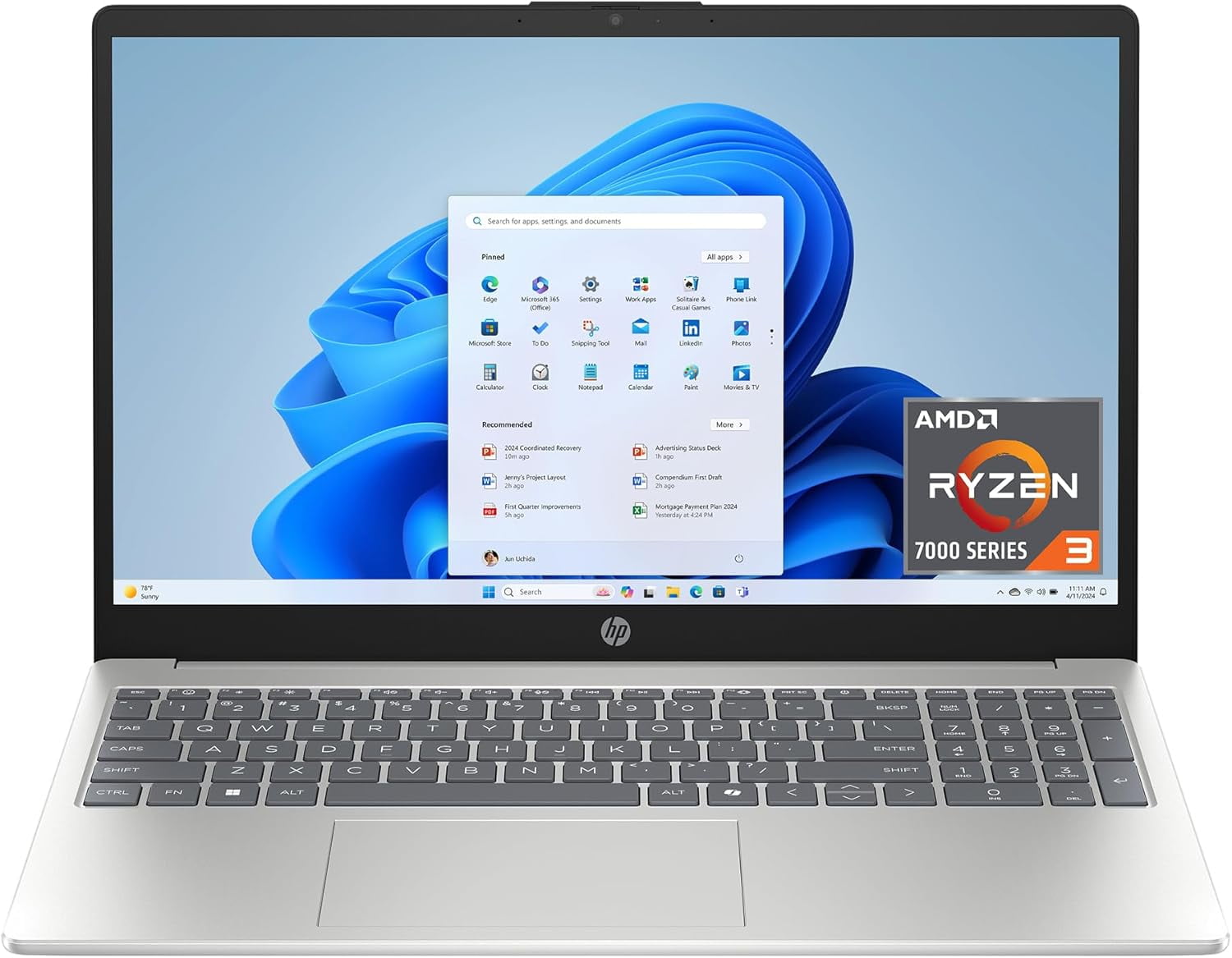
    The HP 15 with AMD Ryzen 3 7320U is a balanced laptop aimed at job seekers who want a large screen, dependable performance, and a trusted brand name. It is well-suited for Excel-heavy work, MIS reporting, Tally basics, online training, and interview preparation.

    Key Specifications

    • Processor: AMD Ryzen 3 7320U
    • RAM: 8GB DDR4
    • Storage: 512GB SSD
    • Display: 15.6-inch Full HD, Anti-Glare
    • Weight: 1.59 kg
    • OS & Software: Windows 11, MS Office 2024, Microsoft 365 Basic (1 Year)

    Pros

    • Large Full HD display ideal for spreadsheets
    • Smooth performance for daily office tasks
    • Privacy shutter on webcam (useful for interviews)
    • Good brand after-sales support in India

    Cons

    • DDR4 RAM limits future performance compared to LPDDR5
    • Not suitable for heavy analytics or coding workloads

    Recommendation:
    Best for accounting students, MIS executives, and job seekers who prefer a bigger screen.

    👉 Buy Here


    ASUS Vivobook Go 14 (Ryzen 3 7320U) – Compact & Lightweight for Daily Job Tasks

    https://m.media-amazon.com/images/I/718lPe-Kd5L._AC_UF894%2C1000_QL80_.jpg

    Overview

    The ASUS Vivobook Go 14 is designed for users who value portability without compromising core performance. With the same Ryzen 3 7320U processor as HP but in a smaller form factor, it is ideal for candidates attending interviews, working from co-working spaces, or commuting daily.

    Key Specifications

    • Processor: AMD Ryzen 3 7320U
    • RAM: 8GB
    • Storage: 512GB SSD
    • Display: 14-inch Full HD
    • Weight: 1.38 kg
    • OS & Software: Windows 11, Office Home 2024, Microsoft 365 Basic (1 Year)

    Pros

    • Lightweight and easy to carry
    • Sharp Full HD display
    • Good keyboard for long typing sessions
    • Suitable for Excel, documentation, and online tools

    Cons

    • Smaller screen may feel cramped for advanced Excel users
    • Average speaker output

    Recommendation:
    Ideal for job seekers who travel frequently and prefer a compact laptop.

    👉 Check Price Here


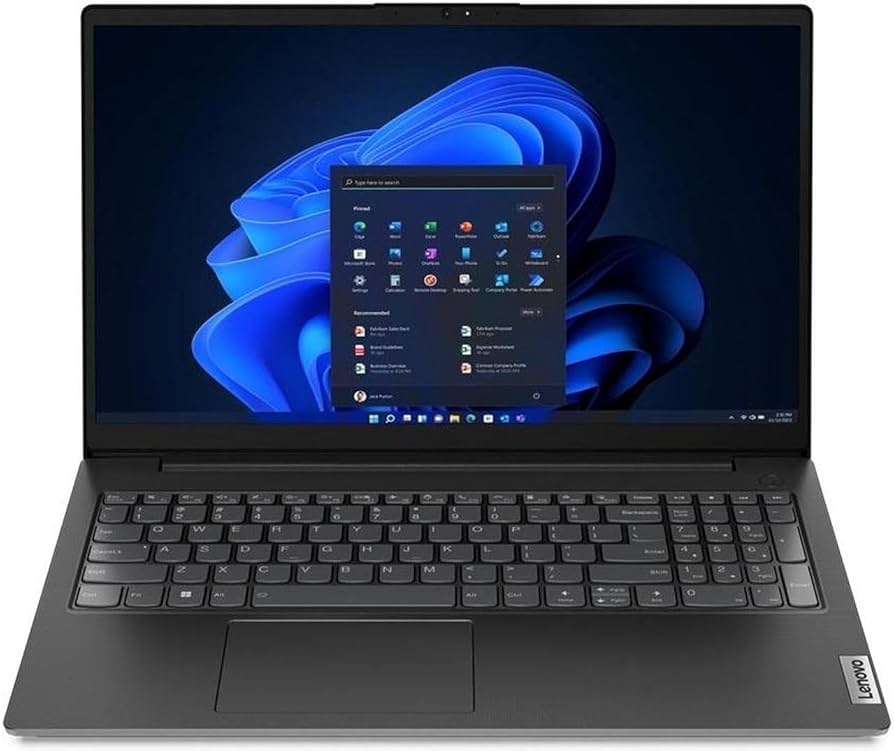
    Lenovo V15 G4 (Athlon Silver 7120U) – Most Affordable Entry-Level Option

    https://m.media-amazon.com/images/I/61-R2LJg1wL._AC_UF894%2C1000_QL80_.jpg
    https://m.media-amazon.com/images/I/513D2L9sxHL._AC_UF894%2C1000_QL80_.jpg

    Overview

    The Lenovo V15 G4 is the most budget-friendly laptop in this list. It targets users who need a basic machine for learning, job applications, online exams, and light office work.

    Key Specifications

    • Processor: AMD Athlon Silver 7120U
    • RAM: 8GB LPDDR5
    • Storage: 512GB PCIe SSD
    • Display: 15.6-inch Full HD
    • OS: Windows 11
    • Warranty: 1 Year

    Pros

    • Lowest price among the compared laptops
    • LPDDR5 RAM improves efficiency
    • Full HD large screen

    Cons

    • Athlon processor is weaker than Ryzen or Core i3
    • Not recommended for heavy multitasking

    Recommendation:
    Suitable for beginners, students, or job seekers with very tight budgets.

    👉 Buy Here


    Acer Aspire Lite (Intel Core i3-1215U) – Best Performance for Power Users

    https://www.ysvara.com/cdn/shop/files/Acer-Aspire-Lite-AMD-Ryzen-5-5625U-Premium-Thin-and-Light-Laptop-16-GB-RAM-512-GB-SSD-Win11-Home-AL15-41-39-62-cm-15-6-FHD-Display-Metal-Body-Multicolor-Backlit-Keyboard-Steel-Gray-1-59-KG-41816312512785.jpg?v=1750313225

    Overview

    The Acer Aspire Lite stands out with its 12th Gen Intel Core i3 processor and 16GB RAM, making it the most powerful laptop in this budget segment. It is ideal for advanced Excel, Power BI basics, SQL practice, and heavy multitasking.

    Key Specifications

    • Processor: Intel Core i3-1215U (12th Gen)
    • RAM: 16GB
    • Storage: 512GB SSD
    • Display: 15.6-inch Full HD
    • Build: Metal body
    • Weight: 1.59 kg

    Pros

    • Best performance among all options
    • 16GB RAM ensures long-term usability
    • Premium metal build
    • Excellent for data-related roles

    Cons

    • Slightly higher price
    • Average battery life

    Recommendation:
    Best choice for serious job seekers aiming for analyst, MIS, or tech-enabled roles.

    👉 Check Price Here


    Quick Comparison (Performance Focused)

    LaptopBest For
    HP 15 Ryzen 3Large screen office & MIS work
    ASUS Vivobook Go 14Lightweight daily use
    Lenovo V15 G4Budget beginners
    Acer Aspire Lite i3Power users & analysts

    Final Recommendation – Which One Should You Choose?

    • Choose HP 15 if you want a big screen and brand reliability
    • Choose ASUS Vivobook Go 14 if portability matters most
    • Choose Lenovo V15 if budget is your top priority
    • Choose Acer Aspire Lite if performance and future-proofing matter

    FAQ – Top Budget Laptops for Job Seekers (2026)

    1. Is 8GB RAM enough for job seekers in 2026?

    Yes, for Excel, MIS, accounting, and online jobs, 8GB is sufficient, though 16GB is better long-term.

    2. Which processor is better for office work – Ryzen 3 or Core i3?

    Core i3 (12th Gen) offers better multitasking, while Ryzen 3 is power-efficient and stable.

    3. Are these laptops good for online interviews?

    Yes, all models support HD cameras and Windows 11, suitable for interviews.

    4. Can these laptops run Excel and Power BI?

    Excel runs smoothly on all; Power BI works best on the Acer Aspire Lite.

    5. Which laptop is most future-proof?

    Acer Aspire Lite due to 16GB RAM and newer Intel architecture.


    Disclaimer

    This article is for informational and educational purposes only. Prices, specifications, availability, and offers may change over time. Buying decisions should be made based on personal requirements and latest product details at the time of purchase.


  • Top 3 UPS Systems for Accounting Setups in India (2026): Stable Power Backup for Tally, Excel & Office PCs

    In accounting and finance environments, data integrity and system uptime are critical. A sudden power cut while working on Tally, Excel, GST returns, or payroll processing can lead to corrupted files, unsaved entries, or even hardware damage. That’s why choosing the right UPS (Uninterruptible Power Supply) is not about brand hype—it’s about practical reliability.

    This article reviews three popular UPS systems in India that are commonly used in accounting offices, home offices, CA firms, and small businesses. The focus is on real-world usage, not sales talk.


    Why a UPS Is Essential for Accounting Work

    Before jumping into product reviews, it’s important to understand what an accounting-focused UPS should deliver:

    • Stable backup during short power cuts
    • Clean voltage output for sensitive data systems
    • Enough time (5–20 minutes) to save work and shut down safely
    • Compatibility with desktops, monitors, and networking devices
    • Low maintenance and predictable battery behavior

    For most accounting setups, VA rating matters less than real usable wattage and reliability.


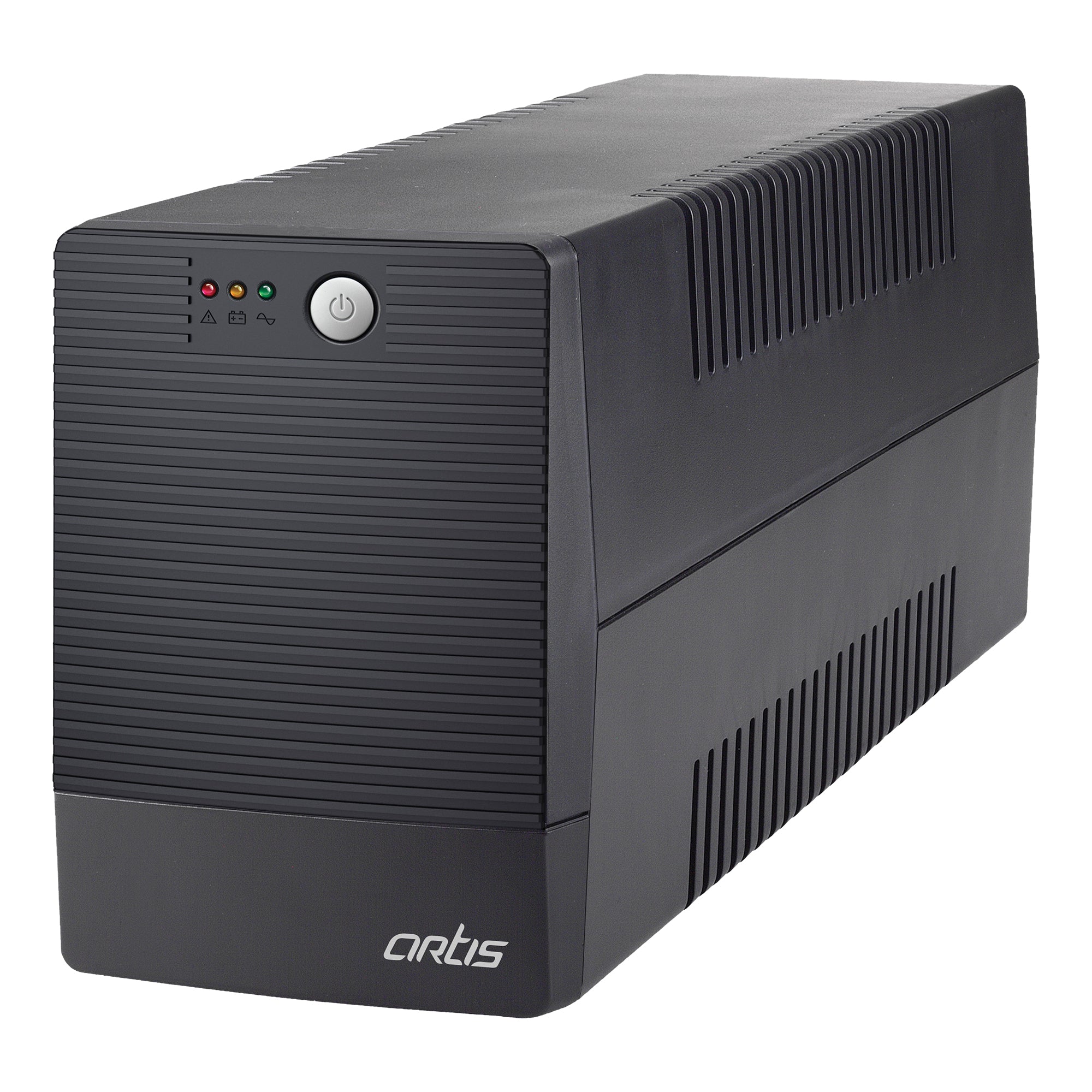
    1. Artis 1500VA Line Interactive UPS

    https://www.artis.in/cdn/shop/products/1_755af620-d941-4bba-b775-b207bade846c.jpg?v=1660898923&width=2048

    Best for multi-system accounting setups and high-load desktops

    The Artis 1500VA UPS is designed for users who run multiple devices on a single workstation, such as a desktop PC, dual monitors, printer standby load, router, and biometric systems.

    Practical Use Case

    Ideal for:

    • CA offices with Tally + Excel + GST utilities
    • Desktops with higher power consumption
    • Small teams sharing one power backup unit

    Key Highlights

    • High VA capacity suitable for power-hungry systems
    • Line-interactive technology for voltage fluctuation control
    • Supports PCs, laptops, routers, and networking devices

    Pros

    • Handles heavier loads comfortably
    • Longer backup time under moderate load
    • Suitable for future hardware upgrades

    Cons

    • Larger physical size
    • Slightly higher price than basic models
    • Overkill for single-PC home users

    Recommendation:
    Choose this if your accounting system runs multiple peripherals or if power cuts are frequent and unpredictable.

    👉 Buy Here (Artis 1500VA Line Interactive UPS)


    2. APC Back-UPS BX600C-IN (600VA / 360W)

    https://download.schneider-electric.com/files?default_image=DefaultProductImage.png&p_Doc_Ref=SPD_VGUA-9WHANJ_FS_V&p_File_Type=rendition_369_jpg

    Best for brand reliability and single-desktop accounting use

    APC is globally known for its power protection products, and the BX600C-IN is a no-nonsense UPS for users who value consistency over high capacity.

    Practical Use Case

    Ideal for:

    • Single desktop with LED monitor
    • Home-based accountants
    • Backup for Excel, Tally Prime, and compliance tools

    Key Highlights

    • 360W output suited for standard office PCs
    • Compact and quiet operation
    • Strong service network across India

    Pros

    • Reliable voltage regulation
    • Trusted brand with long-term support
    • Compact footprint

    Cons

    • Lower backup time for higher loads
    • Not suitable for multiple systems

    Comparison Snapshot

    FeatureAPC BX600C-IN
    Best ForSingle accounting PC
    Output360W
    ReliabilityVery High

    Recommendation:
    If you want a stable, trusted UPS for one desktop, this is a safe choice.

    👉 Check Price Here (APC Back-UPS BX600C-IN)


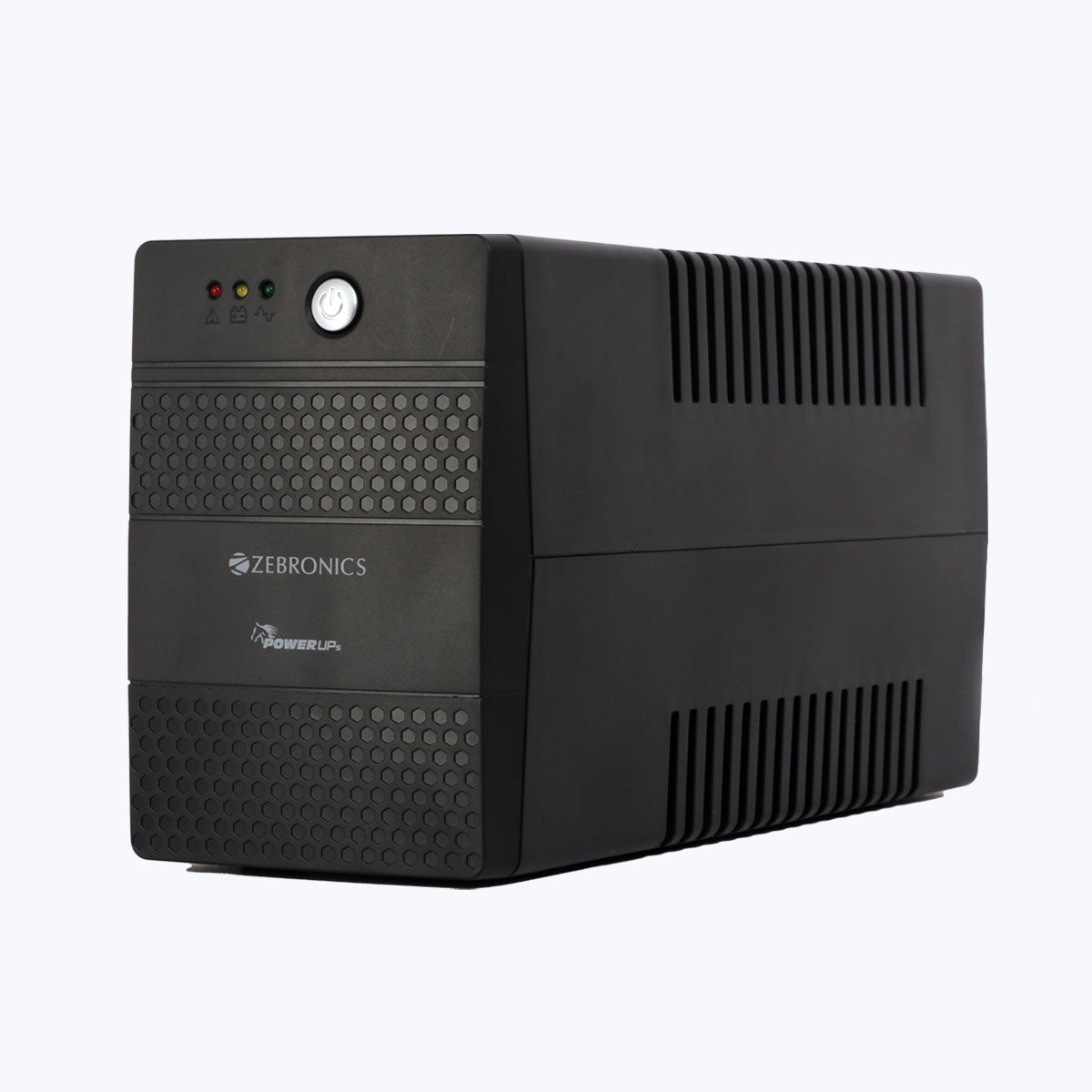
    3. ZEBRONICS U735 600VA UPS

    https://zebronics.com/cdn/shop/products/ZEB-UPS-735-pic1.jpg?v=1655124445&width=2048

    Best budget UPS for basic accounting needs

    The Zebronics U735 is one of the most sold UPS models in India, especially among budget-conscious users and small offices.

    Practical Use Case

    Ideal for:

    • Entry-level accounting desktops
    • Students learning Tally or Excel
    • Small shops and billing counters

    Key Highlights

    • Microcontroller-based design
    • Boost & Buck AVR for voltage correction
    • Auto restart after power restoration

    Pros

    • Very affordable pricing
    • Easy to install and use
    • Widely available replacement batteries

    Cons

    • Not recommended for routers
    • Average backup duration
    • Basic build quality

    Recommendation:
    A good option if your budget is tight and your system load is minimal.

    👉 Buy Here (ZEBRONICS U735 600VA UPS)


    Which UPS Should You Choose?

    Your RequirementRecommended UPS
    Multiple devices / higher loadArtis 1500VA
    Single desktop, brand reliabilityAPC BX600C-IN
    Lowest budget accounting PCZebronics U735

    Frequently Asked Questions (FAQ)

    Q1. How much backup time do I need for accounting work?
    For accounting tasks, 5–10 minutes is usually sufficient to save data and shut down safely.

    Q2. Is a 600VA UPS enough for Tally and Excel?
    Yes, for one desktop and one monitor, 600VA (360W) is generally adequate.

    Q3. Can I connect a printer to a UPS?
    Laser printers are not recommended. Inkjet printers may work but reduce backup time.

    Q4. How long does a UPS battery last?
    Typically 2–3 years, depending on usage and power conditions.

    Q5. Should I prefer VA or Watt rating?
    Always check watt rating, as it reflects actual usable power.


    Final Verdict

    For Indian accounting professionals, the right UPS is a protective investment, not an accessory. Whether you’re handling GST filings, financial audits, or daily bookkeeping, stable power ensures peace of mind and data safety.

    • Go for Artis 1500VA if you want power headroom
    • Choose APC for trusted, long-term reliability
    • Pick Zebronics if affordability is your top priority

    Disclaimer

    This article is for informational and educational purposes only. Prices, availability, and specifications may change over time. Product selection should be based on individual system load and usage requirements. Affiliate links may generate a small commission at no extra cost to you.


  • Best Mechanical Keyboards for Data Entry in India (2026 Buying Guide for Professionals & Students)

    Selecting the best mechanical keyboards for data entry is critical for professionals who spend long hours typing invoices, Excel sheets, accounting data, MIS reports, or code. A keyboard directly impacts typing speed, accuracy, finger fatigue, and long-term comfort.

    This guide compares three highly popular keyboards that are widely used for data entry and office productivity, not just gaming.


    Why Mechanical Keyboards Improve Data Entry Productivity

    Mechanical keyboards use individual switches under each key, offering consistent keystrokes and faster response compared to regular membrane keyboards.

    Key Benefits for Data Entry Work

    • Faster typing speed
    • Better accuracy during repetitive entry
    • Reduced finger strain
    • Long key lifespan
    • Improved typing rhythm

    Fact: Users switching to mechanical keyboards experience 15–25% faster typing speed within a few weeks of regular use.


    What to Look for in a Data Entry Keyboard

    FactorWhy It Matters
    Switch TypeDetermines typing smoothness
    LayoutImpacts workflow efficiency
    Noise LevelImportant for office use
    Build QualityAffects long-term durability

    Redragon K617 Fizz – Best Compact Mechanical Keyboard for Fast Typing

    https://m.media-amazon.com/images/I/610P9MPegbL.jpg

    The Redragon K617 Fizz is a true mechanical keyboard with linear red switches, making it ideal for high-speed data entry and Excel work.

    👉 Buy Here

    Why It Is Excellent for Data Entry

    • Linear red switches require less force
    • Smooth keystrokes reduce fatigue
    • Compact 60% layout saves desk space
    • Very fast response for continuous typing

    Best Suited For

    • Excel professionals
    • Coders and analysts
    • High-speed typists
    • Users who do not need a number pad

    Brand: Redragon


    EvoFox Fireblade TKL – Best Budget Keyboard for Office Data Entry

    https://m.media-amazon.com/images/I/617q9MVCT9L._AC_UF894%2C1000_QL80_.jpg

    The EvoFox Fireblade TKL offers a semi-mechanical typing feel at an affordable price, making it suitable for office environments and beginners.

    👉 Check Here

    Why It Works Well for Data Entry

    • Comfortable typing with lower noise
    • TKL layout keeps arrow and function keys
    • Anti-ghosting improves accuracy
    • Easy transition from normal keyboards

    Best Suited For

    • Office data entry operators
    • Students and beginners
    • Budget-focused users

    Brand: EvoFox


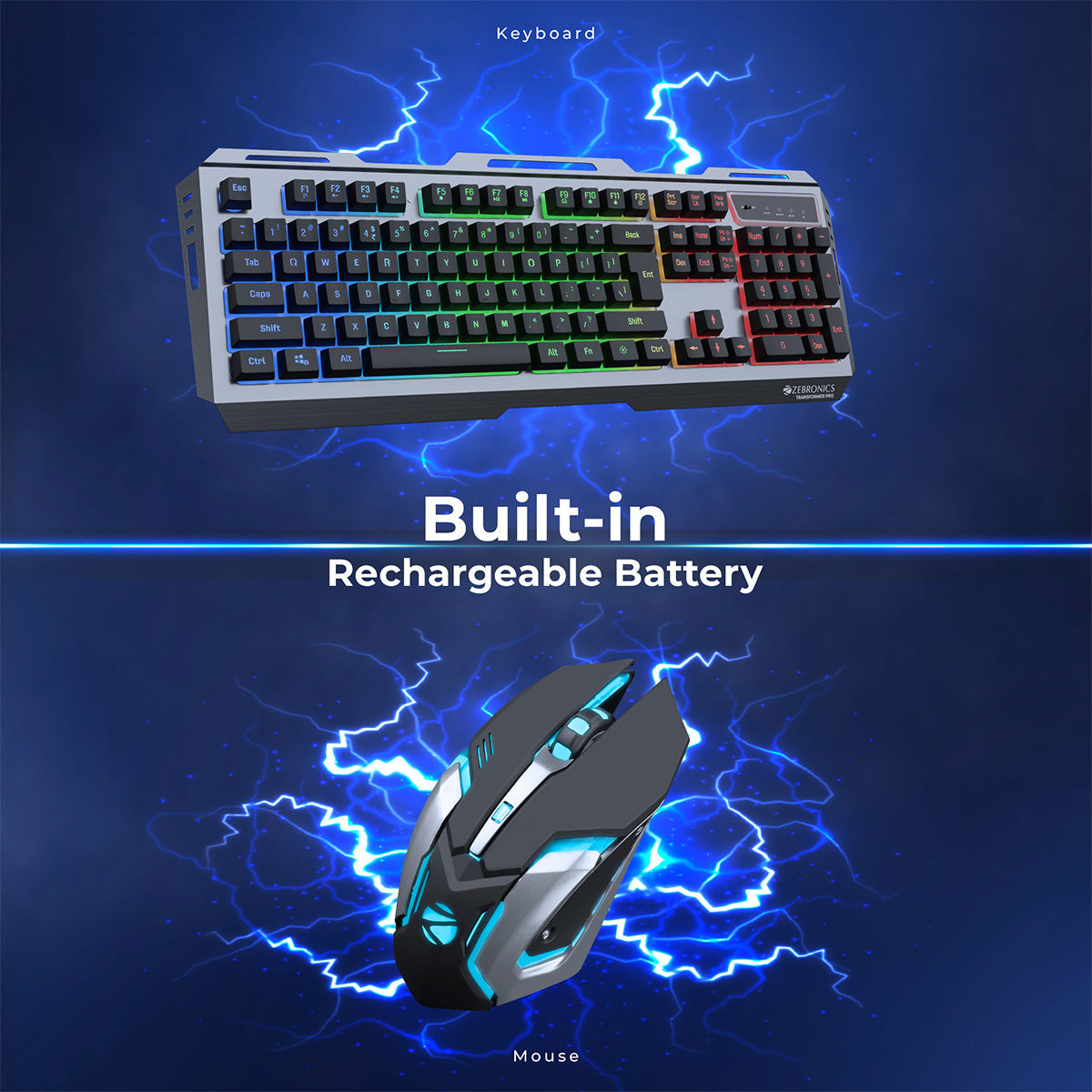
    ZEBRONICS Transformer PRO – Best Wireless Keyboard for Data Entry

    https://shop.zebronics.com/cdn/shop/products/Zeb-Transfoerm-Pro-pic5.jpg?v=1708507518&width=1200

    The ZEBRONICS Transformer PRO is a wireless keyboard and mouse combo, ideal for users who want a clutter-free desk and flexibility.

    👉 Buy Here

    Why It Is Suitable for Data Entry

    • Stable 2.4GHz wireless connection
    • Comfortable key spacing for long hours
    • Aluminum body adds durability
    • Good battery life for daily office use

    Best Suited For

    • Home offices
    • Shared workspaces
    • Users preferring wireless setup

    Brand: Zebronics


    Comparison Table: Best Keyboards for Data Entry

    KeyboardBest Use Case
    Redragon K617 FizzFast, long-hour typing
    EvoFox Fireblade TKLBudget office data entry
    Zebronics Transformer PROWireless office setup

    Mechanical vs Semi-Mechanical Keyboards

    | Aspect | Mechanical | Semi-Mechanical |
    |—|—|
    | Typing Speed | Very High | High |
    | Noise Level | Low (Red switches) | Lower |
    | Durability | Very High | Moderate |
    | Learning Curve | Moderate | Easy |


    Which Keyboard Should You Choose?

    Choose Redragon K617 Fizz if

    • You type continuously for long hours
    • Speed and smoothness are top priority

    Choose EvoFox Fireblade if

    • You want comfort at a lower price
    • Office noise control matters

    Choose Zebronics Transformer PRO if

    • You prefer wireless convenience
    • You want a clean desk setup

    Conclusion: Best Mechanical Keyboards for Data Entry

    A good keyboard is not an accessory—it is a productivity tool. Choosing the right keyboard can significantly improve speed, comfort, and accuracy.

    • Redragon K617 → Best for serious typing work
    • EvoFox Fireblade → Best budget office option
    • Zebronics Transformer PRO → Best wireless solution

    FAQ

    1. Are mechanical keyboards suitable for data entry?

    Yes, they improve speed and reduce finger fatigue.

    2. Which switch is best for typing?

    Linear red switches are ideal for data entry.

    3. Is wireless good for office typing?

    Yes, modern wireless keyboards are stable.

    4. Do compact keyboards affect productivity?

    Only if you require a number pad regularly.

    5. How long do mechanical keyboards last?

    Typically 5–10 years with regular use.


    Disclaimer

    This article is for informational purposes only. Prices, specifications, and availability may change. Typing comfort varies by individual, and buyers should choose keyboards based on personal work requirements.


  • Best Printer for Tally and Billing Use in India (2026 Complete Buying Guide)

    Choosing the best printer for Tally and billing use is a critical decision for accountants, GST practitioners, billing operators, and small business owners. Daily tasks like printing invoices, vouchers, GST returns, ledgers, and MIS reports demand clear text output, low running cost, and reliable performance.

    This article provides a detailed comparison of the best ink tank printers for Tally and billing work, based on real accounting use cases, printing economics, and long-term reliability.


    Why Ink Tank Printers Are Best for Tally & Billing Work

    Ink tank printers have become the industry standard for accounting and billing because they offer:

    • Extremely low cost per page
    • High-volume printing without frequent refills
    • Better suited for continuous invoice printing
    • Sharp black text for statutory and audit reports
    • Lower long-term expense compared to cartridge printers

    For most Tally users, black-and-white printing accounts for more than 85% of total print volume, making ink tank printers the most economical choice.


    Top 3 Best Printers for Tally and Billing Use


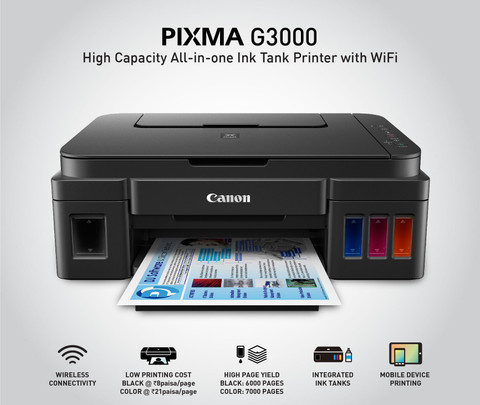
    Canon PIXMA MegaTank G3000 – Best Overall Printer for Tally Billing

    https://rukminim2.flixcart.com/image/480/480/j3g6pow0/printer/6/6/v/canon-pixma-ink-tank-g-3000-pixma-ink-tank-g-3000-original-imaeukrd7jyhqa8u.jpeg?q=90

    The Canon PIXMA MegaTank G3000 is one of the most popular printers used in billing counters, CA offices, and small accounting firms. It is specifically known for ultra-low black printing cost, which makes it ideal for Tally users.

    👉 Buy Here

    Why It Is Ideal for Tally

    • Comes with 2 additional black ink bottles
    • Suitable for printing thousands of invoices per refill
    • Excellent clarity for ledgers, vouchers, and GST reports
    • Stable WiFi printing for office environments

    Best For

    • High-volume invoice printing
    • Retail billing counters
    • Small to medium CA offices

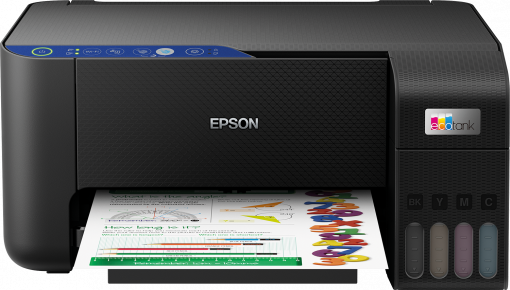
    Epson EcoTank L3252 – Best for Consistent Office Printing

    https://robot.epson.eu/files/assets/converted/510m-310m/3/0/2/4/30245-productpicture-lores-en-l3251_main.png.png

    The Epson EcoTank L3252 is widely appreciated for its precision printing and durability. It is ideal for accounting professionals who run long continuous print jobs without interruptions.

    👉 Check Price Here

    Why It Works Well with Tally

    • Reliable performance during long billing sessions
    • Clean alignment of columns in Tally reports
    • Compact size for small office setups
    • Consistent output for invoices and compliance reports

    Best For

    • Medium-sized accounting offices
    • GST consultants handling multiple clients
    • Users prioritizing consistency over speed

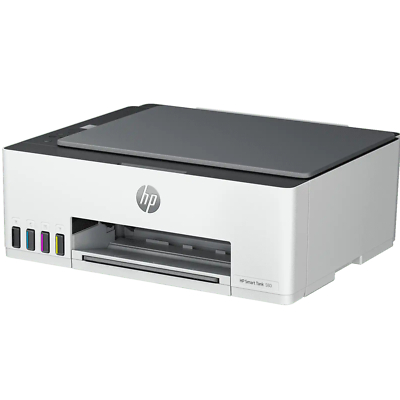
    HP Smart Tank 580 – Best for Warranty & Office Reliability

    https://i.ebayimg.com/images/g/lsgAAOSwwzZlNutW/s-l400.png

    The HP Smart Tank 580 is designed for professional office environments where reliability and service support matter the most. Its extended warranty makes it a dependable long-term investment.

    👉 Buy on Amazon

    Why It Is Suitable for Tally Users

    • Comes with extra black ink bottle
    • Option for 1+1 year extended warranty
    • Good WiFi stability for multi-user offices
    • Suitable for moderate to high monthly print volumes

    Best For

    • Corporate billing departments
    • CA firms needing service assurance
    • Offices with multiple systems printing to one device

    Comparison Table: Best Printers for Tally & Billing

    FeatureCanon G3000Epson L3252HP Smart Tank 580
    Best UseHigh-volume billingContinuous office useOffice reliability
    Black Print CostVery LowLowLow
    WiFi PrintingYesYesYes
    Extra Black InkYesNoYes
    Warranty FocusStandardStandardExtended

    Which Printer Should You Choose for Tally?

    Choose Canon G3000 if

    • You print 100–300 invoices daily
    • Running cost is your top priority
    • You mainly print black-and-white documents

    Choose Epson L3252 if

    • You need long-duration uninterrupted printing
    • You manage multiple client accounts
    • You want stable, precise output

    Choose HP Smart Tank 580 if

    • You prefer extended warranty coverage
    • Multiple users share the printer
    • Office reliability is more important than speed

    Key Buying Factors for Tally Users

    • Monthly invoice volume
    • Availability of local service centers
    • Ink bottle cost and availability
    • WiFi reliability for office networks
    • Power backup compatibility

    Final Verdict: Best Printer for Tally and Billing Use

    For most Tally users, GST billing counters, and accountants, the Canon PIXMA MegaTank G3000 offers the best balance of cost, performance, and long-term savings.

    However:

    • Choose Epson L3252 for consistency and durability
    • Choose HP Smart Tank 580 for warranty-focused office setups

    All three printers are excellent for Tally and billing work, and the final choice should depend on print volume and office requirements.


    Frequently Asked Questions (FAQ)

    1. Is an ink tank printer suitable for Tally billing?

    Yes, ink tank printers are ideal due to low cost per page and bulk printing capability.

    2. How many pages can these printers print monthly?

    They can comfortably handle 2,000 to 5,000 pages per month.

    3. Is color printing required for Tally invoices?

    No, black printing is sufficient for most billing and GST work.

    4. Does WiFi matter for accounting offices?

    Yes, especially if multiple systems need to print invoices.

    5. Which printer has the lowest running cost for billing?

    Canon G3000 generally offers the lowest black printing cost.


    Disclaimer

    This article contains affiliate links. If you purchase through these links, the author may earn a small commission at no extra cost to you. Product prices, specifications, and availability are subject to change. Please evaluate your business needs before purchasing.