Excel has become one of the most essential tools in modern workplaces. From finance and accounting to marketing and operations, professionals rely on spreadsheets for data analysis, reporting, and decision-making. Earning the Top 10 Certifications That Boost Excel Careers can significantly improve your job prospects, salary potential, and technical credibility in the competitive job market.
According to industry surveys, over 750 million people worldwide use Microsoft Excel, and nearly 80% of businesses depend on spreadsheets for daily operations. Despite its widespread use, many professionals only know basic Excel functions. Certifications help demonstrate advanced knowledge in areas like data analysis, automation, dashboards, and financial modeling.
This guide explains the top certifications that boost Excel careers, how they benefit professionals, and which certification might be best for your career goals.
Why Excel Certifications Matter for Career Growth
Excel certifications provide formal recognition of your spreadsheet expertise. While many people claim Excel knowledge on resumes, certified professionals can prove their skills with industry-recognized credentials.
Benefits of Excel certifications include:
- Increased job opportunities in data-related roles
- Higher salary potential in finance, analytics, and MIS jobs
- Recognition of advanced Excel techniques
- Better understanding of automation and reporting tools
- Competitive advantage in job interviews
In many organizations, roles like MIS Executive, Financial Analyst, Data Analyst, and Operations Analyst require advanced spreadsheet knowledge.
Research indicates that professionals with advanced Excel skills can earn 20% to 35% higher salaries compared to those with basic spreadsheet knowledge.
Top 10 Certifications That Boost Excel Careers
Below are the most recognized certifications that can strengthen your Excel expertise and career prospects.
Table: Top Excel Certifications
| Certification | Key Focus |
|---|---|
| Microsoft Office Specialist: Excel Associate | Core Excel skills and spreadsheet fundamentals |
| Microsoft Office Specialist: Excel Expert | Advanced formulas, PivotTables, and data analysis |
| Microsoft Certified: Data Analyst Associate | Excel integration with business intelligence tools |
| Financial Modeling Certification | Advanced Excel for financial analysis |
| Excel VBA and Macro Certification | Automation and programming within Excel |
| Business Analytics Certification | Data-driven decision-making using spreadsheets |
| Excel Dashboard and Reporting Certification | Interactive dashboards and reporting systems |
| Data Analysis Certification | Statistical analysis and large dataset handling |
| MIS Executive Certification | Excel reporting and business management systems |
| Accounting and Tally with Excel Certification | Financial accounting using spreadsheets |
1. Microsoft Office Specialist: Excel Associate
The Microsoft Office Specialist (MOS) Excel Associate certification is one of the most widely recognized credentials for Excel users. It validates your ability to work with spreadsheets efficiently.
Skills covered include:
- Workbook management
- Basic formulas and functions
- Data formatting
- Table creation
- Chart generation
This certification is ideal for beginners and professionals who want to validate their basic Excel knowledge.
2. Microsoft Office Specialist: Excel Expert
The Excel Expert certification is designed for advanced users who regularly work with large datasets and complex calculations.
Key skills tested:
- Advanced formulas and functions
- Data validation and protection
- PivotTables and PivotCharts
- Advanced chart customization
- Data analysis tools
Professionals with this certification are often hired for roles involving financial reporting and data management.
3. Microsoft Certified Data Analyst Associate
The Data Analyst certification focuses on analyzing business data and generating insights.
Skills include:
- Data transformation
- Business intelligence reporting
- Data visualization
- Advanced analytics
Excel plays a major role in preparing and cleaning datasets before analysis.
Data analysts with Excel expertise are in high demand across industries like finance, healthcare, retail, and technology.
4. Financial Modeling Certification
Financial modeling certifications focus on using Excel to build financial projections and valuation models.
Typical applications include:
- Investment analysis
- Corporate budgeting
- Risk assessment
- Financial forecasting
Financial analysts rely heavily on Excel to evaluate business performance and investment opportunities.
Professionals in finance roles often use Excel for over 70% of their daily tasks, making this certification highly valuable.
5. Excel VBA and Macro Certification
Excel VBA certification focuses on automation using Visual Basic for Applications.
Key benefits include:
- Automating repetitive tasks
- Creating custom functions
- Building automated reports
- Developing Excel-based applications
Automation can reduce manual work by up to 60% in reporting processes, making VBA a valuable skill in large organizations.
6. Business Analytics Certification
Business analytics certifications teach professionals how to use Excel for strategic decision-making.
Skills typically include:
- Data interpretation
- Trend analysis
- Predictive modeling
- Business reporting
Companies increasingly rely on data-driven strategies, and Excel remains one of the most accessible analytics tools.
7. Excel Dashboard and Reporting Certification
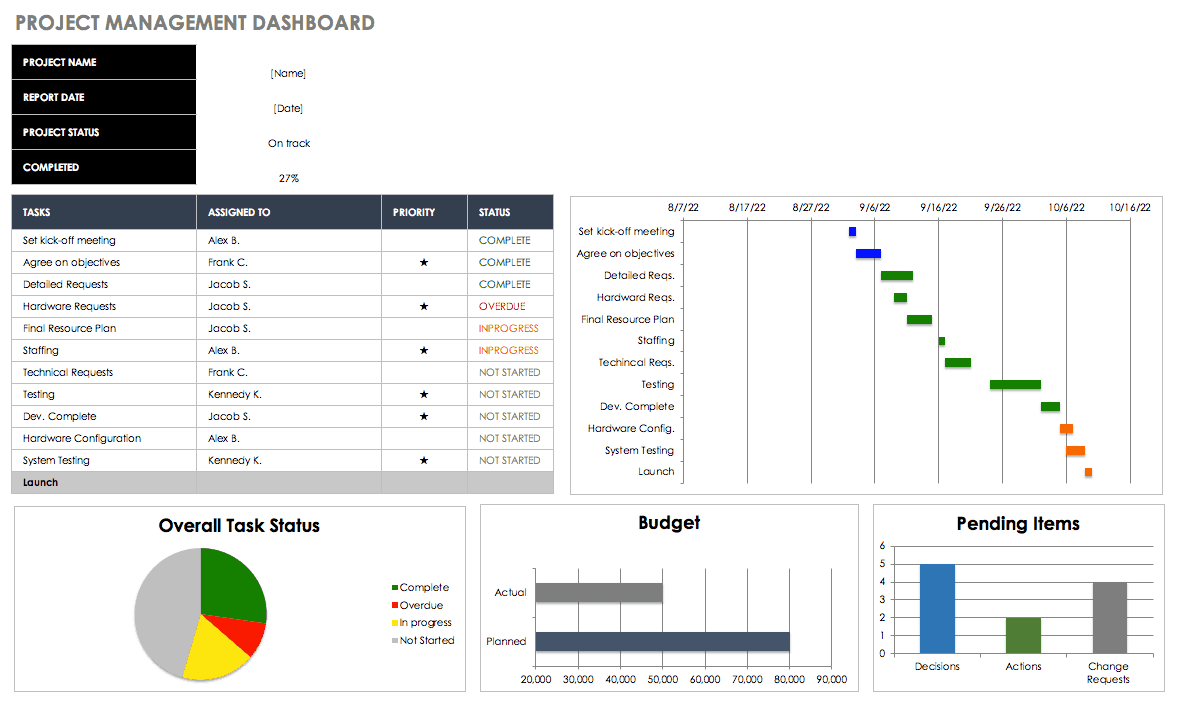
Dashboards allow businesses to visualize data quickly and track performance indicators.
Excel dashboard certifications focus on:
- Interactive dashboards
- KPI tracking
- Data visualization
- Dynamic charts
Executives and managers use dashboards to monitor business performance and identify trends.
8. Data Analysis Certification
Data analysis certifications train professionals to work with large datasets and extract meaningful insights.
Excel tools used in this certification include:
- PivotTables
- Power Query
- Data cleaning techniques
- Statistical functions
With organizations generating massive amounts of data daily, data analysts are among the fastest-growing job roles.
9. MIS Executive Certification
MIS (Management Information System) certifications focus on business reporting using Excel.
MIS professionals typically work with:
- Sales reports
- Inventory tracking
- Performance analysis
- Automated reporting systems
Many companies rely on MIS executives to convert raw business data into actionable reports.
10. Accounting and Excel Certification
Accounting certifications that include Excel focus on financial reporting, bookkeeping, and auditing.
Excel skills used in accounting include:
- Ledger preparation
- Financial statements
- Tax calculations
- Budget planning
Accounting professionals use spreadsheets to organize financial information and perform detailed analysis.
How Excel Certifications Improve Job Opportunities
Professionals with Excel certifications are often considered more reliable candidates for analytical roles.
Common job roles that require advanced Excel knowledge include:
- MIS Executive
- Data Analyst
- Financial Analyst
- Business Analyst
- Operations Analyst
- Reporting Analyst
- Accounts Executive
In many companies, advanced Excel skills are listed as a mandatory requirement in more than 60% of analyst job postings.
Employers prefer candidates who can work with automation, dashboards, and data analysis tools rather than basic spreadsheet users.
Choosing the Right Excel Certification
Selecting the right certification depends on your career goals.
If you are starting your career, basic certifications can help build a strong foundation.
For professionals already working in business roles, advanced certifications in VBA, dashboards, and data analysis can significantly improve productivity and career growth.
Many successful professionals combine Excel with other tools like SQL, Power BI, and automation technologies to build powerful data solutions.
Practical Skills That Certifications Teach
Excel certifications go beyond theoretical knowledge. They help professionals learn practical techniques used in real-world business environments.
These skills include:
- Data cleaning and preparation
- Advanced formulas and lookup functions
- Automated reporting systems
- Dashboard creation
- Financial forecasting models
Companies increasingly look for professionals who can turn raw data into meaningful insights.
Final Thoughts
Excel remains one of the most powerful and widely used tools in business and analytics. Obtaining one of the Top 10 Certifications That Boost Excel Careers can help professionals stand out in the job market, improve productivity, and unlock higher-paying opportunities.
Whether you are a beginner or an experienced professional, investing in Excel certification can strengthen your technical skills and open doors to careers in analytics, finance, operations, and management reporting.
If you want to master advanced Excel skills such as automation, dashboards, SQL integration, and reporting systems, consider learning through a structured program which focuses on practical business applications of Excel.
MIS Professional Excel, Macro, Access and SQL CourseFrequently Asked Questions
1. Which Excel certification is best for beginners?
The Microsoft Office Specialist Excel Associate certification is widely considered the best starting point for beginners because it focuses on fundamental spreadsheet skills.
2. Do Excel certifications help in getting jobs?
Yes. Excel certifications validate your technical abilities and help employers verify your skills, which can improve your chances of getting hired.
3. How long does it take to complete an Excel certification?
Most Excel certifications can be completed within 2 to 8 weeks, depending on the complexity of the course and the learner’s experience level.
4. What is the average salary for professionals with advanced Excel skills?
Professionals with advanced Excel skills can earn 20% to 35% more salary compared to those with basic spreadsheet knowledge.
5. Is Excel still relevant in the era of AI and automation?
Yes. Even with modern analytics tools, Excel remains a key platform for data preparation, financial analysis, and reporting in many organizations.
6. What industries require Excel expertise the most?
Industries such as finance, accounting, marketing analytics, logistics, consulting, and e-commerce heavily rely on Excel for daily operations.
7. Should I learn Excel VBA along with certification?
Learning VBA along with Excel certification can significantly increase productivity because automation can reduce manual tasks and reporting time.
Disclaimer
This article is intended for informational and educational purposes only. Certification value, salary figures, and job opportunities may vary depending on location, industry demand, experience level, and employer requirements. Readers should evaluate certification programs based on their individual career goals and learning preferences.