Tag: office accessories india

  • Best Mouse for Excel Shortcuts and Fast Navigation in India (2026): Detailed Review of Portronics Toad One vs Arctic Fox Pureview vs Lenovo 600

    When working extensively in Microsoft Excel, the right mouse can significantly improve speed, accuracy, and overall productivity. From navigating large datasets to executing shortcuts, selecting a responsive, ergonomic, and multi-functional mouse is essentialโ€”especially for professionals, students, and data analysts in India.

    In this detailed review, we analyze three popular wireless mouse options under different price segments:

    • Portronics Toad One Bluetooth Mouse
    • Arctic Fox Pureview Transparent Mouse
    • Lenovo 600 Bluetooth Silent Mouse

    This guide focuses on real-world Excel usage, helping you choose the best mouse based on performance, comfort, and efficiency.


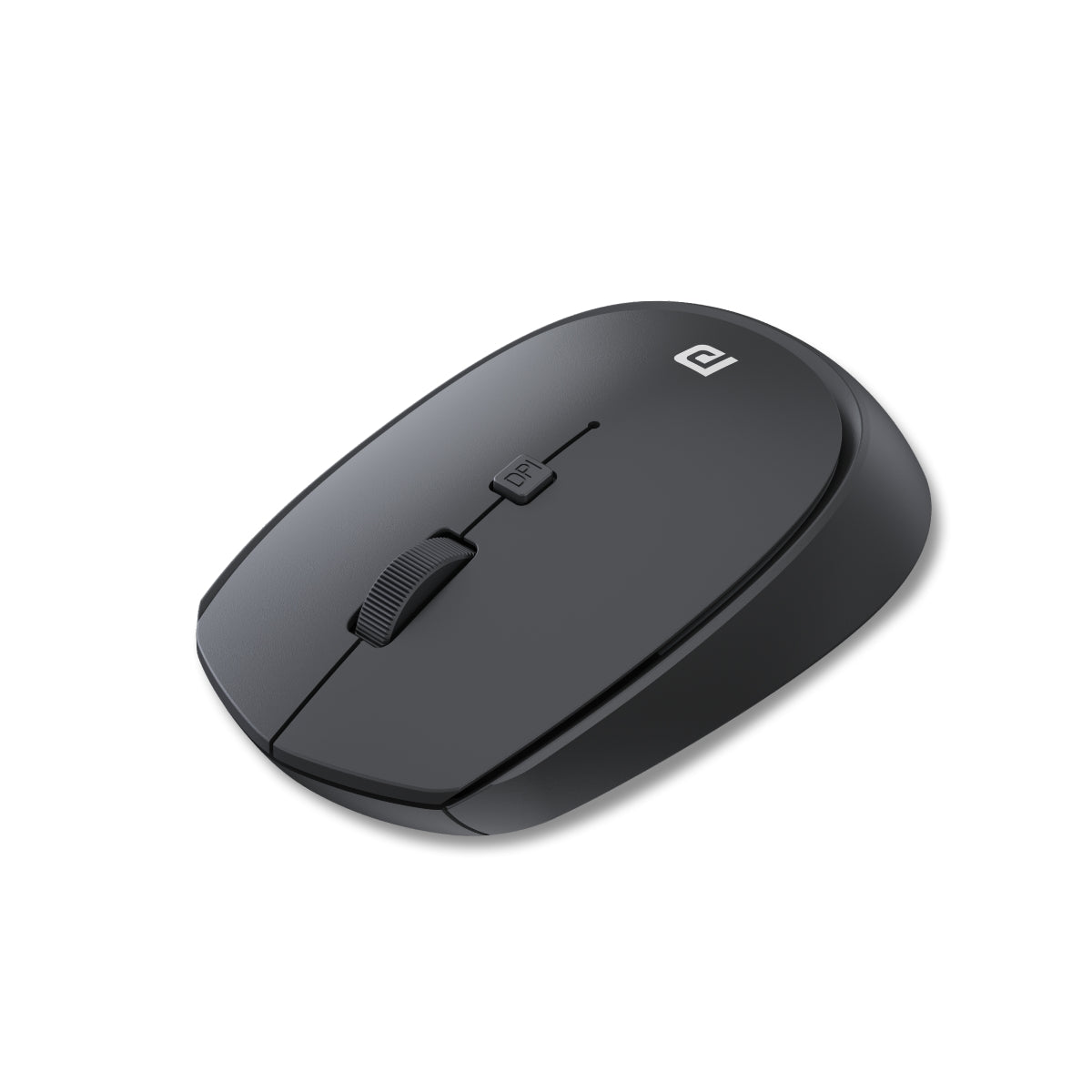
    Portronics Toad One Bluetooth Mouse (Best Budget Multi-Device Option)

    https://www.portronics.com/cdn/shop/files/Image1_5067bdd1-4473-4933-a66d-edcb4d49409a.png?v=1720258592

    Price: โ‚น549
    Rating: 4.3/5 (7,000+ reviews)

    The Portronics Toad One is a feature-rich budget mouse that offers dual connectivity (2.4 GHz + Bluetooth 5.3) and supports up to 3 devices simultaneously, making it ideal for multitasking professionals.

    Key Features

    • Dual wireless modes (USB + Bluetooth)
    • Connect up to 3 devices
    • 6-button design (includes shortcut buttons)
    • Rechargeable battery
    • RGB lighting
    • Ergonomic grip

    Practical Excel Use Cases

    • Quickly switch between laptop, tablet, and secondary PC while working on multiple Excel sheets
    • Side buttons can assist in faster navigation (Back/Forward in sheets or browser-based Excel)
    • Ideal for users who use Excel alongside browsers or dashboards

    Pros

    • Excellent value for money
    • Multi-device switching improves workflow
    • Rechargeable (no battery replacement needed)
    • Extra buttons helpful for navigation

    Cons

    • RGB lights may not appeal in office settings
    • Build quality is decent but not premium
    • Slightly bulky for small hands

    Recommendation:
    A great choice for Excel users on a budget who need multi-device connectivity and extra controls.

    Buy Here


    Arctic Fox Pureview Transparent Wireless Mouse (Best Stylish Lightweight Option)

    https://m.media-amazon.com/images/I/61eiM4vykhL._AC_UF1000%2C1000_QL80_.jpg

    Price: โ‚น618
    Rating: 4.4/5 (7,700+ reviews)

    The Arctic Fox Pureview stands out with its transparent body and LED lighting, combined with a slim, portable design. It is best suited for users who prefer aesthetics along with functionality.

    Key Features

    • Transparent design with LED lighting
    • Dual connectivity (USB + Bluetooth)
    • Rechargeable battery
    • Slim and lightweight build

    Practical Excel Use Cases

    • Suitable for students and casual users working on Excel assignments
    • Easy portability for remote work or travel
    • Smooth tracking for general navigation tasks

    Pros

    • Unique premium-looking design
    • Lightweight and travel-friendly
    • Good battery backup
    • Affordable pricing

    Cons

    • Limited buttons (no dedicated shortcut keys)
    • Not ideal for heavy Excel power users
    • Less ergonomic for long hours

    Recommendation:
    Best for light Excel usage, students, and casual users who want a stylish mouse.

    Check Price Here


    Lenovo 600 Bluetooth Silent Mouse (Best for Professionals & Long Excel Sessions)

    https://m.media-amazon.com/images/I/51rbID42liL.jpg

    Price: โ‚น1,549
    Rating: 4.4/5 (7,000+ reviews)

    The Lenovo 600 is designed for professionals who prioritize precision, silence, and long-term comfort. It offers Bluetooth-only connectivity with no dongle requirement.

    Key Features

    • Bluetooth 5.0 connectivity
    • Silent click technology
    • Multi-device pairing
    • Adjustable DPI (up to 2400)
    • Up to 1-year battery life

    Practical Excel Use Cases

    • Silent clicks ideal for office environments and shared workspaces
    • High DPI ensures smooth navigation across large spreadsheets
    • Excellent for analysts working with dashboards and pivot tables

    Pros

    • Premium build quality
    • Extremely quiet clicks
    • Long battery life
    • Reliable performance for heavy Excel usage

    Cons

    • Higher price compared to competitors
    • No USB dongle option
    • Limited extra buttons

    Recommendation:
    Best suited for professionals, accountants, and Excel power users who need precision and comfort.

    Buy Here


    Quick Comparison Table

    FeatureBest Choice
    Budget OptionPortronics Toad One
    Stylish DesignArctic Fox Pureview
    Professional UseLenovo 600
    Multi-Device SupportPortronics Toad One
    Silent OperationLenovo 600

    Which Mouse is Best for Excel Users?

    Choosing the right mouse depends on your usage level:

    • For Beginners / Students: Arctic Fox Pureview is sufficient
    • For Intermediate Users / Multitaskers: Portronics Toad One offers the best value
    • For Advanced Users / Professionals: Lenovo 600 delivers reliability and precision

    If your work involves heavy Excel formulas, dashboards, or VBA, investing in a more ergonomic and precise mouse like Lenovo 600 can improve efficiency over time.


    Frequently Asked Questions (FAQ)

    1. Which mouse is best for Excel shortcuts?

    A mouse with extra buttons like the Portronics Toad One is better for shortcut-based navigation.

    2. Is Bluetooth or USB mouse better for Excel work?

    Both are effective. Bluetooth reduces cable clutter, while USB offers slightly more stable connectivity.

    3. Do I need a high DPI mouse for Excel?

    Yes, especially for large spreadsheets. Higher DPI allows smoother and faster cursor movement.

    4. Is a silent mouse useful for office work?

    Yes, silent mice like Lenovo 600 reduce noise and improve focus in shared environments.

    5. Are rechargeable mice better than battery-operated ones?

    Rechargeable mice are more cost-effective in the long run, while battery ones offer longer uninterrupted usage.


    Final Verdict

    Each of these mice serves a different category of users. The Portronics Toad One stands out for its affordability and features, the Arctic Fox Pureview appeals to design-focused users, and the Lenovo 600 remains the most reliable option for serious Excel work.

    Your final choice should align with your daily workload, comfort preference, and budget.


    Disclaimer

    This article is for informational purposes only. Prices, ratings, and availability may change over time. Please verify product details on the official platform before making a purchase decision.

  • Top 5 Best Mouse Options for Accountants in India (2026) โ€“ Comfortable, Silent & High-Precision Picks for Long Excel Work

    For accountants and finance professionals, choosing the right mouse is not just about convenienceโ€”it directly impacts productivity, accuracy, and comfort. Whether you are working on Excel, Tally, GST returns, or MIS reports, a reliable mouse can reduce fatigue and improve efficiency during long working hours.

    In this guide, we review the top 5 mouse options for accountants in India, focusing on comfort, precision, silent clicks, and value for money. Each product is evaluated with real-world use cases, pros, cons, and recommendations.


    Lenovo 600 Bluetooth Silent Mouse

    https://p1-ofp.static.pub/ShareResource/560x450/SSNP/GY50X88832/GY50X88832-560x450-01.4c3b93c4ce6b7b6e.png

    The Lenovo 600 Bluetooth mouse is designed for professionals who prefer a clean, wireless, and silent working environment.

    Key Features

    FeatureDetails
    ConnectivityBluetooth (No Dongle)
    DPIUp to 2400
    BatteryUp to 1 Year
    Special FeatureSilent Click

    Practical Use Case

    Ideal for accountants working in:

    • Office environments where noise matters
    • Meetings and shared workspaces
    • Laptop users who want clutter-free desks

    Pros

    • Completely silent clicks
    • No USB dongle required
    • Long battery life
    • Supports multiple devices

    Cons

    • Slightly premium pricing
    • No rechargeable battery

    ๐Ÿ‘‰ Buy Here


    Portronics Toad One Bluetooth + 2.4GHz Mouse

    https://www.portronics.com/cdn/shop/files/Image1_5067bdd1-4473-4933-a66d-edcb4d49409a.png?v=1720258592

    This is one of the most versatile and budget-friendly options with dual connectivity and RGB lighting.

    Key Features

    FeatureDetails
    ConnectivityBluetooth + USB Dongle
    DevicesConnect up to 3 devices
    Buttons6 Buttons
    BatteryRechargeable

    Practical Use Case

    Best suited for:

    • Accountants using multiple devices (laptop + tablet)
    • Users who prefer rechargeable devices
    • Budget-conscious professionals

    Pros

    • Excellent value for money
    • Multi-device switching
    • Rechargeable battery
    • Extra buttons for productivity

    Cons

    • RGB may not appeal to all professionals
    • Build quality is average

    ๐Ÿ‘‰ Check Price Here


    Portronics Toad 23 Wireless Mouse

    https://www.portronics.com/cdn/shop/products/1_afb1dad0-dbf2-4dab-8c4f-a64d73cd6446.jpg?v=1653546618

    A simple, no-nonsense mouse for basic accounting work.

    Key Features

    FeatureDetails
    Connectivity2.4GHz USB Dongle
    DPIAdjustable
    DesignCompact
    UsageBasic Tasks

    Practical Use Case

    Ideal for:

    • Entry-level accountants
    • Basic Excel and Tally work
    • Backup or secondary mouse

    Pros

    • Very affordable
    • Easy to use
    • Lightweight

    Cons

    • Limited features
    • No Bluetooth
    • Basic build

    ๐Ÿ‘‰ Buy Here


    Dell MS116 Wired Mouse

    https://m.media-amazon.com/images/I/51jWFCvTLAL._AC_UF894%2C1000_QL80_.jpg

    A highly reliable wired mouse preferred by many offices.

    Key Features

    FeatureDetails
    ConnectivityWired USB
    DPI1000 DPI
    DesignErgonomic
    ReliabilityHigh

    Practical Use Case

    Best for:

    • Office desktops
    • Continuous long-hour usage
    • Users who prefer zero latency

    Pros

    • Highly durable
    • No battery required
    • Plug-and-play simplicity
    • Consistent performance

    Cons

    • Wired limitation
    • No advanced features

    ๐Ÿ‘‰ Check Price Here


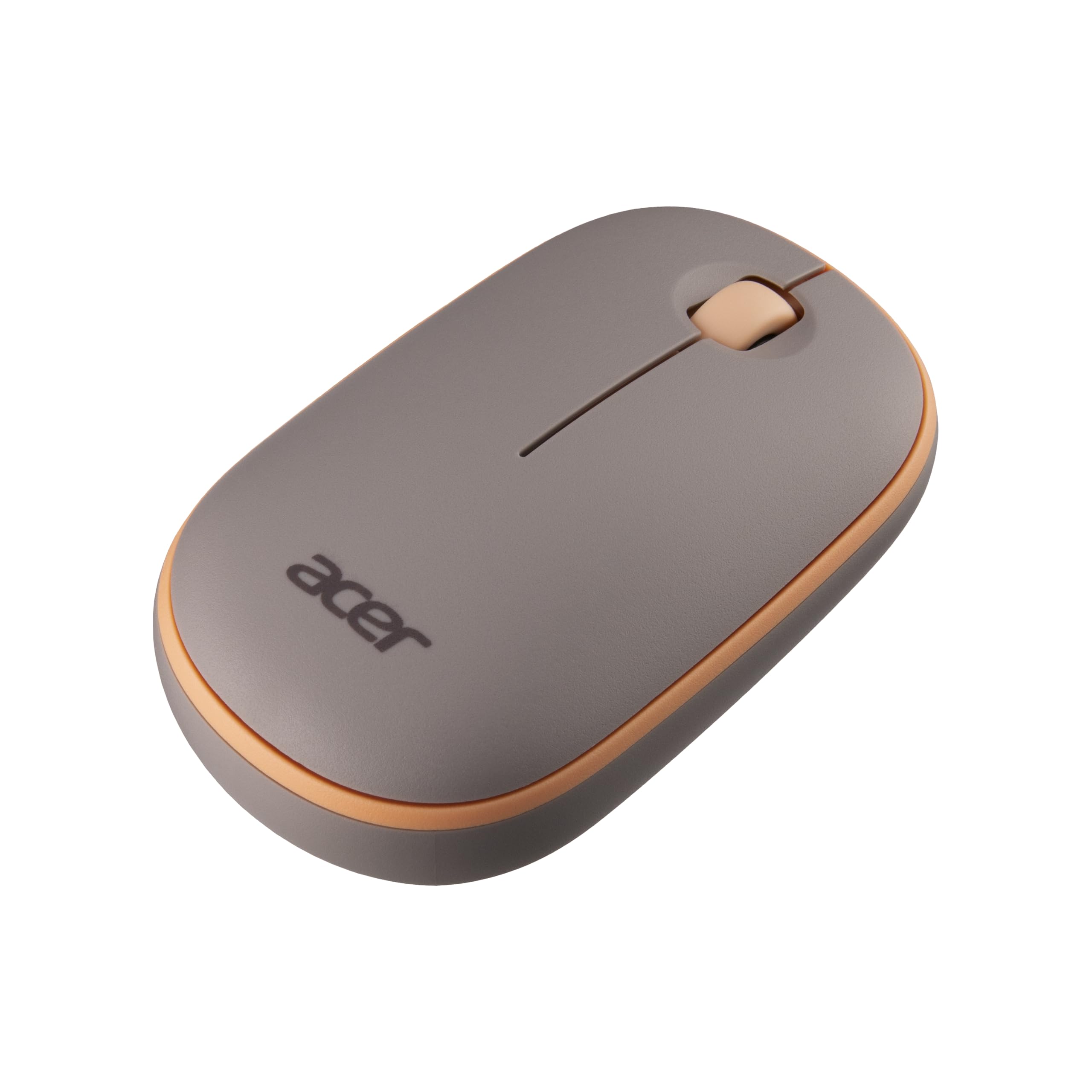
    Acer Bubble Wireless Mouse AMR100

    https://m.media-amazon.com/images/I/71RaUC00idL.jpg

    A stylish and ergonomic mouse with silent clicks and good performance.

    Key Features

    FeatureDetails
    Connectivity2.4GHz Wireless
    DPI1600 DPI
    DesignErgonomic
    NoiseSilent Click

    Practical Use Case

    Suitable for:

    • Professionals working long hours
    • Users needing comfort and portability
    • Home office setups

    Pros

    • Silent operation
    • Comfortable grip
    • Lightweight design
    • Good balance of price and features

    Cons

    • Uses AA battery
    • Limited advanced controls

    ๐Ÿ‘‰ Buy Here


    Which Mouse is Best for Accountants?

    RequirementBest Choice
    Silent & PremiumLenovo 600
    Budget + FeaturesPortronics Toad One
    Basic UsePortronics Toad 23
    Office ReliabilityDell MS116
    Comfort & StyleAcer Bubble

    How to Choose the Right Mouse for Accounting Work

    1. Silent Clicks

    Important for long working hours and office environments.

    2. DPI Sensitivity

    Higher DPI helps in faster navigation across large Excel sheets.

    3. Ergonomics

    Reduces wrist strain during long usage.

    4. Connectivity

    • Bluetooth for portability
    • Wired for stability

    5. Battery Type

    • Rechargeable for convenience
    • Replaceable for longer life

    Final Recommendation

    If you work extensively on Excel, MIS reports, or accounting software:

    • Choose Lenovo 600 for premium silent performance
    • Choose Portronics Toad One for value and flexibility
    • Choose Dell MS116 for reliability in office setups

    Your choice should depend on your work style, budget, and comfort preference.


    Frequently Asked Questions (FAQ)

    1. Which mouse is best for Excel work?

    A mouse with high DPI and silent clicks like Lenovo 600 is ideal.

    2. Is wireless mouse better for accountants?

    Yes, it offers flexibility and cleaner workspace.

    3. What DPI is good for office work?

    1000โ€“2400 DPI is sufficient for most accounting tasks.

    4. Are silent mice worth it?

    Yes, especially for long working hours.

    5. Wired vs wireless mouse โ€“ which is better?

    Wired for reliability, wireless for convenience.


    Disclaimer

    This article is for informational purposes only. Product prices, availability, and features may change over time. Please verify details before purchasing.


  • Best Wireless Keyboard-Mouse Combo for Office Work in India (2026) โ€“ Detailed Comparison, Real-World Use & Buying Advice

    Choosing the best wireless keyboard-mouse combo for office work is no longer just about price. For Indian professionals, it directly impacts typing comfort, daily productivity, desk ergonomics, and even long-term wrist health. With work-from-home, hybrid offices, online teaching, accounting, and data entry becoming the norm, a reliable wireless keyboard and mouse combo is now an essential productivity tool.

    In this detailed review, we analyze four popular and highly rated wireless keyboard-mouse combos available in India. This article is written in a professional, non-salesy tone with real-world use cases, honest pros and cons, and clear recommendations to help you choose the right combo based on your work style and budget.

    All opinions are independent and practical, suitable for Indian users working 6โ€“10 hours daily on desktop or laptop systems.


    How We Evaluated These Wireless Keyboard-Mouse Combos

    Before diving into individual reviews, here are the criteria used for evaluation:

    • Typing comfort for long office hours
    • Mouse accuracy and DPI suitability
    • Wireless stability and range (2.4GHz)
    • Battery life and power efficiency
    • Compatibility with Windows, macOS, and laptops
    • Noise level for office or home environments
    • Value for money based on Indian pricing

    Each product below is reviewed from an office productivity perspective, not gaming or aesthetic usage.


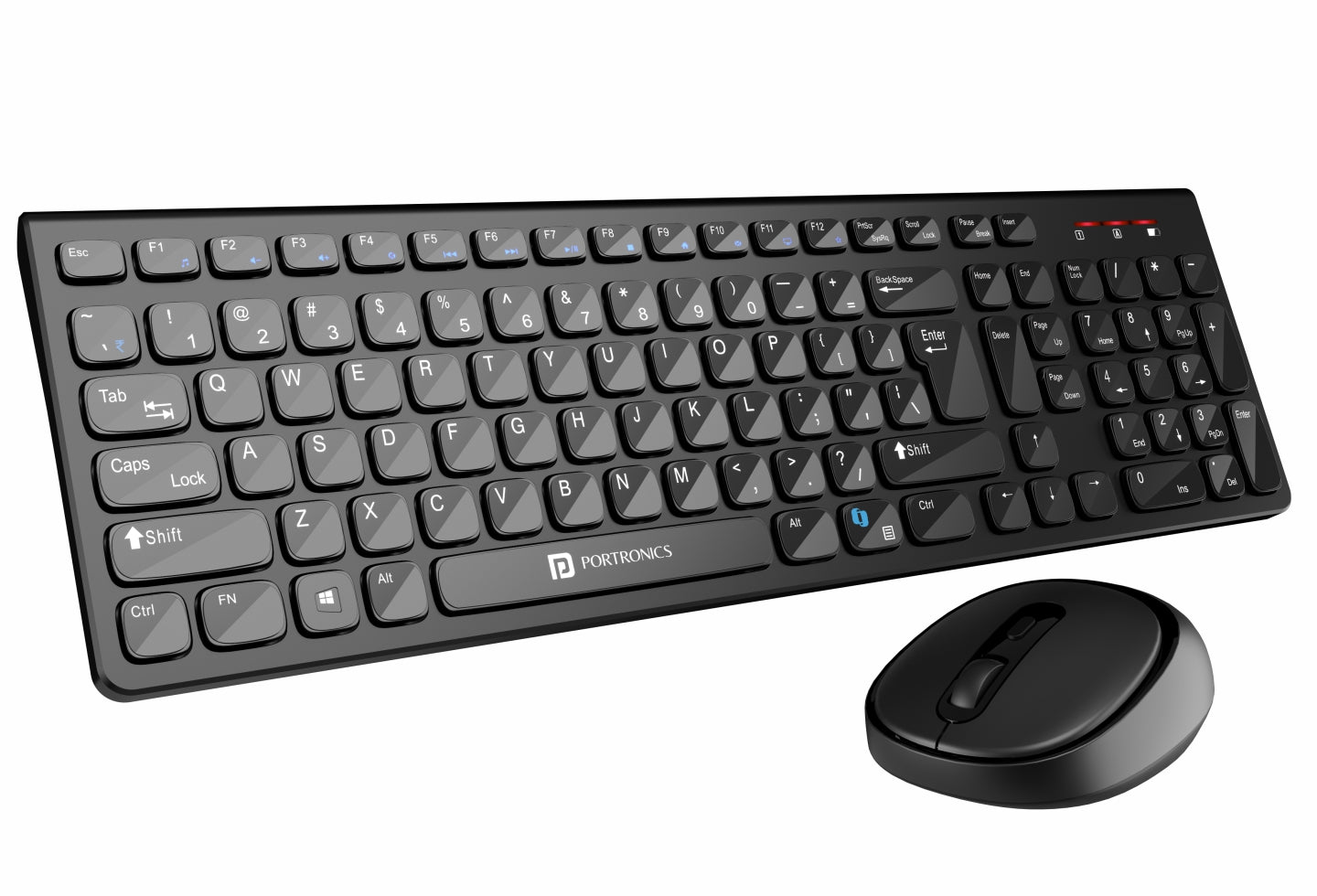
    Portronics Key7 Wireless Keyboard-Mouse Combo (Black)

    https://www.portronics.com/cdn/shop/files/Portronics_Key7_Combo_wireless_keyboard_and_mouse_combo_online.jpg?v=1753708052

    The Portronics Key7 combo is positioned as a budget-friendly wireless keyboard-mouse combo for everyday office tasks. It is widely used by students, accountants, data entry operators, and home office users.

    Real-World Office Experience

    The keyboard offers a standard full-size layout with comfortable key spacing, making it suitable for long typing sessions like Excel work, accounting entries, or document preparation. The 1200 DPI mouse is responsive enough for routine tasks such as browsing, file management, and basic design work.

    Wireless connectivity is stable within a typical office room, and the single USB receiver keeps setup simple.

    Pros

    • Affordable pricing for office users
    • Comfortable typing for long documents
    • Plug-and-play wireless setup
    • Decent mouse accuracy for daily work

    Cons

    • Build quality feels basic
    • No dedicated multimedia keys
    • Not ideal for heavy multitasking professionals

    Recommendation:
    Ideal for budget-conscious office users, students, and small businesses needing multiple systems.

    ๐Ÿ‘‰ Buy Here: Buy Here


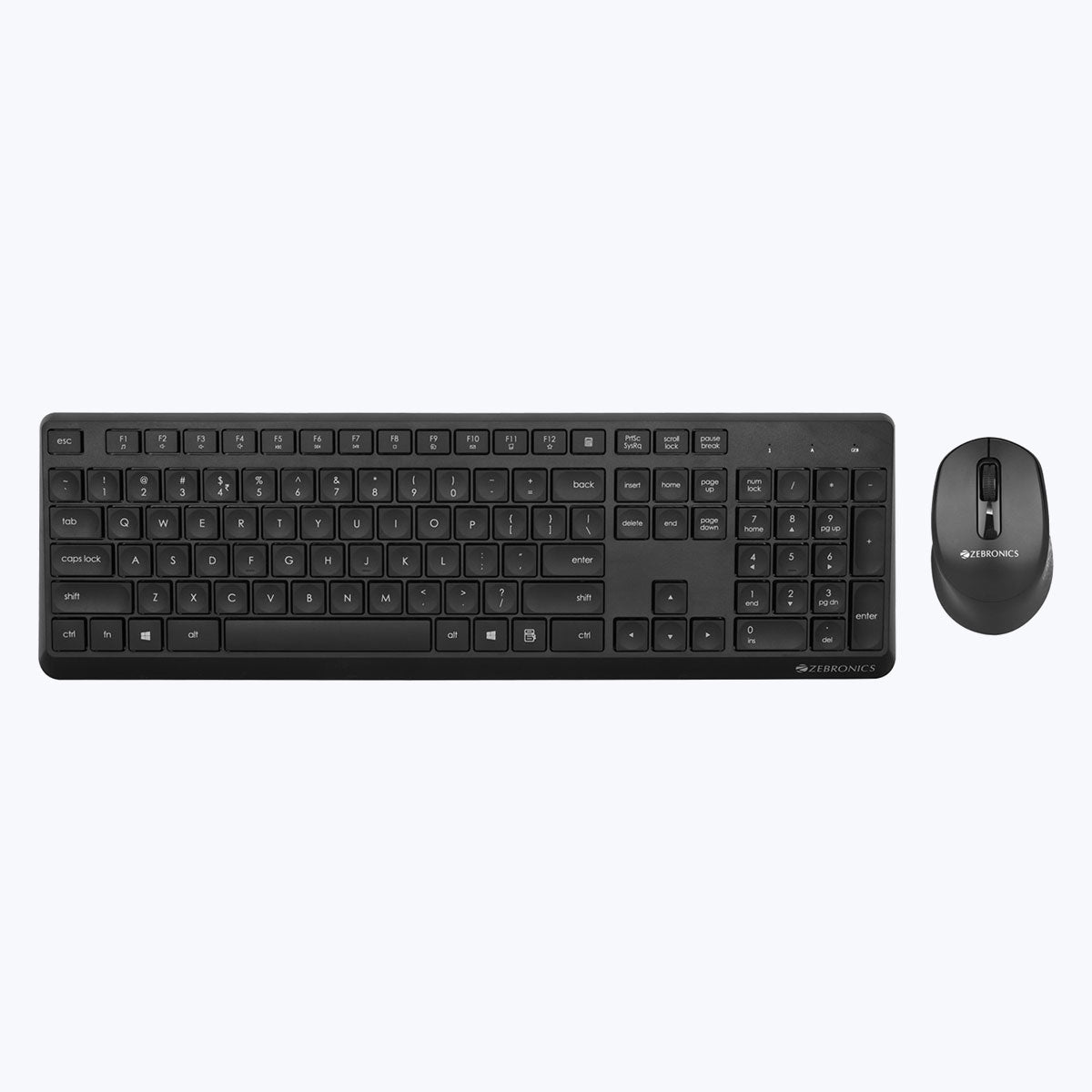
    ZEBRONICS ZEB-COMPANION 200 Wireless Keyboard-Mouse Combo (Purple)

    https://zebronics.com/cdn/shop/products/Zeb-Companion-200-pic1.jpg?v=1674110432&width=2048

    The ZEB-COMPANION 200 stands out with its silent operation and power-saving features, making it a good fit for shared workspaces and home offices.

    Real-World Office Experience

    Typing feels soft and quiet, which is particularly beneficial during meetings or shared environments. The mouse is also silent, reducing distractions. Power-saving mode helps extend battery life, reducing frequent battery replacements.

    The slightly compact layout may take a day or two to adjust for users switching from full-size keyboards.

    Pros

    • Silent keyboard and mouse operation
    • Good battery optimization
    • Stylish color option for modern desks
    • Reliable wireless performance

    Cons

    • Compact layout may not suit everyone
    • No backlit keys
    • Mouse grip may feel small for large hands

    Recommendation:
    Best for home offices, teachers, and professionals who prefer quiet peripherals.

    ๐Ÿ‘‰ Check Price Here: Check Price Here


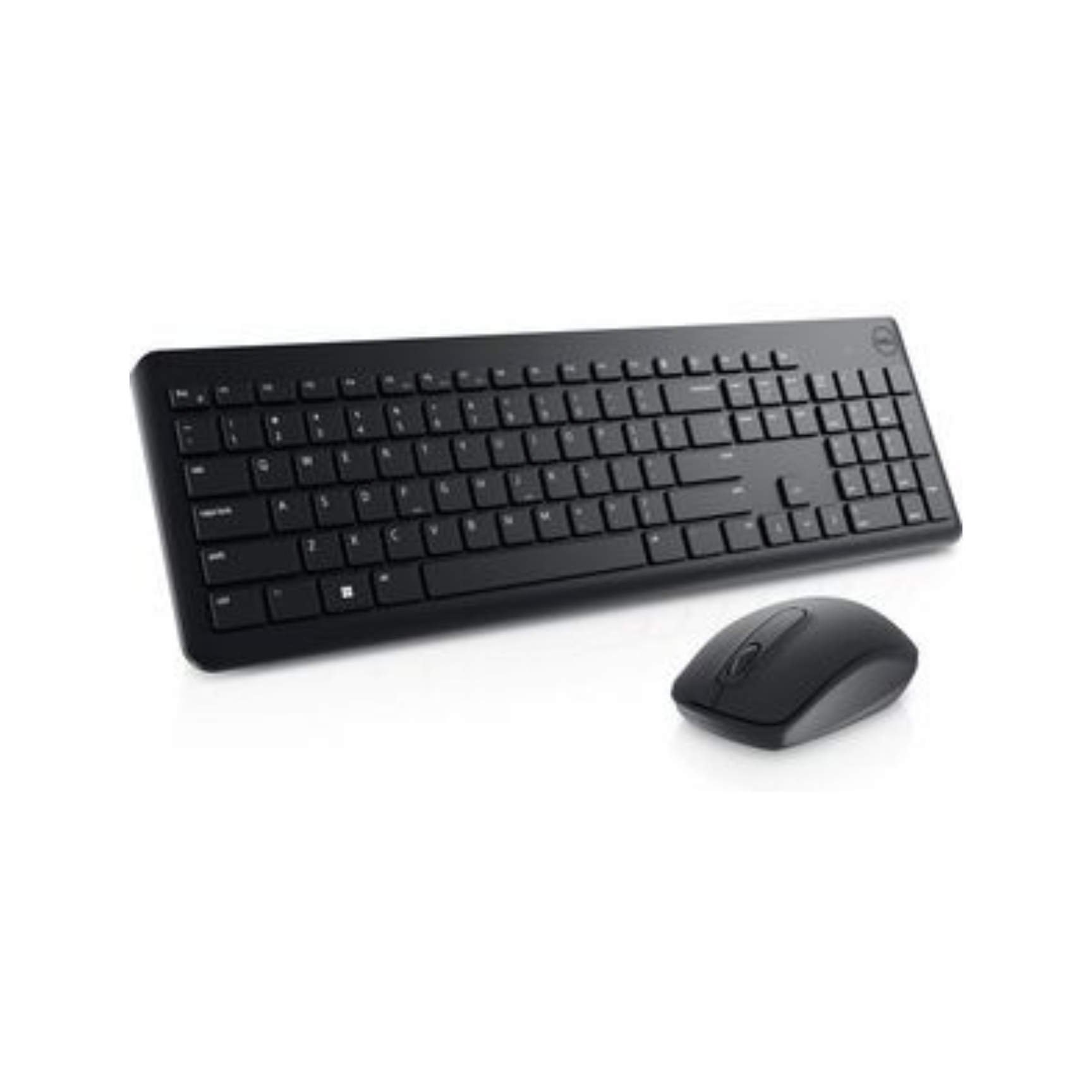
    Dell KM3322W Wireless Keyboard-Mouse Combo (Black)

    https://techtoschool.com/cdn/shop/files/Product_Listing_95_1728x.png?v=1728498093

    The Dell KM3322W is a premium office-grade combo designed for reliability, durability, and long-term usage. It is widely adopted in corporate offices and professional environments.

    Real-World Office Experience

    The keyboard offers excellent key stability, anti-fade lettering, and spill resistance, making it suitable for 8โ€“10 hour workdays. The mouse tracks smoothly on most surfaces and feels ergonomically balanced.

    One of its biggest advantages is battery life, with the keyboard lasting up to 36 months under normal use, significantly reducing downtime.

    Pros

    • Exceptional battery life
    • Strong build quality
    • Spill-resistant keys
    • 3-year advance exchange warranty

    Cons

    • Higher price compared to budget options
    • Basic design aesthetics

    Recommendation:
    Highly recommended for corporate professionals, finance teams, and serious office users seeking long-term reliability.

    ๐Ÿ‘‰ Buy Here: Buy Here


    Logitech MK215 Wireless Keyboard-Mouse Combo (Black)

    https://m.media-amazon.com/images/I/71icSLlBIvL.jpg

    Logitech is a trusted name in office peripherals, and the MK215 offers a compact, reliable solution for everyday office work.

    Real-World Office Experience

    The keyboard is compact but comfortable, suitable for desks with limited space. Key response is consistent, and the mouse offers smooth navigation for office applications. Battery life is solid, and Logitechโ€™s wireless technology ensures minimal signal drops.

    This combo is especially useful for users who prefer compact keyboards without a numeric keypad.

    Pros

    • Trusted Logitech build quality
    • Compact and space-saving design
    • Stable wireless connectivity
    • Good battery life for daily office use

    Cons

    • No numeric keypad
    • Mouse battery life shorter than keyboard
    • Not ideal for heavy numeric data entry

    Recommendation:
    Best for laptop users, small desks, and professionals who value compact setups.

    ๐Ÿ‘‰ Check Price Here: Check Price Here


    Quick Comparison for Office Buyers

    Combo NameBest For
    Portronics Key7Budget office setups, students
    Zebronics Companion 200Silent home or shared offices
    Dell KM3322WCorporate and heavy office use
    Logitech MK215Compact desks and laptop users

    Which Wireless Keyboard-Mouse Combo Should You Buy

    • Choose Portronics Key7 if budget is your top priority
    • Choose Zebronics Companion 200 if you need silent operation
    • Choose Dell KM3322W if durability and battery life matter most
    • Choose Logitech MK215 if desk space is limited

    There is no single โ€œbestโ€ option for everyone. The right choice depends on work duration, typing intensity, and environment.


    Frequently Asked Questions

    Which wireless keyboard-mouse combo is best for office work

    Dell KM3322W is best for long office hours due to durability and battery life.

    Are wireless keyboard-mouse combos reliable for daily work

    Yes, modern 2.4GHz wireless combos are stable and reliable for office tasks.

    Is silent keyboard useful for office work

    Silent keyboards are ideal for shared offices and online meetings.

    Do these combos work with Mac and laptops

    Yes, all reviewed combos support desktops and laptops, including macOS compatibility.

    How long do batteries usually last

    Battery life ranges from 5 months to 36 months depending on model and usage.


    Final Verdict

    The best wireless keyboard-mouse combo for office work depends on how long you work daily, your typing style, and your workspace environment. Budget users can confidently choose Portronics, while professionals seeking long-term reliability should invest in Dell or Logitech.

    All four options reviewed here are well-rated, widely used in India, and suitable for office productivity without unnecessary gimmicks.


    Disclaimer & Affiliate Disclosure

    This article is written for informational and educational purposes only. Product specifications, prices, and availability may change over time. Some links in this article are affiliate links, which means the author may earn a small commission at no additional cost to the buyer. This does not influence product selection or opinions, which remain unbiased and independent.