Why an Excel Mastery Course Is No Longer Optional
In today’s data-driven workplace, an Excel Mastery Course is no longer a “good-to-have” skill—it has become a professional necessity. From MIS executives and accountants to analysts and operations teams, Excel remains the most widely used business tool worldwide. Industry research consistently shows that over 80% of corporate data analysis and internal reporting is still performed using Excel.
This Excel Mastery Course is designed to take learners beyond basic spreadsheets and into real-world professional usage—covering formulas, dashboards, MIS reports, automation, and macros. If you want to work faster, reduce errors, and become indispensable at your workplace, this structured Excel program offers a clear, practical path.
You can explore the complete course structure and curriculum here:
Excel Mastery Course
What Is an Excel Mastery Course?
An Excel Mastery Course is a comprehensive learning program that focuses on how Excel is actually used in corporate environments. Unlike beginner tutorials that stop at basic formulas, this course emphasizes:
- Business-oriented Excel workflows
- Practical MIS and management reporting
- Automation using VBA macros
- Handling large and complex datasets
- Accuracy, speed, and professional presentation
The objective is not just learning Excel features but developing job-ready Excel expertise.
Who Should Enroll in This Excel Mastery Course?
This Excel Mastery Course is suitable for a wide range of learners:
- MIS Executives and Reporting Professionals
- Accountants and Finance Executives
- Data Entry Operators aiming for career growth
- Students preparing for corporate roles
- Business owners managing internal reports
- Working professionals seeking automation skills
Surveys across job portals indicate that professionals with advanced Excel skills earn 20%–35% higher compensation than those limited to basic Excel usage.
What You’ll Learn in This Excel Mastery Course
Strong Excel Fundamentals for Long-Term Mastery
Every advanced Excel professional relies on a strong foundation. This Excel Mastery Course ensures that fundamentals are clear and practical.
| Focus Area | Professional Outcome |
|---|---|
| Excel Navigation | Faster workflow and efficiency |
| Data Entry Best Practices | Reduced manual errors |
| Formatting Standards | Corporate-ready reports |
Advanced Excel Formulas and Logical Functions
Formulas are at the core of productivity. This Excel Mastery Course trains learners to think logically, not just memorize formulas.
| Formula Category | Business Application |
|---|---|
| Lookup Functions | Fast data retrieval |
| Logical Functions | Automated decisions |
| Date & Time Functions | Accurate timelines |
| Text Functions | Clean, standardized data |
Professionals using advanced Excel formulas report up to 60% time savings in recurring reports.
MIS Reporting and Data Analysis
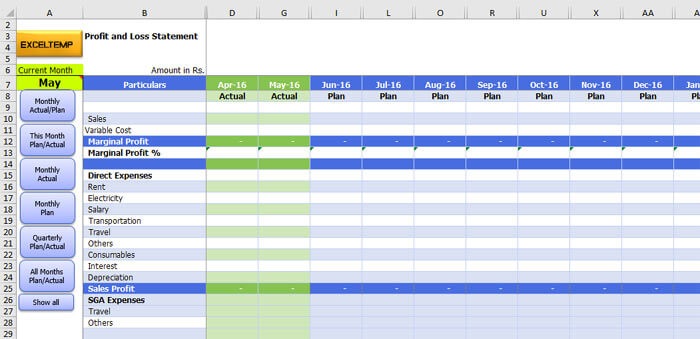
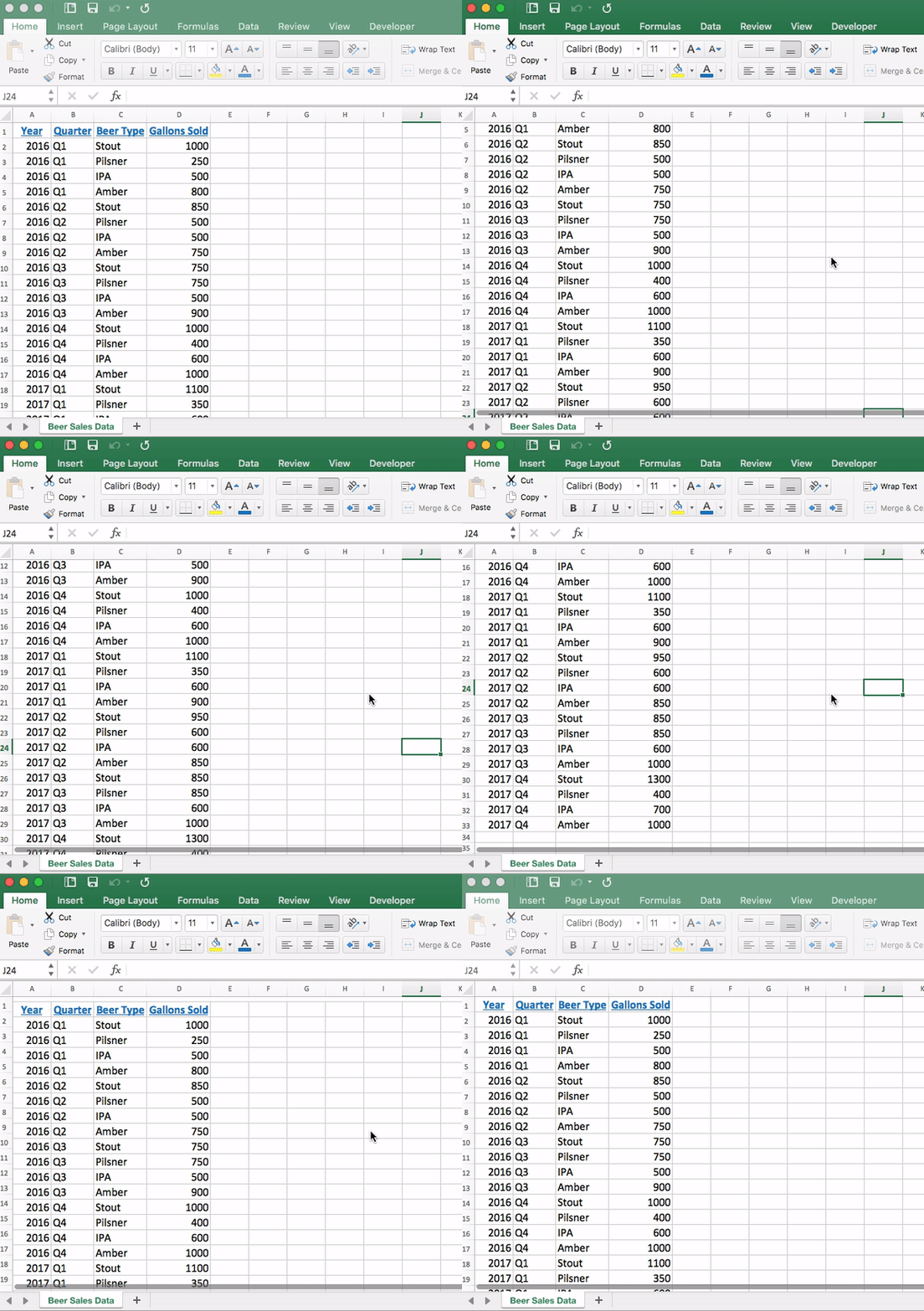
MIS reporting skills are among the most in-demand Excel capabilities. This Excel Mastery Course focuses heavily on converting raw data into meaningful management information.
4
| MIS Skill | Business Value |
|---|---|
| Pivot Tables | Quick data summaries |
| Dynamic Reports | Automated monthly MIS |
| Data Validation | Error-free reporting |
Organizations using structured MIS reports improve decision-making speed by nearly 40%.
Charts, Graphs, and Interactive Dashboards
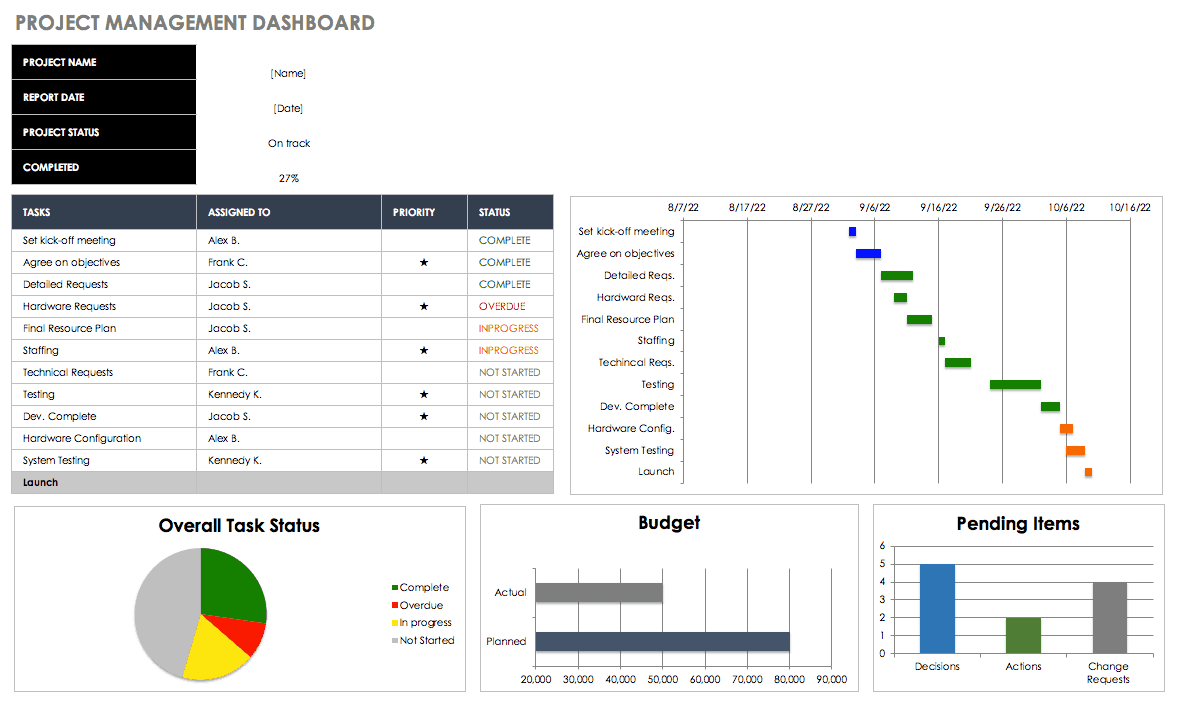
One of the strongest components of this Excel Mastery Course is dashboard creation. Dashboards allow management to understand performance at a glance.
| Dashboard Element | Purpose |
|---|---|
| Interactive Charts | Trend analysis |
| KPI Trackers | Performance monitoring |
| Linked Data Models | Auto-updating visuals |
Well-designed Excel dashboards often replace costly business intelligence tools in small and medium organizations.
VBA Macros and Excel Automation
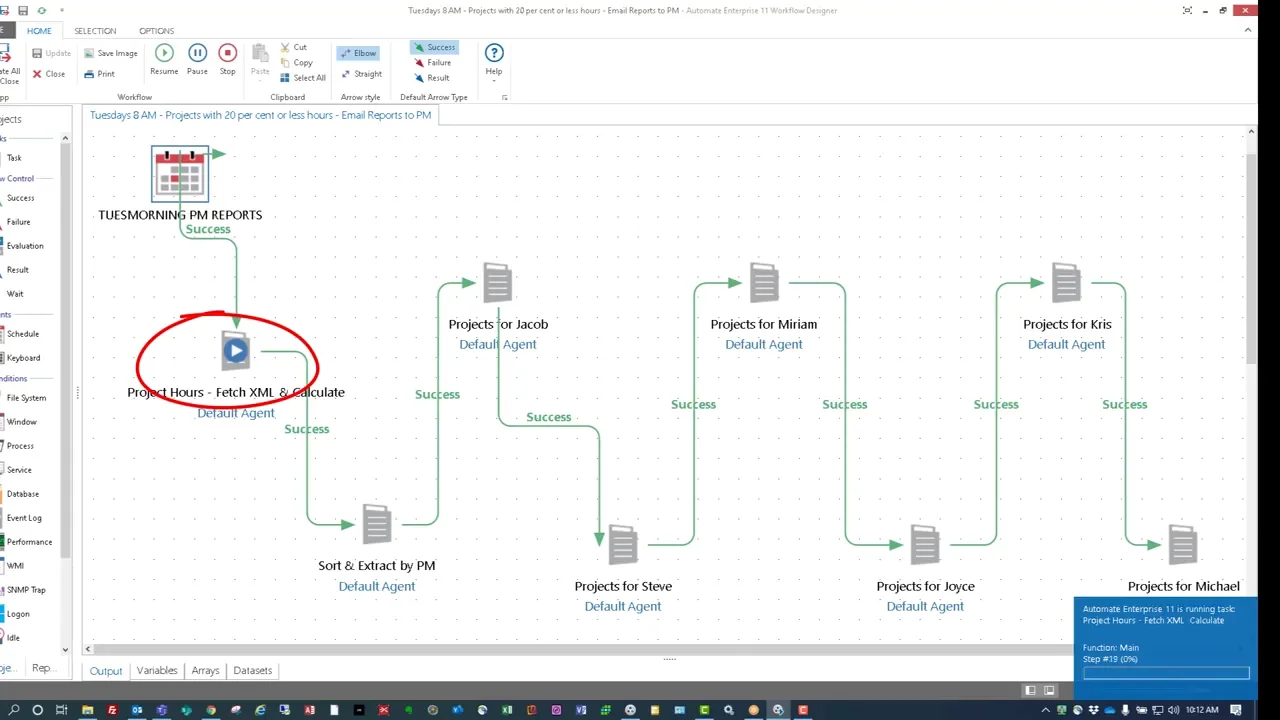
Automation separates average Excel users from professionals. This Excel Mastery Course introduces VBA macros in a simple, business-focused way.

4
| Automation Area | Productivity Gain |
|---|---|
| Repetitive Tasks | Up to 90% time reduction |
| Report Generation | Minutes instead of hours |
| Data Cleaning | Fully automated processes |
Even basic automation can save 100+ working hours per year for a single professional.
To understand how automation and MIS reporting are structured in detail, you can review the full course outline here:
Excel Mastery Course
Handling Large and Complex Data Sets
Many professionals struggle with large Excel files. This Excel Mastery Course teaches efficient methods to manage and analyze heavy datasets without slowing down.
| Skill | Real-World Impact |
|---|---|
| Advanced Filtering | Faster insights |
| Data Cleaning Techniques | Reliable reports |
| Error Handling | Minimal rework |
Companies lose significant productivity due to poor data handling. Structured Excel workflows dramatically reduce this loss.
Why This Excel Mastery Course Matters for Your Career
Excel Skills Are Tested in Interviews
Recruitment studies show that 7 out of 10 employers test Excel skills during interviews for MIS, finance, and analyst roles.
Faster Career Growth
Professionals who can independently manage reports, dashboards, and automation are often promoted faster due to their reliability and efficiency.
Reduced Dependency
Excel mastery reduces dependence on IT teams and external tools for routine data tasks.
Freelancing and Side Income
Advanced Excel professionals often earn additional income by creating dashboards, automating reports, or offering MIS consulting services.
If you are serious about upgrading your Excel skills for long-term career growth, this complete Excel Mastery Course can be accessed here:
Check Here
What Makes This Excel Mastery Course Different?
This Excel Mastery Course stands out because it focuses on:
- Real corporate use cases
- Practical assignments
- Professional MIS formats
- Automation-driven efficiency
- Step-by-step progression from basics to advanced
The learning approach ensures that skills are immediately applicable in real job environments.
Learning Outcomes You Can Expect
After completing this Excel Mastery Course, learners typically experience:
- Faster report preparation
- Improved data accuracy
- Confidence in management reporting
- Ability to automate daily tasks
- Strong professional recognition
Many learners report productivity improvements of 2x to 3x within weeks of applying these skills.
Frequently Asked Questions (FAQ)
What makes this an Excel Mastery Course instead of a basic Excel course?
This Excel Mastery Course focuses on MIS reporting, automation, dashboards, and VBA rather than only basic spreadsheet features.
Is this Excel Mastery Course suitable for beginners?
Yes. The course starts from core fundamentals and gradually moves to advanced professional concepts.
Will this Excel Mastery Course help with MIS and reporting jobs?
Yes. MIS reporting is one of the main focuses of this Excel Mastery Course.
Does the course include practical exercises?
Yes. Real-world datasets and business-style assignments are used throughout.
Is VBA difficult for non-technical learners?
No. VBA is taught in a simple, step-by-step manner focused on business automation.
Can this Excel Mastery Course help in salary growth?
Professionals with advanced Excel skills often experience faster promotions and better salary increments.
Is this Excel Mastery Course useful outside accounting and MIS roles?
Yes. Excel mastery is valuable across finance, operations, sales, HR, and analytics roles.
Conclusion: Why Excel Mastery Is a Smart Investment
Excel is more than software—it is a career accelerator. A well-structured Excel Mastery Course equips you with skills that improve accuracy, efficiency, and professional value. In a competitive job market, strong Excel capabilities often become the deciding factor between average performance and career growth.
Disclaimer
This article is intended for educational and informational purposes only. Individual results may vary depending on effort, practice, and professional background. This content does not guarantee employment or salary increases but aims to enhance practical Excel proficiency.