Tag: excel automation course

  • Excel Automation Course Details – Learn VBA + Dashboards for High-Paying Data Jobs

    In today’s competitive job market, mastering Excel Automation Course VBA Dashboards skills can give you a powerful edge. Businesses rely heavily on Excel for reporting, analysis, and decision-making, but manual work is time-consuming and error-prone. That’s why professionals who can automate tasks using VBA and create dynamic dashboards are in high demand.

    If you want to build a career in MIS, data analysis, or business reporting, enrolling in an Excel Automation course is one of the smartest decisions you can make.


    What is an Excel Automation Course (VBA + Dashboards)?

    An Excel Automation Course focuses on transforming basic Excel users into advanced professionals by teaching:

    • Advanced formulas and functions
    • Interactive dashboard creation
    • VBA (Visual Basic for Applications) programming
    • Automation of repetitive business tasks

    The goal is simple: save time, increase productivity, and create professional reports automatically.


    Enroll in Excel Automation Course (VBA + Dashboards)

    To start learning immediately, you can enroll in a complete structured course here:

    👉 Enroll Now: https://www.udemy.com/course/mis-professional-excel-macro-access-sql/?referralCode=2E74149D7BAA3C871436

    This course covers Excel, VBA, Dashboards, SQL, and Access—making it a complete package for job-ready skills.


    Why Learn Excel Automation in 2026?

    Excel remains one of the most powerful and widely used tools in the world:

    • Over 750 million users globally
    • Used by 80% of businesses for data analysis
    • Automation reduces manual work by up to 90%
    • High demand in MIS, finance, HR, and operations roles

    Companies today prefer professionals who can automate reporting instead of doing repetitive manual tasks.


    Course Overview – Excel VBA + Dashboard Training

    ModuleKey Topics Covered
    Excel BasicsFormatting, shortcuts, data handling
    Advanced FormulasVLOOKUP, INDEX-MATCH, IF, SUMIFS
    Data AnalysisPivot Tables, Power Query
    Dashboard CreationCharts, KPIs, slicers
    VBA ProgrammingMacros, loops, automation
    ProjectsReal-time business dashboards

    A complete course usually includes 30–60 hours of training with practical assignments.


    Detailed Syllabus of Excel Automation Course

    Advanced Excel & Data Handling

    • Data cleaning and formatting
    • Conditional formatting
    • Logical and lookup formulas
    • Text and date functions

    Data Analysis Using Pivot Tables

    • Creating Pivot Tables
    • Data summarization
    • Slicers and filters
    • Advanced data modeling

    Dashboard Development

    • Interactive dashboard design
    • KPI tracking
    • Dynamic charts
    • Business reporting formats

    VBA Programming (Core Automation Skill)

    • Introduction to macros
    • Recording and editing macros
    • Variables and loops
    • If conditions and logic building
    • Automating reports and workflows

    Real-Time Projects

    • Sales dashboard
    • MIS reporting automation
    • Inventory management system
    • Financial reporting dashboard

    Key Features of Excel Automation Course

    FeatureDescription
    Practical LearningReal-world projects
    Automation SkillsVBA-based solutions
    Dashboard TrainingBusiness reporting
    CertificationCareer support
    Lifetime AccessFlexible learning

    Tools Covered in the Course

    • Microsoft Excel (Advanced)
    • VBA (Visual Basic for Applications)
    • Power Query
    • Pivot Tables
    • Dashboard Tools
    • Basic SQL and MS Access

    Career Opportunities After Excel Automation Course

    After completing this course, you can apply for:

    • MIS Executive
    • Data Analyst
    • Business Analyst
    • Accounts Executive
    • Reporting Analyst

    Salary Range in India

    • Beginner: ₹15,000 – ₹25,000/month
    • Intermediate: ₹25,000 – ₹50,000/month
    • Advanced: ₹50,000+

    Professionals with automation skills often earn significantly higher salaries.


    Benefits of Learning Excel VBA & Dashboards

    Save Time

    Automate repetitive tasks and reduce manual effort.

    Improve Accuracy

    Minimize errors in reports and calculations.

    Better Decision Making

    Dashboards provide clear and visual insights.

    High Career Demand

    Excel automation is required across industries.

    Freelancing Opportunities

    You can earn by creating dashboards and automation tools.


    Who Should Join This Course?

    • Students and freshers
    • Working professionals
    • Accountants and MIS executives
    • Business owners
    • Data enthusiasts

    No prior coding knowledge is required.


    Excel Automation Course vs Basic Excel

    Basic ExcelExcel Automation
    Manual workAutomated workflows
    Basic formulasAdvanced formulas + VBA
    Static reportsDynamic dashboards
    Limited insightsAdvanced analytics

    Frequently Asked Questions (FAQs)

    1. What is Excel Automation using VBA?

    Excel Automation uses VBA to automate repetitive tasks like report generation and data processing.

    2. Is VBA difficult to learn?

    No, VBA is beginner-friendly and can be learned step-by-step.

    3. How long does it take to learn Excel Automation?

    Basic skills can be learned in 30 days, while mastery takes 2–3 months.

    4. Do I need coding knowledge?

    No, VBA is simple and designed for Excel users.

    5. What jobs can I get after this course?

    You can work as MIS Executive, Data Analyst, or Business Analyst.

    6. Is Excel still relevant in 2026?

    Yes, Excel remains one of the most widely used tools globally.

    7. Can I earn through freelancing?

    Yes, many professionals earn by offering Excel automation services.


    Final Thoughts

    An Excel Automation Course VBA Dashboards is one of the most valuable skills you can learn today. It not only improves efficiency but also boosts your career growth and earning potential.

    If you want to stand out in the job market, mastering Excel automation is no longer optional—it’s essential.


    Disclaimer

    This article is for educational purposes only. Course details, duration, and outcomes may vary depending on the provider. Salary figures are approximate and depend on skills, experience, and industry demand.
  • Excel MIS Reporting Course – Learn Practical Projects for Job-Ready Skills in 2026

    The demand for Excel MIS Reporting Course training has increased rapidly in recent years as companies rely heavily on data-driven decision-making. Whether it is sales tracking, employee performance, financial reporting, or dashboard creation, MIS (Management Information System) professionals play a crucial role in every organization.

    If you are looking to build a strong career in data handling, reporting, and analytics, enrolling in a structured Excel MIS Reporting Course with practical projects can be a game-changer. You can explore full course details here: Join Excel MIS Reporting Course


    What is MIS Reporting in Excel?

    MIS reporting refers to the process of collecting, analyzing, and presenting data in a structured format to support business decisions. Excel is the most widely used tool for MIS reporting due to its flexibility, formulas, and automation capabilities.

    Key Purpose of MIS Reporting

    FunctionDescription
    Data AnalysisUnderstanding trends and performance
    ReportingCreating daily, weekly, monthly reports
    Decision SupportHelping management take informed decisions
    AutomationReducing manual work using formulas and macros

    In India, more than 80% of entry-level data and operations roles require Excel MIS skills, making it one of the most practical career-oriented skills.


    Why Learn Excel MIS Reporting in 2026?

    The job market is shifting towards data-based roles, and Excel remains the foundation of this transformation.

    Key Reasons

    • Excel is used in almost every industry
    • MIS roles are available in finance, HR, sales, operations
    • No coding background required
    • High demand for dashboard and reporting skills
    • Entry-level salary range: ₹2.5 LPA to ₹6 LPA
    • Experienced MIS professionals can earn ₹8–12 LPA

    What You Will Learn in Excel MIS Reporting Course

    A complete MIS course focuses on both basic and advanced Excel skills, along with practical implementation.

    Core Topics Covered

    ModuleSkills You Learn
    Excel BasicsFormatting, shortcuts, data entry
    Advanced FormulasVLOOKUP, INDEX, MATCH, IF, SUMIFS
    Data ToolsSorting, filtering, data validation
    Pivot TablesData summarization and analysis
    Dashboard CreationInteractive reports using charts
    Excel VBAAutomation using macros
    MS Access & SQLData management and querying

    This structured learning ensures you become job-ready, not just theory-ready.


    Practical Projects You Will Work On

    One of the biggest advantages of this Excel MIS Reporting Course is its focus on real-world projects.

    Project-Based Learning

    Project TypeDescription
    Sales DashboardMonthly and region-wise sales tracking
    HR MIS ReportAttendance, performance, attrition tracking
    Inventory ReportStock management and alerts
    Financial ReportProfit & loss summary
    Automation ProjectAuto-report generation using VBA

    These projects simulate real office tasks, helping you gain hands-on experience.


    Who Should Join This Course?

    This course is designed for a wide range of learners:

    • Students (B.Com, BBA, MBA, BA, BSc)
    • Freshers looking for job-ready skills
    • Working professionals wanting promotion
    • Data entry operators and back-office staff
    • Anyone interested in Excel and data analysis

    You can check full syllabus and enrollment options here: Check Course Details


    Key Benefits of This Course

    1. Job-Oriented Training

    You learn exactly what companies expect in MIS roles.

    2. Practical Approach

    Focus on real projects instead of theory.

    3. Multiple Tools in One Course

    • Excel
    • VBA (Macros)
    • MS Access
    • SQL

    4. Career Growth

    MIS skills open doors to:

    • Data Analyst roles
    • Operations Executive roles

    Why This Excel MIS Course Stands Out

    This course is designed to provide complete MIS training with Excel, Access, VBA, and SQL, making it more comprehensive than basic Excel courses.

    Unique Features

    FeatureBenefit
    End-to-End TrainingCovers beginner to advanced level
    Real ProjectsPractical job-ready experience
    Automation SkillsLearn macros and reduce manual work
    Multi-Tool LearningExcel + Access + SQL in one course

    To start learning immediately, visit: Enroll in MIS Course


    Career Opportunities After Completing MIS Course

    After completing this course, you can apply for roles such as:

    • MIS Executive
    • Data Analyst (Entry Level)
    • Reporting Analyst
    • Operations Executive

    Industry Demand

    MIS professionals are required in:

    • Banking and Finance
    • E-commerce
    • IT Companies
    • Startups

    Skills You Will Master

    By the end of this course, you will be able to:

    • Create professional dashboards
    • Analyze large datasets
    • Automate repetitive tasks
    • Generate reports efficiently

    How This Course Helps You Get a Job

    Companies prefer candidates who:

    • Can handle Excel efficiently
    • Understand reporting formats
    • Can automate tasks

    You can explore how this course prepares you for real jobs here: View Full Training Program


    Frequently Asked Questions (FAQ)

    1. What is Excel MIS Reporting Course?

    It is a training program that teaches reporting, data analysis, and dashboard creation using Excel.

    2. Is this course suitable for beginners?

    Yes, it starts from basics and moves to advanced level.

    3. Do I need coding knowledge?

    No, VBA is taught from scratch.

    4. What jobs can I get after this course?

    MIS Executive, Data Analyst, and Reporting roles.

    5. How long does it take to learn MIS?

    Usually 1–3 months.

    6. Is Excel still relevant in 2026?

    Yes, it is widely used across industries.


    Conclusion

    The Excel MIS Reporting Course is one of the most practical and career-focused programs available today. With increasing demand for data skills, learning MIS reporting can significantly boost your career opportunities.

    By combining practical projects, automation, and real-world applications, this course ensures you become job-ready and confident in handling data.


    Disclaimer

    This article is for educational and informational purposes only. Results may vary depending on individual effort, practice, and market conditions.


  • Excel Mastery Course for MIS Professionals: What You’ll Learn, Career Benefits, and Why It Truly Matters

    Why an Excel Mastery Course Is No Longer Optional

    In today’s data-driven workplace, an Excel Mastery Course is no longer a “good-to-have” skill—it has become a professional necessity. From MIS executives and accountants to analysts and operations teams, Excel remains the most widely used business tool worldwide. Industry research consistently shows that over 80% of corporate data analysis and internal reporting is still performed using Excel.

    This Excel Mastery Course is designed to take learners beyond basic spreadsheets and into real-world professional usage—covering formulas, dashboards, MIS reports, automation, and macros. If you want to work faster, reduce errors, and become indispensable at your workplace, this structured Excel program offers a clear, practical path.
    You can explore the complete course structure and curriculum here:
    Excel Mastery Course


    What Is an Excel Mastery Course?

    An Excel Mastery Course is a comprehensive learning program that focuses on how Excel is actually used in corporate environments. Unlike beginner tutorials that stop at basic formulas, this course emphasizes:

    • Business-oriented Excel workflows
    • Practical MIS and management reporting
    • Automation using VBA macros
    • Handling large and complex datasets
    • Accuracy, speed, and professional presentation

    The objective is not just learning Excel features but developing job-ready Excel expertise.


    Who Should Enroll in This Excel Mastery Course?

    This Excel Mastery Course is suitable for a wide range of learners:

    • MIS Executives and Reporting Professionals
    • Accountants and Finance Executives
    • Data Entry Operators aiming for career growth
    • Students preparing for corporate roles
    • Business owners managing internal reports
    • Working professionals seeking automation skills

    Surveys across job portals indicate that professionals with advanced Excel skills earn 20%–35% higher compensation than those limited to basic Excel usage.


    What You’ll Learn in This Excel Mastery Course

    Strong Excel Fundamentals for Long-Term Mastery

    Every advanced Excel professional relies on a strong foundation. This Excel Mastery Course ensures that fundamentals are clear and practical.

    Focus AreaProfessional Outcome
    Excel NavigationFaster workflow and efficiency
    Data Entry Best PracticesReduced manual errors
    Formatting StandardsCorporate-ready reports

    Advanced Excel Formulas and Logical Functions

    Formulas are at the core of productivity. This Excel Mastery Course trains learners to think logically, not just memorize formulas.

    Formula CategoryBusiness Application
    Lookup FunctionsFast data retrieval
    Logical FunctionsAutomated decisions
    Date & Time FunctionsAccurate timelines
    Text FunctionsClean, standardized data

    Professionals using advanced Excel formulas report up to 60% time savings in recurring reports.


    MIS Reporting and Data Analysis

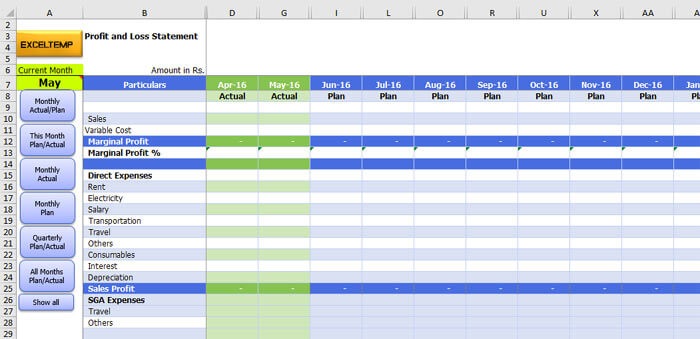
    MIS reporting skills are among the most in-demand Excel capabilities. This Excel Mastery Course focuses heavily on converting raw data into meaningful management information.

    https://www.finereport.com/en/wp-content/uploads/2020/04/2020042901I.jpg
    https://www.goskills.com/blobs/blogs/165/1.gif
    https://www.smartsheet.com/sites/default/files/styles/1300px/public/IC-Project-Management-Dashboard.png?itok=WmxgwjZi

    4

    MIS SkillBusiness Value
    Pivot TablesQuick data summaries
    Dynamic ReportsAutomated monthly MIS
    Data ValidationError-free reporting

    Organizations using structured MIS reports improve decision-making speed by nearly 40%.


    Charts, Graphs, and Interactive Dashboards

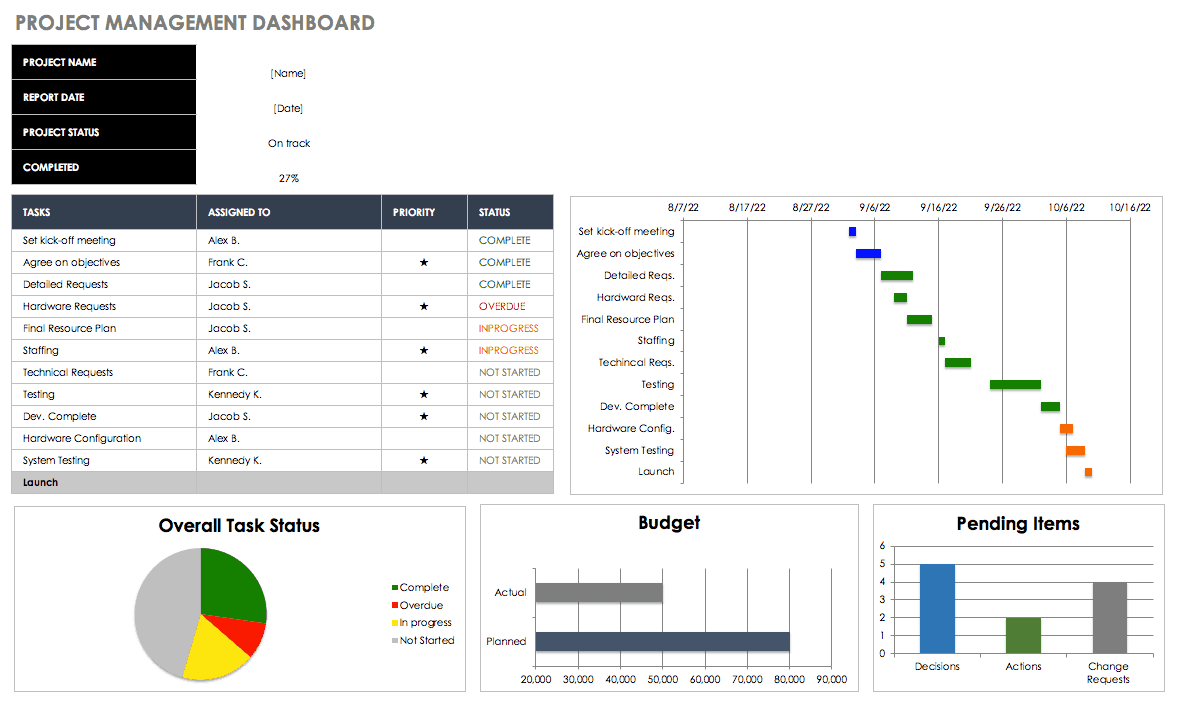
    One of the strongest components of this Excel Mastery Course is dashboard creation. Dashboards allow management to understand performance at a glance.

    Dashboard ElementPurpose
    Interactive ChartsTrend analysis
    KPI TrackersPerformance monitoring
    Linked Data ModelsAuto-updating visuals

    Well-designed Excel dashboards often replace costly business intelligence tools in small and medium organizations.


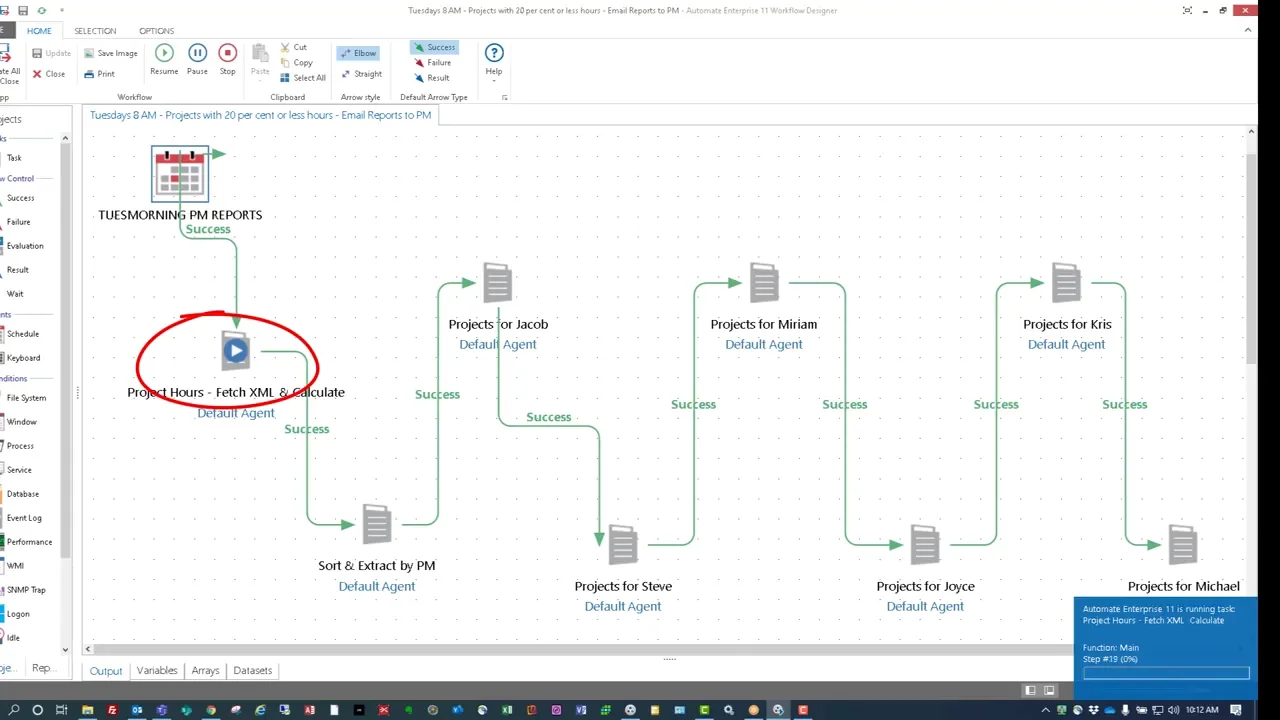
    VBA Macros and Excel Automation

    Automation separates average Excel users from professionals. This Excel Mastery Course introduces VBA macros in a simple, business-focused way.

    https://media.licdn.com/dms/image/v2/C4E12AQGLW3mwNbrlLg/article-cover_image-shrink_600_2000/article-cover_image-shrink_600_2000/0/1546088818884?e=2147483647&t=DIzoaSN0hxDHxRXjHPP6hJlqRBouuBhz5Vbucd7seQg&v=beta
    https://embed-ssl.wistia.com/deliveries/a17b301260d7da2b75e194f4fafa387b.webp?image_crop_resized=1280x720

    4

    Automation AreaProductivity Gain
    Repetitive TasksUp to 90% time reduction
    Report GenerationMinutes instead of hours
    Data CleaningFully automated processes

    Even basic automation can save 100+ working hours per year for a single professional.
    To understand how automation and MIS reporting are structured in detail, you can review the full course outline here:
    Excel Mastery Course


    Handling Large and Complex Data Sets

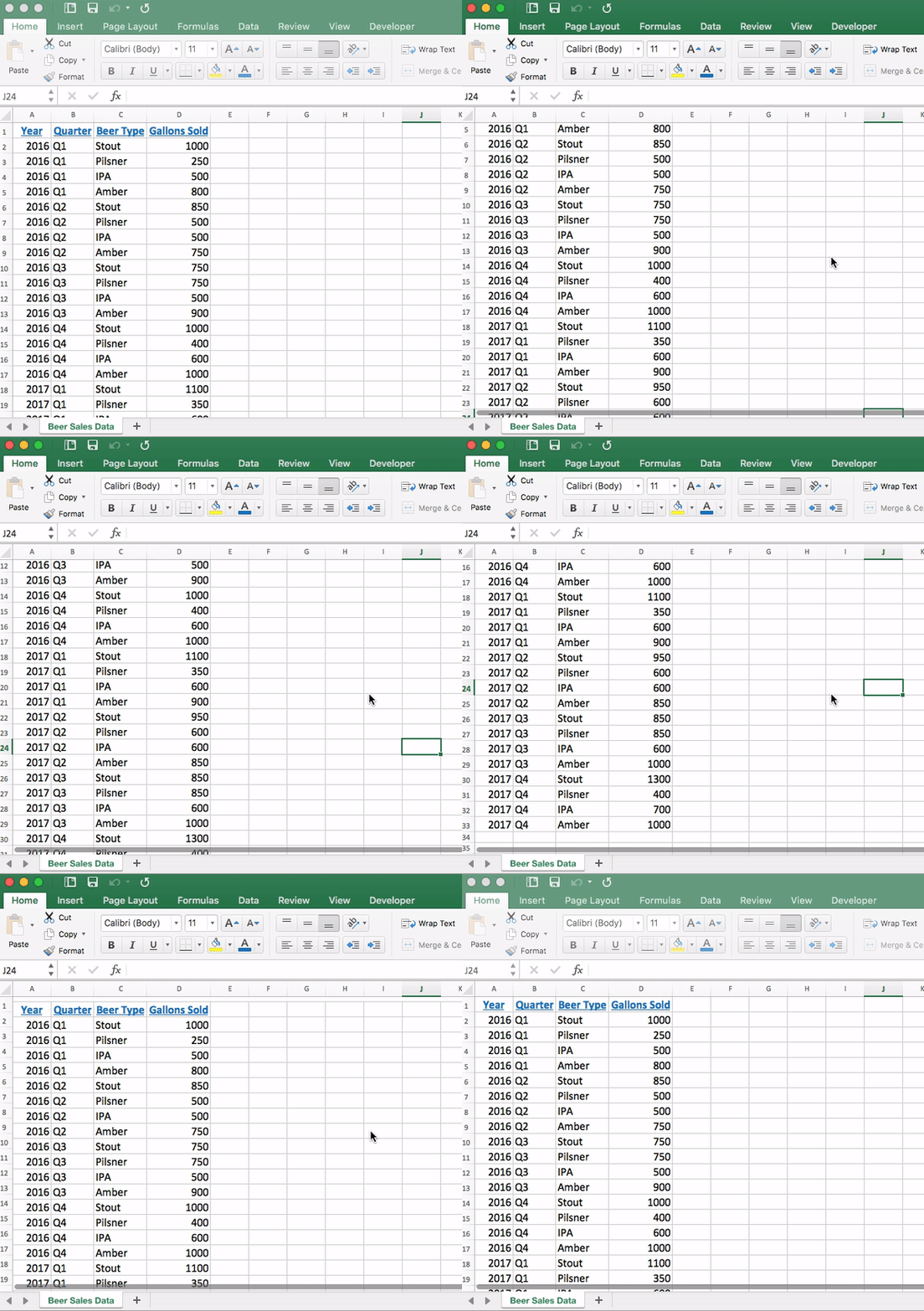
    Many professionals struggle with large Excel files. This Excel Mastery Course teaches efficient methods to manage and analyze heavy datasets without slowing down.

    SkillReal-World Impact
    Advanced FilteringFaster insights
    Data Cleaning TechniquesReliable reports
    Error HandlingMinimal rework

    Companies lose significant productivity due to poor data handling. Structured Excel workflows dramatically reduce this loss.


    Why This Excel Mastery Course Matters for Your Career

    Excel Skills Are Tested in Interviews

    Recruitment studies show that 7 out of 10 employers test Excel skills during interviews for MIS, finance, and analyst roles.

    Faster Career Growth

    Professionals who can independently manage reports, dashboards, and automation are often promoted faster due to their reliability and efficiency.

    Reduced Dependency

    Excel mastery reduces dependence on IT teams and external tools for routine data tasks.

    Freelancing and Side Income

    Advanced Excel professionals often earn additional income by creating dashboards, automating reports, or offering MIS consulting services.

    If you are serious about upgrading your Excel skills for long-term career growth, this complete Excel Mastery Course can be accessed here:
    Check Here


    What Makes This Excel Mastery Course Different?

    This Excel Mastery Course stands out because it focuses on:

    • Real corporate use cases
    • Practical assignments
    • Professional MIS formats
    • Automation-driven efficiency
    • Step-by-step progression from basics to advanced

    The learning approach ensures that skills are immediately applicable in real job environments.


    Learning Outcomes You Can Expect

    After completing this Excel Mastery Course, learners typically experience:

    • Faster report preparation
    • Improved data accuracy
    • Confidence in management reporting
    • Ability to automate daily tasks
    • Strong professional recognition

    Many learners report productivity improvements of 2x to 3x within weeks of applying these skills.


    Frequently Asked Questions (FAQ)

    What makes this an Excel Mastery Course instead of a basic Excel course?

    This Excel Mastery Course focuses on MIS reporting, automation, dashboards, and VBA rather than only basic spreadsheet features.

    Is this Excel Mastery Course suitable for beginners?

    Yes. The course starts from core fundamentals and gradually moves to advanced professional concepts.

    Will this Excel Mastery Course help with MIS and reporting jobs?

    Yes. MIS reporting is one of the main focuses of this Excel Mastery Course.

    Does the course include practical exercises?

    Yes. Real-world datasets and business-style assignments are used throughout.

    Is VBA difficult for non-technical learners?

    No. VBA is taught in a simple, step-by-step manner focused on business automation.

    Can this Excel Mastery Course help in salary growth?

    Professionals with advanced Excel skills often experience faster promotions and better salary increments.

    Is this Excel Mastery Course useful outside accounting and MIS roles?

    Yes. Excel mastery is valuable across finance, operations, sales, HR, and analytics roles.


    Conclusion: Why Excel Mastery Is a Smart Investment

    Excel is more than software—it is a career accelerator. A well-structured Excel Mastery Course equips you with skills that improve accuracy, efficiency, and professional value. In a competitive job market, strong Excel capabilities often become the deciding factor between average performance and career growth.


    Disclaimer

    This article is intended for educational and informational purposes only. Individual results may vary depending on effort, practice, and professional background. This content does not guarantee employment or salary increases but aims to enhance practical Excel proficiency.