🎯 How to Use Them to Grow Your Business (Without Hiring a Team)
✅ Who Is This For?
- Freelancers
- Solopreneurs
- Coaches, trainers, service providers
- Digital marketers, ecommerce sellers
- Anyone starting a business or side hustle
🚀 Top Free AI Tools and How to Use Them (Organized by Purpose)
💼 A. Business Operations & Content Creation
1. ChatGPT (Free – by OpenAI)
Use for: Writing, marketing copy, research, emails, customer service, Excel formulas.
💡 Smart Uses:
- Write emails, blogs, Instagram captions
- Create SOPs, onboarding docs
- Ask for startup ideas or niche analysis
2. Notion AI (Free Tier)
Use for: Task management, idea dumping, knowledge base, writing help
💡 Smart Uses:
- Organize client notes
- Summarize meetings
- Auto-write task lists and proposals
3. Grammarly Free
Use for: Fixing grammar, tone, clarity in business communication.
🎨 B. Branding & Design
4. Canva Free + Magic AI
Use for: Logos, Instagram posts, reels, stories, business cards, presentations
💡 Magic Tools:
- Magic Write (AI content)
- AI Background Remover
- AI Image Generator (text to image)
5. Looka (Free Preview)
Use for: Generate logo + brand assets with AI
💡 Generate multiple logos based on your business name + industry
6. Durable AI
Use for: Create a website in 60 seconds with AI-generated content and images
💡 Smart Use: Instant website for your business with no coding
📣 C. AI Tools for Ads & Marketing
7. AdCreative.ai (Free Trial)
Use for: Generate high-performing ad creatives and text automatically.
💡 Great for Facebook, Instagram, Google Ads — even if you’re not a designer.
8. Copy.ai (Free Plan)
Use for: Ad copy, landing page text, product descriptions
💡 Ask it to: “Write Facebook ad text for my ₹299 Excel course”
✅ copy.ai
9. Ocoya (Free Tier)
Use for: Schedule social posts + generate captions and hashtags with AI.
💡 Includes built-in Canva and AI copywriting engine.
10. Predis.ai (Free Tier)
Use for: AI-generated social media posts (caption + image + hashtags + emojis)
💡 Great for Instagram, LinkedIn, and ad visuals.
🎥 D. Generative AI Tools (Text-to-Image & Video)
11. Pictory.ai (Free Trial)
Use for: Convert blog or script to short videos automatically with AI voiceover.
💡 Ideal for YouTube shorts, Instagram reels.
12. Leonardo.ai (Free Plan)
Use for: Create stunning AI-generated images for product photos, thumbnails, covers.
💡 Example prompt: “A modern office workspace with a laptop, coffee, and Excel dashboard on screen”
13. Sora by OpenAI (Coming Soon to Public)
Use for: Text-to-video generation — describe a scene, and it creates a realistic video.
💡 For future use in ad creatives, product videos.
📊 Summary Table
| Tool | Category | What It Does | Link |
|---|---|---|---|
| ChatGPT | Writing/Support | Emails, ideas, planning | chat.openai.com |
| Canva + Magic | Design + AI | Posts, thumbnails, text-to-image | canva.com |
| Grammarly | Writing | Grammar, tone correction | grammarly.com |
| Notion AI | Planning/Notes | Tasks, client notes, content help | notion.so |
| Durable | Website Builder | Instant AI website | durable.co |
| Looka | Branding | Logos + brand kits | looka.com |
| AdCreative.ai | Ad Design | Ad visuals + copy | adcreative.ai |
| Copy.ai | Copywriting AI | Ad texts, product descriptions | copy.ai |
| Ocoya | Social Scheduler | AI + Canva + content scheduling | ocoya.com |
| Predis.ai | Post Generator | Auto captions, hashtags, images | predis.ai |
| Pictory | Video Generator | AI-generated video from scripts | pictory.ai |
| Leonardo.ai | AI Image Gen | Hyper-real AI visuals | leonardo.ai |
| Sora (Coming) | Text-to-Video | AI-generated video from description | openai.com/sora |
🧠 Tips to Get the Most Out of Free AI Tools
- 🧺 Batch your tasks weekly: Generate 1 week’s worth of posts, captions, emails in 2 hours.
- ✍️ Use specific prompts: The more detail, the better the output.
- 📋 Organize outputs in Notion or Google Docs for future reuse.
- 🔁 Repurpose: Turn blog ➜ email ➜ Instagram post ➜ video with the same content using different tools.
- 💰 Upgrade only when necessary: Most free versions are powerful for startups.
Top rated products
-
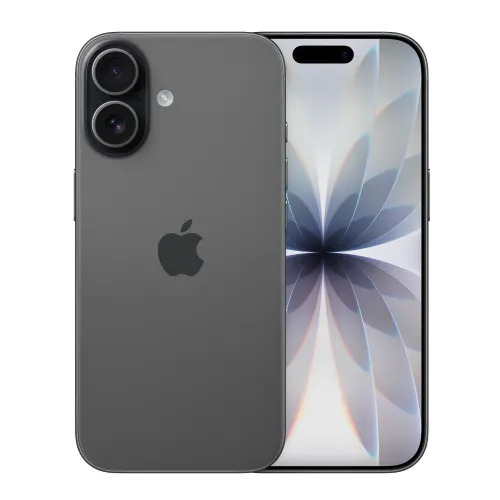
Apple iPhone 17 (256GB Storage, Black)
-

MS Access Mastery Training in Hindi: Unleashing Data Potential
Original price was: ₹1,299.00.₹1,249.00Current price is: ₹1,249.00. -
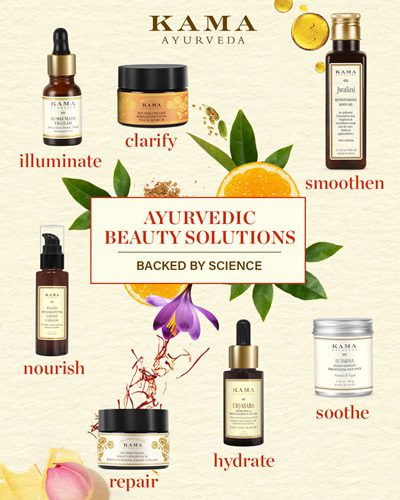
Kama Ayurveda: Luxury Ayurvedic Skincare & Wellness
-

Excel VBA/Macro Masterclass: Automate Excel, Boost Productivity : Classroom /Live Class Training
Original price was: ₹8,500.00.₹6,500.00Current price is: ₹6,500.00. -

Little Monk Buddha Statue Set
Original price was: ₹1,299.00.₹134.00Current price is: ₹134.00. -

Master Excel, Access, Macros & SQL – All in One Course