Blog

  • Best Gaming & Office Chairs in India (2025) – Green Soul, GTPLAYER, CELLBELL & More

    A good chair is just as important as a good desk setup. Whether you’re working long office hours or gaming late at night, an ergonomic chair with lumbar and neck support saves you from back pain and improves posture.

    Here are some of the best ergonomic gaming & office chairs in India (2025) under different budgets.


    🔹 1. Green Soul Monster Ultimate Series T – Ergonomic Gaming & Office Chair

    • Material: Spandex Fabric + PU Leather
    • Adjustments: 4D Armrests, Neck & Lumbar Pillows (Memory Foam)
    • Backrest: Recline 90°–180° + Rocking (15°)
    • Warranty: 3 Years | Free Installation
    • Best For: Professionals 5’8″ to 6’5″

    ✅ Why Buy?

    The Green Soul Monster Ultimate is a premium ergonomic chair combining breathable fabric with PU leather for comfort. It’s ideal for tall professionals/gamers who sit for long hours.

    👍 Pros

    • Premium breathable fabric (better than leather in heat)
    • Full recline up to 180°
    • Heavy-duty build, supports up to 120 kg
    • 4D armrests for max flexibility

    👎 Cons

    • Bulky, not suitable for compact rooms
    • Premium price compared to basic chairs

    💰 Price: ~₹18,990 (47% off)
    👉 Check Price on Amazon


    🔹 2. GTPLAYER Ergonomic Gaming & Computer Chair – Massage Cushion + Footrest

    • Material: PU Leather
    • Special Feature: USB-powered massage lumbar cushion
    • Adjustments: Footrest, Recline + Linkage Armrests
    • Warranty: 1 Year
    • Best For: Users 5’ to 5’10″, max weight 115 kg

    ✅ Why Buy?

    This chair offers full-body comfort with its footrest + massage lumbar pillow. If you work or game for 8+ hours daily, this is the best budget option.

    👍 Pros

    • Massage cushion for lower back relief
    • Retractable footrest for relaxation
    • Strong build with 115kg capacity
    • Affordable price for the features

    👎 Cons

    • Only 1-year warranty (less than Green Soul)
    • PU leather gets warm after long sitting

    💰 Price: ~₹10,999 (59% off)
    👉 Check Price on Amazon


    🔹 3. Green Soul Beast Racing Edition Ergonomic Chair

    • Material: PU Leather + Fabric
    • Adjustments: 3D Armrests, Recline, Removable Lumbar Support
    • Warranty: 3 Years | Free Installation
    • Best For: Medium height users (5’–5’10″), up to 120 kg

    ✅ Why Buy?

    The Green Soul Beast Racing Edition is a great mid-range option. It’s stylish, ergonomic, and durable — perfect for gamers and professionals under 5’10″.

    👍 Pros

    • High-quality PU leather + breathable fabric
    • Reclining & rocking functions
    • Removable lumbar pillow for customization
    • Strong metal frame

    👎 Cons

    • Not ideal for tall people above 6 ft
    • Limited seat width compared to Monster series

    💰 Price: ~₹15,090 (34% off)
    👉 Check Price on Amazon


    🔹 4. CELLBELL Transformer Lite Gaming Chair – Best Budget Pick

    • Material: PU Leatherette
    • Adjustments: 1D Armrests, Recline up to 135°
    • Warranty: 3 Years
    • Best For: Students, beginners, budget buyers

    ✅ Why Buy?

    The CELLBELL Transformer Lite is one of the best budget gaming chairs under ₹10,000. It has an ergonomic racing design, lumbar/shoulder support, and a tilt mechanism — perfect for beginners and students.

    👍 Pros

    • Affordable price
    • Recline with tilt lock up to 135°
    • Stylish gamer design
    • 3-year brand warranty

    👎 Cons

    • Basic 1D armrests
    • Cushioning not as premium as Green Soul

    💰 Price: ~₹9,997 (67% off)
    👉 Check Price on Amazon


    🏆 Which Chair Should You Buy?

    • Best Overall (Premium Comfort) → Green Soul Monster Ultimate Series T
    • Best Budget with Massage & Footrest → GTPLAYER Gaming Chair
    • Best Mid-Range with Strong Build → Green Soul Beast Racing Edition
    • Best Under ₹10,000 (Students/Starters) → CELLBELL Transformer Lite

    ✨ Final Thoughts

    If you spend long hours working or gaming, investing in a good ergonomic chair is worth it. Green Soul chairs are best for long-term durability, while GTPLAYER and CELLBELL are great budget-friendly picks.

    👉 Always check Amazon deals & EMI offers to get the best price!


  • Best Laptops under ₹50,000 for Office and Professional Work (2025)

    Buying a laptop is an investment—especially when it’s meant for office and professional work. Under ₹50,000, you can now find powerful thin-and-light laptops with Ryzen 5, Ryzen 7, and Intel Core i5 processors, backed by 16GB RAM and SSD storage.

    We’ve shortlisted the Top 5 Best Laptops under ₹50,000 in India (2025) for office use, presentations, online meetings, and productivity tasks.


    🔹 1. Dell Inspiron 3535 – AMD Ryzen 5, 16GB RAM, 512GB SSD

    • Display: 15.6″ FHD IPS, 120Hz Refresh Rate
    • Processor: AMD Ryzen 5-7530U (up to 4.5GHz, 6 Cores, 12 Threads)
    • RAM & Storage: 16GB DDR4 + 512GB SSD
    • Software: Windows 11 Home + MS Office 2024 (Lifetime)
    • Weight: 1.67 Kg | Thin & Light

    ✅ Why Buy This Laptop?

    Dell’s Inspiron 3535 is perfect for professionals who want a reliable brand, good build quality, and smooth multitasking. The 120Hz display makes scrolling and presentations smoother than standard 60Hz laptops.

    👍 Pros

    • Fast Ryzen 5 processor for everyday office tasks
    • 120Hz refresh rate for a better visual experience
    • Preloaded Windows 11 + MS Office 2024
    • Dell’s brand reliability & service network

    👎 Cons

    • No dedicated graphics (not for heavy gaming/designing)
    • Average brightness (250 nits) – not ideal for outdoor use

    💰 Price: ~₹48,322


    🔹 2. Lenovo V15 – AMD Ryzen 7 7730U, 16GB RAM, 512GB SSD

    • Display: 15.6″ FHD, Anti-Glare
    • Processor: Ryzen 7 7730U (8 Cores, up to 4.5GHz)
    • RAM & Storage: 16GB DDR4 + 512GB SSD
    • Battery: Up to 8.7 hours, Rapid Charge (80% in 1 hr)
    • Weight: 1.65 Kg

    ✅ Why Buy This Laptop?

    The Lenovo V15 packs an 8-core Ryzen 7 CPU, making it ideal for professionals handling Excel reporting, coding, and multitasking. It also supports rapid charging, which is useful for office travel.

    👍 Pros

    • Strong performance with Ryzen 7
    • Long battery life + Rapid Charge support
    • Anti-glare screen for long office hours
    • Lightweight (1.65 Kg)

    👎 Cons

    • No backlit keyboard (less ideal for night work)
    • Average build compared to premium models

    💰 Price: ~₹44,999


    🔹 3. ASUS Vivobook 14 – Intel Core 5 (13th Gen), 16GB RAM

    • Display: 14″ FHD, Anti-glare
    • Processor: Intel Core 5 120U (up to 5.0GHz, 10 Cores)
    • RAM & Storage: 16GB RAM + 512GB SSD
    • Special Features: Fingerprint Reader, Backlit Keyboard, 720p HD Camera with Privacy Shutter
    • Weight: 1.4 Kg | Ultra-light

    ✅ Why Buy This Laptop?

    The ASUS Vivobook 14 is a portable workhorse. At just 1.4 Kg, it’s one of the lightest laptops in this segment. Add to that, security features like a fingerprint sensor, making it a top pick for professionals who travel often.

    👍 Pros

    • Compact and lightweight design (great for travel)
    • Fingerprint login for extra security
    • Backlit keyboard + privacy shutter webcam
    • 13th Gen Intel processor with strong performance

    👎 Cons

    • Smaller screen (14″) – not ideal for heavy Excel users
    • Battery backup could be better

    💰 Price: ~₹47,990


    🔹 4. Acer Aspire Lite – Intel Core i5 13th Gen, 16GB RAM

    • Display: 15.6″ FHD, Slim Bezel
    • Processor: Intel Core i5-1334U (Turbo up to 4.5GHz)
    • RAM & Storage: 16GB DDR4 + 512GB SSD (expandable up to 1TB)
    • Build: Premium Metal Body
    • Weight: 1.59 Kg

    ✅ Why Buy This Laptop?

    The Acer Aspire Lite offers a premium design at an affordable price. With a metal chassis, 13th Gen Intel processor, and expandable SSD, it’s a great choice for professionals who want durability and speed without spending more.

    👍 Pros

    • Premium metal body design
    • Latest 13th Gen Intel Core i5
    • Expandable storage option
    • Slim and stylish

    👎 Cons

    • Battery life is average (5–6 hrs)
    • No backlit keyboard

    💰 Price: ~₹46,990


    🔹 5. Lenovo IdeaPad Slim 3 – AMD Ryzen 7 5700U

    • Display: 15.6″ FHD, 300 Nits Brightness, Anti-glare
    • Processor: Ryzen 7 5700U (8 Cores, up to 4.3GHz)
    • RAM & Storage: 16GB DDR4 + 512GB SSD
    • Software: Windows 11 + MS Office 2021
    • Weight: 1.65 Kg

    ✅ Why Buy This Laptop?

    This laptop is a perfect mix of performance + battery life. The Ryzen 7 ensures smooth multitasking, and Lenovo’s Rapid Charge feature makes it a practical choice for professionals working long hours.

    👍 Pros

    • Bright 300 nits display (better visibility indoors)
    • Ryzen 7 performance for power users
    • Rapid charging support (80% in 1 hr)
    • Lightweight & slim design

    👎 Cons

    • TN panel (less color-accurate than IPS)
    • No fingerprint reader

    💰 Price: ~₹49,990


    🏆 Which Laptop Should You Buy?

    • For balanced performance + Dell serviceDell Inspiron 3535
    • For power users & data-heavy tasksLenovo V15 (Ryzen 7)
    • For portability & travelASUS Vivobook 14
    • For stylish design & durabilityAcer Aspire Lite
    • For long battery backupLenovo IdeaPad Slim 3

    ✨ Final Thoughts

    Finding the best laptop under ₹50,000 for office and professional work depends on your usage. If you’re a professional handling Excel, Power BI, reports, Zoom meetings, or coding, these laptops deliver top-notch performance without breaking the bank.

    👉 Pro Tip: Always check Amazon deals during Great Indian Festival, Prime Day, and seasonal sales — you might grab these laptops at even lower prices!


  • How Many Steps Should You Walk Daily After 40? Complete Health Guide

    🏃‍♂️ How Many Steps a Day Should You Walk After 40?

    Turning 40 is a milestone where health and lifestyle become even more important. Walking is one of the simplest and safest exercises you can do to maintain weight, improve heart health, strengthen bones, and reduce the risk of diabetes, hypertension, and joint issues.


    ✅ General Recommendation

    • 7,000 to 10,000 steps per day is considered an ideal target for adults in their 40s.
    • New research suggests that 7,000 steps may be enough to reduce risk of early death significantly, and going beyond 10,000 steps adds only small benefits.
    • If you are just starting out, even 5,000 steps daily (about 40 minutes of walking) can make a big difference.

    ⚖️ Step Counts by Health Goals

    GoalRecommended Steps
    Basic Health Maintenance5,000–7,000 steps/day
    Weight Control & Fitness7,000–10,000 steps/day
    High Fitness / Active Lifestyle10,000–12,000 steps/day

    🕒 Time Breakdown

    • 5,000 steps ≈ 35–40 minutes of brisk walking
    • 7,000 steps ≈ 50–60 minutes of brisk walking
    • 10,000 steps ≈ 80–90 minutes of brisk walking

    You don’t have to do it all at once—split it into morning walk + evening stroll + daily activities (climbing stairs, household chores, walking at work).


    ❤️ Why Walking After 40 Is Essential

    1. Heart Health – Walking 30–60 minutes daily reduces risk of hypertension, cholesterol, and heart attack.
    2. Weight Management – Helps burn calories and keeps metabolism active.
    3. Bone & Joint Strength – Supports mobility and reduces stiffness common after 40.
    4. Diabetes Control – Improves insulin sensitivity and blood sugar levels.
    5. Mental Health – Walking outdoors boosts mood, reduces stress, and improves sleep.

    🚶 Tips for Walking After 40

    • Start Slow: If inactive, begin with 3,000–4,000 steps/day and gradually increase.
    • Brisk Pace: Walk fast enough that you feel slightly breathless but can still talk (called moderate intensity).
    • Good Shoes: Use cushioned walking shoes to protect joints.
    • Consistency Matters: Daily walking is better than overdoing it once a week.
    • Mix It Up: Add light stretching, yoga, or strength training twice a week for balanced fitness.

    🎯 Bottom Line

    For a 40+ adult, 7,000–10,000 steps per day (about 1 hour of brisk walking) is the sweet spot for health, weight control, and longevity. Even if you can’t hit 10,000 daily, regular walking of at least 5,000 steps will still keep you healthy and active.

    🚶 Daily Walking Routine After 40 (Target: 7,000–10,000 steps)

    🌅 Morning (Before Work) – 2,500–3,000 steps

    • Warm-up: 5 minutes of light stretching
    • Brisk Walk: 25–30 minutes around your neighborhood, park, or treadmill (≈ 2,500–3,000 steps)
    • Tip: Walk at a pace where you can talk but not sing (moderate intensity).

    🏢 Daytime (At Work or Home) – 2,000–2,500 steps

    • Use stairs instead of the lift (100–200 steps each time).
    • Take a 5–10 minute walk after meals (≈ 500 steps each).
    • Park your vehicle a little farther or get off public transport 1 stop earlier.
    • Short breaks every 1–2 hours: walk around your home/office (200–300 steps each).

    🌇 Evening (After Work) – 2,000–3,000 steps

    • Go for a relaxed 30-minute walk with family, friends, or while listening to music.
    • If you have pets, evening dog walks can add 1,000+ steps easily.
    • A light stroll after dinner (10–15 mins ≈ 700–1,000 steps) helps digestion.

    📊 Step Count Summary

    Time of DayStepsDuration
    Morning Walk2,500–3,00030 mins
    Daytime Activity2,000–2,500Spread out
    Evening Walk2,000–3,00030–40 mins
    Total7,000–9,00060–90 mins

    ⚡ Extra Tips to Stay Consistent

    • Use a fitness tracker / phone pedometer to count steps.
    • Walk with a buddy to stay motivated.
    • If busy, do three 20-minute walks instead of one long session.
    • Add variety: some days brisk walk, other days light jog or cycling.

    ✅ With this routine, you’ll easily achieve 7,000–10,000 steps daily, which is the sweet spot for staying fit and healthy in your 40s.


    🔹 Disclaimer (add at the end of article)

    Disclaimer: This article is for general informational purposes only and does not replace professional medical advice. Always consult your doctor before starting any new exercise or fitness routine, especially if you have existing health conditions.


    🏃 Best Gadgets to Track Steps in 2025

    Walking is one of the simplest ways to stay fit after 40, but tracking your steps keeps you motivated and consistent. Here are the top 3 step-tracking gadgets available on Amazon that you can promote with your affiliate links:


    1️⃣ Amazfit Bip 5 Smartwatch

    • Why It’s Great:
      • Accurate step tracking with advanced sensors
      • 11-day battery life (no daily charging hassle)
      • Lightweight & stylish design
      • Tracks heart rate, sleep, and calories too
    • Best For: Professionals who want a budget-friendly smartwatch with step tracking.

    2️⃣ Noise ColorFit Pro 5 Max

    • Why It’s Great:
      • Large AMOLED display with customizable watch faces
      • Step counter + SpO2 + heart rate monitor
      • Bluetooth calling & fitness tracking
      • Water-resistant – safe for outdoor walks
    • Best For: Anyone who wants both fitness + smart features in one watch.

    3️⃣ Fitbit Charge 6 Advanced Fitness Tracker

    • Why It’s Great:
      • Industry-leading step tracking accuracy
      • Built-in GPS + heart health monitoring
      • Google Maps, Wallet, and Music controls
      • Long history of reliability & fitness ecosystem
    • Best For: Health-conscious users who want premium fitness tracking with proven accuracy.

    Look For Yourself

    Smart Watches in Amazon


  • How to Apply for ₹50,000 Graduation Scholarship Online – Eligibility & Process

    Graduation Scholarship 2025 – Get ₹50,000 Support for Your Higher Studies

    Many universities, NGOs, and government bodies in India provide scholarships up to ₹50,000 for students pursuing graduation. These scholarships aim to help meritorious and financially weaker students continue their higher studies without financial stress.


    ✅ Key Highlights of Graduation Scholarship (₹50,000)

    • Scholarship Amount: Up to ₹50,000 per year
    • Eligible Students: Graduation students (BA, B.Com, B.Sc, B.Tech, etc.)
    • Mode of Application: 100% Online (through official portals)
    • Selection Basis: Merit and/or family income criteria
    • Documents Required: Aadhaar card, mark sheets, income certificate, bank passbook, admission proof, caste/category certificate (if applicable)

    🎓 Popular ₹50,000 Scholarships in India for Graduation

    1. NSP (National Scholarship Portal) Schemes
    2. LIC HFL Vidyadhan Scholarship
      • Provides up to ₹50,000 for undergrad students.
      • Based on merit + income (family income < ₹6,00,000/year).
    3. ONGC Scholarship for Meritorious Students
      • ₹48,000–50,000 per year for SC/ST/OBC/General category students.
    4. Tata Trusts Scholarship
      • Up to ₹50,000 for deserving students in graduation and professional courses.
    5. Kotak Kanya Scholarship(for girls)
      • ₹50,000 per year to support girl students in higher education.

    🖥️ How to Apply Online?

    1. Visit the official scholarship portal (NSP, NGO website, or private trust portal).
    2. Register with a valid email ID & mobile number.
    3. Fill in your academic, personal & income details.
    4. Upload required documents (scanned copies in PDF/JPG).
    5. Submit application and note down your application ID for tracking.

    📌 Tips for Successful Application

    • Apply before the deadline—most portals close in October–December.
    • Keep your documents updated (especially income & caste certificates).
    • Track your status regularly on the portal.
    • Beware of fake websites—apply only via official portals.

    Final Words

    If you’re a graduate student looking for financial aid up to ₹50,000, these scholarships can help ease the burden. With 100% online application, the process is simple and transparent. Start early, keep documents ready, and grab the opportunity to fund your education.


    Disclaimer: Scholarship details vary by provider and year. Always verify latest eligibility, deadlines, and official links before applying.


  • Why Seekho App Isn’t Worth Paying For When YouTube Already Offers More

    Is Seekho App Worth It? Probably Not.

    Seekho markets itself as India’s “edutainment OTT platform” with short, 60-second videos on business, money, tech, English, and more. But here’s the catch—everything it offers is already available for free on YouTube Shorts, and often in much greater variety and quality.

    Ramesh, a young professional from Delhi, was scrolling through Instagram when he came across an ad for the Seekho App. The promise was tempting—“Learn valuable skills in just 60 seconds!” Curious, he downloaded the app and even paid for a trial subscription.

    At first, he explored a few videos on business, Excel tips, and English speaking. But soon, he realized something: everything he watched was already available on YouTube Shorts for free. In fact, the exact same Excel trick he learned on Seekho, he later found explained better on YouTube—without paying a single rupee.

    Frustrated, Ramesh dug deeper. He discovered that Seekho only had about 10,000 short videos, whereas YouTube has millions of shorts uploaded daily by experts worldwide. Not just that—Seekho’s subscription automatically renewed without clear reminders, and he found no real “extra” value like certifications, career support, or interactive lessons.

    In the end, Ramesh felt cheated. His conclusion was simple:
    👉 “Why should I pay for Seekho when YouTube gives me unlimited, diverse learning for free?”

    Why Seekho Falls Short

    1. Paid vs Free
      • Seekho locks almost all its content behind a paid subscription.
      • YouTube Shorts gives you unlimited, free access to millions of educational clips.
    2. Limited Content Library
      • Seekho boasts 10,000+ short videos, which sounds big—but it’s nothing compared to YouTube’s vast library that updates every second with fresh content from around the world.
    3. No Unique Value
      • The 60-second “micro-learning” idea isn’t new—YouTube, Instagram Reels, and even LinkedIn creators are already doing it for free.
      • Seekho doesn’t provide certifications, deep-dive courses, or career-focused features that might justify its subscription cost.
    4. User Complaints
      • Many reviews highlight misleading ads, auto-renew traps, and poor customer support.
      • People felt they got nothing beyond what YouTube already provides—except a recurring bill.

    YouTube vs Seekho

    FeatureYouTube ShortsSeekho App
    CostFreePaid (subscription only)
    ContentMillions of shorts, global creators~10k videos
    UpdatesNew content every minuteFixed library
    ValueFree + diverseLimited + locked behind paywall

    Final Verdict

    Seekho is not worth paying for.
    In 60 seconds, you can learn anything valuable—from Excel tricks to business hacks—for free on YouTube Shorts. Seekho doesn’t offer anything unique, and with just a 10k video library, it’s a drop compared to YouTube’s ocean of content.

    Unless Seekho adds real value (certifications, live mentoring, career-focused features), paying for it makes little sense when YouTube already gives you unlimited short learning—without charging a single rupee.


    Disclaimer: This article is based on publicly available information and user experiences. It is not sponsored by or affiliated with Seekho. Readers are advised to evaluate any app or subscription carefully before making a purchase.


  • Free Excel Course on Skillshare – Master Excel 365, 2019 & 2021 from Scratch to Pro

    Are you ready to transform your Excel skills and boost your career opportunities? Whether you’re a student, job-seeker, professional, or entrepreneur, mastering Excel is no longer optional—it’s essential.

    With the right training, Excel becomes more than just a spreadsheet tool. It becomes your data powerhouse—helping you analyze trends, build reports, automate tasks, and make data-driven decisions like top professionals do.

    That’s exactly what you’ll achieve with my Skillshare course:
    👉 Master Excel Like a Pro – From Scratch to Expert Level (Free with Skillshare 1-Month Trial).


    Why This Excel Course?

    This course is designed for real-world learning, not just theory. Every lesson is structured around practical business cases, hands-on exercises, and time-saving tricks that professionals use daily.

    You’ll start with the basics of Excel and progress step by step to advanced features—ending with the ability to build professional dashboards, automate tasks, and confidently tackle any data challenge.


    ✅ What You’ll Learn

    Here’s a quick overview of what’s inside the course:

    • Excel Interface & Navigation – Customize ribbons, quick access toolbar, and set up your workspace.
    • Data Entry & Formatting – Organize and present data professionally with formatting tools.
    • Math & Logical Functions – Automate decisions with IF, AND, OR, XOR, and nested formulas.
    • Text Functions – Clean and manipulate data using LEFT, RIGHT, MID, TRIM, FIND, SUBSTITUTE, etc.
    • Lookup & Reference Functions – Master VLOOKUP, HLOOKUP, INDEX-MATCH, and the game-changing XLOOKUP.
    • Data Protection & Printing – Secure your workbooks and prepare clean, professional printouts.
    • Data Analysis Tools – Use Conditional Formatting, Goal Seek, Scenario Manager, and What-If Analysis.
    • Charts & Visualization – Create stunning charts and advanced data visualizations.
    • PivotTables & Power Pivot – Analyze massive datasets with ease.
    • Macros & Automation – Record and manage macros to save time on repetitive tasks.

    🎯 Hands-On Projects

    Theory is important, but practice makes perfect.
    That’s why every section of the course includes tasks, case studies, or projects to ensure you apply what you learn immediately.

    By the end, you’ll have built Excel solutions that reflect real business reporting scenarios—giving you the confidence to use Excel professionally.


    📊 Who This Course Is For

    This course is perfect for:

    ✔ Beginners who want a solid foundation in Excel
    ✔ Working professionals managing reports, analytics, or office data
    Students preparing for exams or job interviews
    Freelancers & entrepreneurs managing their own data
    ✔ Accountants, analysts, HR, managers, and marketers who rely on Excel daily


    🎓 Course Details

    • 75 Lessons
    • 10 Hours 51 Minutes of Training
    • Available on Skillshare with a Free 1-Month Trial

    👉 Enroll here: Master Excel Like a Pro – From Scratch to Expert Level


    🚀 Why Learn Excel Today?

    In 2025, Excel remains the most in-demand skill across industries. Employers value professionals who can handle, analyze, and present data effectively. Whether you want to get hired, promoted, or start your own business, Excel proficiency will set you apart.

    This course is your one-stop solution to learning Excel 365 (also fully compatible with 2019 & 2021).


    💡 Final Words

    Don’t just learn Excel—master it. With hands-on projects, real-world examples, and clear step-by-step lessons, this Skillshare course will take you from beginner to expert in less than 11 hours.

    👉 Start learning today for FREE with Skillshare’s 1-Month Trial:
    Click here to enroll now


    📌 Disclaimer: This course is hosted on Skillshare. You can access it free for 1 month through the referral link above. After the trial, a Skillshare subscription may apply.


  • Free TallyPrime Training in Hindi: Complete Accounting, GST & Payroll Course

    Master TallyPrime in Hindi: GST, TDS & Payroll Simplified

    Unlock the Free Udemy Course Now

    Get started on your accounting journey with this free Udemy course:
    TallyPrime Full Course in Hindi – GST, TDS and Payroll


    Why This Course Is a Must-Take

    • Tailored for Hindi Speakers
      Learn accounting, taxation, and payroll in clear, relatable Hindi—perfect for students, professionals, and entrepreneurs across India.
    • Crisp Yet Comprehensive
      Spread over 5 hours of content and packed into 40 focused lectures, the course delivers real-world insights in digestible bites.
    • Latest Updates Included
      Incorporates the latest Union Budget 2025 tax updates, ensuring you stay current.

    What You’ll Learn: Full Breakdown

    The course curriculum covers every key aspect:

    • Basics of TallyPrime Setup
      Learn to install the software and create, alter, or delete company accounts.
    • Core Accounting Skills
      Understand fundamentals like debits and credits, ledger creation, voucher entries, and generating Balance Sheet & Profit & Loss reports.
    • Bank Reconciliation
      Reconcile company’s financial data with bank statements smoothly.
    • Inventory & Sales Management
      Manage stock and inventory, generate sales invoices through POS, and explore Bill of Materials (BOM) for manufacturing.
    • Taxation Made Easy
      Dive deep into GST complexities—including Reverse Charge Mechanism, GST on services/fixed assets, multi-rate GST, TDS/TCS implementation, and input tax credit.
    • Cost Centers & Budgeting
      Learn to allocate and monitor expenses using cost centers, cost categories, and budget reports.
    • Payroll Processing
      Set up corporate payroll aligned with government-approved deduction rates.
    • Bonus: Excel Financial Tools Module
      Enhance your financial planning using Excel’s Goal Seek, Scenario Manager, PMT (EMI) functions, and data tables for sensitivity analysis.
    • Perks Included
      • Lifetime access to all video content
      • Certificate of completion
      • Practical use cases for real job-readiness

    Who Should Enroll?

    This course is ideal for:

    • Students aspiring to work in accounting or finance
    • Job Seekers preparing for roles in bookkeeping, payroll, and tax compliance
    • Small Business Owners & Entrepreneurs wanting to handle their financials efficiently
    • Accountants & Finance Professionals seeking to brush up or expand skills in TallyPrime and taxation modules

    Written in Hindi, with Real Impact

    Learning complex topics like GST, TDS, and payroll in your native language boosts confidence and accelerates understanding—making this course both accessible and practical.


    Summary at a Glance

    FeatureDetails
    LanguageHindi
    Duration5 hours
    Lectures40
    Core Areas CoveredAccounting, Inventory, Taxation, Payroll, Excel tools
    Bonus ContentExcel financial functions
    UpdatesIncludes Union Budget 2025 updates
    AccessLifetime + Certificate

    Ready to Get Started?

    If you’ve ever thought: “I want to learn TallyPrime, but in Hindi and with real GST and payroll examples”—this course is for you. Begin learning today and go from beginner to job-ready!

    👉 Enroll here: TallyPrime Full Course in Hindi – GST, TDS and Payroll (Free Link)

  • TCS to Hike Salaries for 80% of Employees, Effective Sept 1, 2025 — What It Means Amid Layoffs

    In a dramatic shift, Tata Consultancy Services (TCS) has confirmed that despite announcing layoffs affecting around 12,000 employees, the company will move forward with annual wage increases for approximately 80% of its workforce, starting September 1, 2025.


    Key Highlights

    • Delayed Raises Implemented: Salary hikes originally scheduled for April have been postponed due to business uncertainties and global economic pressures.
    • Widespread Impact: The increase will benefit employees in grades up to C3A (assistant consultant level) — spanning freshers to associates with over a decade of experience.
    • What About Senior Staff?: TCS has not yet shared details regarding wage revisions for the remaining 20% of senior-level employees.
    • Context of Layoffs: Approximately 12,000 job cuts—about 2% of the total workforce—are underway as part of a strategic realignment aimed at future readiness.
    • Tough Industry Conditions: The move comes amid a challenging IT landscape in India, marked by weak demand, inflation pressures, and delayed client decision-making.

    Why This Matters

    AspectInsight
    Employee MoraleProviding raises to most staff despite layoffs can help maintain engagement and productivity.
    Retention StrategyFavoring junior and mid-level staff with hikes may stabilize attrition, currently at a two-year high of 13.8%.
    Budget RealignmentBalancing savings from layoffs with salary increases may ease continued cost optimization.
    Industry BenchmarkReflects how Indian IT firms are selectively investing in talent amid restructuring.

    What You Can Do

    • Junior & Mid-Level Staff: Expect your revised salary to be effective from September 1, 2025.
    • Senior Employees: Stay tuned—TCS has not confirmed hikes yet for higher grades.
    • Employees Impacted by Layoffs: If you’re among those affected, explore reskilling or internal transition programs that may be available.
    • Job Seekers: Use this as a yardstick to understand workplace trends in compensation, layoffs, and strategic realignments.

    Final Thoughts

    TCS’s announcement is a balancing act—laying off a portion of its workforce while investing in the rest. By granting raises to 80% of employees, the company is signaling confidence in its strategic direction and commitment to core talent. However, uncertainty remains for senior staff, and navigating this period requires adaptation and clarity.

  • ITR Filing 2025: Do Students or Unemployed Individuals Need to File Income Tax Returns?

    With the Income Tax Return (ITR) filing deadline for FY 2024-25 (AY 2025-26) extended to 31st October 2025, many students and unemployed individuals are wondering whether they need to file returns at all. The answer depends on income level, source of income, and other financial activities.


    🔹 Do Students Need to File ITR in 2025?

    Yes, in certain cases. While most students don’t have taxable income, there are situations where filing becomes mandatory:

    • Part-Time Jobs / Internships – If income exceeds the basic exemption limit (₹2.5 lakh under the old regime or ₹3 lakh under the new regime).
    • Scholarships – Exempted from tax under Section 10(16). No need to file ITR for this income.
    • Stipends – Taxability depends on whether it is treated as salary (taxable) or scholarship (exempt). Many company-paid stipends are taxable.
    • Investment Income – Interest from bank deposits, dividends, or capital gains (shares, crypto, mutual funds) is taxable if above limits.
    • TDS Deduction – If TDS is deducted on any earnings (e.g., FD interest), students should file ITR to claim a refund.

    🔹 Do Unemployed Individuals Need to File ITR in 2025?

    Unemployed persons may also need to file ITR if:

    • They Earn from Other Sources – Interest, rent, dividends, or capital gains above exemption limit.
    • Received Severance, PF Withdrawal, or Compensation – Certain payouts are taxable.
    • They Want to Claim Refund of TDS – Banks deduct TDS on FD/interest income even if the person is unemployed.
    • To Carry Forward Losses – If they have a capital loss (like in stocks), filing ITR allows them to carry it forward to set off against future gains.
    • Loan or Visa Requirement – Even with zero/low income, ITR is often required as proof of financial status.

    🔹 Income Tax Exemption Limits for FY 2024-25

    • Old Regime: ₹2.5 lakh basic exemption
    • New Regime: ₹3 lakh basic exemption (₹7 lakh effective exemption with rebate u/s 87A)

    👉 If a student or unemployed person’s income is below these limits and no TDS has been deducted, filing is not mandatory.


    🔹 Benefits of Filing ITR Even If Not Mandatory

    1. Proof of Income for loans, visas, or higher studies abroad.
    2. TDS Refund – Helps reclaim deducted taxes.
    3. Credit Score Improvement – Regular filing supports financial credibility.
    4. Carry Forward Losses – Useful for investors in stocks, crypto, or mutual funds.

    🔹 Final Word

    For students and unemployed individuals, ITR filing in 2025 is not compulsory unless their income crosses the exemption threshold or TDS has been deducted. However, it is still advisable to file voluntarily as it builds a financial track record and provides legal benefits.


    ⚠️ Disclaimer: This article is for informational purposes only. Tax laws are subject to change. Please consult a qualified tax advisor or refer to official Income Tax Department guidelines before making decisions.


  • Best 22-Inch Monitors in India 2025 under 7000 – Work From Home & Online Setup Guide

    The demand for affordable monitors for work from home and online study setups has grown rapidly in India. Many professionals, students, and freelancers prefer a 22-inch monitor because it is compact, budget-friendly, and offers enough screen space for multitasking.

    In this guide, we compare the top 22-inch monitors in India (2025) from Acer, Dell, Samsung, Lenovo, and LG. These models come with Full HD resolution, eye-care technology, HDMI/VGA connectivity, and slim designs, making them perfect for online work, office productivity, and even light gaming.


    🔹 Why a 22-Inch Monitor is Best for Work From Home

    • Compact & Space-Saving – Perfect for small desks or study rooms.
    • Full HD Clarity – 1920×1080 resolution ensures crisp text and sharp images for Excel, Word, coding, Zoom calls, and browsing.
    • Budget-Friendly – All options listed here are under ₹7,000.
    • Work + Entertainment Balance – Smooth performance for both productivity and streaming movies.
    • Eye-Care Features – Blue light filter and flicker-free technology reduce strain during long working hours.

    🖥 Top 22-Inch Monitors in India (2025) – Detailed Comparison

    1️⃣ Acer EK220Q 21.5″ Full HD Monitor – Best Value for Money

    💰 Price: ₹5,695 (approx.)

    • 100Hz refresh rate for smooth visuals
    • 1ms response time + AMD FreeSync (great for Excel, browsing, and casual gaming)
    • Comes with HDMI cable in the box
    • Matte screen reduces glare

    👉 Why Buy? Perfect for students, freelancers, and beginners who need a budget monitor for daily online work and classes.


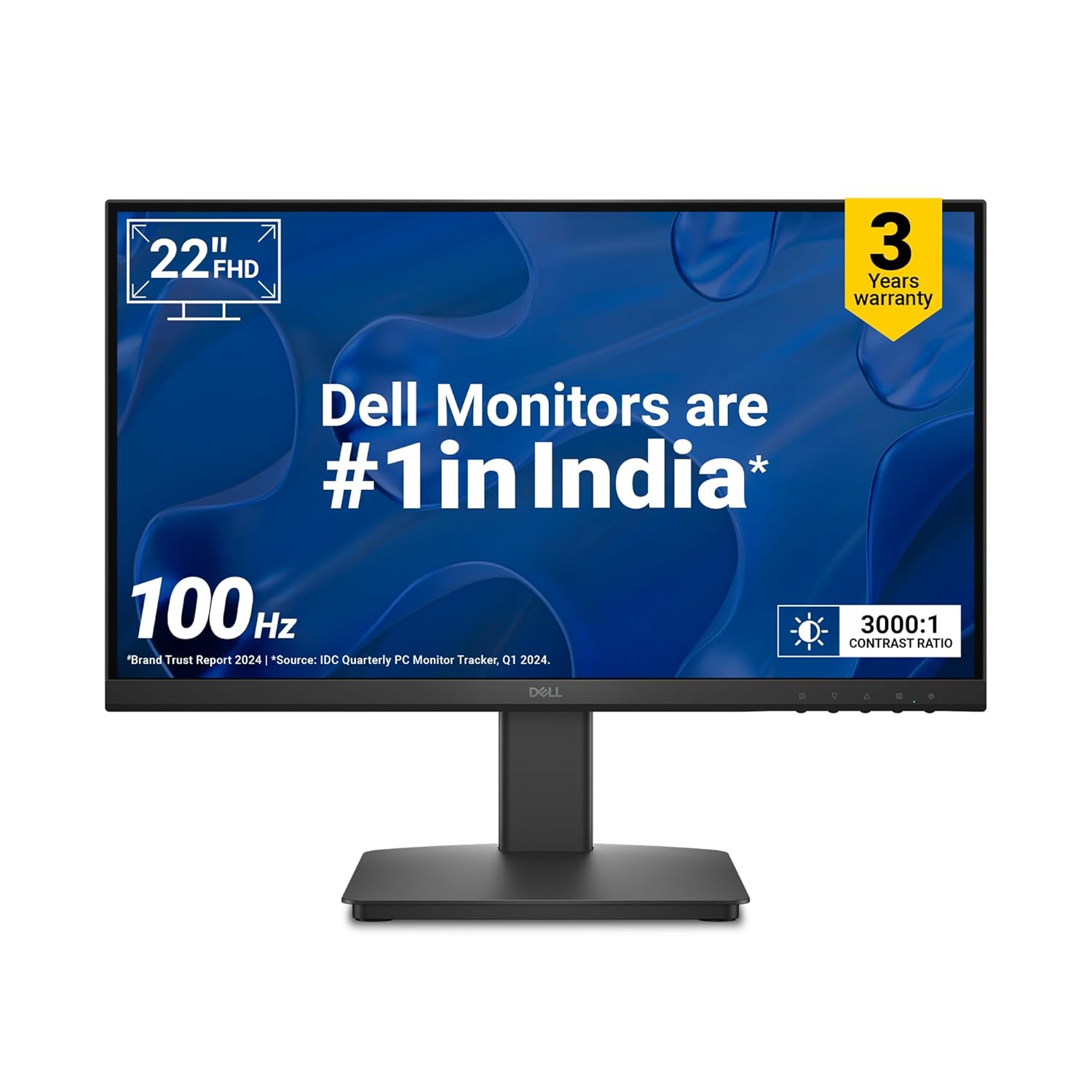
    2️⃣ Dell SE2225HM 21.5″ Monitor – Best for Eye Comfort

    💰 Price: ₹6,599 (approx.)

    • TÜV Rheinland 3-Star Eye Comfort Certified
    • Ultra-thin bezels, ideal for dual-monitor setups
    • Sharp text clarity, excellent for reports, presentations, and coding
    • Energy-efficient and durable build

    👉 Why Buy? A great choice for professionals who work long hours on spreadsheets, MIS reporting, or content writing.


    3️⃣ Samsung S3 22″ Slim IPS Monitor – Best Design & Color Quality

    💰 Price: ₹6,799 (approx.)

    • Slim, bezel-less IPS panel – wide viewing angles
    • Eye Saver Mode + Flicker-Free technology
    • Vibrant colors – ideal for creative professionals, designers, and students
    • Sleek and modern look, enhances home office setup

    👉 Why Buy? Perfect if you want a stylish monitor for both work & entertainment (Netflix, YouTube, OTT).


    4️⃣ Lenovo L22e-40 21.5″ Monitor – Best for Productivity & Multitasking

    💰 Price: ₹6,499 (approx.)

    • Lenovo Artery Software for split screen & multitasking
    • Full HD clarity with minimal bezels
    • Robust design for long usage
    • Supports HDMI & VGA input for laptops/desktops

    👉 Why Buy? Ideal for remote workers and students who need multitasking features for video calls + study material.


    5️⃣ LG 22MR410 21.5″ Monitor – Best All-Rounder

    💰 Price: ₹6,199 (approx.)

    • Reader Mode + Flicker Safe technology
    • Borderless design – modern and professional look
    • 3-Year LG warranty (peace of mind)
    • Great for office + online study combo

    👉 Why Buy? The most balanced monitor for both students and professionals who want reliability and brand trust.


    📊 Quick Comparison Table

    Monitor ModelResolutionRefresh RateKey FeatureBest ForPrice (₹)
    Acer EK220QFull HD100HzFreeSync + 1msStudents & Beginners5,695
    Dell SE2225HMFull HD100HzEye Comfort CertifiedLong-hour workers6,599
    Samsung S3 22″Full HD100HzSlim IPS DesignWork + Entertainment6,799
    Lenovo L22e-40Full HD100HzArtery SoftwareMultitasking users6,499
    LG 22MR410Full HD100HzReader ModeStudents + Professionals6,199

    🏆 Final Verdict – Which Monitor Should You Buy in 2025?

    • Best Budget Pick – Acer EK220Q
    • Best Eye Protection – Dell SE2225HM
    • Best for Sleek Design & Streaming – Samsung S3 22″
    • Best for Productivity – Lenovo L22e-40
    • Best All-Rounder – LG 22MR410

    If you are setting up a work-from-home office, online study desk, or freelancer workstation, these monitors give you the perfect balance of clarity, comfort, and value.


  • Union Budget 2025 MCQ Quiz – 25 Questions with Answers for Exams & GK

    🔹 What it covers?

    • Covers 25 important multiple-choice questions (MCQs) on Union Budget 2025
    • Includes answers with explanations for better understanding
    • Focus on tax changes, fiscal deficit, capital expenditure, schemes & policies
    • Useful for competitive exams (UPSC, SSC, Banking, Railways, State PSCs)
    • Great for students, professionals & GK enthusiasts to test knowledge

    Union Budget 2025 Quiz – 25 MCQs with Answers & Explanations

    Test your knowledge of the Union Budget 2025 with this free online quiz. 25 multiple-choice questions with answers and explanations covering tax changes, fiscal deficit, capital expenditure, schemes, and key highlights from Budget 2025. Perfect for students, professionals, and competitive exam preparation.

    1 / 25

    What economic growth rate is forecast for FY2025-26?

    2 / 25

    Which scheme supports pulses and cotton?

    3 / 25

    Defense budget for 2025-26 is about what % of GDP?

    4 / 25

    When was the Budget presented?

    5 / 25

    Constitutional article for Annual Financial Statement (Budget)?

    6 / 25

    UDAN regional connectivity aims:

    7 / 25

    Export promotion fund for maritime sector?

    8 / 25

    A Makhana Board set up in which state?

    9 / 25

    National Mission for High-Yielding Seeds launched as?

    10 / 25

    Gene Bank capacity lines?

    11 / 25

    PM Research Fellowships awarded:

    12 / 25

    What is the outlay for R&D & Innovation?

    13 / 25

    How many Vande Bharat trains announced?

    14 / 25

    How many gig workers to be issued identity cards?

    15 / 25

    Mudra loan limit under ‘Tarun’ category?

    16 / 25

    What is the MSME support under Budget?

    17 / 25

    FDI limit allowed for insurance?

    18 / 25

    Family pension deduction increased to?

    19 / 25

    Standard deduction under new regime increased to?

    20 / 25

    Which tax slabs were revised with zero tax up to:

    21 / 25

    Capital expenditure allocation is:

    22 / 25

    What are the total receipts (excluding borrowings)?

    23 / 25

    What is the fiscal deficit target in the Budget?

    24 / 25

    What is the total expenditure estimated in Budget 2025-26?

    25 / 25

    Who presented the Union Budget 2025?

    Your score is

    The average score is 0%

    0%


  • Best Computer Table for Online Study and Work from Home Under ₹7000 in India

    With the rise of online study, remote work, and work-from-home (WFH) setups, having a durable, comfortable, and stylish computer table is no longer a luxury—it’s a necessity. A good study or office desk not only helps you stay organized but also improves posture, focus, and productivity.

    If you’re searching for the best computer tables under ₹7000 in India, we’ve shortlisted top picks from trusted brands like Wakefit, Green Soul, Furlay, QARA, and more. These desks balance functionality, durability, affordability, and design—perfect for students, professionals, and home offices.


    🪑 Best Computer Tables Under ₹7000

    1. Wakefit Nayena Study Table – Affordable & Functional

    • Price: ₹3,649
    • Material: Engineered Wood
    • Key Features:
      • Compact & ergonomic design
      • Smart storage with cabinet
      • Easy maintenance
      • 1-year warranty

    💡 Perfect for students or professionals looking for a minimal, budget-friendly work desk.


    2. Green Soul Venue Study & Office Table – Premium Storage

    • Price: ₹6,990
    • Material: Engineered Wood (15mm particle board)
    • Key Features:
      • 1 drawer, 1 cabinet, 1 open shelf
      • Large workspace with 65 kg capacity
      • Rich Rolex Brown finish
      • 3-year warranty

    💡 Ideal for professionals needing extra storage for books, files, and gadgets.


    3. Furlay Ark Office Desk – Strong & Modern Design

    • Price: ₹3,599
    • Material: Engineered Wood + Metal Frame
    • Key Features:
      • 150 kg total load capacity
      • Sleek oak finish with a sturdy build
      • Easy DIY assembly & disassembly
      • 1-year warranty

    💡 Best for long-term durability with a modern touch for home offices.


    4. QARA Laminated Study Table – Sturdy & Compact

    • Price: ₹3,099
    • Material: Metal frame + Laminated wood top
    • Key Features:
      • Stable, wobble-free design
      • Adjustable feet for balance
      • Easy assembly with minimal tools
      • Compact 36″ x 24″ surface for laptops & writing

    💡 Perfect for small rooms, hostels, or compact WFH setups.


    5. Green Soul Vermont Study Table – Spacious & Stylish

    • Price: ₹6,290
    • Material: Engineered Wood
    • Key Features:
      • Wide surface top with 4 shelves
      • 80 kg load capacity
      • Premium walnut & white finish
      • Free installation service
      • 3-year warranty

    💡 Great choice for those who want elegance with functionality in one package.


    ✅ Conclusion

    When it comes to budget-friendly study and office desks under ₹7000, these options strike the perfect balance between style, durability, and utility.

    • If you’re on a tight budget, go for QARA or Wakefit.
    • If you need premium storage, Green Soul Venue is a winner.
    • If you want a modern metal-wood combo, pick Furlay.
    • For a stylish, large setup, Green Soul Vermont stands out.

    👉 Choose the one that fits your space, style, and storage needs—and transform your WFH or study area into a productivity powerhouse!